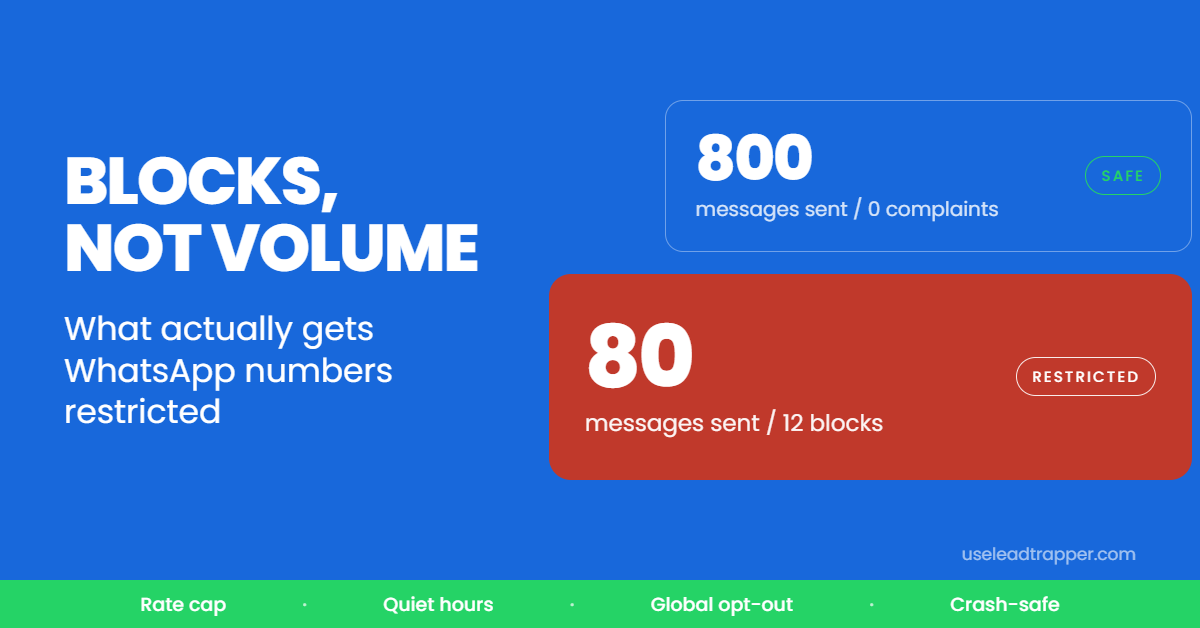
Meta's Business Messaging Policy requires opt-in before a business message; a number in your CRM is not consent. Enforcement is automatic and driven by how often people block or report you, so the safest list is existing customers, enquiries and opted-in contacts.
- Meta's Business Messaging Policy requires demonstrable opt-in before a business message. A phone number sitting in your CRM does not count as consent.
- Enforcement is algorithmic, not manual. Your block rate and report rate decide whether your number survives — not the size of your list.
- The Business API adds explicit ceilings, including a limit of 3 business-initiated conversations to the same person in 24 hours.
- Because enforcement keys on complaints, the safest list is the one that wants to hear from you: existing customers, enquiries, and opted-in contacts.
- Pacing controls exist to stop legitimate senders being mistaken for spam — they cannot make an unwanted message welcome.
Most guides to bulk WhatsApp messaging skip the part that decides whether your number survives. They explain delays and message variation, which are real, and quietly avoid the rules the platform publishes.
That omission costs people accounts, so this article starts with the rules.
What the Policy Actually Says
Meta’s Business Messaging Policy sets out four things that matter to anyone considering a WhatsApp bulk sender.
Consent must exist before the first message, and it has to be demonstrable — the person agreed to hear from your business, for a stated purpose, with a record of when and where. A phone number sitting in your CRM does not satisfy this on its own. Numbers that were scraped or bought for the purpose of WhatsApp outreach are explicitly excluded.
On the WhatsApp Business Platform, businesses may open at most 3 business-initiated conversations with the same person in 24 hours, and daily limits are tiered by account quality rather than fixed.
Automation through unofficial tooling is named as a restriction trigger, and enforcement runs automatically — there is no human reviewing your intentions before a limit lands.
None of this means WhatsApp is closed to businesses. It means the platform is built around messaging people who want the message, and it enforces that with maths rather than judgement.
Block Rate Is the Real Metric
Here is the part worth internalising: volume is not what gets accounts restricted. Complaints are.
Enforcement keys on how often recipients block or report you. A supplier messaging 800 existing customers about a delivery delay sits in a far safer position than someone sending 80 messages to strangers who never asked. The first list produces almost no blocks; the second produces them immediately.
This reframes every pacing setting in this article. Delays and message variation do not make an unwanted message welcome. What they do is stop a legitimate campaign from looking like an automated one while it goes out — which is a genuine problem, because spam detection is pattern-based and catches honest senders who send too mechanically.
Which Lists Are Defensible
Three sources hold up. Customers who have bought from you and gave you their number for contact. People who enquired — a form, a WhatsApp click-to-chat link or QR code, a walk-in who asked to be kept updated. And contacts who explicitly opted in to hear from you.
A scraped list of strangers does not hold up, and the block rate will tell you so within a day.
This is where the scraping side of LeadTrapper is often misread. Extracting business listings from Google Maps is ordinary commercial research, and for a supplier in Jakarta building a prospect list of cafés, it is exactly the right first step. What that list is for matters: a phone call, an email, a visit, an introduction — all normal. An unsolicited WhatsApp blast to those numbers is the one route that puts your account at risk, and it is also the one with the worst reply rate.
Inside a Sending Engine
Assuming a list that wants to hear from you, the software still has to behave like a person.
Delay as a range, not a number
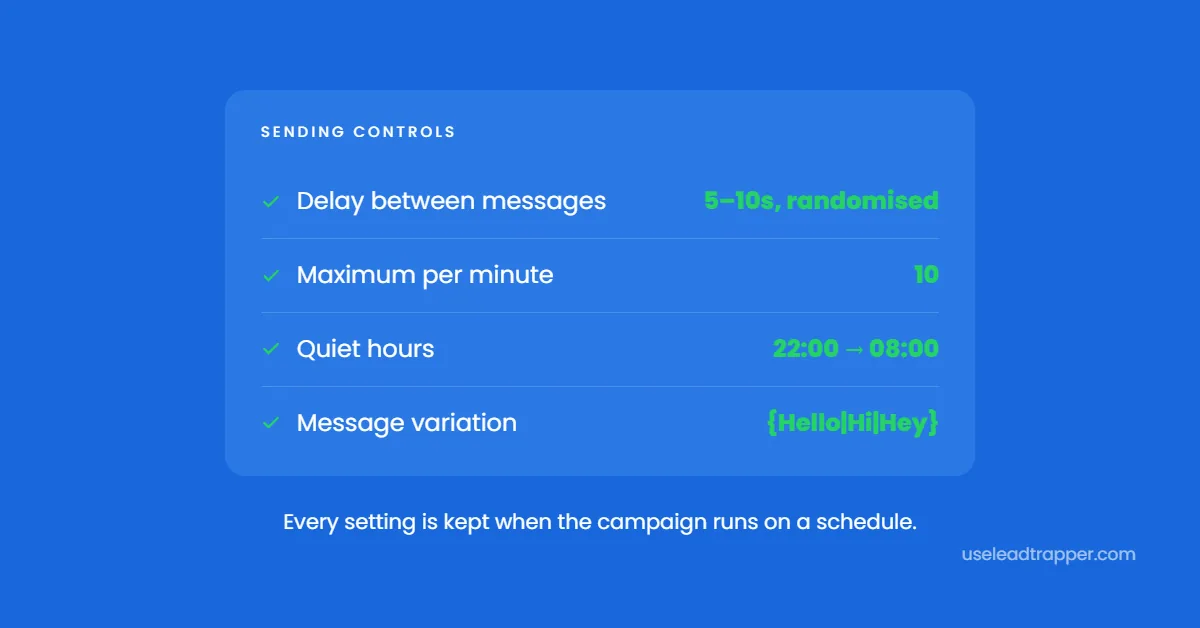
LeadTrapper takes a minimum and maximum — 5 to 10 seconds by default — and draws a fresh random value for every single contact. A fixed eight-second interval is a metronome, and a metronome is trivially detectable. Widening the window to 15–45 seconds for a colder audience costs you time and buys a lot of cover.
A hard messages-per-minute ceiling
The delay governs gaps; the cap governs totals. Set it to 10 and the campaign counts its own sends, pauses itself for the rest of the minute when it reaches ten, then opens a fresh window. It is a brake that still works when your delay setting is more optimistic than it should be.
Quiet hours that understand midnight
Set 22:00 to 08:00 and the campaign freezes on entering the window and resumes automatically on leaving it. Ranges that cross midnight are handled as one continuous window — which sounds trivial until a tool treats 22:00–08:00 as an empty range and sends all night, generating exactly the complaints that end accounts.
Message variation with real data
Spin syntax lets one message produce many. Written as {Hello|Hi|Good morning} {{name}}, your order from {{business_name}} is ready, each recipient receives a different combination, populated from their own lead record.
The Details Most Tools Get Wrong
These are the differences you only discover after something has gone wrong in front of a customer.
A scheduled campaign must keep its safety settings. Save a campaign with a 10-per-minute cap and 22:00 quiet hours, and the scheduled run has to honour both. Tools that store only the contacts and the message will fire at full speed in the middle of the night. In LeadTrapper a schedule carries the rate ceiling, the quiet-hours window, and the attachment, so an unattended run behaves exactly like a supervised one.
A contact with missing data must never receive a placeholder. If your template references a field the contact has no value for, the recipient should see a clean sentence — not {catalog_summary} sitting in the middle of your message. LeadTrapper strips unresolved fields before sending.
Opt-outs must survive how numbers are written. +971 50 123 4567, 00971501234567 and 971501234567 are one person. Matching on digits alone is what stops someone who opted out being contacted again through a differently formatted import.
A crash must not re-message anyone. LeadTrapper checkpoints as it runs, so a power cut at contact 380 of 500 resumes at 380 rather than starting again and messaging the first 380 people twice — which is a complaint generator, not merely an inconvenience.
| ❌ Common behaviour | ✅ LeadTrapper |
| Schedule drops the rate cap and quiet hours | Schedule keeps every safety setting |
| Missing field prints raw placeholder text | Unresolved fields removed before sending |
| Opt-out list misses reformatted numbers | Matched by digits, so one person is one entry |
| Crash restarts the list from zero | Resumes from the last checkpoint |
| Contacts and session held on a vendor server | Everything stays on your own computer |
Cost Comparison 2026
Price is the least interesting column here, so it is last. What separates these tools is what they can actually do.
| Feature | WATI | AiSensy | Twilio build | LeadTrapper |
|---|---|---|---|---|
| Finds the contacts for you | No | No | No | Google Maps, Instagram, Facebook |
| Where your contacts and session live | Vendor servers | Vendor servers | Vendor servers | Your own computer |
| Start sending today | No — approval first | No — approval first | No — build first | Yes, QR scan |
| Scheduled run keeps rate cap and quiet hours | Template limits only | Template limits only | You build it | Yes |
| Opt-out list matches reformatted numbers | Manual | Manual | You build it | Yes, by digits |
| Resumes after a crash without re-messaging | n/a | n/a | You build it | Yes |
| Cost | $39–$229/mo | Free tier, then $45–$99/mo | Developer time | $50/year |
API platforms are solid products solving a different problem. They are built for notification and support traffic at scale — formal messaging tiers, Meta’s per-template billing, an approval process before your first message. If you are sending order updates to a database of existing customers, they are a reasonable choice.
What they will not do is find you a single contact, or let you start this afternoon.
The difference that matters most to a small business is the second row. On a cloud platform, your WhatsApp session and your customer list sit on someone else’s infrastructure. LeadTrapper runs on your machine — the scraping, the sending, the lead database, all local. If you stop paying, the contacts are still yours, on your own disk.
No tool grants permission to message anyone. What the software decides is whether a permitted campaign is sent carefully or carelessly, and whether you had to hand over your customer list to send it.
If you are still assembling the audience, google maps scraper covers building a research list properly, and whatsapp outreach for B2B sales covers turning enquiries into conversations once consent exists.
For a business messaging its own customers in Dubai, Manchester, or São Paulo, the combination that works is unglamorous: a list of people who want to hear from you, and software that sends to them the way a careful person would. Nine tools will send the messages. The ones worth keeping are the ones that still behave correctly at 3am, when the schedule fires and nobody is watching — see what LeadTrapper includes.
Frequently Asked Questions
Sending to people who have not opted in is. Meta's Business Messaging Policy requires demonstrable consent naming your business and the purpose before you message someone, and explicitly excludes numbers that were scraped or purchased. Messaging your own customers, people who enquired, and contacts who opted in is what the policy is built to permit.
Complaints. Enforcement is automated and driven by block rate and report rate rather than by message volume. A business messaging people who expect it is in a far safer position than one messaging strangers, at any volume. Volume and speed matter mainly because they multiply how fast complaints accumulate.
On the WhatsApp Business API, Meta limits businesses to 3 business-initiated conversations with the same person per 24 hours, alongside tiered daily limits that rise with account quality. Outside the API there is no published number — the practical ceiling is whatever keeps your block rate low, which for most senders means 300 to 500 a day per number.
Not for the software to work. LeadTrapper connects through WhatsApp Web with a QR scan, so there is no Meta Business verification, no template approval, and no per-message fee. The API route gives you formal messaging tiers and support, at $39 to $229 a month before Meta's per-template charges, and it still requires opt-in.
It is one do-not-contact list applied to every campaign, present and future. It matters because a missed opt-out becomes a block, and blocks are the signal that ends accounts. LeadTrapper matches numbers by their digits, so the same person saved as +971 50 123 4567 in one list and 00971501234567 in another is recognised as one contact rather than two.
About LeadTrapper
LeadTrapper is a Windows app for finding business leads and contacting them on WhatsApp. It collects business contacts from Google Maps, Instagram, Facebook, TikTok, LinkedIn and business websites, checks which numbers are on WhatsApp with its Number Filter, and sends personalised campaigns with automatic delays from one or more WhatsApp accounts. It also has a chatbot, a shared inbox for every account, and Store Orders for online shops. It installs from the Microsoft Store, and the full app is free for 14 days, then $50 a year. Free web tools, browser extensions and a Wix app are listed on the Free Tools page.
Send to People Who Want to Hear From You
LeadTrapper handles pacing, quiet hours, and a global opt-out list so legitimate campaigns are not mistaken for spam. $50/year, running on your own computer.
Related Articles
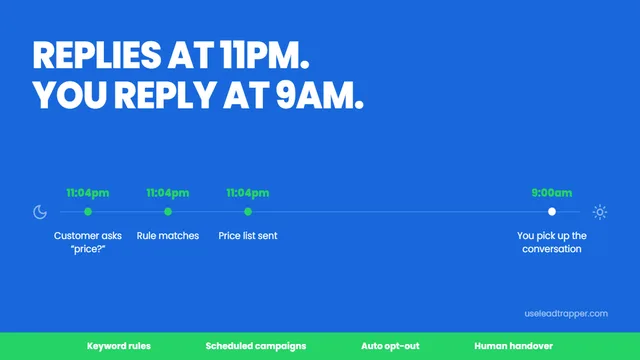
WhatsApp Marketing Automation That Runs Overnight
Set up WhatsApp marketing automation that replies while you sleep, schedules campaigns for working h…
Read article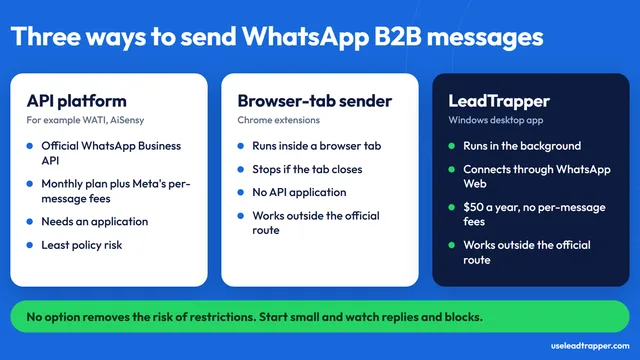
WhatsApp B2B Outreach: A Safer 6-Step Process
A practical 6-step process for WhatsApp B2B outreach: build the list, check numbers, keep a do-not-c…
Read articleWhatsApp Bulk Sender for Windows
Personalised messages to a whole Excel or CSV list, with several accounts and safe delays.
See the product