Build a list, check the numbers on WhatsApp, keep a do-not-contact list, vary your messages and send at a careful, randomised pace, starting small. Most of the risk is decided before you send. No tool can promise you won't be banned.
- No tool can promise you will not be banned, and WhatsApp does not publish a safe number of messages per day. Start small and watch replies and blocks.
- Most of the risk is decided before you send: a clean list, numbers checked on WhatsApp, a do-not-contact list, and messages that are not identical.
- LeadTrapper builds the list from Google Maps, checks numbers with the Number Filter, keeps a blacklist, rotates templates with spin syntax and sets randomized delays.
- LeadTrapper does not send automatic timed follow-ups. A second message to people who did not reply is a new, manual campaign.
- API platforms such as WATI and AiSensy charge monthly plans plus Meta's per-message fees. LeadTrapper is a flat $50 a year and connects through WhatsApp Web.
The Short Version
A safer WhatsApp B2B outreach process has six steps: build a list of real businesses, check which numbers are on WhatsApp, keep a do-not-contact list, write messages that are not identical, set a careful pace, and follow up by hand. The steps lower the risk. They do not remove it, because WhatsApp does not publish what triggers a restriction, and no tool can promise otherwise.
The 6-Step Process
Step 1: Build the list from real listings
Bought lists are full of dead and personal numbers. A better source is a business’s own Google Maps listing, which usually carries its phone number. In one real test (dentists in Amman, September 2026), LeadTrapper’s Google Maps scraper collected 160 businesses in about 21 minutes, and 158 had a phone number. Some of those will be landlines or out of date, which is what the next step is for. For how the scan works and what it returns, see the scraper guide, and for building and checking a whole list, see building B2B lead lists.
Step 2: Check the numbers on WhatsApp
Run the list through the WhatsApp Number Filter. It cleans the format and checks each number against WhatsApp, and it reports whether the account is business or personal. Messaging numbers that are not on WhatsApp wastes sends, and a high rate of failures is one of the signals that can put an account at risk, as the guide to invalid numbers and ban risk explains. A 30-number sample test in how reliable are phone numbers from lead tools shows how good your list really is.
Step 3: Keep a do-not-contact list
When someone replies “stop” or “not interested”, add their number to the blacklist. LeadTrapper skips blacklisted numbers in campaigns, so you never message them again by accident. Recipients who block or report you are widely reported as a main reason accounts get restricted, which makes this step about protecting the account as well as being polite.
Step 4: Write messages that are not identical
Identical text to a whole list is the pattern to avoid. LeadTrapper gives you two tools. Spin syntax picks one option at random from a group written in single braces, and placeholders in double braces fill in details for each contact:
{Hello|Hi|Good morning} {{name}}, I came across {{business_name}} on Google Maps
and wanted to ask about {a quick idea|something that may be relevant to your work}.
You can also write several complete templates and set the campaign to rotate through them in order or at random. Keep the first message short and specific, and ask for a reply, not a sale. For wording that gets answers, see writing WhatsApp messages that get replies.
Step 5: Set a careful pace
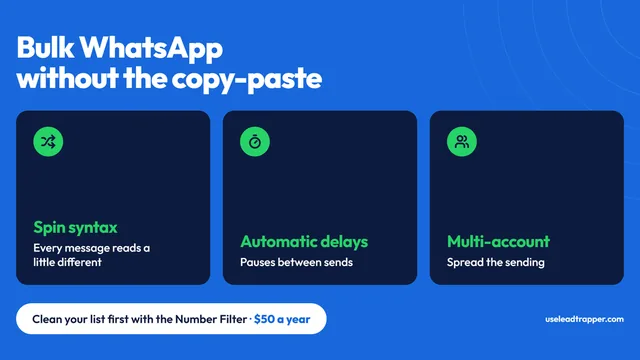
LeadTrapper’s Delay Calculator works out a randomized delay range from your campaign size before a campaign can send. If sends on an account start failing, the campaign stops that account and pauses it for 30 minutes, as described in why a campaign stopped automatically. Two habits matter more than any setting: start with a small batch and watch what happens, and warm up a brand-new number before using it for outreach, as the warm-up guide explains. You can connect more than one WhatsApp account and spread a campaign across them, so each number sends fewer messages. That lowers the load on each account; it does not make any of them safe.
Step 6: Follow up by hand
LeadTrapper does not send timed follow-ups on its own. A second message to people who did not reply is a new campaign, with different wording, sent a few days later to the numbers that stayed silent. The chatbot can answer replies that arrive with keyword rules, and you take over the conversations that matter.
What Lowers Ban Risk, and What Does Not
| Habit | What it does | What it does not do |
|---|---|---|
| Checking numbers first | Avoids sends to numbers that are not on WhatsApp | Does not stop people blocking you |
| Blacklist | Stops repeat messages to people who opted out | Does not help with people who never replied |
| Spin syntax and rotating templates | Makes messages differ from one another | Does not make a message welcome |
| Randomized delays | Avoids a fixed, machine-like rhythm | Does not set a limit WhatsApp accepts |
| Warm-up | Gives a new number some ordinary history | Does not replace starting small |
| Several accounts | Spreads sends across numbers | Does not lower the risk on each number |
The most reliable protection is sending to people who expect to hear from you. Nothing in this table changes that.
What the Tools Cost
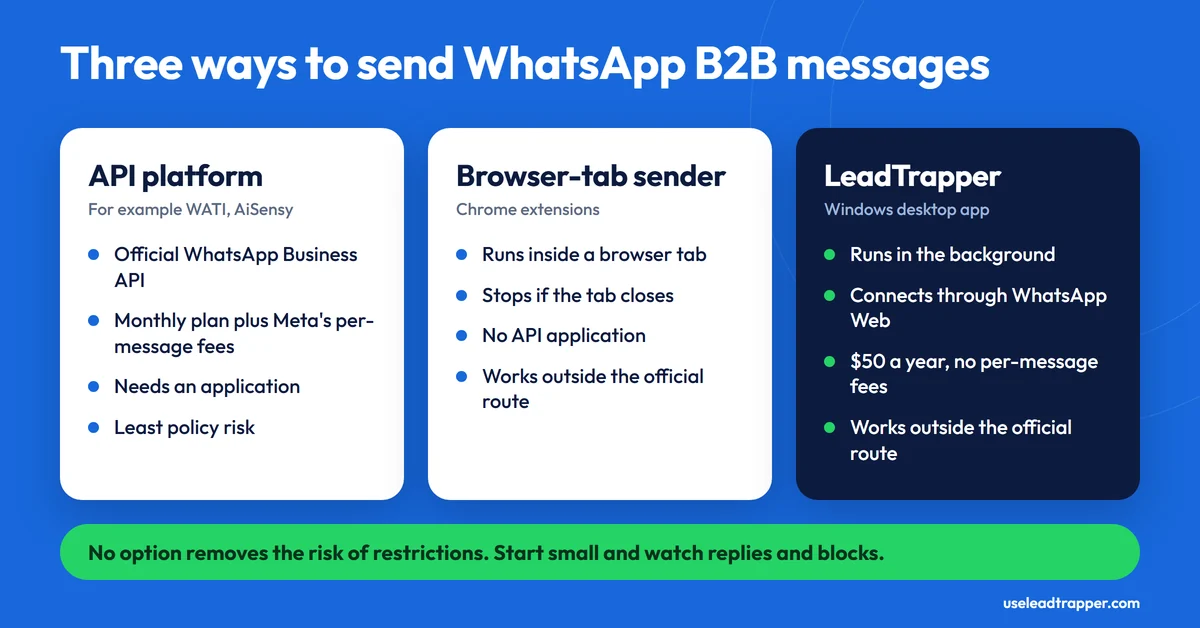
Tools fall into three groups. API platforms such as WATI and AiSensy use the official WhatsApp Business API. They sell monthly plans (WATI’s pricing page currently lists plans from about €59 a month billed annually, and the figure varies by region and billing period) on top of Meta’s per-message charges, and they need an application. Browser-extension senders run in a browser tab, so the campaign stops if the tab closes. (WASender is not one of these: it is a desktop app for Windows and macOS, compared in the WASender alternative guide.) LeadTrapper is a Windows desktop app: it runs campaigns in the background, connects through WhatsApp Web, and costs $50 a year with no per-message fees. That flat price is the difference. It does not make the messaging risk smaller, and the API platforms carry less policy risk because they use the official route. For a cost comparison of scrapers, see the Outscraper alternatives guide,.
The Rules
Two sets of rules apply. First, WhatsApp’s own terms restrict automated and bulk messaging, and how the official API handles cold outreach is covered in the cold outreach policy guide. Second, marketing and privacy law can apply to a list of business numbers, especially for sole traders and personal numbers, and it differs by country. If you built the list by scraping, read is scraping Google Maps legal as well. This is not legal advice, so take advice for your own market.
Frequently Asked Questions
There is no published safe number, and anyone quoting one is guessing. Restrictions appear to depend mostly on how recipients react, such as blocks and reports, so a small batch to people who expect your message is safer than a large one to strangers. Start small, watch replies and blocks, and use delays and message variation.
Not for LeadTrapper, which connects through WhatsApp Web by scanning a QR code. API-based platforms such as WATI and AiSensy need an application and add Meta's per-message charges to their plans. The trade-off is that automating messages outside the official API can breach WhatsApp's terms and put the account at risk.
It is a do-not-contact list. A number added to LeadTrapper's blacklist is skipped in campaigns, so someone who asks to be removed does not get messaged again. Adding them is still a step you take yourself when they reply.
No. It sends the campaign you set up, and its chatbot can answer replies with keyword rules. If you want a second message for people who did not reply, you run it as a separate campaign, ideally with different wording.
It depends on the country, on who you contact and on whether they agreed to hear from you. Marketing and privacy rules can apply even to business numbers, and WhatsApp's own terms restrict automated messaging. Read our guides to the rules before you start; this is not legal advice.
About LeadTrapper
LeadTrapper is a Windows app for finding business leads and contacting them on WhatsApp. It collects business contacts from Google Maps, Instagram, Facebook, TikTok and LinkedIn, checks which numbers are on WhatsApp with its Number Filter, and sends personalised campaigns with automatic delays from one or more WhatsApp accounts. It also has a chatbot, a shared inbox for every account, and Store Orders for online shops. It installs from the Microsoft Store, and the full app is free for 14 days, then $50 a year. Free web tools, browser extensions and a Wix app are listed on the Free Tools page.
Build the List and Send From One App
Google Maps scraper, Number Filter, blacklist and WhatsApp bulk sender in one Windows app. $50/year, all features included.
Related Articles
WhatsApp Bulk Sender: 1,000+ Messages Without Ban
WhatsApp bulk sender software sends personalized messages to a contact list without the API or month…
Read article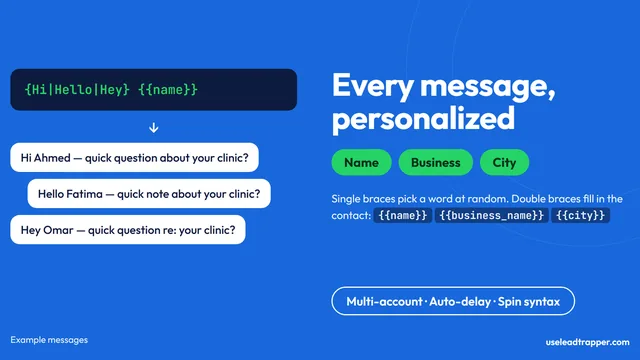
WhatsApp Marketing: Templates, Timing, Personalization
How to write WhatsApp marketing messages that get replies — template structure, personalization toke…
Read article