In this article 7 sections
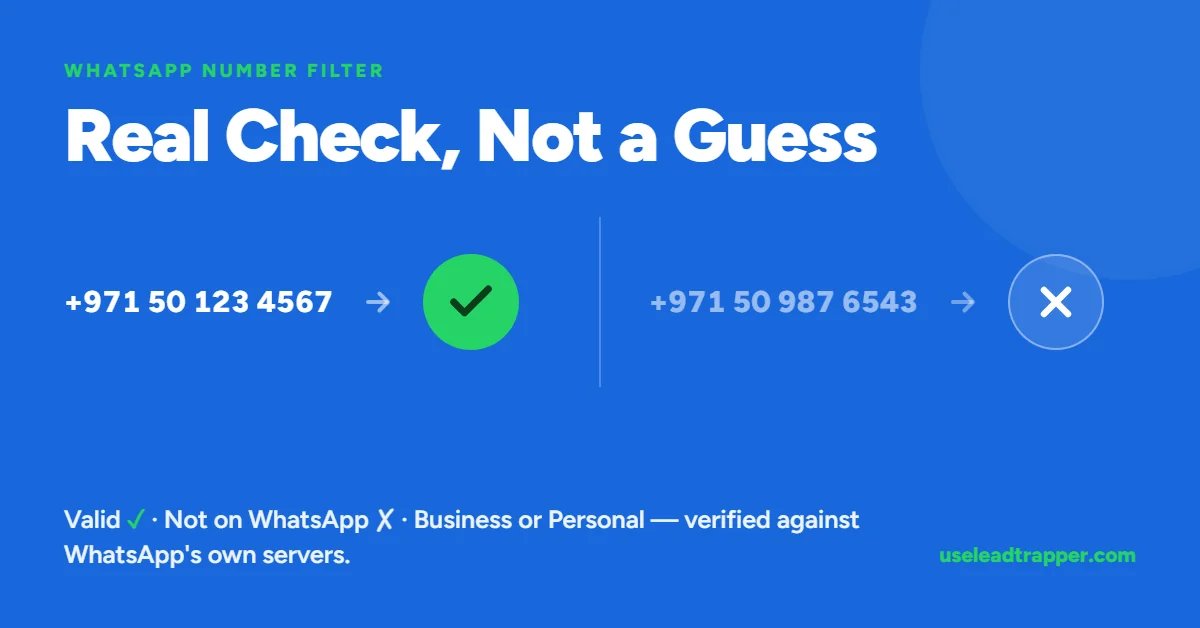
LeadTrapper's Number Filter cleans each number's format, removes duplicates, then checks it with the same lookup WhatsApp's own web client uses. Each result shows whether the number is on WhatsApp and whether it is a business or personal account. Filtering first avoids sending to dead numbers.
- The filter checks each number against WhatsApp's own servers using the same lookup WhatsApp's own web client uses internally — not a third-party API, not a format-only guess.
- Messy formatting — dashes, spaces, missing country codes, a stray extra zero — is cleaned automatically before checking. There is no separate 'clean my file first' step.
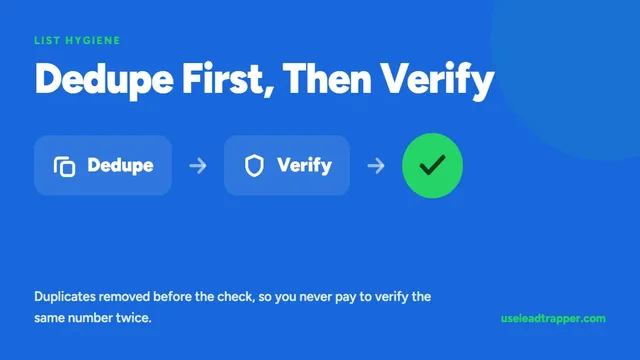
- Cleaning happens before duplicate detection, so two entries that look completely different (0501234567 and +971 50 123 4567) are correctly recognized as the same real number.
- Each result also reports whether the number is a WhatsApp Business account or a personal one — not just registered or not.
- Sending to numbers that don't exist on WhatsApp is one of the signals that gets an account flagged, alongside block and report rate — filtering first removes that risk before a campaign ever starts.
Why This Exists
A contact list built from Google Maps, a purchased database, or a spreadsheet someone typed by hand always has the same problem: some of those numbers aren’t on WhatsApp at all. Sending a campaign to them doesn’t just waste the send — a high rate of messages going to invalid numbers is one of the signals WhatsApp’s own systems watch, alongside how often real people block or report you. A list that’s mostly good with a handful of dead numbers scattered through it can still put an account at risk before a single person has complained.
The fix is to know which numbers are real before sending anything, not after.
How the Check Actually Works
The WhatsApp Number Filter doesn’t guess based on formatting, and it doesn’t call a third-party lookup service. It queries WhatsApp’s own servers directly, through the same account already connected to LeadTrapper — the identical mechanism WhatsApp’s own web client uses internally the moment you type a new number into “start a new chat” and it tells you whether that number exists.
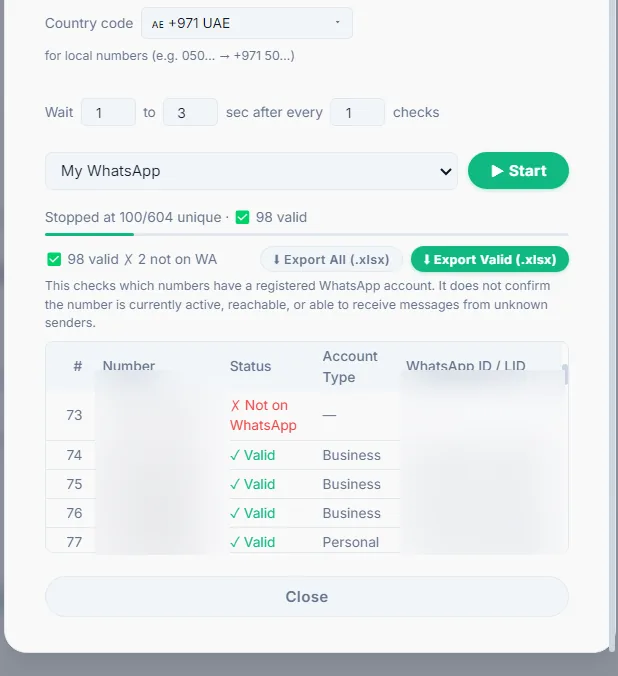
That means the result is a real answer, not an inference: registered or not, and — when it exists — whether it’s a personal account or a WhatsApp Business account.
How the Cleaning Actually Works
This is the part that matters most for anyone with a real, messy spreadsheet, so it’s worth walking through exactly what happens.
What the customer does:
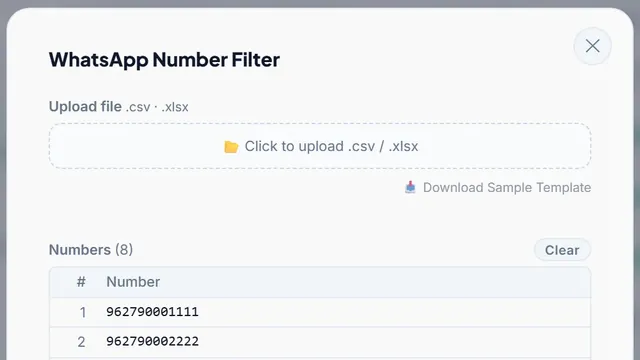
- Upload a CSV or Excel file exactly as it already exists, or paste numbers directly.
- Pick a country once from the dropdown.
- Click Start.
That’s the entire interaction. There is no “clean your file first” step, no preview to approve, nothing to fix before uploading.
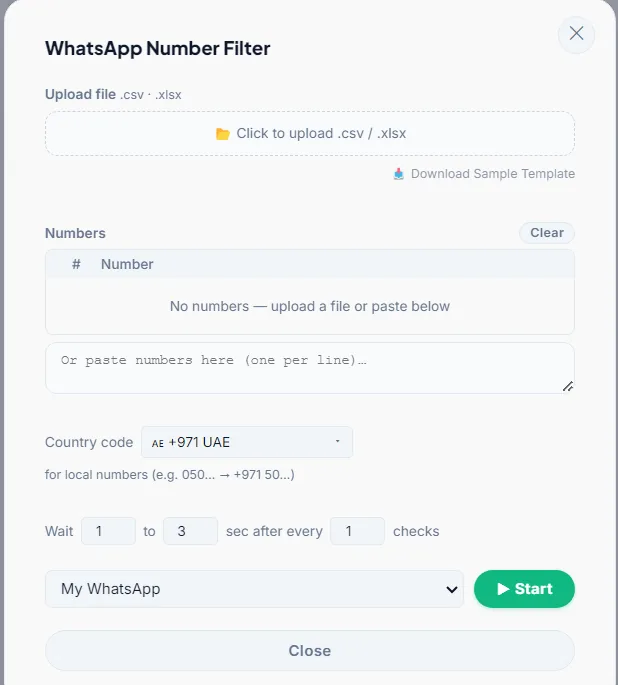
What happens automatically, for every number, before anything is checked:
- Every non-digit character is stripped — dashes, spaces, dots, parentheses, plus signs. It doesn’t matter where they appear or how many there are.
- The country code is corrected — added if it’s missing, and a duplicated or stray extra zero is removed if the number already has a country code but picked up an extra local
0along the way (a common copy-paste mistake). - Duplicates are caught after cleaning, not before — so two entries that look nothing alike on screen, like
0501234567and+971 50 123 4567, are correctly recognized as the same real number and only checked once.
Only after all three steps does the actual WhatsApp check run. The customer never sees the raw-to-clean transformation happen — they see a messy list go in and a results table come out.
What Counts as "Messy" — and Why It Doesn't Matter
The same real number produces the same clean result no matter how it was originally formatted:
| ❌ As it exists in a real spreadsheet | ✅ What it becomes automatically |
971555041871 |
971555041871 |
971-555041871 |
971555041871 |
971-55-5041871 |
971555041871 |
0501234567 (no country code) |
971501234567 |
9710555041871 (stray zero after the country code) |
971555041871 |
This isn’t UAE-specific. The same automatic cleaning applies whatever country is selected — a Saudi number with dashes in three different places, a UK mobile number missing its country code, or a bare 10-digit US number with none at all, each reduce to the one correct number for that country before checking.
One real limit worth stating plainly: the country dropdown applies to the whole batch of numbers that don’t already carry their own country code. A list mixing local-format numbers from two different countries in one upload needs to be split and run once per country — a number that already includes its own country code (Saudi, UK, anywhere) isn’t affected by this at all, since it’s recognized as complete regardless of what’s selected.
Business vs Personal, and the WhatsApp ID
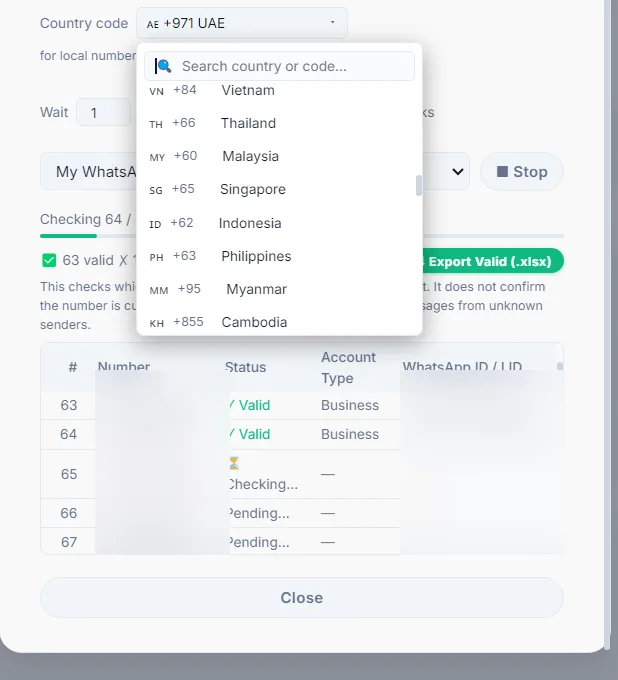
Every result includes more than a yes/no. Each verified number comes back with an account type — personal or WhatsApp Business — and the exact WhatsApp identifier WhatsApp itself returned for that number, in whichever format WhatsApp currently uses for it. That identifier is proof the match is real, not something inferred from the phone number alone.
Who Actually Needs This
Anyone about to run a WhatsApp bulk campaign against a list they didn’t build entirely by hand — a scraped list, a purchased database, a spreadsheet inherited from someone else, or even a list built from Google Maps where a few listed numbers are landlines or out of service. The filter answers one question before any message goes out: which of these are real, reachable WhatsApp accounts — so the campaign starts clean instead of finding out the hard way.
For the anti-ban mechanics behind why invalid numbers matter in the first place, see what Meta actually allows.
More on Getting a List Ready to Send
- Why invalid numbers are quietly getting WhatsApp accounts banned — the risk this feature exists to prevent.
- How to bulk verify WhatsApp numbers from a CSV in minutes — a step-by-step walkthrough.
- WhatsApp number checker tools compared — free vs. paid, honestly.
- Cleaning a purchased or scraped contact list — the right order of operations before a first campaign.
- By industry — real estate, recruitment, and sales use cases.
- Duplicate contacts are wasting your campaign budget — the dedup mechanism on its own.
- Why a run stops by itself — including the 15-minute Safety Pause the filter triggers after a run of misses.
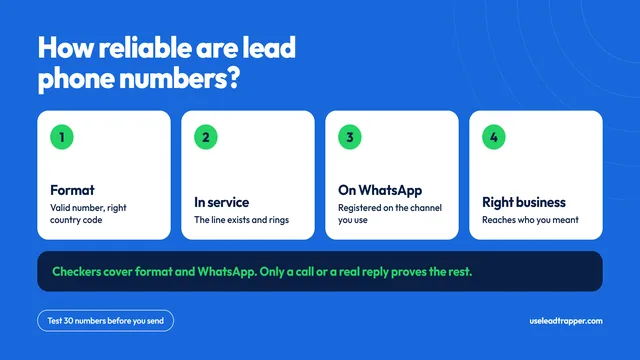
- How reliable are lead phone numbers? — where lead-tool numbers come from, and a 30-number test.
Before you send: warm up new or quiet numbers first with the WhatsApp Account Warmer, which runs in the same app.
Frequently Asked Questions
Every number goes through the same automatic process regardless of how it's formatted: every non-digit character (dashes, spaces, dots, parentheses, plus signs) is stripped first, then the digits that remain are checked against the selected country code — adding it if missing, removing a duplicated or stray leading zero, and handling the '00' international dialing prefix. The customer never sees or manages this step; it happens the moment they click Start.
No. Upload the file exactly as it exists — dashes, inconsistent formatting, missing country codes, whatever mess is already there. The cleaning step runs automatically on every number before it's checked against WhatsApp. There is no separate cleanup pass to run first.
Numbers that already include their own country code (for example a Saudi or UK number with the code already attached) pass through correctly no matter what's selected in the dropdown. The dropdown only matters for local-format numbers that start with a 0 and have no country code yet — those are assumed to belong to whichever country is currently selected, so a batch of local-format numbers should match one country at a time.
It's the exact internal identifier WhatsApp itself returned when confirming the number exists — proof of a real match, not something LeadTrapper derived on its own. It appears in one of two formats: the older phone-based ID, or the newer 'lid' format WhatsApp has been moving toward as part of a broader shift away from phone-number-based identifiers for privacy reasons. Both are handled automatically.
Yes. Each result includes an account-type flag alongside the valid/invalid status, so a contact list can be filtered or prioritized by business accounts specifically, not just by whether a number is registered.
About LeadTrapper
LeadTrapper is a Windows app for finding business leads and contacting them on WhatsApp. It collects business contacts from Google Maps, Instagram, Facebook, TikTok, LinkedIn and business websites, checks which numbers are on WhatsApp with its Number Filter, and sends personalised campaigns with automatic delays from one or more WhatsApp accounts. It also has a chatbot, a shared inbox for every account, and Store Orders for online shops. It installs from the Microsoft Store, and the full app is free for 14 days, then $50 a year. Free web tools, browser extensions and a Wix app are listed on the Free Tools page.
Stop Sending to Numbers That Don't Exist
LeadTrapper's WhatsApp Number Filter cleans and checks your list automatically, before a single message goes out. $50/year — all features included.