- WhatsApp's own Export chat saves a conversation as a text file. It does not give you a list of the members in a group, so you need another way to get one into Excel.
- For a small group you can copy names and numbers by hand. For anything bigger, a browser extension that reads the group list WhatsApp Web has already loaded is far faster.
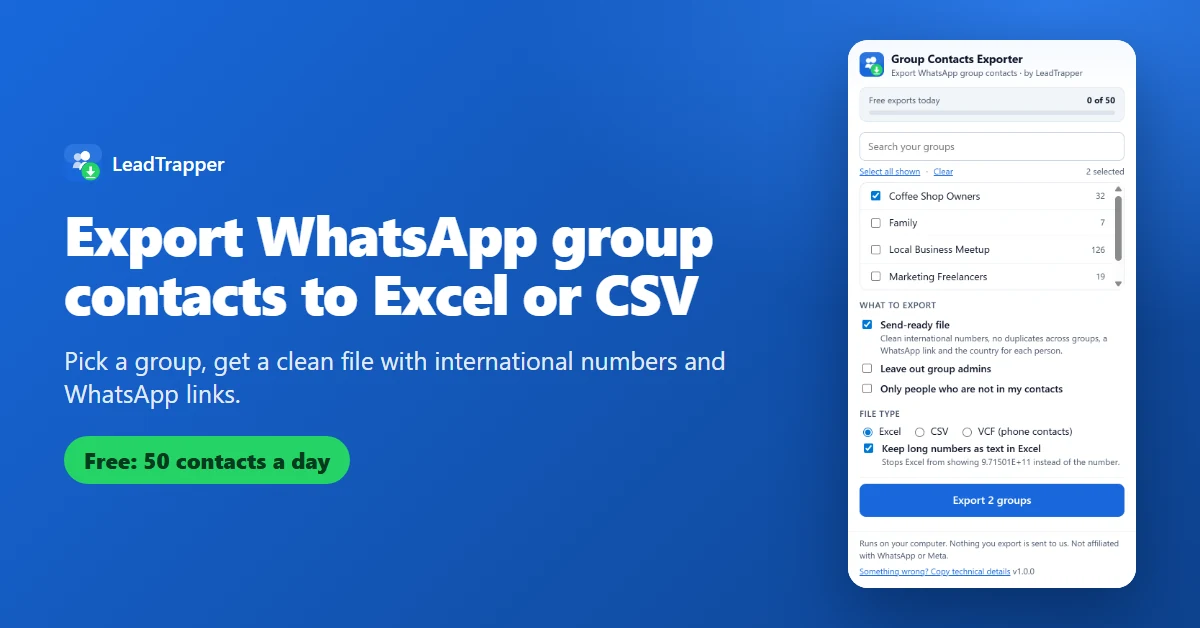
- The free Group Contacts Extractor & Exporter extension exports up to 50 contacts a day to Excel, CSV or VCF, and can leave out admins or people already in your contacts. It runs in your browser and sends nothing to us.
- Some members appear in WhatsApp under an internal ID instead of a phone number. If your account cannot see the number, no tool can, so the extension counts those people and never guesses.
- A group member joined a group, not your mailing list. WhatsApp's terms ban bulk and automated messaging, so use an exported list for people who expect to hear from you.
A WhatsApp group can hold hundreds of people, and WhatsApp gives you no button to save that list. The group info screen shows the members one by one, and the Export chat feature saves the conversation, not who is in it. This guide shows the ways people really get a member list into a spreadsheet: copying it by hand, using a free browser extension, and moving to a desktop app when a job is too big.
What WhatsApp Lets You Save
WhatsApp’s help page, How to export your chat history, describes Export chat as a way to send a chat’s history out as a text file, with or without media. The page adds that the file cannot be re-imported, because it is a text file and not a backup. That file holds the messages. It is not a table of members with their phone numbers.
The group info screen does list every member, and that is where every method below starts. The problem is only that there is nowhere to click that turns the list into a file.
Method 1: Copy the List by Hand
For a small group this is fine. Open the group in WhatsApp Web, open the group info, scroll through the members and copy the names and numbers into a sheet. A committee group of 15 or 20 people takes a few minutes.
It stops being practical quickly. People you have saved appear under the name you gave them, so you often have to open each one to see the number. A community group in Dubai with 340 members, or a freelancers’ group in Manila with 120, would take hours, and copying that much by hand always leaves typing mistakes behind.
Method 2: Export with a Free Extension
The free Group Contacts Extractor & Exporter for WhatsApp Web, made by LeadTrapper, does the copying for you. It is a Chrome extension that works inside your own WhatsApp Web tab. It reads the group and member lists that WhatsApp Web has already loaded in your browser, and it builds the file on your computer. It does not send your groups, names or numbers to our servers or to anyone else. The privacy policy lists exactly what it keeps: one small counter for your daily allowance.
- Install Group Contacts Extractor & Exporter for WhatsApp Web from the Chrome Web Store.
- Open web.whatsapp.com and sign in with the QR code on your phone. Wait until your chats appear.
- Click the extension icon. Your groups are listed with their sizes. A group whose size WhatsApp has not loaded yet shows a number as soon as you tick it.
- Tick one group or several. You can also search the list.
- Choose what to export: a send-ready file, without group admins, or only people who are not in your contacts.
- Pick Excel, CSV or VCF and click Export.
The send-ready option is the one most people want. It puts each number in international format, removes people who sit in more than one of the groups you picked, and adds the country and a WhatsApp link. These rows are made-up examples:
| Name | Phone | Country | WhatsApp link | Group | Role |
|---|---|---|---|---|---|
| Priya N. | 447700900101 | United Kingdom | https://wa.me/447700900101 | Property Investors | Member |
| Daniel R. | 12025550125 | United States / Canada | https://wa.me/12025550125 | Property Investors; Coffee Shop Owners | Admin |
| Elena S. | 447700900133 | United Kingdom | https://wa.me/447700900133 | Coffee Shop Owners | Member |
The free allowance is 50 contacts a day, counted on the day of your computer’s clock. A group of 200 people therefore takes four days, and when the allowance runs out the result screen offers our free trial instead of a file. If you would rather not wait, the WhatsApp group member extractor inside the LeadTrapper app has no daily limit.
Excel, CSV or VCF: Which File to Choose
Excel is the friendliest choice when you want to sort, filter or add notes. The extension stores phone numbers as text, so Excel does not turn 447700900101 into 4.47701E+11.
CSV is what most other tools want when you import a list into a CRM or a bulk tool. Excel opens CSV files too, and the extension has a switch that keeps long numbers as text for that case. Our guide to formatting a phone list for WhatsApp explains the leading zeros and country codes that break lists, and the free WhatsApp number formatter cleans a list that came from somewhere else.
VCF is the phone-book format. Open it on your phone or import it into Google Contacts and every person is saved with their number. Only do that for people you really want in your address book.
Why Some Members Are Missing
Newer WhatsApp versions identify some group members by an internal ID instead of a phone number. When your account can see the number, the extension finds it through WhatsApp’s own tables and your contact records. When it cannot, that person has no number to export. The extension leaves them out, counts them, and tells you how many on the result screen. It never invents a number.
Two more limits are worth knowing. You can only export groups you belong to. And people you have saved appear under your own name for them, which the extension keeps in the Name column next to the number.
Use the List Responsibly
Someone who joined your group did not join your mailing list. WhatsApp’s terms of service ban sending impermissible communications such as bulk messaging and auto-messaging, and ban collecting information about its users in any impermissible or unauthorized manner. This is not legal advice, and rules differ between, say, Dubai, London and São Paulo, so check the ones where you and your contacts live.
The safe uses are plain ones: backing up the members of a community you run, moving customers who agreed to hear from you into a CRM, or making a list for an event you organise. If you plan to message people you have never spoken to, read our cold outreach policy guide first.
When 50 a Day Is Not Enough
The extension is built to show you what a clean export looks like. For larger jobs, LeadTrapper is a Windows app that runs on your own computer, and its group extraction has no daily limit. The same app checks which numbers are on WhatsApp with the WhatsApp Number Filter, finds business leads on Google Maps, Instagram and Facebook, and works as a WhatsApp bulk sender with delays and account warm-up built in. It costs $50 a year and starts with a 14-day free trial that needs no card.
Frequently Asked Questions
Open WhatsApp Web in Chrome, install the free Group Contacts Extractor & Exporter, tick the group, choose Excel and click Export. The free allowance is 50 contacts a day. For a group of around 20 people you can also copy the names and numbers from the group info screen by hand.
You have to be a member of the group. The extension reads the member list that WhatsApp Web has loaded for it, so the whole list is available, but the free version stops at 50 contacts a day. Members whose phone number WhatsApp does not show to your account cannot be exported by any tool, and the extension tells you how many were left out.
Not one that works from a website. A group's member list lives inside your own signed-in WhatsApp, and a website would need your WhatsApp login to reach it, which you should never hand over. Tools that work run on your side: a browser extension in your WhatsApp Web tab, or an app on your computer.
Yes. Export a VCF file, open it on your phone or import it into Google Contacts, and the people are added with their numbers. Think before importing hundreds of strangers into your address book, because they will all appear in your phone and in WhatsApp. A CSV or Excel file keeps them out of your contacts.
WhatsApp identifies some members by an internal ID instead of their phone number. When the number is not available to your account, the extension cannot show it, so it leaves that person out and counts them. It never guesses a number.
Need More Than 50 Contacts a Day?
LeadTrapper for Windows exports groups with no daily limit, checks numbers and sends WhatsApp messages. $50/year, 14-day free trial.
Related Articles
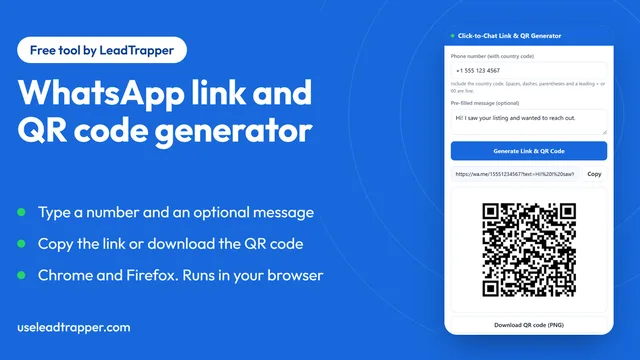
WhatsApp Link & QR Generator Extension: Chrome, Firefox
Make a WhatsApp click-to-chat link and QR code from any number with the free Chrome or Firefox exten…
Read article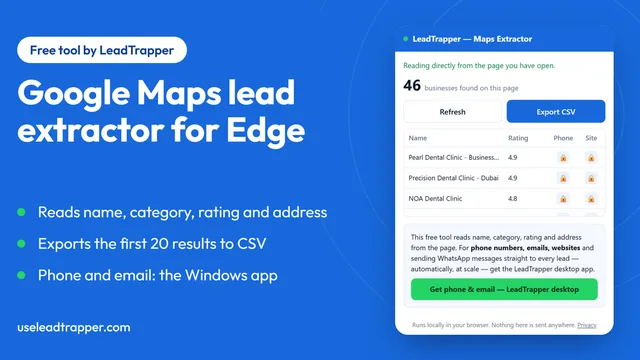
Google Maps Lead Extractor Extension for Edge (Free)
The free Maps Lead Extractor for Microsoft Edge reads names, ratings and addresses from Google Maps…
Read article