Free WhatsApp Order Button for Wix Stores
Shoppers tap once and WhatsApp opens with the product name, price and link already written. Add a floating chat or call button to every page, see every order and click in your dashboard, confirm cash-on-delivery orders and remind shoppers who leave checkout, all on WhatsApp. Free on the Wix App Market.
Add to Wix, freeFree · no paid plan · installs from the Wix App Market
What the Wix app does
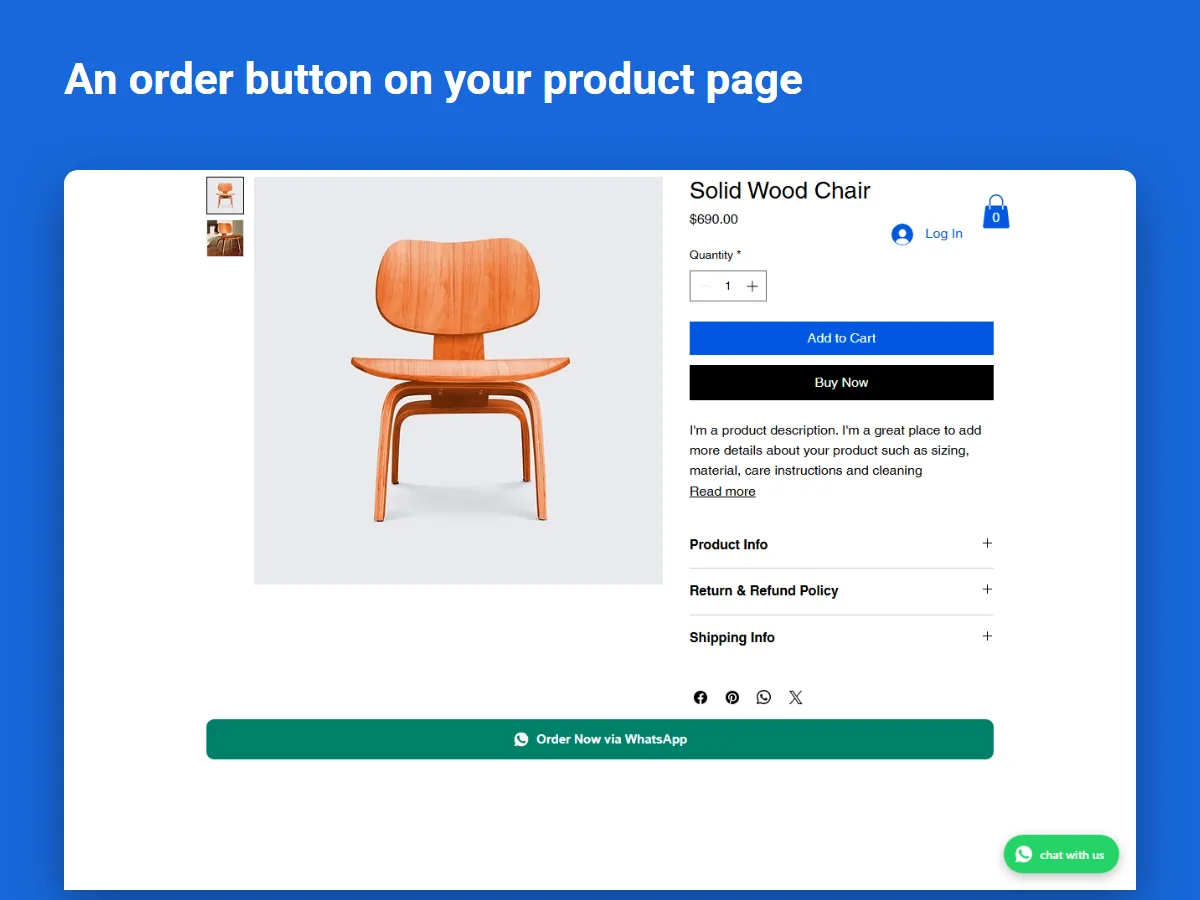
- Adds an order button to product pages. One tap opens WhatsApp with the product name, price and link already written, so you know exactly what the shopper wants.
- Lets you choose the products. Show the button on all products, only chosen ones, or all except a few.
- Adds a floating button to every page. It can open a chat, call you, or offer both.
- Matches your site. Size, corners, outline or filled, alignment, your font and a label such as “Chat with us”.
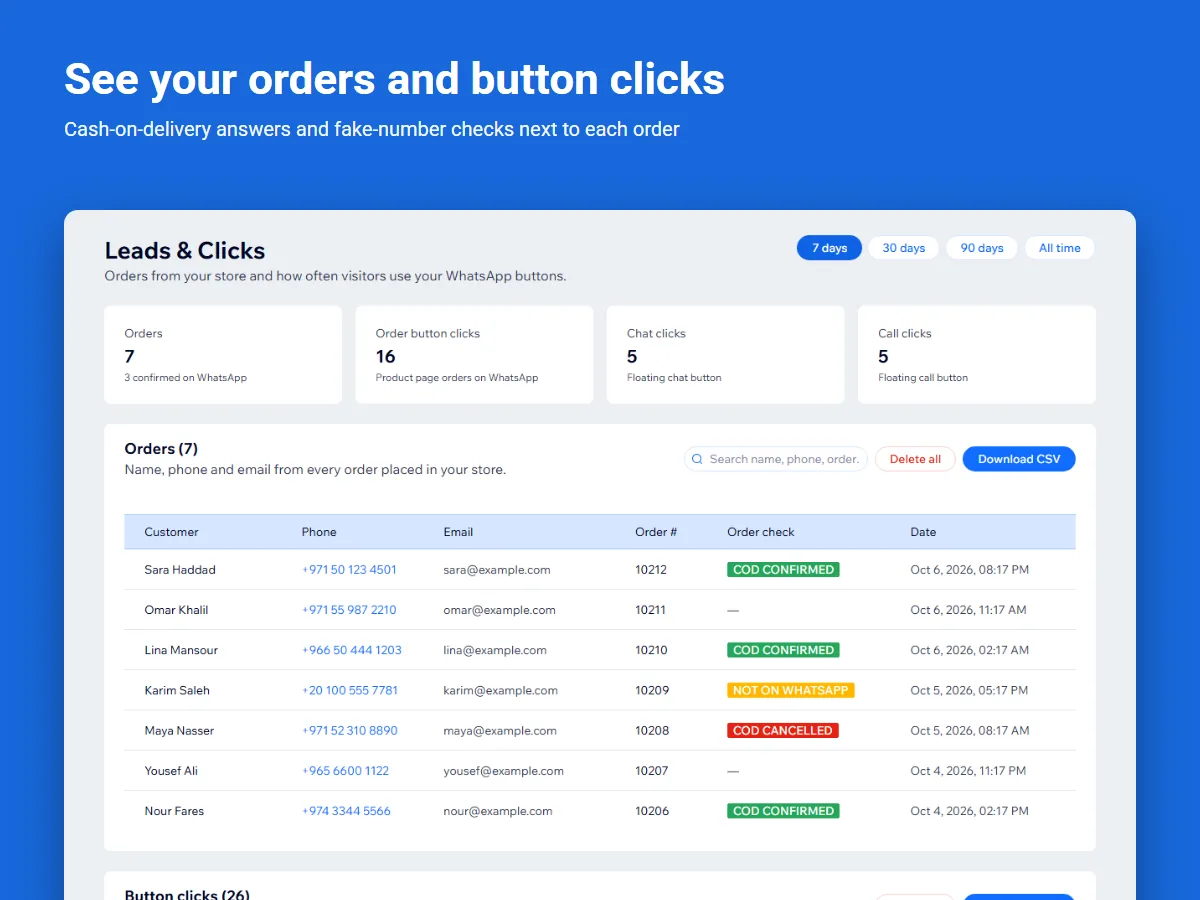
- Shows your orders and clicks. The dashboard lists every order (name, phone, email) and counts every button click, with 7, 30 or 90-day totals, search and CSV download.
Order messages with the LeadTrapper app for Windows
Connect the free Store Orders feature in LeadTrapper for Windows and your store can also:
- Confirm orders on WhatsApp. Order confirmation, payment and shipping messages go out from your own WhatsApp number.
- Confirm cash-on-delivery orders. Customers reply 1 to confirm or 2 to cancel, and the answer appears next to the order. See WhatsApp COD order confirmation.
- Flag likely fake orders. Orders whose phone number is not on WhatsApp are marked, a common sign of a fake order.
- Win back abandoned carts. When a shopper types a phone number at checkout and leaves, they get one WhatsApp message from your number with a link back to their cart. See Wix abandoned cart WhatsApp reminders.
Everything stays off until you turn it on, and customers can reply STOP to opt out. Store Orders keeps working without a paid licence.
How to set it up
- Install. Add the app from the Wix App Market.
- Enter your number. Type your WhatsApp number once in the app’s Settings and click Save & activate.
- Choose the buttons. Pick which products show the order button and how the floating button looks.
The full walkthrough is in how to add a WhatsApp order button to your Wix store.
Guides
- Best WhatsApp apps for Wix stores, compared
- WhatsApp order confirmation message: 10 templates
- WhatsApp order notifications without the API
- All WhatsApp guides for online stores
Questions
Is the WhatsApp Order & Chat Button for Wix free?
Yes. It has no paid plan. The order button, the floating chat and call button and the orders and clicks dashboard are free, and so are the order messages, cash-on-delivery confirmation and abandoned-cart reminders sent through the LeadTrapper app for Windows.
Which products show the order button?
All products, only the ones you choose, or all except a few. You pick in the app’s Settings.
Can the button call me instead of opening WhatsApp?
Yes. The floating button can open a WhatsApp chat, start a phone call, or show a small menu with both. You can also turn it off and use only the order button.
How does cash-on-delivery confirmation work?
With the LeadTrapper app for Windows connected, each new cash-on-delivery order gets a WhatsApp message from your own number. The customer replies 1 to confirm or 2 to cancel, and the answer appears next to the order in your dashboard.
Do I need the WhatsApp Business API?
No. The buttons open WhatsApp on the shopper’s phone, and order messages go out from your own WhatsApp number through the LeadTrapper app, with no API.