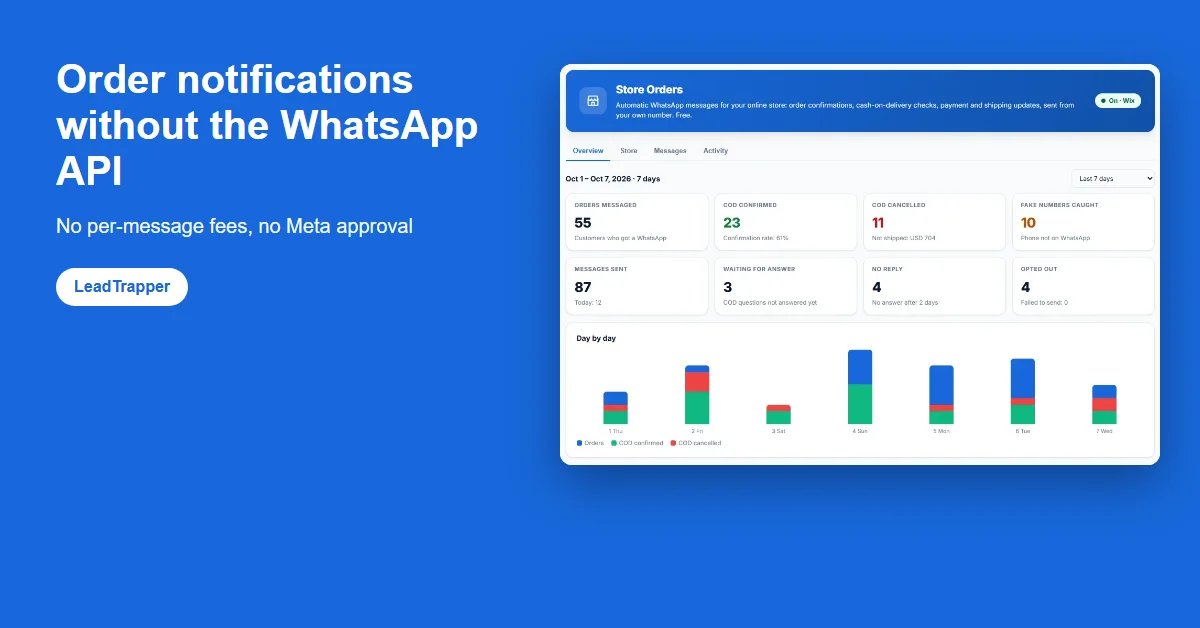
- Most WhatsApp order notification apps run on the WhatsApp Business API, which means Meta's per-message charges, a provider subscription, approved templates and business verification.
- LeadTrapper Store Orders sends order notifications from the WhatsApp account you already use, through WhatsApp on your computer. There is no per-message fee and nothing to get approved.
- It covers order confirmation, cash-on-delivery confirmation by reply, payment received and shipped with tracking, plus a check for numbers not on WhatsApp and STOP opt-out.
- The trade-offs are real: it needs a Windows computer that is on, and your own number does the sending, so it applies default hourly and daily limits per number.
- The Business API suits large senders that need many agents, guaranteed uptime and official sender branding. A shop sending dozens or hundreds of order messages a day usually does not need it.
You can send WhatsApp order notifications without the WhatsApp Business API by sending them from your own WhatsApp account. LeadTrapper Store Orders does this for free: when an order arrives in your store, it sends the confirmation, the cash-on-delivery question, the payment receipt and the shipping update through WhatsApp on your computer. There is no per-message fee, no provider subscription and no template for Meta to approve. This guide explains how that compares with the API route and what you give up.
How Order Notifications Usually Work
Many WhatsApp notification apps for online stores are built on the WhatsApp Business API; on the Wix App Market, for example, WhatsApp Marketing by iN2 lists “Official WhatsApp API included” on its plans. On that route, your store connects to a Business Solution Provider, Meta verifies your business, and every message type is written as a template that Meta reviews before you can send it. Meta then charges per message, by category and by the customer’s country, and the provider charges its own monthly fee on top.
The WhatsApp Business API cost breakdown puts numbers on that: provider subscriptions run from about $39 to $229 a month before a message goes out, and Meta’s per-message rates vary several times over between countries. For a large retailer that is a normal cost of business. For a shop in Lahore, Lagos or Madrid sending forty orders a day, it is often more than the notifications are worth, which is why many small stores send nothing at all.
Sending From Your Own Number Instead
LeadTrapper takes the other route. It runs WhatsApp on your computer, the same way WhatsApp Web does, with the WhatsApp account you already use for your shop. The free LeadTrapper WhatsApp Suite app for Wix passes each new order to it, and LeadTrapper sends the message as if you had typed it, from your number, in a normal chat.
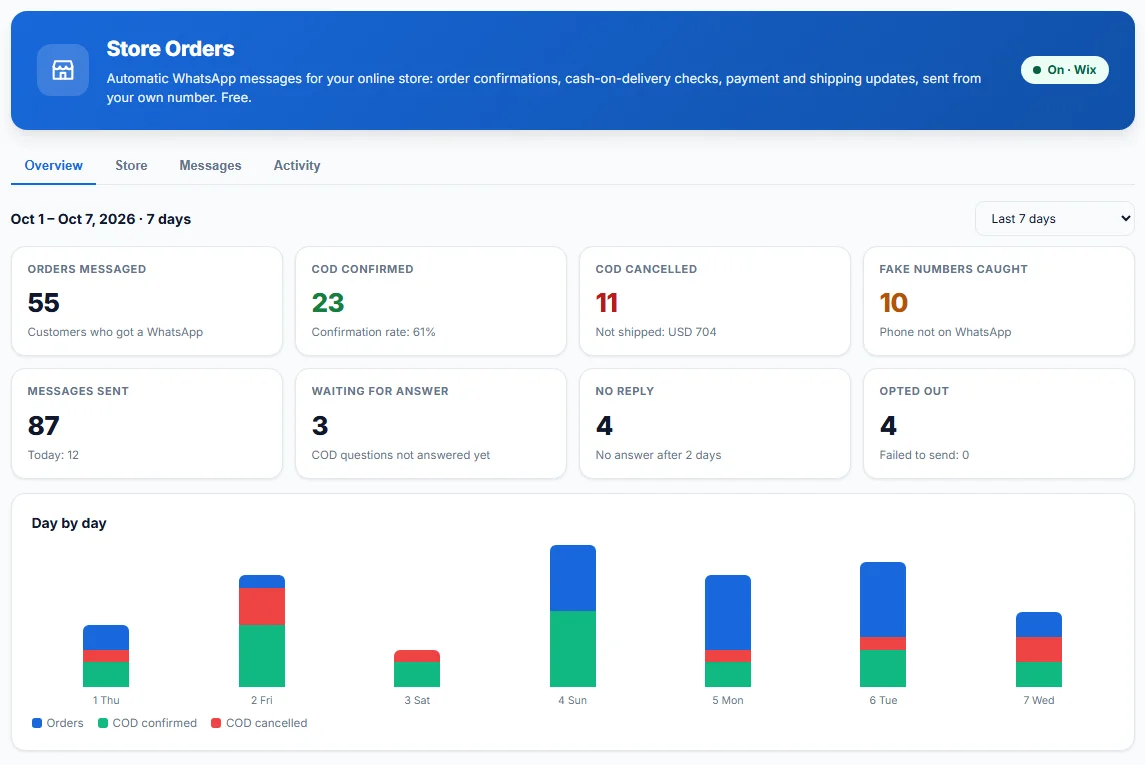
Because nothing goes through the Business Platform, nothing is billed per message and there is no template review. You write the messages in your own words, in English, Arabic or any language, and change them whenever you like. Customers see your shop’s familiar number, and when they reply, the reply lands in your own WhatsApp, where you can answer it.
Side by Side
| WhatsApp Business API apps | LeadTrapper Store Orders | |
|---|---|---|
| Cost per message | Charged by Meta, by category and country | None |
| Monthly fee | Provider subscription, often $39 to $229 | Free |
| Before the first message | Business verification and template approval | Scan a QR code to connect WhatsApp |
| Sender | A number registered on the API | Your own WhatsApp number |
| Changing a message | New template, reviewed again | Edit and save |
| Runs on | The provider's servers, always on | A Windows computer that is on |
| Volume | Raised in tiers as your quality rating allows | Default 40 an hour and 300 a day per number, changeable |
What It Sends
Four kinds of order message, each switched on or off separately: an order confirmation, a payment receipt, a shipping update with the carrier and tracking link, and for cash-on-delivery orders, a question the customer answers with 1 to confirm or 2 to cancel. The answer is thanked automatically and shown next to the order in your store app. The WhatsApp COD order confirmation guide walks through a real one, and the order confirmation message templates give ten texts to start from.
Two safeguards come with it. Before sending, LeadTrapper checks the order’s number is on WhatsApp and marks the order if not, which also catches many fake orders. And every message ends with a line saying how to stop, in the message’s language; anyone who replies STOP is never messaged again.
The Trade-Offs
Free comes with conditions, and it is better to know them before you rely on it.
A computer has to be on
LeadTrapper is a Windows app, and messages go out only while the computer is on with LeadTrapper open. Orders that arrive meanwhile wait in a mailbox for up to seven days and are sent when it opens. A confirmation more than two days old is skipped, because it would only confuse the customer. A shop that already keeps a PC on during working hours rarely notices; one that runs entirely from a phone will.
Your own number does the sending
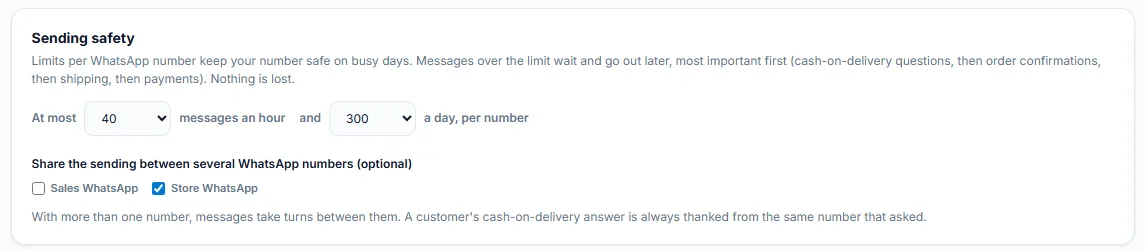
WhatsApp does not publish a safe sending volume for personal or Business app accounts, and its terms prohibit bulk and automated messaging. Order messages to people who just ordered are the kind of expected, one-to-one message that rarely gets reported, but the number is still yours. Store Orders therefore sends at most 40 messages an hour and 300 a day per number by default, holds the rest in order of importance, and can share the load across several numbers.
When the API Is the Better Choice
The Business API earns its cost when you need what a personal account cannot give: many agents answering one number at once, servers that never sleep, a verified business name shown to customers, or very high volumes. The broader comparison in do you need the WhatsApp Business API covers those cases.
For a shop that wants its customers told about their orders, confirmed before a COD parcel ships, and able to reply to a real person, sending from your own number is often enough. On Wix, add the free LeadTrapper WhatsApp Suite, download LeadTrapper for Windows, and connect them with the code shown in the app. The WhatsApp order button for Wix guide covers the store side, and the same LeadTrapper app also includes a WhatsApp bulk sender for campaigns, which is part of the paid licence.
Frequently Asked Questions
Yes. LeadTrapper Store Orders sends order confirmations, cash-on-delivery questions, payment receipts and shipping updates from your own WhatsApp account through WhatsApp on your computer, with no Business API, no per-message fee and no template approval. It is free and works with the free LeadTrapper WhatsApp Suite app for Wix.
LeadTrapper Store Orders is free and sends from your own number. The difference is that it runs on a Windows computer that has to be on, and your own number carries the sending, so it applies default limits of 40 messages an hour and 300 a day per number, which you can change.
Messaging your own customers about their own orders is the kind of expected, one-to-one message WhatsApp is built for. WhatsApp's terms prohibit bulk and automated messaging, so keep order messages to customers who ordered, add an opt-out line and respect it. This is not legal advice.
Meta bills per message by category and country, and most stores also pay a Business Solution Provider subscription, which runs from about $39 to $229 a month according to our 2026 cost breakdown. LeadTrapper Store Orders has no per-message fee.
They see a normal WhatsApp chat with your shop's number and name, the same as when you message them by hand. They can reply, ask a question or send STOP, and the reply reaches you.
WhatsApp Order Notifications, Without the API
Add the free LeadTrapper WhatsApp Suite to your Wix store and send order messages from your own number with the free LeadTrapper app for Windows.
Related Articles
WhatsApp Order Button for Wix: Free Order & Chat App
Add a free WhatsApp order button to Wix product pages and a floating chat or call button to your sit…
Read article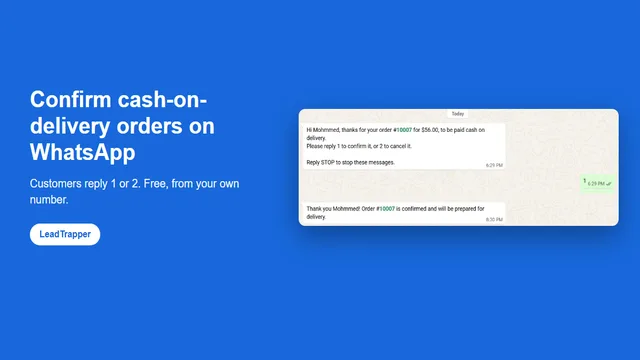
WhatsApp COD Order Confirmation: Cut Fake Orders
Confirm cash-on-delivery orders on WhatsApp: customers reply 1 to confirm or 2 to cancel, before you…
Read article