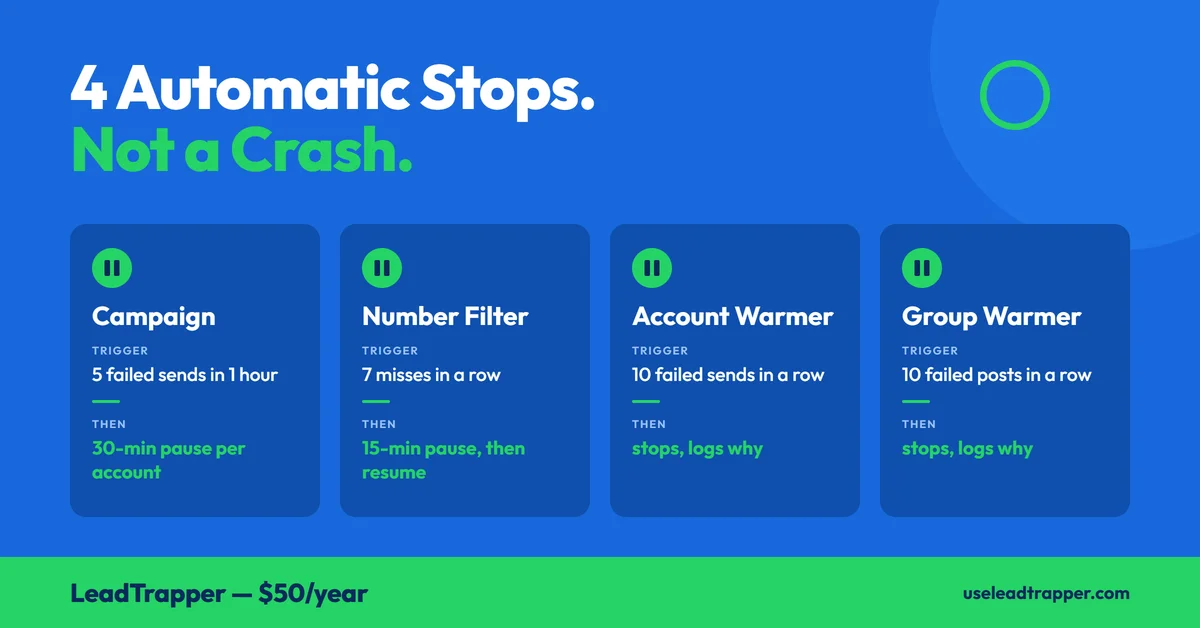
- LeadTrapper stops a run by itself in four places: a campaign after 5 failed sends within an hour, the Number Filter after 7 misses in a row, and each warmer after 10 failed sends in a row. It's a safeguard, not a crash.
- A campaign stop pauses new campaigns on that account for 30 minutes and tells you so; the pause is per account, so another connected account can carry on.
- The Number Filter's 15-minute Safety Pause is triggered by a streak of 7 numbers that didn't come back as registered, or 7 lookup requests failing outright. After the countdown, Start resumes the same list and skips the rows already checked.
- The warmers count only failed sends, and a send that can't be confirmed resets their count instead of adding to it.
- Every one of these thresholds is LeadTrapper's own design choice, not a number WhatsApp publishes, and none of them makes an account ban-proof.
If a LeadTrapper run stops and you didn’t press Stop, it’s almost always one of four automatic safeguards, not a crash. A campaign stops after 5 failed sends on one account within an hour. The Number Filter pauses for 15 minutes after 7 misses in a row. And each of the two warmers stops after 10 failed sends in a row. Each one writes a message saying why. This is what triggers each, what you’ll see, and what to do, checked against the code that runs them.
This describes LeadTrapper 2.1.32 and later. Older versions update themselves; the version number is shown in the app.
The Four Automatic Stops at a Glance
| What stops | Trigger | What it does | What to do |
|---|---|---|---|
| A campaign | 5 sends fail on one account within 60 minutes | Stops that account’s campaign; refuses new ones on it for 30 minutes | Check the account’s connection, or use another account |
| Number Filter | 7 numbers in a row not registered, or 7 lookup requests in a row failing outright | Stops, locks Start, counts down 15 minutes | Wait, then press Start to resume |
| Account Warmer | 10 failed sends in a row | Stops and logs why | Check the accounts are connected, then start again |
| Group Warmer | 10 failed posts in a row | Stops and logs why | Check the accounts are connected and still in the groups |
None of these numbers comes from WhatsApp. They’re LeadTrapper’s own design choices, picked so a run that’s clearly failing stops instead of carrying on.
Campaign: 5 Failed Sends in an Hour
During a WhatsApp bulk campaign, LeadTrapper keeps a running record of failed sends per account. When five of them land inside any 60-minute window, it stops that account’s campaign and writes a line to the account’s log: “Safety stop: 5 sends failed within an hour.”
It then pauses new campaigns on that account for 30 minutes. Press Send Campaign during that time and you get a plain message instead: how many minutes are left, why it stopped, and a suggestion to use another connected account or start again after the pause. When the 30 minutes pass, the count starts fresh, so one stray failure afterwards doesn’t stop you again straight away.
Two details matter in practice.
The limit is per account. With several numbers connected, one hitting the limit doesn’t stop the others, which is another reason to run each account as its own separate session.
And the app counts every failed send the same way. It doesn’t try to work out why a send failed, so when this stops a run, look at the log lines just above the Safety stop to see what the failures were. Sends that come back unconfirmed are handled separately: they’re queued for one retry at the end instead of counting as failures straight away.
Number Filter: The 15-Minute Safety Pause
The WhatsApp Number Filter checks each number against WhatsApp itself. If seven results in a row come back as not registered, or seven lookup requests in a row fail outright, it stops and starts a 15-minute countdown.
The screen says exactly what happened: “7 checks in a row came back not registered or failed.” That’s the streak itself, not a report from WhatsApp, and a list with a long run of dead numbers can set it off. If it happens early in a big list, the list is the first thing worth looking at.
While the countdown runs, the Start button is hidden, so a second run can’t be started on top of the pause. When it ends, the status reads “Cooldown complete — click Start to resume from where it stopped,” and that’s what Start does. It keeps every result already collected, checks only the rows still undecided, and reports totals for the whole list at the end.
Resuming only happens after a pause, and only if the list and the country selection are unchanged. Edit the list, or press Stop yourself, and the next Start begins from the top as usual. The article on cleaning a contact list first covers how to get a list into shape before you run it.
Two other things can stop the filter, and they’re not safety pauses: the WhatsApp browser window not being open, or an account that’s still loading. Each shows its own message, either “open WA Browser from the sidebar, then come back and retry” or “wait 10 seconds, then click Start again.”
Warmers: 10 Failed Sends in a Row
Both the Account Warmer and the Group Warmer keep a count of consecutive failures. Ten in a row and the run stops, and the log tells you to check that the accounts are still connected (and, for the Group Warmer, still in those groups).
It’s there for one reason: a warmer usually runs unattended. An account that’s been disconnected or removed from a group would otherwise fail every few seconds for hours while you assumed it was working. A send that can’t be confirmed isn’t a failure here. It resets the count.
What These Stops Don't Do
They stop a run that’s visibly failing. They don’t tell you why WhatsApp isn’t accepting messages, and they don’t make an account ban-proof. WhatsApp’s enforcement depends on how real recipients react, which is set out in its own developer documentation and in our piece on what actually gets accounts flagged. A campaign that never trips any of these stops can still draw reports.
They also sit alongside the other safeguards rather than replacing them: pacing, the reply-ratio governor, Ghost Chatting and per-account proxies, all covered in the Account Safety Telemetry overview. If a stop keeps recurring on the same account, that’s a signal to look at the account and the list, not to work around the stop. Everything here is included in LeadTrapper at $50 a year.
Frequently Asked Questions
Most likely because 5 sends on that account came back failed within an hour. LeadTrapper then stops that account's campaign, writes a Safety stop line in its log, and pauses new campaigns on the account for 30 minutes. The app counts every failed send the same way, whatever the reason behind it.
The pause is 30 minutes, and it applies only to the account that hit the limit. Starting a campaign on it during that time is refused with a message saying how many minutes remain. Other connected accounts are unaffected and can be used straight away.
It's a 15-minute cooldown that begins when 7 numbers in a row come back as not registered, or 7 lookup requests in a row fail outright. A countdown appears and Start is locked. When it ends, Start resumes the same list from where it stopped, provided you haven't changed the list or the country selection.
Each one stops after 10 failed sends in a row and logs a message telling you to check that the accounts are still connected (and, for the Group Warmer, still in the groups). It's there so a warmer left running overnight doesn't fail quietly for hours.
Not in the warmers, where an unconfirmed send resets the failure streak. In a campaign, an unconfirmed send is queued for one retry at the end rather than being counted as a failure straight away.
Automation That Stops Before It Fails Silently
Automatic stops, warmers, pacing and number checking all come with LeadTrapper. $50/year — all features included.
Related Articles
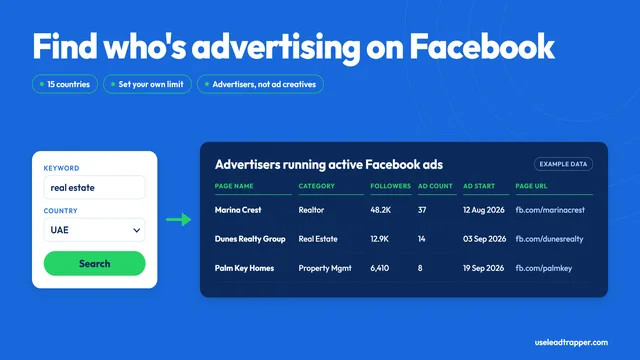
Facebook Ad Library Scraper: Find Advertisers by Keyword
LeadTrapper's Facebook Ad Library scraper lists businesses running active ads for a keyword and coun…
Read article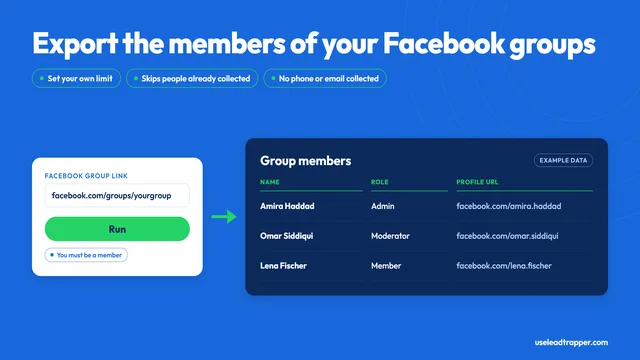
Facebook Group Members Scraper: What It Collects
LeadTrapper's Facebook group members scraper exports names, roles and profile links from a group you…
Read articleBrowse All Articles
Lead generation, WhatsApp marketing, Google Maps, Instagram, and Facebook scraping guides.
See all