In this article 5 sections
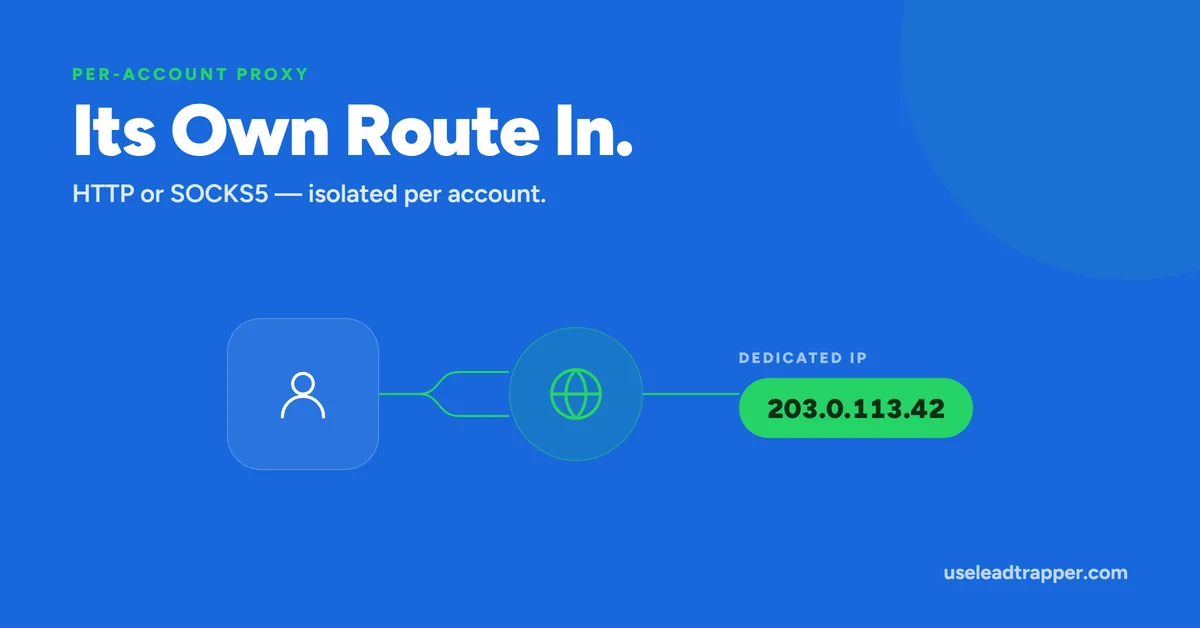
In LeadTrapper, open the account's proxy settings and enter an HTTP or SOCKS5 proxy. It applies only to that account's isolated browser session, before WhatsApp Web loads, and survives restarts. The Test Connection button checks the address is reachable, not that WhatsApp loads through it.
- LeadTrapper's proxy is a real, functional feature — HTTP or SOCKS5 — applied to a specific WhatsApp account's own isolated browser session, not a global setting.
- Proxy configuration is saved to disk and survives an app restart, unlike the ratio counters and Ghost Chatting timestamp, which reset every session.
- The proxy is applied before the account's WhatsApp Web session ever loads, so its very first network request already routes through the configured proxy.
- The 'Test Connection' button verifies the proxy address and port are reachable over a raw network connection — it does not confirm a working HTTP or SOCKS5 handshake, or that WhatsApp Web actually loads correctly through it.
- Each connected WhatsApp account already runs in its own isolated browser session by default, which is what makes assigning a distinct proxy per account possible in the first place.
The “NETWORK PROXY” panel sitting under a connected WhatsApp account isn’t a cosmetic toggle — it’s wired directly into how that account’s browser session makes its network connections, verified against the actual implementation rather than assumed from the UI alone.
What Actually Happens When You Set a Proxy
Every WhatsApp account connected to LeadTrapper, whether it sends campaigns through the WhatsApp Bulk Sender or is being warmed up by the Account Warmer, already runs inside its own separate, isolated browser session — a distinct partition, invisible to and unaffected by any other connected account. When a proxy is configured and saved for one of these accounts, LeadTrapper applies that proxy setting directly to that specific session, before the session loads WhatsApp Web. That ordering matters: the very first network request that account’s browser session makes — loading the WhatsApp Web interface itself — already goes through the configured proxy, not just requests that happen after some later point.
If the proxy is later turned off, the session reverts to routing directly over the normal network connection, again applied at the session level rather than as a general system-wide change.
This session-level application is what makes the feature meaningfully different from setting a proxy at the operating system or network level. A system-wide proxy would route every application’s traffic through it indiscriminately — every browser tab, every other program on the machine — which is rarely what’s actually wanted when the goal is separating one specific WhatsApp account’s traffic. Applying the proxy to just that account’s own isolated session leaves everything else on the machine, including any other connected WhatsApp accounts, completely unaffected.
Two Options: HTTP and SOCKS5
LeadTrapper supports two proxy protocols. An HTTP proxy handles standard web traffic and is the more common, simpler option most proxy providers offer by default. A SOCKS5 tunnel is a lower-level protocol that can carry a wider range of traffic types and is often preferred for applications, like a browser-based session, that need more flexible routing than a strictly HTTP-focused proxy provides. Selecting between them depends entirely on what a given proxy provider actually offers — LeadTrapper supports both, but doesn’t convert one type into the other.
Whichever type is used, the proxy address is entered the same way — as a host and port, in the form the provider supplies it. Providers typically fall into two broad categories worth knowing about generically: datacenter proxies, which are fast and inexpensive but easier for a receiving service to recognize as non-residential traffic, and residential proxies, which route through real consumer internet connections and are slower and pricier but harder to distinguish from an ordinary home connection. Neither category is built into LeadTrapper itself — the app routes through whatever address and credentials are entered, and the choice of provider and proxy type is entirely up to whoever configures it.
What "Test Connection" Really Checks
It’s worth being precise about the limits of the built-in test, since a passing result can otherwise be read as more reassuring than it actually is. Clicking “Test Connection” opens a raw network connection to the proxy’s configured address and port and confirms something answers within a few seconds. That confirms reachability — the proxy server exists and is accepting connections at that address.
It does not attempt an actual HTTP request or SOCKS5 handshake through the proxy, and it does not check whether WhatsApp Web specifically loads and behaves correctly when routed through it. A proxy that passes this test could still fail once real traffic is sent through it, if it requires authentication the test doesn’t provide, or if it has usage restrictions that only trigger under real load. Treat a passed test as “this address is alive,” not as “this proxy is confirmed working with WhatsApp.”
Why It Persists When Other Telemetry Doesn't
Unlike the outbound/inbound counters and the Ghost Chatting timestamp covered elsewhere in this cluster — both of which live only in memory and reset on restart — proxy configuration is deliberately written to its own file on disk. The reasoning is straightforward: the accounts themselves get reconstructed from the app’s connection state every time it restarts, which would otherwise wipe out a proxy setting along with everything else tied to that in-memory reconstruction. Storing proxy configuration separately means a setting entered once stays in place across restarts, rather than needing to be re-entered every time the app relaunches.
The Real Reason This Exists for Multiple Accounts
The most common reason to configure a proxy at all is running more than one WhatsApp account from the same location — every account otherwise shares the same outgoing IP address by default, simply because they’re all connecting from the same network. Assigning each account a different proxy gives each one a distinct network origin instead.
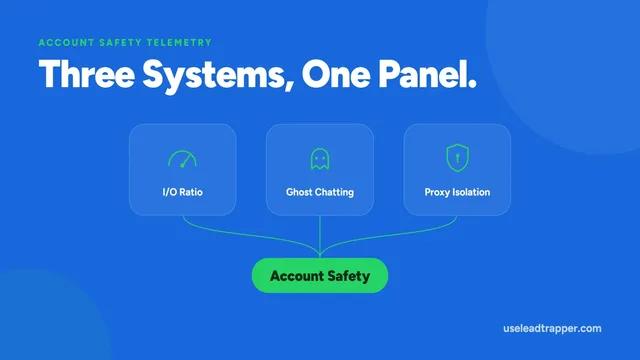
It’s worth being honest about the limits of what this establishes on its own: LeadTrapper’s implementation is genuinely about network routing — it doesn’t make a specific claim about what detection risk this does or doesn’t change, because that depends heavily on the proxy’s own quality, location, and whether it’s shared with other unrelated traffic. A basic technical explanation of what a proxy server actually does is worth reading if the concept itself is new — the feature here is real infrastructure for that purpose, not a guarantee layered on top of it. For managing several accounts side by side specifically, see running multiple WhatsApp numbers without overlap, or for the other two mechanisms in this same panel, see the full Account Safety Telemetry overview.
Frequently Asked Questions
Two: an HTTP proxy server, or a SOCKS5 tunnel. There's also a 'Direct' option, which means no proxy — the account's traffic goes out over the normal network connection.
No. Each connected account has its own separate proxy configuration, because each account already runs in its own isolated browser session. Setting a proxy on one account has no effect on any other.
Not fully. It confirms the proxy's address and port accept a network connection — a raw reachability check. It doesn't verify that the proxy completes a real HTTP or SOCKS5 handshake, or that WhatsApp Web successfully loads and functions through it. A passed test means the door is open, not that everything behind it works.
Yes. Unlike the Account Safety Telemetry counters, proxy configuration is saved to a separate file on disk specifically so it isn't lost on restart.
Running several accounts from the same network connection means they all appear to originate from the same IP address. Assigning each account its own proxy is a common way to give accounts distinct network origins, though LeadTrapper's own code doesn't make a specific claim about what risk this does or doesn't reduce — it's infrastructure for network isolation, not a guarantee.
About LeadTrapper
LeadTrapper is a Windows app for finding business leads and contacting them on WhatsApp. It collects business contacts from Google Maps, Instagram, Facebook, TikTok, LinkedIn and business websites, checks which numbers are on WhatsApp with its Number Filter, and sends personalised campaigns with automatic delays from one or more WhatsApp accounts. It also has a chatbot, a shared inbox for every account, and Store Orders for online shops. It installs from the Microsoft Store, and the full app is free for 14 days, then $50 a year. Free web tools, browser extensions and a Wix app are listed on the Free Tools page.
Route Each Account Its Own Way
LeadTrapper's per-account proxy is a real, isolated network setting for every connected WhatsApp session. $50/year — all features included.