In this article 4 sections
Give each account its own browser session and, if you want separate network addresses, its own proxy. LeadTrapper isolates every connected WhatsApp account by default and can route each through its own proxy. Each number still needs reasonable pacing of its own.
- Every WhatsApp account connected to LeadTrapper runs in its own separate browser session, isolated from every other connected account by default — this isn't something that needs to be configured.
- Session isolation and proxy assignment are two separate layers: isolation keeps each account's cookies, cache, and login state apart; a proxy additionally gives an account its own network origin.
- Running several accounts through the same network connection, with no separate proxy, means they still share the same outgoing IP by default, regardless of how isolated their sessions are otherwise.
- This setup fits agencies and businesses managing several numbers most directly — one machine, several genuinely separate WhatsApp identities, rather than one shared session juggling multiple accounts.
- Isolation and proxying reduce specific overlap risks between accounts. They don't change how WhatsApp evaluates any single account's own sending behavior — each number still needs its own reasonable pacing.
Running two or three WhatsApp numbers from the same computer raises an obvious question: does LeadTrapper treat them as genuinely separate accounts, or as one shared session juggling multiple logins? The real answer is a bit of both, depending on which layer is being asked about — and it’s worth separating those layers clearly.
Isolation Is Automatic — Proxying Isn't
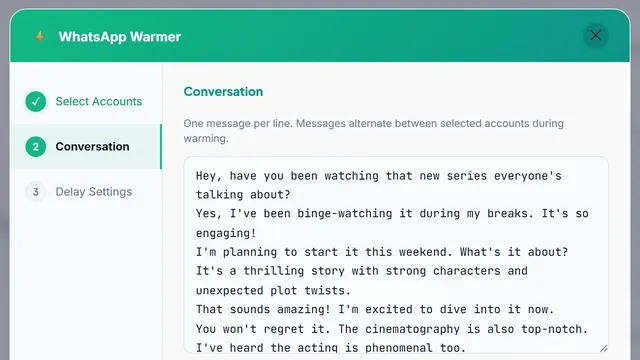
Every WhatsApp account connected to LeadTrapper is given its own distinct browser session partition the moment it’s added — this isn’t an option to turn on, it’s simply how each connection is set up. That session partition is where an account’s login state, cookies, and cached data live, and it’s completely separate from every other connected account’s own partition. Two accounts running side by side in LeadTrapper, such as a pair the WhatsApp Account Warmer is warming up, don’t share this layer at all, by default, with no configuration required.
A network proxy is a separate, optional layer on top of that. Session isolation on its own doesn’t change what network connection an account’s traffic goes out over — without a proxy configured, every isolated session still exits through the same underlying internet connection, meaning the same outgoing IP address for every account running on that machine.
What's Actually Isolated Between Accounts
The session partition covers everything a browser normally tracks for a logged-in site: authentication tokens, local storage, cached page data, and cookies. Because each WhatsApp account’s partition is entirely separate, there’s no mechanism for one account’s login state to bleed into another’s, and no shared browser cache that could otherwise create an observable link between two accounts being run from the same app.
This is genuinely useful on its own even for someone running just two numbers without any proxy configuration — it means connecting and disconnecting accounts, or running them simultaneously, doesn’t risk one account’s session interfering with or overwriting another’s.
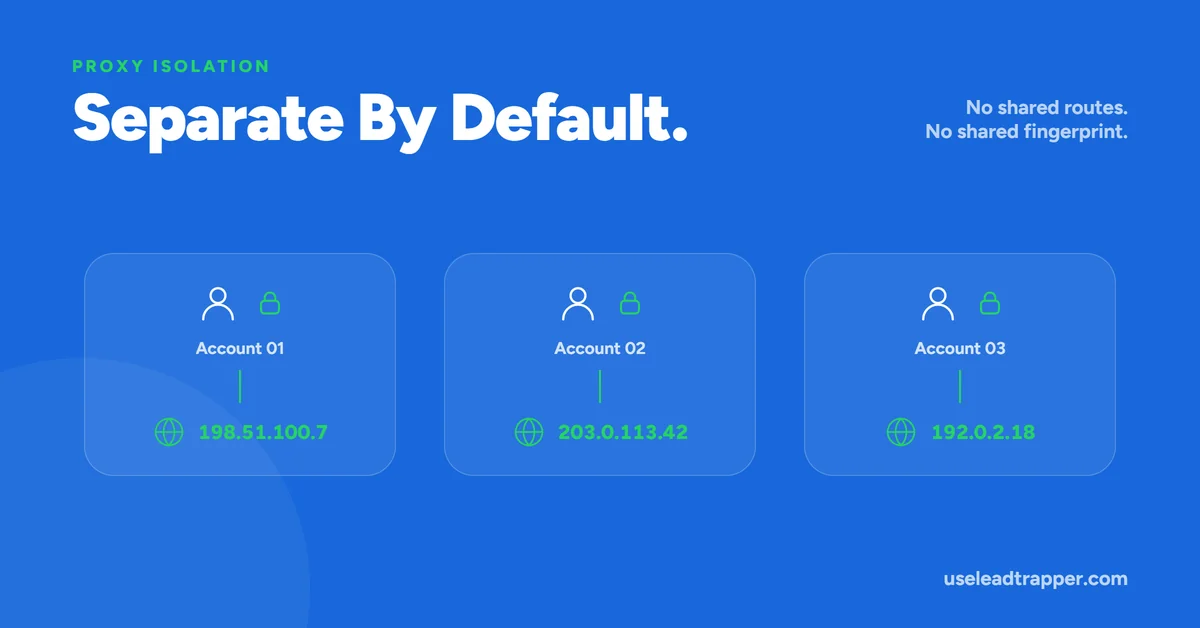
A concrete scenario makes the layering easier to picture. An agency running three client numbers from one office connection has, by default, three fully isolated sessions — logging into or out of one never touches the others’ login state or cached data. Without any proxy configured, though, all three still appear to originate from the same office IP address to anything observing the connection from outside, since isolation at the session level says nothing about the shared network connection underneath it. Adding a distinct proxy to each of the three accounts changes that specific fact, giving each one its own apparent network origin on top of the session separation that was already there.
What Isolation Doesn't Cover on Its Own
Session isolation is a browser-layer separation — it has nothing to do with the network layer underneath it. Every isolated session, unless a proxy says otherwise, still routes its traffic through the same physical network connection as every other session on that machine, which means the same outgoing IP address for all of them. From a purely network-observation standpoint, several WhatsApp accounts connecting from the same IP address is exactly what happens when several numbers are managed from one office or one home connection — isolation at the browser level doesn’t change that fact.
This is precisely where the per-account network proxy becomes relevant for multi-account setups specifically: assigning a distinct proxy to each account gives each one a genuinely different network origin, layered on top of the session isolation that’s already there by default. Understanding what a proxy server does at a basic technical level makes clear why this is a network-layer fix, not something session isolation was ever going to solve by itself.
Putting Both Together
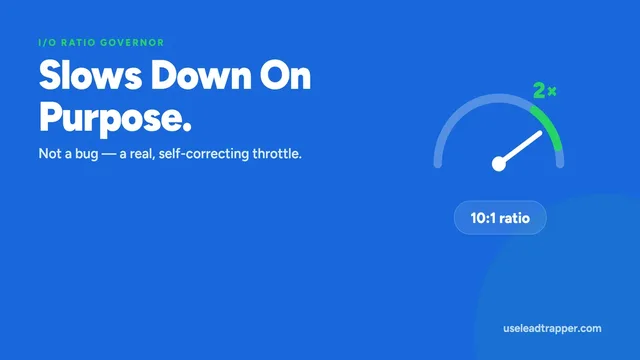
The practical setup for managing several WhatsApp numbers well is both layers doing their own job: session isolation (already automatic) keeping each account’s login state and browser data genuinely separate, and a proxy (configured per account, as needed) giving each one its own network origin as well. Neither layer is a substitute for the other, and neither one changes how WhatsApp evaluates any single account’s own sending behavior — the outbound-to-inbound ratio governor and Ghost Chatting still apply per account, independently, regardless of how well-isolated or well-proxied the account otherwise is. Running five accounts cleanly separated from each other doesn’t mean any one of them can ignore its own sending pace — it means none of them are accidentally sharing a fingerprint with each other while they each still need to behave reasonably on their own terms.
This is a meaningfully different setup from managing multiple numbers through a single shared WhatsApp Web browser tab — the more common, informal approach of logging one number out and a different one in in the same browser session, or juggling several tabs against the same underlying profile. That approach mixes cookies, cache, and login history across every account that’s ever used that browser profile, which is exactly the overlap LeadTrapper’s default per-account partitioning avoids without needing to think about it. The isolation isn’t a manual discipline someone has to maintain correctly every time they switch accounts — it’s a structural property of how each account gets connected in the first place, which is the main practical advantage over a browser-based workaround for the same goal.
For a business or agency scaling from one number to several, the sequence worth following is usually: connect each account (isolation happens automatically at that point), assign a distinct proxy to each one if they’ll be sending meaningful volume from the same location, and then let the per-account Governor and Ghost Chatting mechanisms handle pacing and activity pattern independently for each. None of these steps depend on the others being done first, and none of them require ongoing manual attention once configured — the isolation and proxy assignment are set-once settings, not something to re-verify before every session.
For the full picture of what runs behind every connected account, see the Account Safety Telemetry overview.
Frequently Asked Questions
Not their browser session — each account gets its own isolated session partition, with separate cookies, cache, and login state, automatically. They do share the same outgoing network connection and IP address by default, unless a proxy is configured separately for one or both.
Not strictly, but it's the main reason the proxy feature exists for multi-account use. Without it, every connected account looks like it's coming from the same IP address, since they're all using the same network connection. A distinct proxy per account changes that.
It removes one specific overlap — cookies, cache, and login state can't leak between accounts, since each runs in its own separate partition. It doesn't address network-level signals like a shared IP address, which is what a separate proxy per account is for.
It fits that use case well, but it's the same underlying mechanism regardless of who's using it — anyone connecting more than one WhatsApp number to LeadTrapper gets the same per-account session isolation, whether that's an agency running numbers for multiple clients or one business using two numbers for different purposes.
About LeadTrapper
LeadTrapper is a Windows app for finding business leads and contacting them on WhatsApp. It collects business contacts from Google Maps, Instagram, Facebook, TikTok, LinkedIn and business websites, checks which numbers are on WhatsApp with its Number Filter, and sends personalised campaigns with automatic delays from one or more WhatsApp accounts. It also has a chatbot, a shared inbox for every account, and Store Orders for online shops. It installs from the Microsoft Store, and the full app is free for 14 days, then $50 a year. Free web tools, browser extensions and a Wix app are listed on the Free Tools page.
Manage Several Numbers as Genuinely Separate Accounts
LeadTrapper isolates every connected WhatsApp account by default, with an optional proxy per account for full network separation. $50/year — all features included.