Feature Deep-Dive
Warm-Up vs Ghost Chatting vs Delays: What Each Does
Warm-up, delays, the reply-ratio governor, Ghost Chatting and proxies: five LeadTrapper safety features that answer five different questions. What each does.
The safeguards around a WhatsApp campaign, explained one by one: warming a number, calculating delays, isolating accounts and the automatic stops.
11 guides
The tools: WhatsApp Account Warmer · WhatsApp Bulk Sender
Start here: Warm-Up vs Ghost Chatting vs Delays: What Each Does · WhatsApp Account Safety Telemetry: What It Actually Does
Warm-up, delays, the reply-ratio governor, Ghost Chatting and proxies: five LeadTrapper safety features that answer five different questions. What each does.
WhatsApp account safety telemetry in LeadTrapper: a reply-ratio governor, browsing between sends and a proxy per account. What each does, checked in the code.
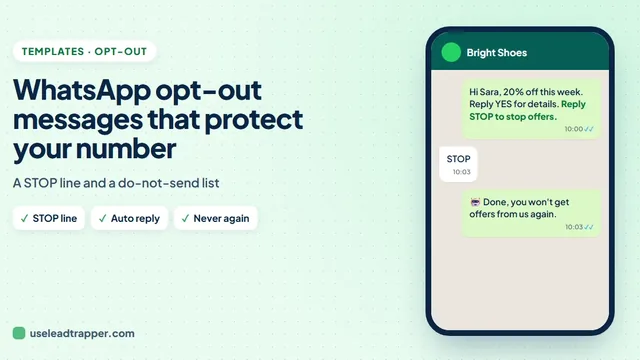
WhatsApp opt-out message examples in English and Arabic, plus how to answer STOP replies automatically and keep those numbers out of every future campaign.
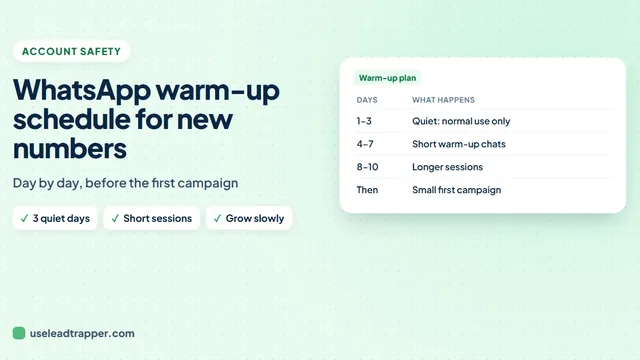
A day-by-day WhatsApp warm-up schedule for a new number: what to do on days 1 to 10, how long to warm each day, and when to send your first small campaign.
LeadTrapper's Group Warmer has two or more of your accounts take turns posting in WhatsApp groups they all belong to. Verified against the code that runs it.
LeadTrapper's Account Warmer runs a real two-way conversation between your own WhatsApp accounts before a campaign starts. Verified against the code.
A WhatsApp delay calculator that works out safe message and batch delays from your campaign size. How LeadTrapper calculates them, and why it requires them.
WhatsApp session isolation in LeadTrapper: every number gets its own browser session by default, and a separate proxy per number stops them sharing one IP.
Ghost Chatting opens an unrelated chat and scrolls it every 12 to 18 sends — a real anti-fingerprint feature, not WhatsApp dropping your messages.
A ratio governor doubles send delays once outbound messages outpace replies past 10 to 1 — a real, verified throttle, not a bug. Here is how it works.
LeadTrapper can route each WhatsApp account through its own HTTP or SOCKS5 proxy, isolated per browser session. What it verifies, and what it does not.
No tool can make a WhatsApp account ban-proof, and these guides do not claim otherwise. WhatsApp's enforcement responds mainly to how the people you message react, so the safest campaigns go to people who expect to hear from you. What the app adds is mechanics around that: a warm-up for new numbers, delays worked out from the size of the campaign, a separate network route for each account, and automatic stops when sends keep failing.
Start with warm-up, ghost chatting and delays to see how the pieces differ, then read the guide for the one you use. The delay calculator guide also links the free calculator extension for Edge.
Google Maps scraper, Number Filter and WhatsApp bulk sender in one Windows app. $50/year, 14-day free trial.
Get LeadTrapper — $50/year