In this article 7 sections
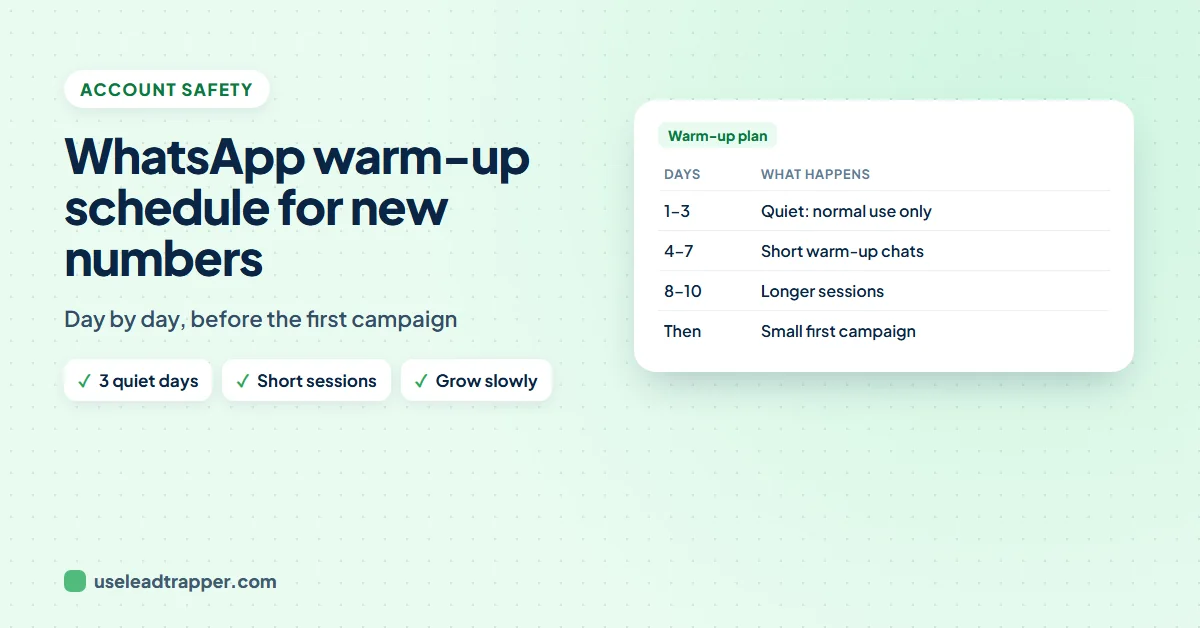
A cautious WhatsApp warm-up schedule for a new number: use it normally for the first three days, then warm it up for about an hour a day on days four and five, a little longer each day after that, for about a week, or ten days for a brand-new number. Then start with small campaigns.
- WhatsApp publishes no official warm-up schedule; this is a cautious plan, not a guarantee.
- Days 1 to 3: no warm-up tool, just use the new number normally, like a person would.
- Days 4 and 5: about one hour of warm-up a day, then stop; the next day it continues from where it stopped.
- From day 6: a little longer each day, for about a week in total, or ten days for a brand-new number.
- After warm-up: start with small campaigns to people who expect you, and grow step by step.
A brand-new WhatsApp number that suddenly messages hundreds of people looks exactly like spam, and that is when numbers get blocked. A warm-up gives the number a normal history first: chats that go both ways, at a human pace, over several days. This is the schedule we suggest, step by step, and how to run it.
Why a New Number Needs a Warm-Up
WhatsApp watches how an account behaves. A number with no history, no replies and a sudden burst of messages to strangers stands out, and if those people block or report it, a ban can follow quickly. Warming up builds the opposite picture: messages sent and received, replies, typing, gaps between chats. WhatsApp doesn’t publish an official schedule, so treat the plan below as a careful starting point, not a guarantee. The guide to warming up a WhatsApp number explains what the warmer does in detail.
The Day-by-Day Schedule
| Days | What to do |
|---|---|
| 1 to 3 | No warm-up tool. Use the new number normally: save a few contacts, chat with people you know, set a profile photo and name. |
| 4 and 5 | Warm up for about one hour a day, then stop. |
| 6 onwards | Warm up a little longer each day. |
| About day 7 (day 10 for a brand-new number) | Warm-up done. Start with small campaigns to people who expect to hear from you. |
| After that | Grow the campaign size step by step, watching replies and blocks. |
Two rules matter more than the exact hours: don’t push it, and don’t skip days and then do everything at once.
How to Run the Schedule in LeadTrapper
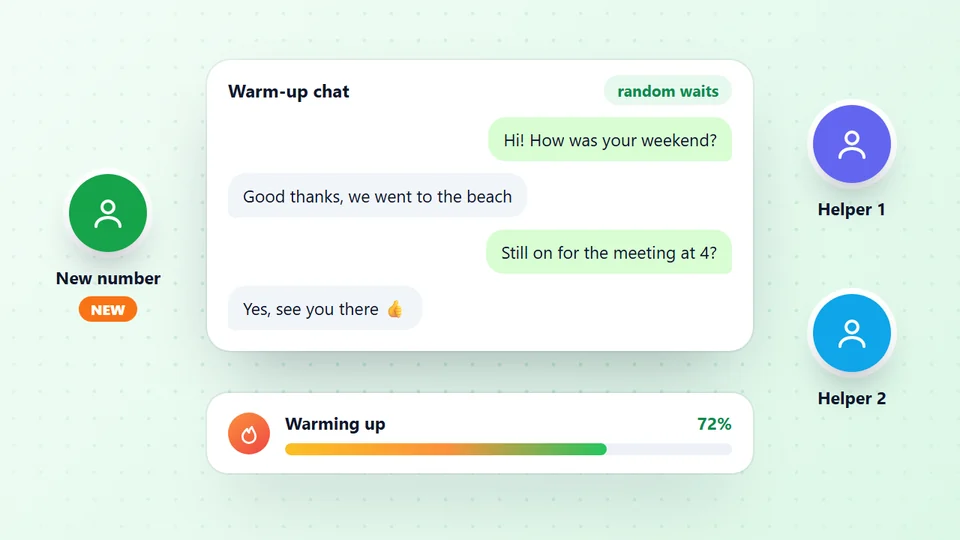
The WhatsApp warmer in LeadTrapper runs the conversations for you. You need at least two of your own WhatsApp numbers connected.
- Open Warm Up a Number and pick your numbers. Two or three is a good start.
- Choose how they pair. One to One pairs the numbers up so they take turns; One to Many has the first number message all the others in turn.
- Set the gaps. A random wait between the minimum and maximum seconds you choose, so the rhythm never repeats.
- Use your own words. A ready-made chat is included, but each line is sent once and then warming stops, so a one-hour session needs about 280 lines at the default 5 to 10 seconds. The ChatGPT prompt for warm-up chats makes a new one on any topic, and there is a free ready 3-hour chat to download.
- Start warming, and stop after your hour. The next day, press Start warming again and it continues from where it stopped.
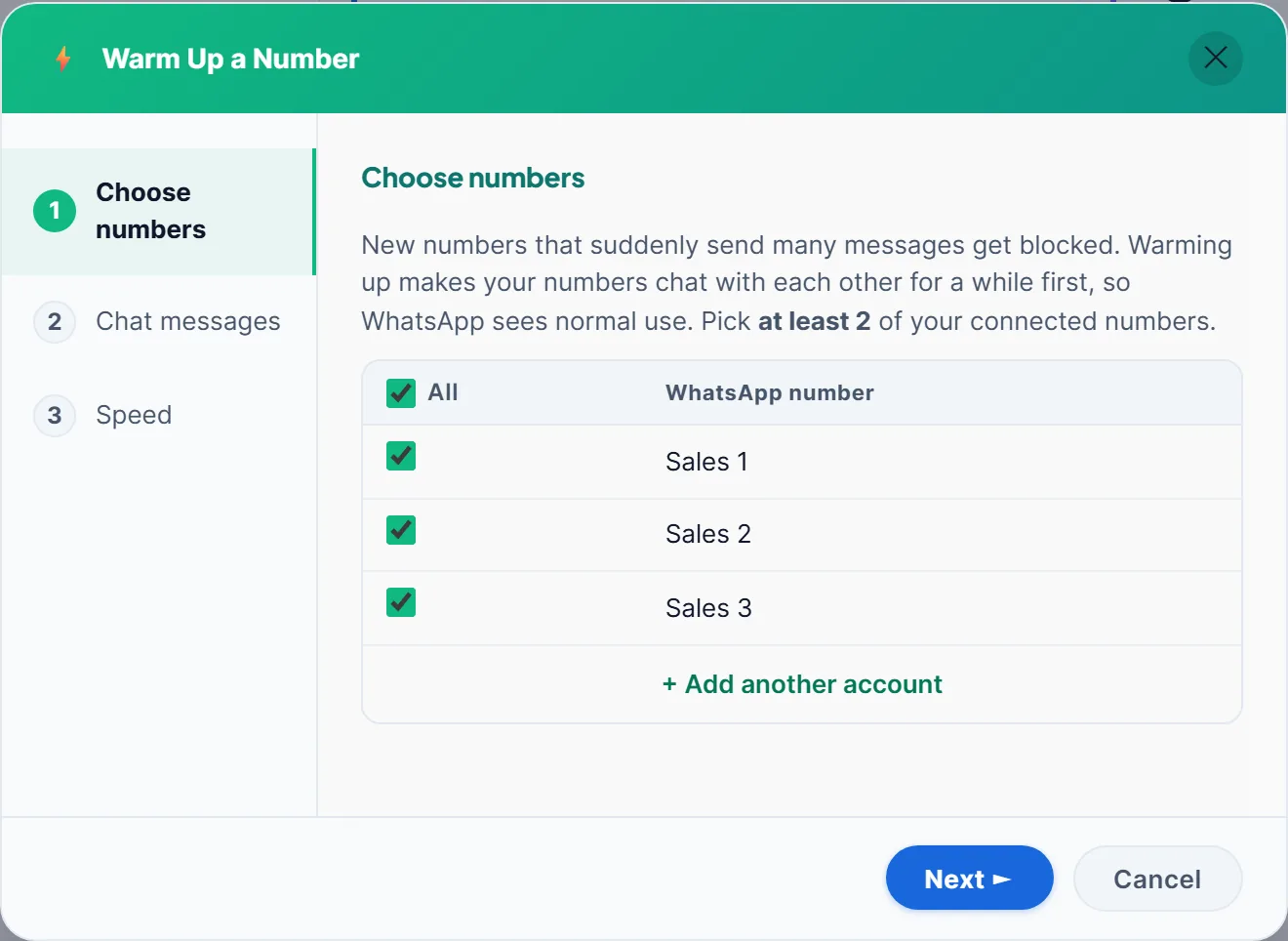
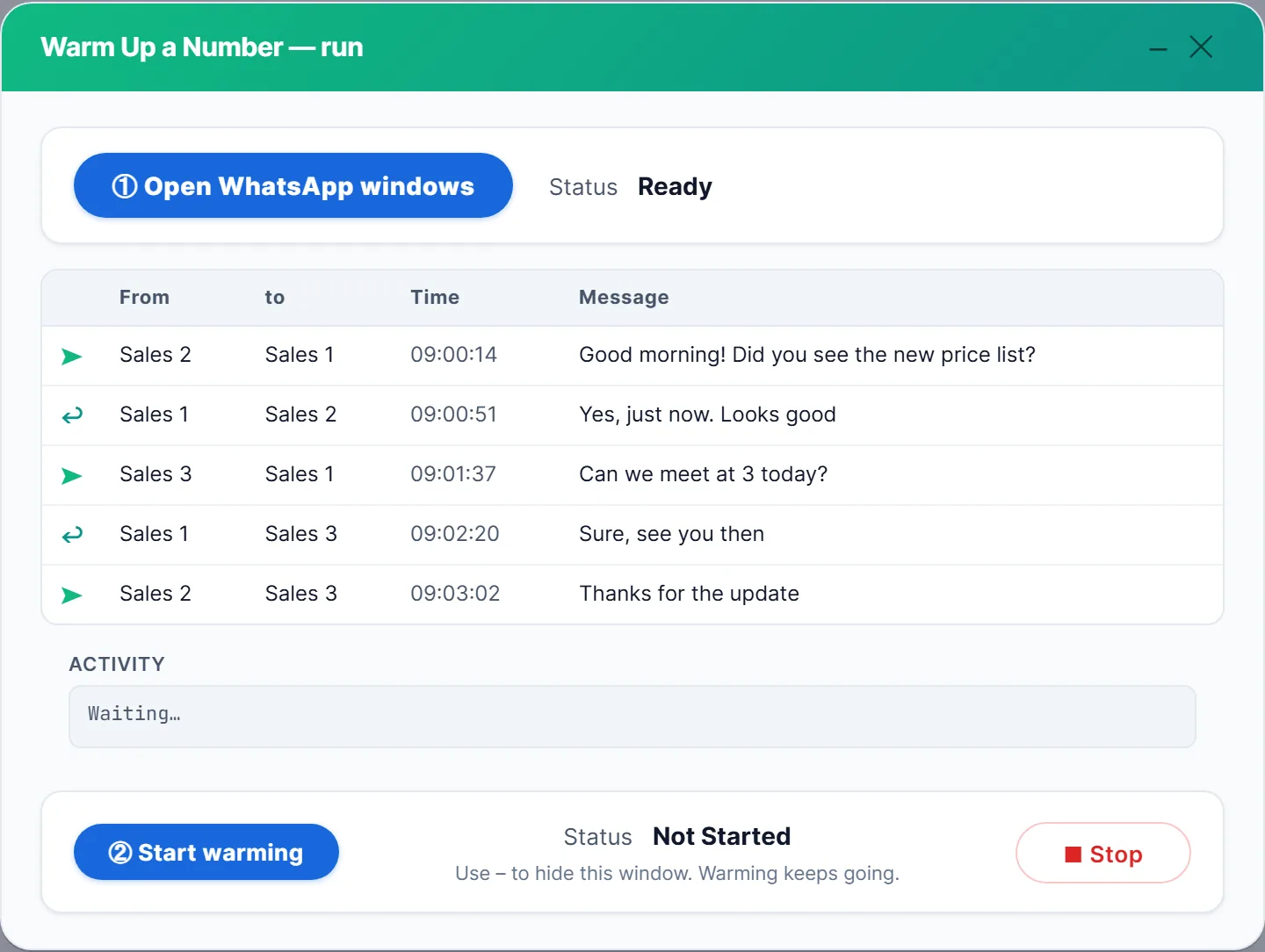
While it runs, a live log shows which number sent what to whom, and when. If ten sends fail in a row, the warmer stops by itself so you can check what’s wrong. If your numbers share WhatsApp groups, the group warmer can add group activity too.
Signs a Number Is Ready
The calendar is a guide, not a rule. Before the first campaign, check that the number behaves like a normal, active account:
- Messages go through. Warm-up messages show delivered and read ticks, and the warmer hasn’t stopped for failed sends.
- It has two-way history. The number has received as many messages as it sent, not just a long list of outbound chats.
- The profile is complete. A real name, a profile photo and, for WhatsApp Business, a short description and opening hours.
- It has a few real chats. Messages with real people, not only with your other numbers.
If any of these is missing, add a few more days. A number that was quiet for months, or that changed phones, deserves a short warm-up too.
Warming several numbers together. Warming three numbers at once doesn’t take three times longer: they warm each other. One to One pairs them in turns, One to Many has the first number talk to all the others. Give every number the same schedule, and keep each one’s later campaigns small at first. The same random waits that make warm-up look natural also protect the campaigns that follow, which is why the WhatsApp delay calculator is worth a look before you plan your first send.
After the Warm-Up: Your First Campaigns
Warm-up doesn’t make strangers want your messages. Start small, with people who know you or have a clear reason to hear from you, and grow from there:
- Check numbers first. The WhatsApp bulk sender checks every number on WhatsApp before sending and skips the rest.
- Send slowly. The Safe speed waits a random 20 to 40 seconds between messages and rests 3 to 6 minutes after every 10.
- Vary the text. Use the person’s name and several versions of your message.
- Keep warming between campaigns, especially for numbers that were quiet for a while.
The difference between warm-up, ghost chatting and delays explains how these layers work together.
What to Write in Warm-Up Messages
Warm-up messages should read like ordinary chats between colleagues, not like an ad. A few rules make them look natural:
- Short and everyday. “Morning! Did you get the file?”, “Yes, thanks”, “Call you at 3?” Real chats are mostly short lines.
- Questions and answers. A message that asks something, followed by a reply, builds the two-way history that matters most.
- Variety. Use a new chat on a new topic each time, such as tennis, Saturday night or a busy day at work, so the same sentence rarely repeats. LeadTrapper lets you load your own lines from a text file, one message per line.
- No links, prices or offers. Save those for real customers. Warm-up is about normal behaviour, not content.
- Your language. If your customers write in Arabic, Spanish or French, warm up in that language too.
Keep the gaps random and the sessions limited to the planned time, and the warm-up will look like what it should: a few people chatting during the day.
Common Mistakes
- Warming for hours on day one. A sudden burst of warm-up activity is still a burst.
- Warming with one number. A conversation needs at least two of your own numbers.
- The same lines every day. Load your own varied messages.
- Reinstalling WhatsApp or switching phones mid-warm-up. It logs out linked devices and creates new encryption keys, so some chats may show “Waiting for this message” for a while; the guide to the waiting for this message notice explains it.
- Starting with a huge campaign right after warm-up. Start small and grow.
- Messaging people who never asked to hear from you. No warm-up protects a number from blocks and reports. If it happens anyway, see what to do when WhatsApp bans your number.
In short: give a new number three quiet days, then short warm-up sessions that grow a little each day, for about a week, or ten days for a brand-new number. Use at least two of your own numbers, real-looking short chats, random gaps and your own lines. Then start small, with people who know you, and grow only while replies stay good and blocks stay rare. A warm-up is cheap insurance: a week of patience costs far less than a banned number and a customer list that suddenly can’t reach you. If you are not sure a number is ready, wait a few more days before the first campaign.
Frequently Asked Questions
WhatsApp publishes no official number. A cautious plan is about a week of warm-up, or ten days for a brand-new number: three days of normal use first, then about an hour a day for two days, then a little longer each day.
With LeadTrapper's Account Warmer, yes: at least two of your own WhatsApp numbers, so they can message and reply to each other. Two or three numbers is a good start.
Better not. Finish the warm-up first, then start with a small campaign to people who expect to hear from you, and grow the size step by step.
No. Warming lowers the risk of a brand-new number looking like spam, but bans depend mostly on how people react to your messages. Send to people who expect you and keep your pace slow.
A number with months of normal chats already has history. A short warm-up still helps if it has been quiet for a long time, or if you're about to send much more than usual.
About LeadTrapper
LeadTrapper is a Windows app for finding business leads and contacting them on WhatsApp. It collects business contacts from Google Maps, Instagram, Facebook, TikTok, LinkedIn and business websites, checks which numbers are on WhatsApp with its Number Filter, and sends personalised campaigns with automatic delays from one or more WhatsApp accounts. It also has a chatbot, a shared inbox for every account, and Store Orders for online shops. It installs from the Microsoft Store, and the full app is free for 14 days, then $50 a year. Free web tools, browser extensions and a Wix app are listed on the Free Tools page.
Warm Up Your Numbers Before the First Campaign
LeadTrapper's warmer has your own numbers chat with each other, with your wording and random gaps, and stops itself when sends fail. $50/year after a 14-day free trial.