In this article 7 sections
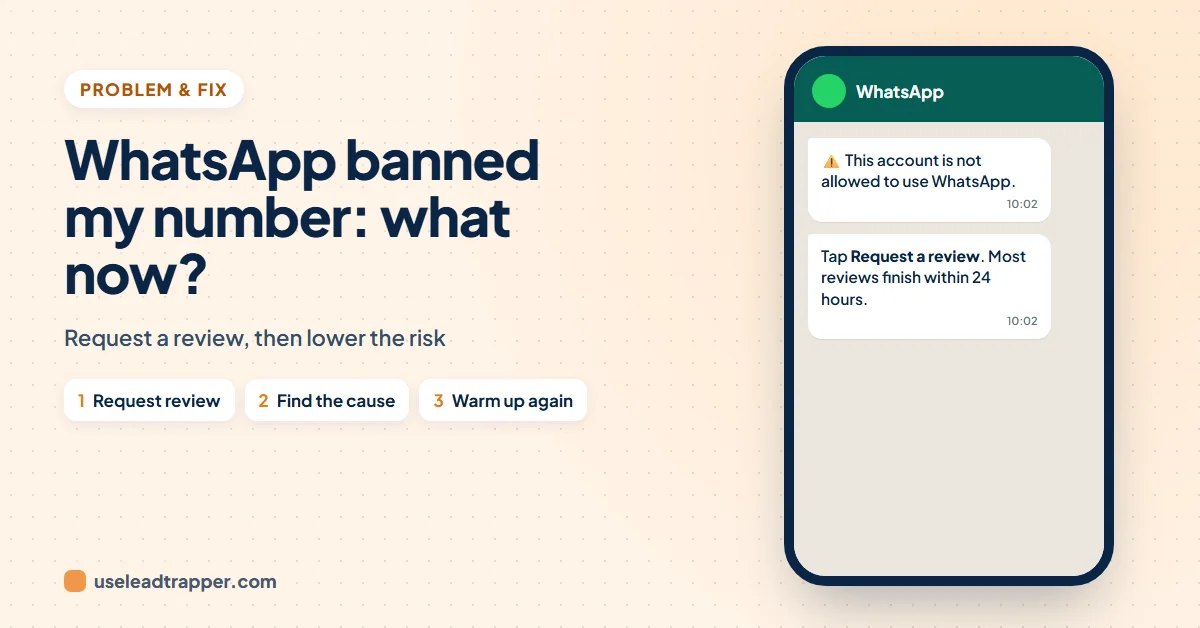
WhatsApp banned my number: what now? Open WhatsApp and tap Request review; WhatsApp says most reviews finish within 24 hours. If there is no review button, the ban is final. Bans usually follow spam, scams, unofficial apps or many people blocking and reporting you, so fix that before you message again.
- The ban screen says 'This phone number can't use WhatsApp' and offers Request review; WhatsApp says most reviews are done within 24 hours.
- No review button means the ban is final. Only WhatsApp can lift a ban; outside services can't.
- 'Temporarily banned' usually means an unofficial WhatsApp app or scraping: switch to the official app, or the ban can become permanent.
- Bans follow spam, scams and unsafe activity under WhatsApp's terms, and in practice many blocks and reports from people who didn't expect your message.
- Next time: warm up new numbers, message people who expect you, check numbers before sending and keep a slow, varied pace. No tool can promise zero bans.
You open WhatsApp and see that your number can’t use it any more. Your chats are gone from view and customers can’t reach you. This guide explains what the message means, how to ask WhatsApp to review it, why numbers get banned, and what to change before you send another campaign.
What the Ban Message Means
A banned account shows a message like this, from WhatsApp’s help page on account bans:
“This phone number can’t use WhatsApp. You can request a review of this number. Most reviews are completed within 24 hours.”
While the number is banned you can’t send or read messages, and your chat backups can’t be opened. If WhatsApp lifts the ban, you verify your phone number again to get back in.
How to Request a Review
- Open WhatsApp on the banned phone and tap Request review.
- Wait for the notification. WhatsApp sends one when it has made a decision; you can also open the app to check the status.
- Don’t send more requests. WhatsApp says contacting it another way, or from someone else’s account, won’t speed up the review or change the decision. It reviews one phone number per appeal.
No review button? WhatsApp says that means the ban is final and can’t be appealed. And no outside service can remove a ban: only WhatsApp can.
Temporarily Banned: Unofficial Apps and Scraping
A message that says your account is temporarily banned is different. WhatsApp’s page on temporary bans says it usually means you’re using an unofficial version of WhatsApp, such as a modified app, or scraping, meaning collecting information about WhatsApp users at scale. Switch to the official WhatsApp or WhatsApp Business app, and stop the activity. If you don’t, WhatsApp warns that the account can be banned permanently.
Why WhatsApp Bans Numbers
WhatsApp bans accounts it believes break its Terms of Service, for example spam, scams or activity that puts users at risk. Its terms also don’t allow impermissible communications such as bulk messaging and auto-messaging. That rule covers every bulk sender, including LeadTrapper, so the risk is yours whichever tool you use.
In practice, these are the patterns behind most bans of business numbers:
- People who didn’t expect your message. Many blocks and “report spam” taps in a short time are the strongest signal. Messages to people who blocked you stay on one grey tick; see why a WhatsApp message shows one tick.
- A brand-new number sending a lot at once. A number with no history that suddenly messages hundreds of strangers looks like spam. See the WhatsApp warm-up schedule for a day-by-day plan.
- Numbers that aren’t on WhatsApp. Messages that fail because the number has no WhatsApp are a warning sign of their own, as the guide to invalid numbers and ban risk explains.
- The same text to everyone, at a machine-like pace.
- Unofficial apps or scraping, as above.
How to Lower the Risk Next Time
Whether you got the number back or start with a new one, change how you send:
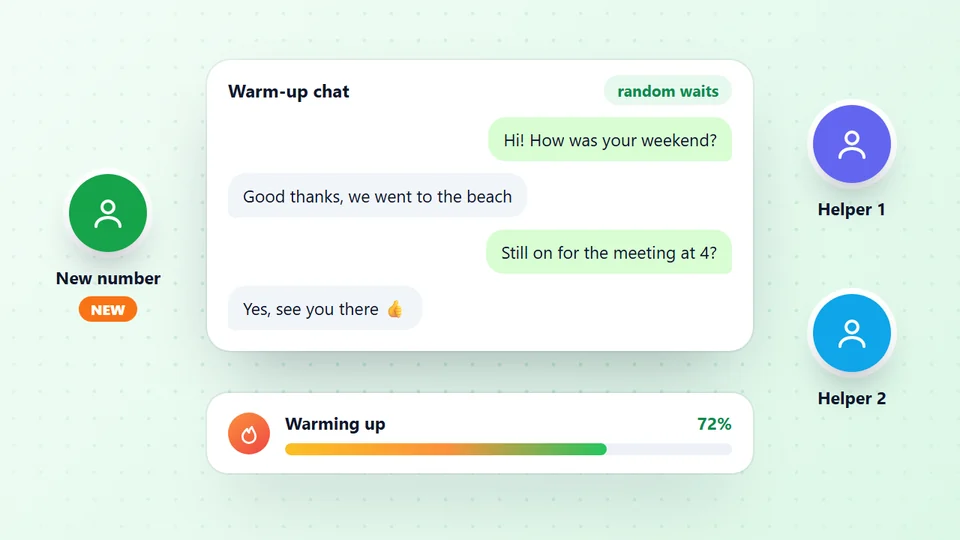
- Warm up new numbers first. The WhatsApp warmer has two or more of your own numbers chat with each other, with your own wording and random gaps, so a new number builds normal history before any campaign.
- Message people who expect to hear from you. Customers, people who asked for an offer, or businesses you have a clear reason to contact. Add anyone who says stop to your do-not-send list.
- Check every number before sending. The WhatsApp bulk sender checks each number on WhatsApp first and skips the ones without it, and pauses the campaign by itself when too many numbers in a row have no WhatsApp.
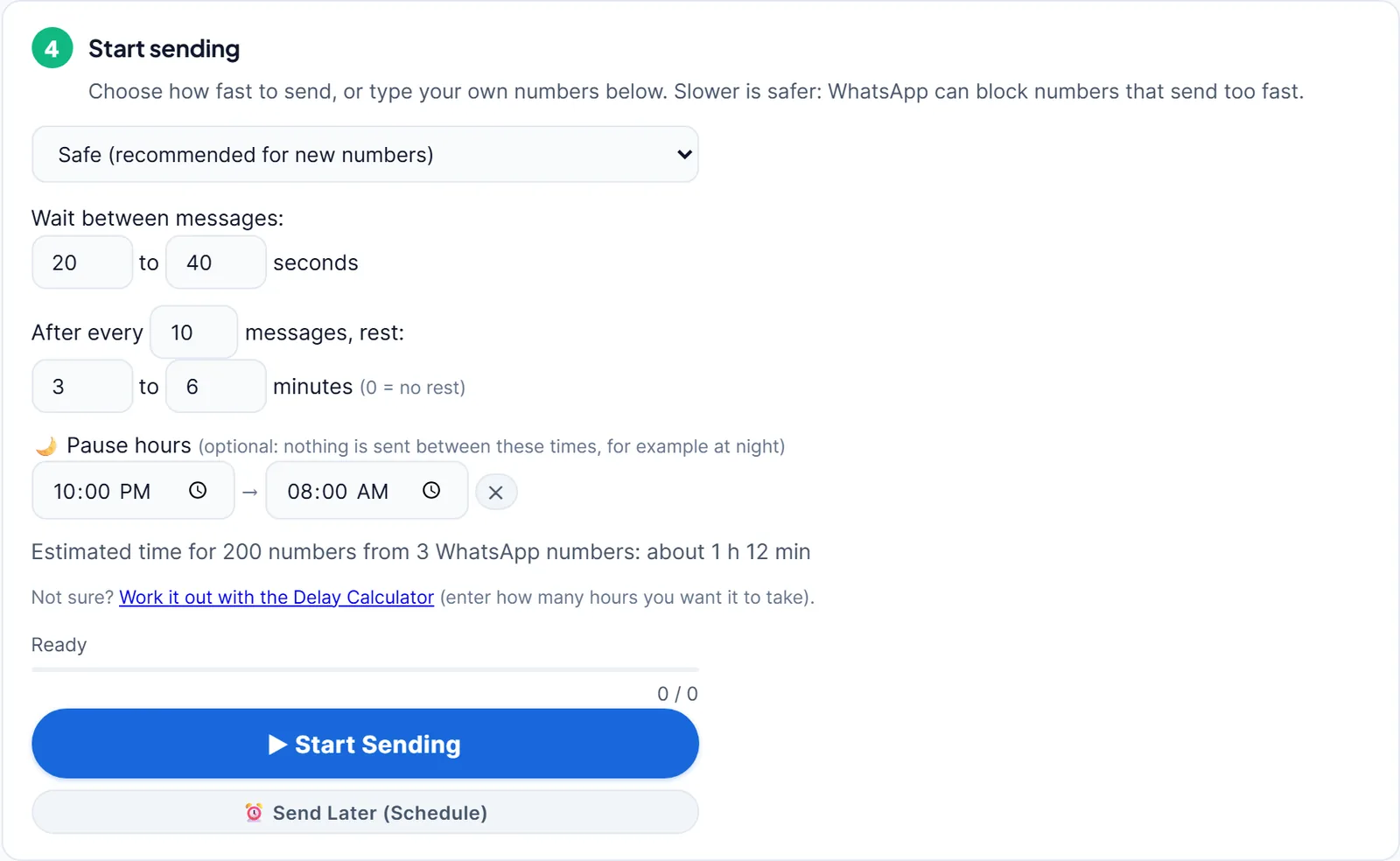
- Keep a slow, varied pace. The Safe setting waits a random 20 to 40 seconds between messages and rests 3 to 6 minutes after every 10. Use name fields and several message versions so no two messages look the same.
- Spread a campaign over warmed-up numbers. One campaign can be shared out between several of your numbers, each with its own waits; see running multiple WhatsApp numbers.
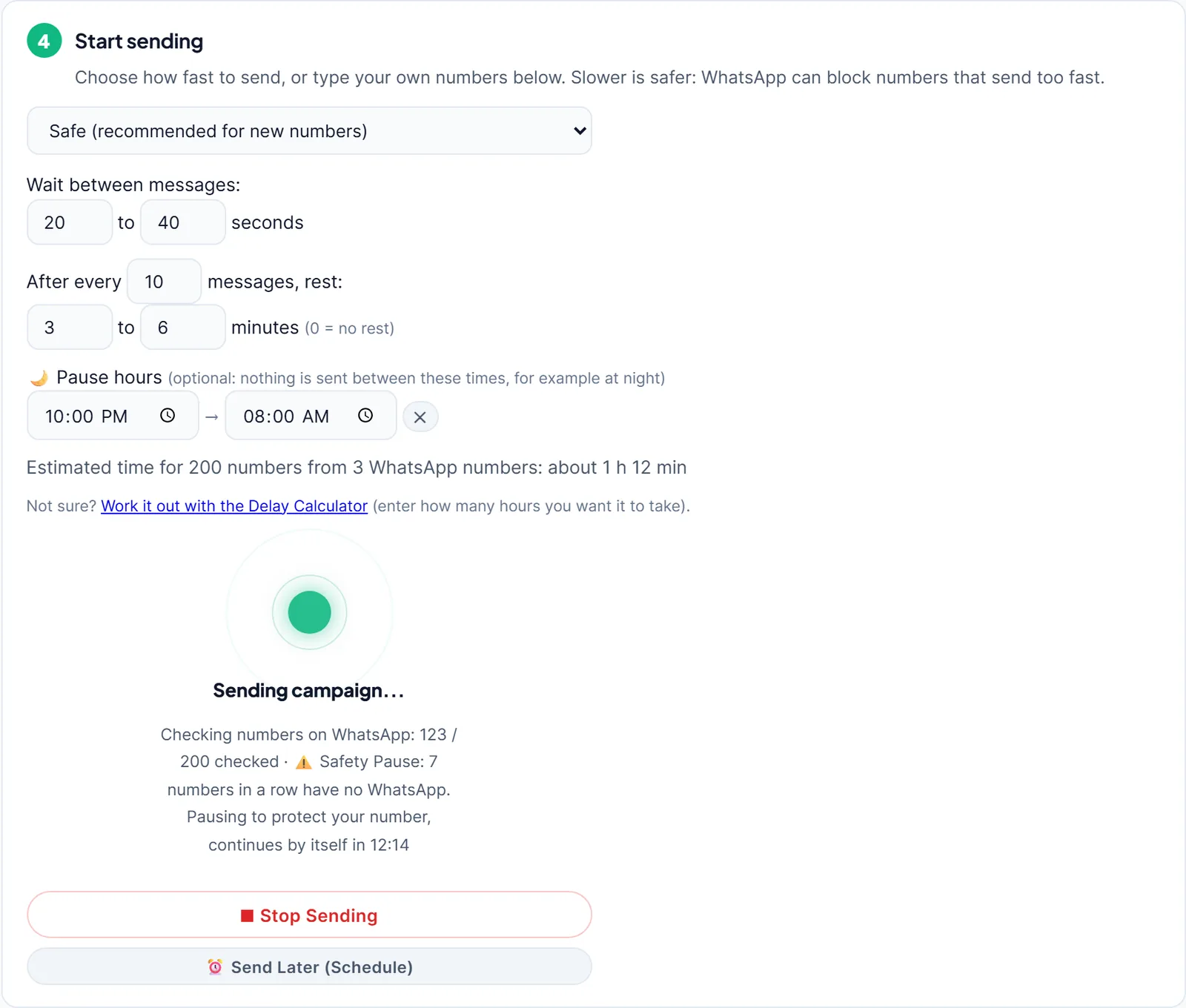
These are LeadTrapper’s own safety settings, not WhatsApp’s. WhatsApp publishes no safe sending number, and no tool can promise a number won’t be banned. The guide to sending bulk WhatsApp messages without a ban covers the whole routine.
A Checklist Before Your Next Campaign
Run through this list before the number sends anything in bulk again. Each line removes one of the patterns that led to the ban.
| Check | Why it matters |
|---|---|
| The number has been warmed up for about a week | A new number with no history stands out |
| Everyone on the list has a reason to hear from you | Blocks and reports are the strongest ban signal |
| Every number was checked on WhatsApp | Failed messages to non-WhatsApp numbers look like spam |
| The message uses the person’s name and several versions | Identical messages to many people look automated |
| Waits are random and there are rests | A fixed, fast rhythm looks like a machine |
| Opt-outs go on a do-not-send list | Messaging someone who said stop invites a report |
| The first campaign is small | You see replies and blocks before the list grows |
While you wait for the review, keep customers informed through other channels: a short note on your website, an email to regular customers, and your social profiles. Don’t create a new account on the same phone to keep messaging the same people; it repeats the pattern that caused the ban.
Keep a record. Note the date, what you sent and to whom in the days before the ban. If the review succeeds, that record shows you exactly what to change; if it fails, it protects your next number from the same mistake.
If the Ban Is Final
A final ban can’t be reversed, so don’t pay anyone who promises to unban the number. Tell your customers your new number through your website, email and social profiles, update your Google Business Profile WhatsApp link, and give the new number a proper warm-up before it sends anything in bulk. If a campaign stopped by itself before the ban, the guide to why a WhatsApp campaign stopped explains what each stop means. And if your number only ever asks for the QR code again, that’s not a ban: the guide to WhatsApp Web logging out covers the usual causes.
Frequently Asked Questions
WhatsApp's help page says most reviews are completed within 24 hours. You get a WhatsApp notification with the decision, and you can check the status by opening the app. Sending more requests or contacting WhatsApp another way doesn't speed it up.
No. WhatsApp says that if you don't see an option to request a review, the ban is final and can't be appealed. Services that promise to unban numbers can't do it: only WhatsApp can remove a ban.
WhatsApp says it usually means you're using an unofficial version of WhatsApp or scraping. Switch to the official WhatsApp or WhatsApp Business app; if you don't, the account can be banned permanently.
WhatsApp bans accounts it believes break its Terms of Service, for example spam, scams or activity that puts users at risk. Its terms also don't allow impermissible bulk or automated messaging. In practice a new number that suddenly messages many people who didn't save it, and gets blocked or reported, is the most common pattern.
No tool can promise that. LeadTrapper lowers the risk with warm-up, a WhatsApp check before every message, random waits and rests, and campaigns that pause or stop by themselves when something looks wrong. Who you message and what you send still matter most.
About LeadTrapper
LeadTrapper is a Windows app for finding business leads and contacting them on WhatsApp. It collects business contacts from Google Maps, Instagram, Facebook, TikTok, LinkedIn and business websites, checks which numbers are on WhatsApp with its Number Filter, and sends personalised campaigns with automatic delays from one or more WhatsApp accounts. It also has a chatbot, a shared inbox for every account, and Store Orders for online shops. It installs from the Microsoft Store, and the full app is free for 14 days, then $50 a year. Free web tools, browser extensions and a Wix app are listed on the Free Tools page.
Protect Your Next Number Before the First Campaign
LeadTrapper warms up new numbers, checks every number on WhatsApp before sending and paces each message. $50/year after a 14-day free trial.