In this article 6 sections
A WhatsApp message not delivered shows one grey tick: it left your phone but has not reached theirs. WhatsApp says this happens when the recipient's phone is off or offline, when there is a connection problem, or when they have blocked you. Wait, check your own connection, and don't keep resending.
- One grey tick means the message was sent from your phone but has not reached the recipient's phone or any of their linked devices.
- WhatsApp names three causes: the recipient's phone is off or offline, a connection problem, or the recipient has blocked you.
- A clock instead of a tick means the message hasn't even left your phone yet. That's a problem on your side.
- WhatsApp never tells you that you were blocked. One tick plus no profile photo, no last seen and calls that don't connect are signs, not proof.
- For campaigns, check numbers on WhatsApp before you send and keep a slow pace. Messages to strangers that stay on one tick are a warning, not something to resend.
You sent a WhatsApp message and it shows a single grey tick, while your other chats have two. This guide explains what that tick means, the reasons WhatsApp itself gives, how to tell a phone that’s off from a contact who blocked you, and what to change when it happens across a whole campaign.
What the Ticks Mean
WhatsApp’s help page on read receipts describes each mark next to a message you send:
| What you see | What WhatsApp says it means |
|---|---|
| Clock | The message is not yet sent or delivered, possibly due to connectivity issues |
| One grey tick | “The message was successfully sent” |
| Two grey ticks | Delivered to the recipient’s phone or any of their linked devices |
| Two blue ticks | “The recipient has read your message” |
So one grey tick is not an error. Your phone did its job and WhatsApp has the message. It is waiting to reach the other person.
Why a Message Stays on One Tick
WhatsApp’s help pages give these reasons:
- The recipient’s phone is off or offline. WhatsApp says: “If the recipient’s phone is off and the message isn’t delivered to any of their linked devices, the second check mark won’t appear.” No battery, no signal, airplane mode or a phone left at home all count.
- A connection problem. The read-receipts page lists connection issues on your side or theirs. A message usually moves to two ticks within moments of their phone getting back online.
- The recipient has blocked you. WhatsApp’s page on being blocked says messages to a contact who blocked you “will only show one gray check mark to show the message was sent. They won’t show a second check mark.”
A message to a number that has no WhatsApp account at all is a different case: WhatsApp can’t open a chat with it, so nothing is sent. If you work from a list of phone numbers, the guide to WhatsApp number formats explains why a missing country code makes a valid number look like it’s not on WhatsApp.
One Tick or Blocked? How to Tell
One grey tick on its own doesn’t tell you which reason applies. WhatsApp lists these signs that someone may have blocked you:
- Messages only ever show one grey tick.
- You can’t see their last seen or online.
- Their profile photo doesn’t update.
- You can’t see their status updates.
- Calls you try “will not go through”.
- As a group admin, you can’t add them to a group.
Even if you see all of them, WhatsApp says they “may also be due to other reasons” and that it can’t tell you whether someone has blocked you. A phone that has been off for days can look much the same.
What to Do When a Message Shows One Tick
- Wait. Most single ticks turn into two as soon as the other phone is back online. WhatsApp delivers the message on its own, so there’s nothing to resend.
- Check your own side if you see a clock. A clock means the message never left your phone: check Wi-Fi or mobile data, then reopen WhatsApp.
- Check the date and time on your phone. WhatsApp’s read-receipts page names wrong date and time settings as a reason for missing receipts. Set both to automatic.
- Don’t keep sending the same message. If they’re offline, extra copies arrive together later. If they blocked you, none of them arrive.
- Try another channel if it matters. A phone call, SMS or email reaches someone whose WhatsApp is offline, and settles quickly whether the number still belongs to them.
If the messages show two grey ticks but never turn blue, that’s a different question: the person may have turned read receipts off, or simply hasn’t opened the chat yet. WhatsApp’s help page lists both. And if the message arrived but shows as “Waiting for this message”, see the waiting for this message fix.
One Tick in Groups
In a group, WhatsApp only shows the second tick once everyone in the group has received the message, and two blue ticks once everyone has read it. So one member with a phone that’s off keeps a group message on one tick for the whole group. Read receipts can’t be turned off in groups, so the message’s Info screen shows who has received or read it.
Many Single Ticks in a Campaign
When you message customers or leads in bulk and a large share of messages stay on one tick, the list or the approach is usually the cause:
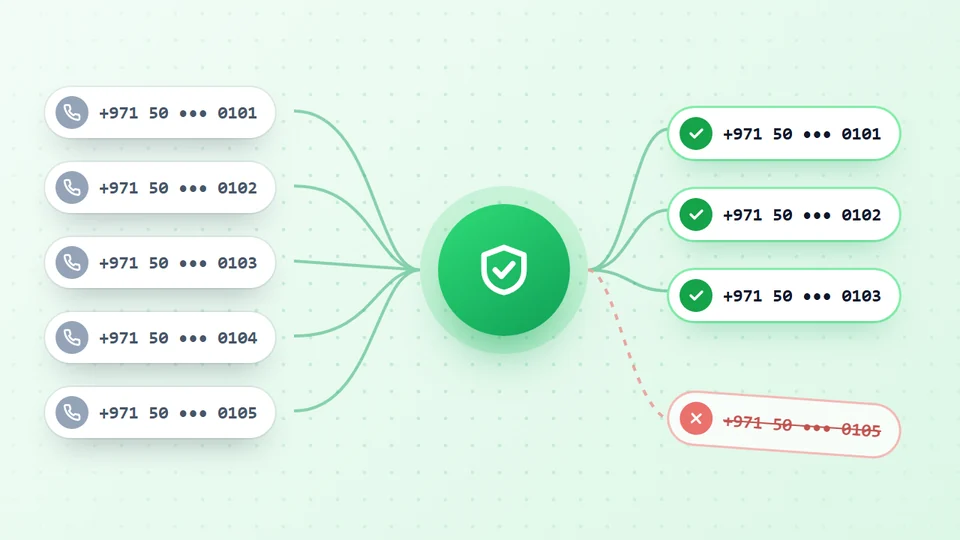
- Old or unchecked numbers. People change numbers and stop using old ones. Numbers that aren’t on WhatsApp at all won’t even get a chat. Check the list first: the WhatsApp number filter checks each number against WhatsApp through your own connected account, sends nothing to the numbers it checks, and marks each valid one as a business or personal account.
- People who blocked you. Strangers who didn’t expect your message block and report. That also raises your ban risk, so message people who have a reason to hear from you.
- Sending too fast. A slow, varied pace looks like a person, not a machine. The WhatsApp bulk sender checks every number on WhatsApp before it sends, skips the ones without it and pauses the campaign by itself when too many numbers in a row aren’t on WhatsApp.
LeadTrapper doesn’t read the ticks on messages you’ve already sent, and no tool can make a message deliver to a phone that’s off or a person who blocked you. What a tool can do is stop you sending to numbers that were never going to receive anything. The guide to WhatsApp broadcasts that aren’t received covers the extra reason that only affects broadcast lists: people who haven’t saved your number.
Frequently Asked Questions
WhatsApp's help page says one grey check mark means the message was successfully sent. It has left your phone and reached WhatsApp, but not yet the recipient's phone or any of their linked devices. Two grey ticks mean delivered, and two blue ticks mean read.
WhatsApp says the second tick doesn't appear when the recipient's phone is off and the message isn't delivered to any of their linked devices. Connection problems on either side and being blocked also leave a message on one tick. It usually changes to two ticks as soon as their phone is back online.
Not on its own. WhatsApp says messages to someone who blocked you only ever show one grey tick, but so do messages to a phone that is switched off. Other signs are no profile photo updates, no last seen or online, and calls that don't go through. WhatsApp says even all of these together could have other reasons, and it won't tell you if someone blocked you.
As long as the recipient's phone and linked devices stay offline, or for as long as they keep you blocked. WhatsApp doesn't publish a time limit in its help page on check marks. If one tick lasts for days with no other signs, try another way to reach them, such as a call or email.
WhatsApp says a clock means the message is not yet sent or delivered, and that this could be due to connectivity issues. It is still on your phone, so check your own internet connection, then reopen WhatsApp.
In a campaign, many single ticks usually mean people are offline, have blocked you, or the list is old. Check every number on WhatsApp before you send, message people who expect to hear from you, and keep a slow, varied pace. Resending to the same people won't deliver the messages.
About LeadTrapper
LeadTrapper is a Windows app for finding business leads and contacting them on WhatsApp. It collects business contacts from Google Maps, Instagram, Facebook, TikTok, LinkedIn and business websites, checks which numbers are on WhatsApp with its Number Filter, and sends personalised campaigns with automatic delays from one or more WhatsApp accounts. It also has a chatbot, a shared inbox for every account, and Store Orders for online shops. It installs from the Microsoft Store, and the full app is free for 14 days, then $50 a year. Free web tools, browser extensions and a Wix app are listed on the Free Tools page.
Send Only to Numbers That Are on WhatsApp
LeadTrapper checks every number on WhatsApp before a campaign, then sends at a safe, random pace. $50/year after a 14-day free trial.