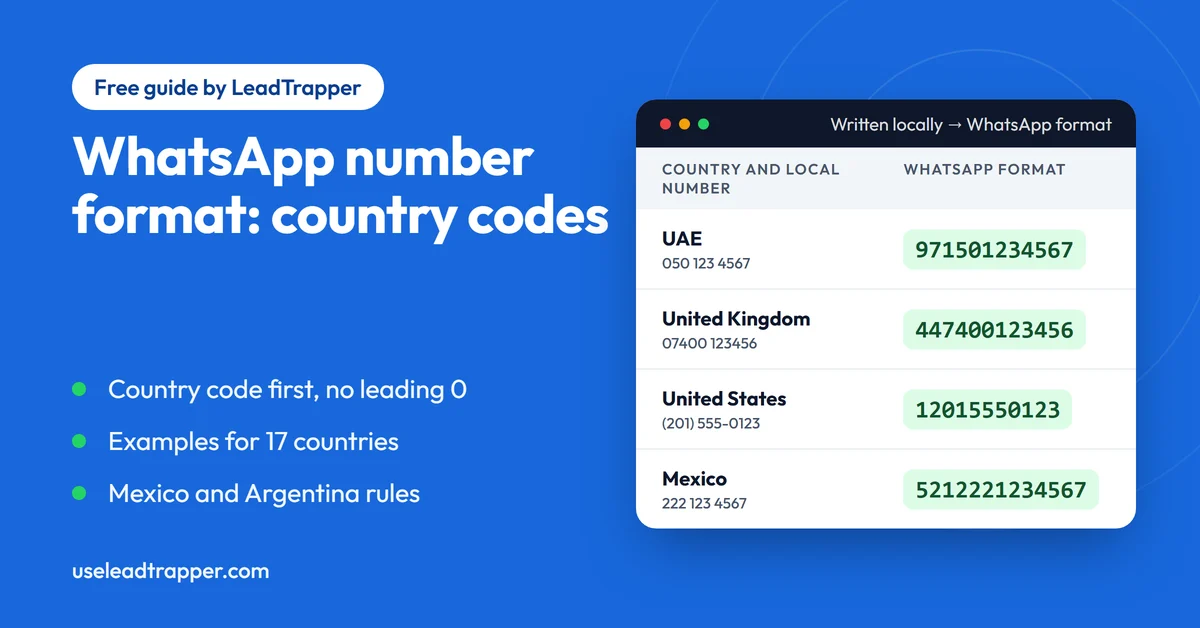
- A WhatsApp number is the country code followed by the phone number, for example +971 50 123 4567. In a wa.me link and in most tools you drop the plus sign and the spaces: 971501234567.
- WhatsApp's help pages say to remove leading zeros and special calling codes. The 0 you dial inside a country is not part of the international number, so 050 123 4567 becomes 971501234567.
- When you save a contact, start the number with a plus sign and the country code. In a wa.me link, use digits only.
- WhatsApp names two special cases: Mexican numbers need a 1 after +52, and Argentine numbers need a 9 after +54 with the 15 prefix removed, 13 digits in all.
- A correctly formatted number is not the same as a number that is on WhatsApp. Format fixes the shape, and a check against WhatsApp shows whether the account exists.
A WhatsApp number is the country code followed by the phone number, with the leading 0 that you dial inside your country left out. A mobile in Dubai that people write as 050 123 4567 is +971 50 123 4567 on WhatsApp. In a chat link it becomes 971501234567. This guide explains each part, shows what the format looks like in 17 countries, and covers the two countries where WhatsApp asks for an extra digit.
What a WhatsApp Number Looks Like
WhatsApp’s own help page, About international phone number format, describes it as a plus sign, then the country code, the area code and the local number. Its example is a contact in the United States with area code 408, who is written as +1 408 followed by the number. The page adds a warning: remove any leading 0s or special calling codes, because they can cause errors.
The same number can be written three ways, and all three mean the same phone:
- As people write it at home: 050 123 4567
- For a contact card: +971 50 123 4567
- For a chat link or most software: 971501234567
The first is only correct for someone dialling from inside the UAE. The second and third are international. Software that sends or links to WhatsApp expects an international number, so the local version is where most broken lists go wrong.
The Three Parts of a Number
Every international number has the same three parts.
The country code comes first. It is one to three digits, such as 971 for the UAE, 44 for the United Kingdom, 1 for the United States and Canada, and 91 for India. It says which country’s network the number belongs to.
The trunk prefix is the part that gets removed. In many countries, people dial a 0 before the number when they call inside the country. It is a local dialling habit, not part of the number, and it disappears when you add the country code. That is why 050 123 4567 loses its 0 and why 07400 123456 in the United Kingdom loses its 0. The United States has no trunk 0, so nothing is removed there.
The subscriber number is what is left: the mobile network prefix and the personal digits. In the UAE example it is 50 123 4567.
Put the country code and the subscriber number together, and you have the whole number. An international number has at most 15 digits under the standard that defines it, called E.164, so anything longer than that is a sign that two numbers have been joined or a country code has been added twice.
WhatsApp Number Examples for 17 Countries
The table shows one mobile example for each country, written the way a local would write it, and then in WhatsApp format. The examples come from Google’s libphonenumber library, which publishes example numbers for every country, and we ran each one through the number formatter to get the last column. They are examples, not people.
| Country | Code | Written locally | WhatsApp format |
|---|---|---|---|
| United Arab Emirates | +971 | 050 123 4567 | 971501234567 |
| Saudi Arabia | +966 | 051 234 5678 | 966512345678 |
| Egypt | +20 | 010 01234567 | 201001234567 |
| Jordan | +962 | 07 9012 3456 | 962790123456 |
| Kuwait | +965 | 500 12345 | 96550012345 |
| Qatar | +974 | 3312 3456 | 97433123456 |
| United Kingdom | +44 | 07400 123456 | 447400123456 |
| United States | +1 | (201) 555-0123 | 12015550123 |
| India | +91 | 081234 56789 | 918123456789 |
| Pakistan | +92 | 0301 2345678 | 923012345678 |
| Nigeria | +234 | 0802 123 4567 | 2348021234567 |
| Brazil | +55 | (11) 96123-4567 | 5511961234567 |
| Germany | +49 | 01512 3456789 | 4915123456789 |
| Turkey | +90 | 0501 234 56 78 | 905012345678 |
| Indonesia | +62 | 0812-345-678 | 62812345678 |
| Mexico | +52 | 222 123 4567 | 5212221234567 |
| Argentina | +54 | 011 15-2345-6789 | 5491123456789 |
Two things stand out. Countries with a trunk 0, such as the UAE, Saudi Arabia, the United Kingdom, India and Turkey, lose it. Qatar, Kuwait and the United States have none. And the last two rows, Mexico and Argentina, gain a digit, which is the next special case.
Where the Plus Sign Goes
The plus sign is the one place where different tools disagree, so it helps to know which one you need.
When you save a contact in your phone, WhatsApp’s help page on how to add an international phone number says to start with a plus sign, then the country code, then the full phone number. It also says that if you are adding a local number for someone in your own country, you can enter it as if you were calling them.
In a chat link, use digits only. WhatsApp’s click to chat page says the number in a wa.me link should have any zeros, brackets or dashes left out, and shows the link with no plus sign. The guide to creating a WhatsApp link covers the rest of that format, and the free WhatsApp link generator builds the link for you.
For bulk tools and spreadsheets, it depends on the software. Some want a plus sign in front, some want digits only. If you are not sure, keep the plus sign in your master list and remove it when a tool asks for digits only, because putting it back is harder than taking it off. The number formatter lets you choose either style.
Mexico and Argentina
The standard format works for almost every country. WhatsApp’s help pages name two exceptions.
- Mexico (+52): phone numbers need a 1 after +52, even Nextel numbers. So 55 1234 5678 is written +52 1 55 1234 5678.
- Argentina (+54): phone numbers should have a 9 between the country code and the area code, and the 15 prefix that people dial locally must be removed, so the final number has 13 digits: +54 9 XXX XXX XXXX.
Both rules appear on the two help pages above. The last two rows of the table follow them, and the number formatter applies them by default and lets you switch them off. WhatsApp’s pages are written for adding contacts and registering numbers, so if you are cleaning a list for links and you find that a number works without the extra digit, keep the format that works for you. Try one number before you commit a whole list.
Landlines and WhatsApp
WhatsApp’s help page states that it is designed for mobile phones. It says you can only register a landline on the WhatsApp Business app, where the verification code arrives through a call to the landline number. In practice, a list of business phone numbers scraped from a map or a directory will contain landlines, and a landline is less likely to be on WhatsApp.
That is a good reason to treat formatting and checking as two separate steps. The format decides whether a number is written correctly. Only a check against WhatsApp shows whether an account exists at that number.
Mistakes That Break a Number
- Leaving the leading 0 in after the country code, which makes 9710501234567 instead of 971501234567.
- Adding the country code twice, for example 971971501234567.
- Leaving a plus sign, brackets or spaces in a link, where only digits belong.
- Forgetting the country code, so the number opens the wrong chat or none.
- Pasting a list into Excel and losing the leading zeros, or seeing long numbers turn into 9.71501E+11.
- Using the local format for a list that comes from several countries. A number with no country code can only be read with one default country.
Format a Whole List at Once
One number is easy to fix by hand. A list of a few hundred is not. The free WhatsApp number formatter turns a pasted list or a CSV into clean international numbers, removes duplicates, flags numbers that cannot be right and downloads a clean CSV. The step-by-step guide on how to format a phone list for WhatsApp shows the whole process, including the Excel formulas if you prefer a spreadsheet.
A well-formatted number can still be one that is not on WhatsApp. The Number Filter in the LeadTrapper Windows app checks each number against WhatsApp itself, and the guide to the WhatsApp Number Filter explains how. The app also includes the WhatsApp bulk sender, and it costs $50 a year with a 14-day free trial. WhatsApp’s rules on who you may message apply to every tool, and the cold outreach policy guide explains where the lines are.
Frequently Asked Questions
It is the country code followed by the phone number. Written for people it looks like +971 50 123 4567. In a wa.me link and in most tools you drop the plus sign and the spaces and write 971501234567. The table in this guide shows the same idea for 17 countries.
Include the plus sign when you save a contact, because WhatsApp's help page says to start with it. Leave it out in a wa.me link, which takes digits only. Never include the leading 0 that you dial inside your own country, because WhatsApp says to remove leading zeros and special calling codes.
Start with a plus sign, then the country code, then the full phone number without its leading 0. For a United States contact with area code 408 you would write +1 408 followed by the seven digit number. If the number is local and you are saving it for someone in your own country, WhatsApp says to enter it as if you were calling them.
WhatsApp's help pages say Mexican numbers need a 1 after +52, even Nextel numbers, and that Argentine numbers need a 9 between the country code and the area code with the 15 prefix removed, so the whole number has 13 digits: +54 9 XXX XXX XXXX. Other countries follow the standard format.
WhatsApp's help page says it is designed for mobile phones, and that you can only register a landline on the WhatsApp Business app, where the verification code arrives by a call to the landline. Most WhatsApp numbers are mobile numbers.
Check the List, Then Message It
LeadTrapper for Windows: Number Filter, Google Maps scraper and WhatsApp bulk sender in one app. $50/year, 14-day free trial.
Related Articles
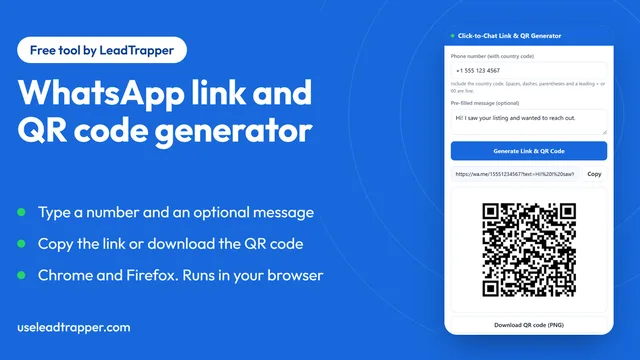
WhatsApp Link & QR Generator Extension: Chrome, Firefox
Make a WhatsApp click-to-chat link and QR code from any number with the free Chrome or Firefox exten…
Read article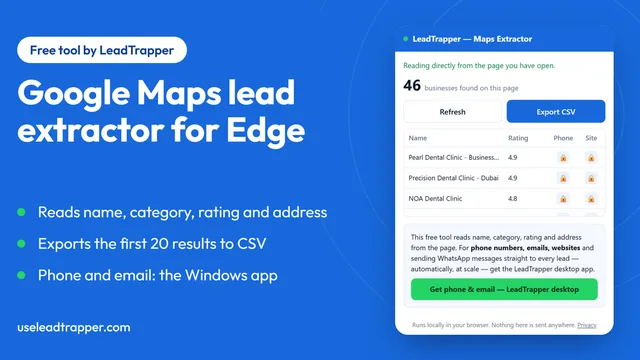
Google Maps Lead Extractor Extension for Edge (Free)
The free Maps Lead Extractor for Microsoft Edge reads names, ratings and addresses from Google Maps…
Read article