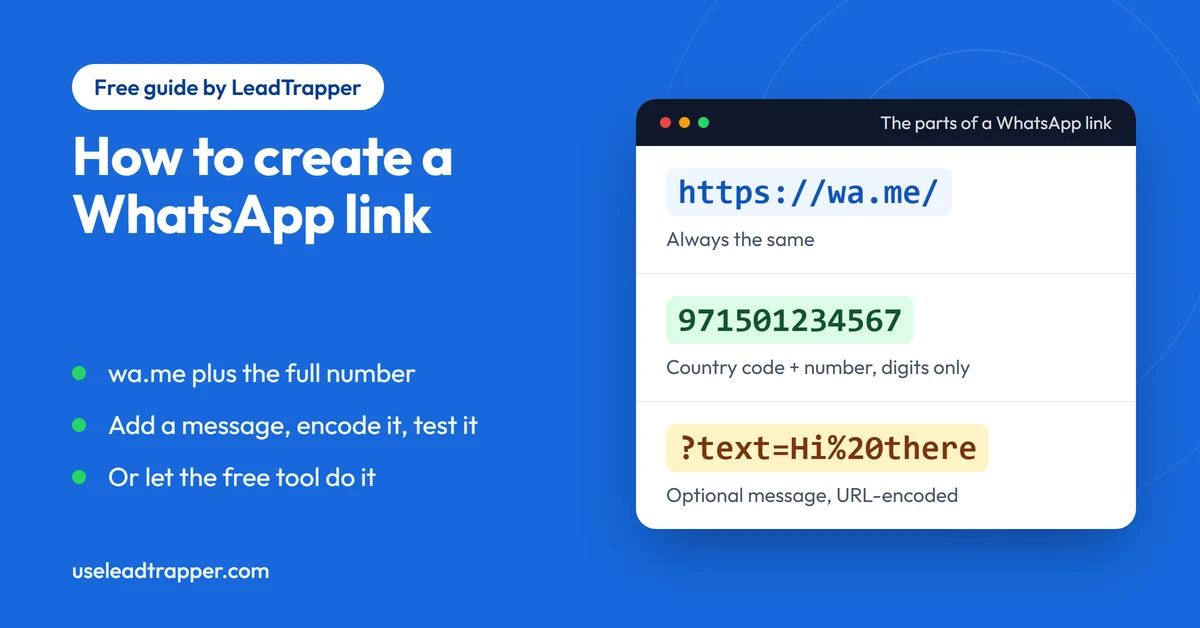
- A WhatsApp link is https://wa.me/ followed by the full phone number in international format: digits only, country code first, no plus sign, zeros, spaces, brackets or dashes.
- To pre-fill a message, add ?text= and the message with spaces and punctuation URL-encoded. The person who opens the link still presses send.
- The most common mistake is a leading 0 or a missing country code, which opens the wrong chat or none. Open the finished link once before you share it.
- The WhatsApp Business app has its own short link under Tools, which opens a small web page first. A wa.me link works for any number with an active WhatsApp account.
- The free generator on this site adds the country code, removes the leading 0 and encodes the message for you, and shows which number it will use.
A WhatsApp link is a web address that opens a chat with one phone number, with a message already typed if you want one. You can build it by hand in about a minute, and this guide shows exactly how, with the mistakes that break it. If you would rather not type it out, the free WhatsApp link generator on this site does the number work for you.
What a wa.me Link Is
WhatsApp calls this feature click to chat. Its help page says it lets you start a chat with someone without saving their number in your address book, as long as you know the number and the person has an active WhatsApp account. Tapping the link opens the chat. It works on a phone and in WhatsApp Web. You can read the rules in WhatsApp’s own How to use click to chat page.
The link always has the same shape: https://wa.me/ followed by the phone number. That is all a basic link needs. The rest of this guide is about getting the number right, because that is where nearly every broken link goes wrong.
Create the Link by Hand in Four Steps
Take the number the way people dial it locally. For a mobile in Dubai that is 050 123 4567.
- Remove the leading 0. In many countries the 0 is only used when you dial inside the country, and WhatsApp does not want it. 050 123 4567 becomes 50 123 4567.
- Add the country code in front. The UAE code is 971, so the number becomes 971 50 123 4567.
- Delete everything that is not a digit: spaces, dashes, brackets, a plus sign and a leading 00. You are left with 971501234567.
- Put
https://wa.me/in front of it. The finished link ishttps://wa.me/971501234567.
WhatsApp’s help page gives its own pair of examples. Use https://wa.me/1XXXXXXXXXX, where the number is a full phone number in international format. Do not use https://wa.me/+001-(XXX)XXXXXXX, with the plus sign, the zeros, the brackets and the dash all left in. The page says to omit any zeros, brackets or dashes.
Different countries need different care. The table shows what people type and the link they need. We ran each row through the generator to get the real result, and the numbers are fictional examples. The guide to the WhatsApp number format shows the same idea for 17 countries, including the Mexico and Argentina exceptions.
| What you type | Country | The link |
|---|---|---|
| 050 123 4567 | UAE | https://wa.me/971501234567 |
| +971 50 123 4567 | UAE | https://wa.me/971501234567 |
| 00971501234567 | UAE | https://wa.me/971501234567 |
| 07700 900123 | United Kingdom | https://wa.me/447700900123 |
| (202) 555-0123 | United States | https://wa.me/12025550123 |
The United States has no leading 0 to remove, so the only change is adding the 1. In the United Kingdom the 0 goes and 44 comes in. Look up the code for your country before you build a link by hand, because a wrong code is a perfectly valid link to somebody else’s chat.
Add a Message That Is Already Typed
To have text waiting in the message box when the chat opens, add ?text= after the number and then the message. The message has to be URL-encoded, which means characters that would break a web address are replaced with a percent sign and a code. WhatsApp’s help page shows the pattern with an example: https://wa.me/1XXXXXXXXXX?text=I'm%20interested%20in%20your%20car%20for%20sale.
The characters you will meet most often:
| Character | Written in the link as |
|---|---|
| Space | %20 |
| Line break | %0A |
| Comma | %2C |
| Question mark | %3F |
| & | %26 |
| # | %23 |
The last two matter most. An unencoded & tells a browser that a new part of the address starts there, so the message would end at that point. A # has a similar effect. Letters outside the basic alphabet are encoded too. We typed a Spanish and Arabic message into the generator and got https://wa.me/971501234567?text=Hola%2C%20%C2%BFtienen%20mesa%3F%20%D9%85%D8%B1%D8%AD%D8%A8%D8%A7, which opens with the text intact.
A longer example shows the pieces working together. The message “Hi! I’d like a table for 4 & a high chair, #2 by the window.” becomes https://wa.me/971501234567?text=Hi!%20I'd%20like%20a%20table%20for%204%20%26%20a%20high%20chair%2C%20%232%20by%20the%20window. Doing this by hand for every message is where people slip, which is the reason to let a tool do it.
One thing a message does not do: it does not send. The person who opens the link sees your text in the box and still has to press send.
A Link With Only a Message
You can also leave the number out. WhatsApp’s help page describes https://wa.me/?text= followed by the encoded message. After someone clicks it, WhatsApp shows a list of contacts to send the message to. That makes it a sharing link, not a link to chat with you. A website can use it for a “share this offer on WhatsApp” button, and the message can include the page address.
Test the Link Before You Share It
Open the finished link on a phone before you print it, post it or put it on a website. The check takes ten seconds and catches almost everything. Look at which chat opens, and whether the message appears.
Most failures come from the same few slips:
- A leading 0 left in, so 050 123 4567 became 0501234567 after the country code.
- A plus sign or 00 left in the number.
- No country code at all, which opens a chat with a different number or none.
- Spaces or dashes in the number.
- An & or # in the message that was not encoded.
A link to a number with no active WhatsApp account has nothing to open, and a typo in one digit opens a chat with a stranger. That last one is worth the test on its own.
Let the Free Tool Do the Typing
The WhatsApp link generator on this site does all four steps. Pick the country, type the number the way you would dial it, and add a message if you want one. It removes the leading 0, adds the country code and encodes the message. Just above the link it shows the number it will use, so a typo is easy to see, and a Test it button opens the link so you can check the chat.
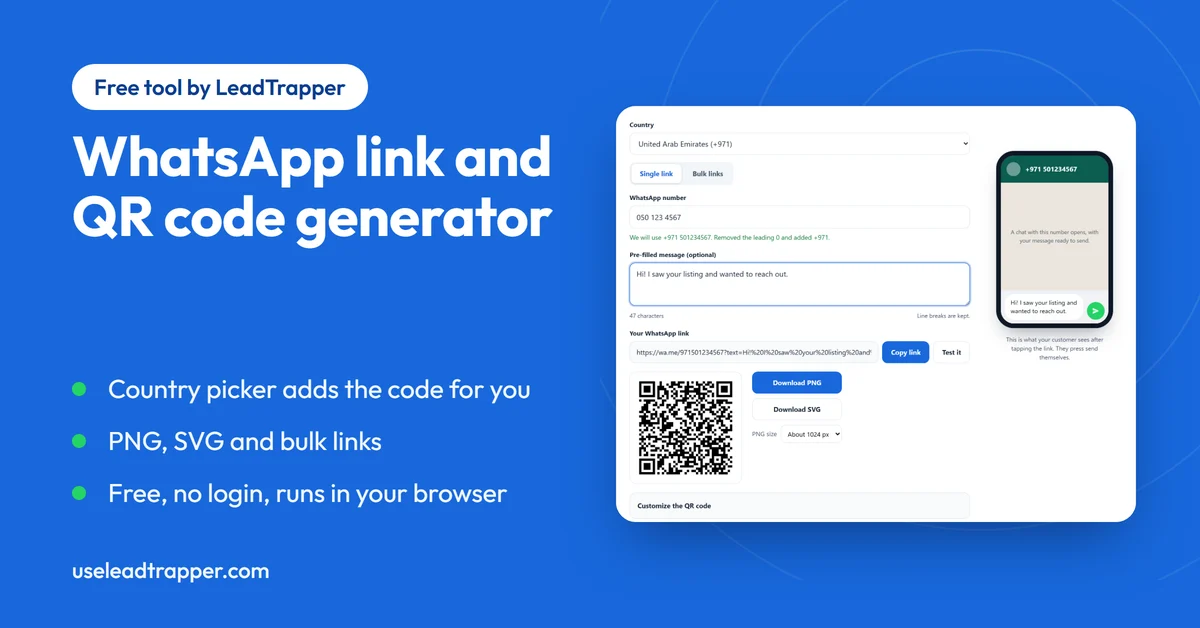
It has 245 countries in its list, needs no login, and runs in your browser, so what you type is not sent anywhere. It can also turn a list of up to 5,000 numbers into links and a CSV file. The same page makes a QR code for the link as a PNG or an SVG, which the guide to WhatsApp QR codes for restaurants and business cards covers. Prefer a toolbar button? The WhatsApp link and QR generator extension for Chrome and Firefox makes the same links.
The WhatsApp Business Short Link
If you use the WhatsApp Business app, it has a link of its own. WhatsApp’s help page says a short link is created automatically when you make an account, and you find it by tapping Tools and then Short link. You can copy it, share it, and set a message template or a default message that customers see when they open it.
There is one difference worth knowing. When a customer opens the short link from a web browser, they are sent to a small web page with your business information and a Continue to chat button, and your profile picture shows on it if your privacy settings share it with everyone. A wa.me link goes straight to the chat. Use the short link if you already work in the Business app and like the landing page. Use a wa.me link when you want a direct chat, when you need a different message on every link, or when the number is not a Business app account. The steps are in WhatsApp’s How to create short links page.
When One Link Is Not Enough
A link works when people come to you. A customer taps it and the chat starts. It does nothing when the job runs the other way: you have a list of contacts who agreed to hear from you and each should get a personal message.
That is what the LeadTrapper Windows app is for. Its WhatsApp bulk sender fills in each contact’s name and varies the wording, and it can send from several connected accounts. The Number Filter checks which numbers on a list are registered on WhatsApp before you send, and the app can build the list from Google Maps. Whatever tool you use, WhatsApp’s rules on who you may message apply, and the cold outreach policy guide explains where the lines are. The app costs $50 a year with a 14-day free trial, and you can download it here.
Frequently Asked Questions
Write your number in international format as digits only, with the country code first and no plus sign, zeros, spaces or dashes, then put https://wa.me/ in front of it. A UAE mobile you dial locally as 050 123 4567 becomes https://wa.me/971501234567. Open it once to check that it starts a chat with the right number.
https://wa.me/ followed by the number, then ?text= and the message with its spaces and punctuation URL-encoded. For example, https://wa.me/971501234567?text=Hi%20there opens a chat with the message Hi there already typed. WhatsApp's own help page uses the same format.
Almost always the number. A leading 0, a plus sign, a missing country code or a typo will each send the link somewhere else, and a number with no active WhatsApp account has nothing to open. Check the digits against the number you dial, add the country code, and open the link on a phone.
Yes. https://wa.me/?text= followed by the URL-encoded message opens WhatsApp and shows a list of contacts to send the message to, according to WhatsApp's help page. It suits a share button on a website, not a link that opens a chat with you.
No. A wa.me click-to-chat link works for any phone number that has an active WhatsApp account. The WhatsApp Business app adds its own short link under Tools, which is handy if you already use that app, but you do not need it.
Message Your Own List, Not Just One Chat
LeadTrapper for Windows: Google Maps scraper, Number Filter and WhatsApp bulk sender in one app. $50/year, 14-day free trial.
Related Articles
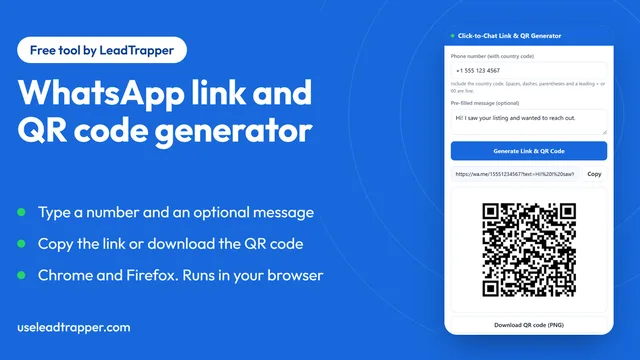
WhatsApp Link & QR Generator Extension: Chrome, Firefox
Make a WhatsApp click-to-chat link and QR code from any number with the free Chrome or Firefox exten…
Read article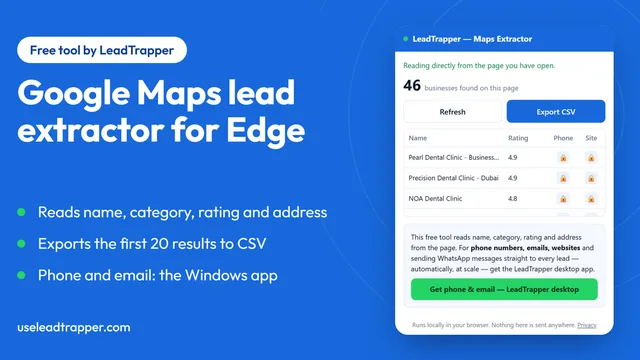
Google Maps Lead Extractor Extension for Edge (Free)
The free Maps Lead Extractor for Microsoft Edge reads names, ratings and addresses from Google Maps…
Read article