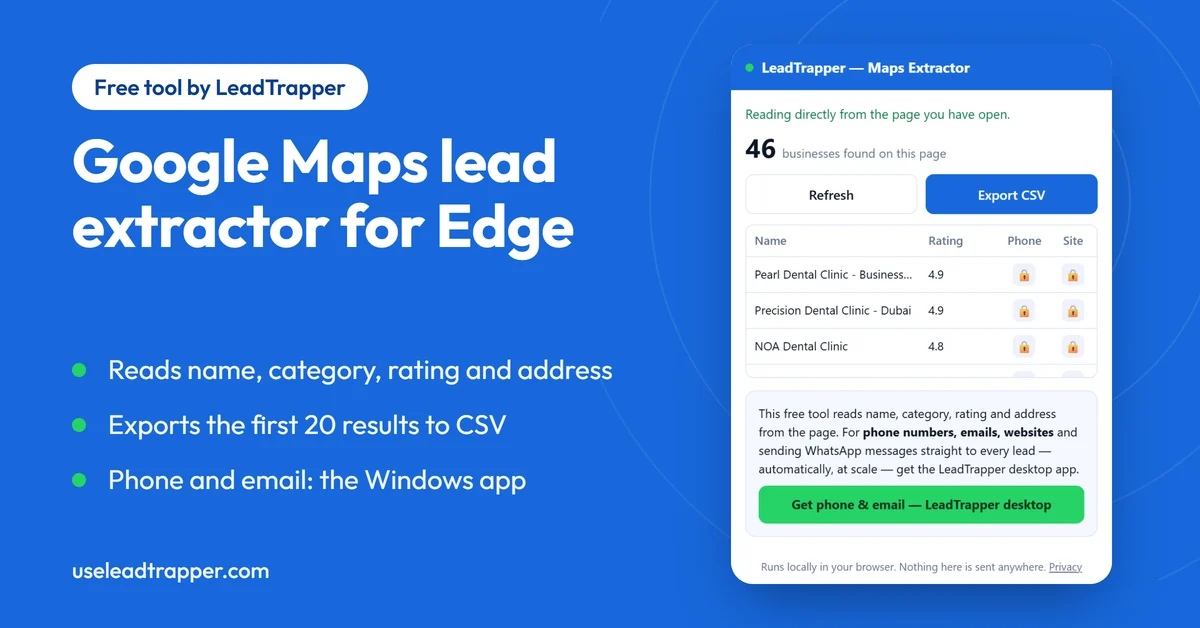
- Maps Lead Extractor for Business Search is a free Microsoft Edge extension. It reads the name, category, rating, review count and address of the businesses on a Google Maps results page and exports them to CSV.
- It reads only what the page has already loaded, so you scroll the list first. In our test the list held 49 cards after eight scrolls, the extension read 46, and the export held the first 20.
- It does not extract phone numbers, websites or emails, because those only appear when a business is opened. The LeadTrapper Windows app opens each business and collects them.
- In three of our five test sessions Google's list showed no review count, and the reviews column came out empty. The extension can only read what Google puts on the page.
- Nothing leaves your browser. The CSV is built on your computer and saved by your own browser.
Maps Lead Extractor for Business Search is a free Microsoft Edge extension that reads the business names, categories, ratings and addresses on a Google Maps results page and exports the first 20 to a CSV file. It does not collect phone numbers, websites or emails. For those, and for scanning a whole city, the LeadTrapper Windows app is the tool.
What the Extension Reads
You search Google Maps yourself, for example “dentists in Dubai”. The extension then reads the result cards that Google has already put on the page: the business name, its category, the star rating, the review count, the address and the link to its Maps page. It does not click into each business and it does not ask Google’s servers for anything. Everything comes from the page your own browser loaded.
It works on google.com/maps and maps.google.com. Two behaviours are worth knowing. Rows with an identical name are listed once, so two branches with exactly the same name appear as one row. And it reads the rating digits rather than the English word “stars”.
How to Use It
Install the Maps Lead Extractor for Business Search on Microsoft Edge and pin it to the toolbar. When you install it, it opens the LeadTrapper website once in a new tab.
- Open Google Maps and search for a type of business and a place.
- Scroll the results list on the left. Google only loads more cards as you scroll, and the extension reads only the cards that are there.
- Click the extension icon. The popup shows how many businesses it found on the page. If you scrolled after opening it, press Refresh.
- Press Export CSV. Your browser saves a file called
leadtrapper-maps-leads.csv.
What We Saw in a Real Test
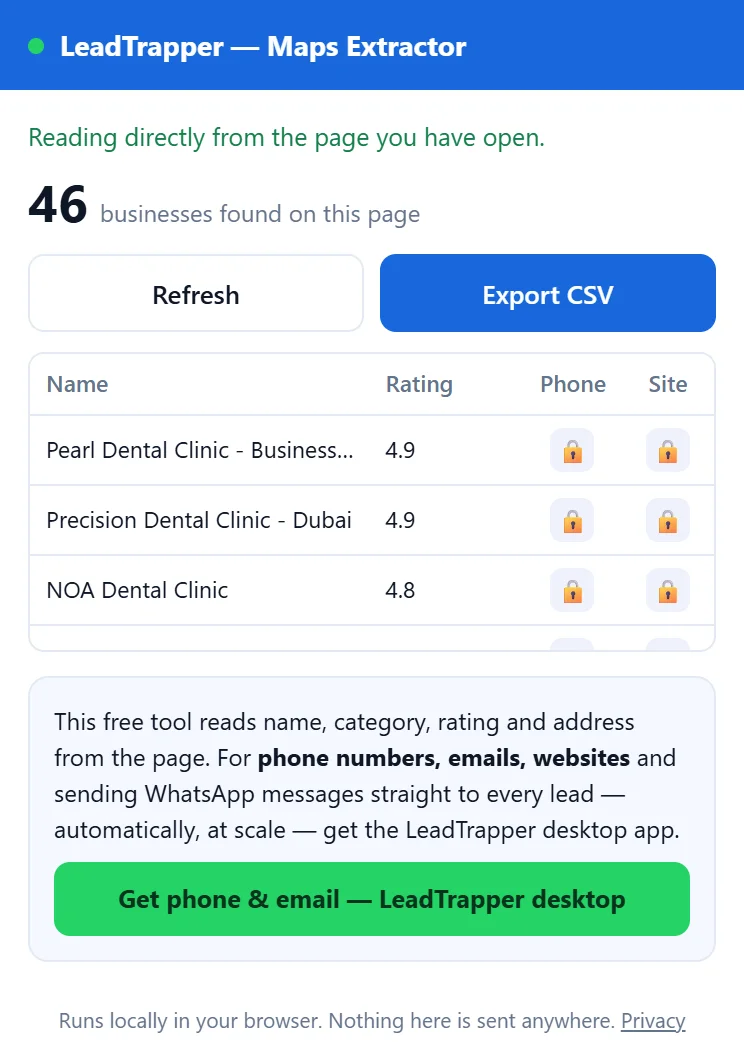
On 25 September 2026 we loaded the extension into a test browser, searched Google Maps for dentists in Dubai and scrolled the list eight times. The list held 49 cards. The extension read 46, and the other three were businesses already listed under the same name. The popup showed the first 20 in its table and a row saying 26 more had been found. Export CSV saved 20 rows.
The review count was the surprise. We ran the same search in five fresh browser sessions in all. In two, the cards showed a review count next to the rating and the column was full. In three, Google showed the rating and no review count at all, and the reviews column came out empty. The extension cannot read a number that is not on the page, so treat the rating as the dependable column and the review count as a bonus. This was one search in one city on one day, so it shows what can happen, not how often.
What the CSV Looks Like
The file has six columns: name, category, rating, reviews, address and maps_url. These are the first three rows of our export, with the Maps link left out:
| name | category | rating | reviews | address |
|---|---|---|---|---|
| Pearl Dental Clinic - Business Bay | Dental clinic | 4.9 | The Citadel - Tower, Shop# 3, Ground floor | |
| Precision Dental Clinic - Dubai | Dentist | 4.9 | Aspin Commercial Tower - 2301 - 106 Sheikh Zayed Rd - near Shangri-La Hotel | |
| NOA Dental Clinic | Dental clinic | 4.8 | Unit 109, Al Hanaa Centre Mall, Mankhool Road, Near World Trade Centre and |
The empty reviews column in that export is the layout difference described above. Two more details help when you open the file. It is saved as UTF-8 with the marker Excel needs, so names in Arabic or other scripts display correctly when you double-click it. And it starts with a one-line note and a blank line above the header row, so a strict importer that expects the header in row 1 needs those two lines deleted.
Phone, Website and Email: What It Leaves Out
The popup has Phone and Site columns, but they show lock icons, not data. Those details only appear on Google Maps once a business is opened, and this extension reads the results list without opening anything. Showing a locked column is more honest than pretending the data is there, and it is the line between the free tool and the paid app.
Free Extension or Lead Extractor Software?
The LeadTrapper Windows app has a Google Maps scraper under Google Maps in its left menu. It splits a search into areas, opens each business one at a time and collects what the list does not show. In our September 2026 scans, 93% to 99% of businesses had a phone number, 69% to 97% had a website, and 15% to 47% had an email, which comes from the business’s own website. The full results are in this data study, including the runs where Google refused to answer.
| Free extension (Edge) | LeadTrapper Windows app | |
|---|---|---|
| Name, category, rating, address | Yes | Yes |
| Phone number | No | Yes |
| Website, email, social links | No | Yes, when the business shows them |
| How many results | The cards you scrolled to; 20 rows in the CSV | A full scan by area, with an optional limit you set |
| Speed | Instant, on the page you are viewing | About seven to eight businesses a minute once rows start |
| Price | Free | $50/year, 14-day free trial |
If you also want to message the list, the WhatsApp Number Filter checks which of the numbers are on WhatsApp first, and the WhatsApp bulk sender sends from the same app. The Google Maps scraper guide covers the app’s scan step by step, and you can download LeadTrapper for Windows to try it.
Is It Allowed?
The extension reads a results page you opened yourself. It does not visit businesses automatically or call Google’s servers. That does not settle whether collecting the data is allowed for your particular use, which depends on Google’s terms, the data protection law where you work and what you do with the list afterwards. The guide to scraping Google Maps legally sets out the questions to ask before you build a list.
Frequently Asked Questions
Yes. Maps Lead Extractor for Business Search by LeadTrapper is free on Microsoft Edge Add-ons. It reads the businesses on a Google Maps results page you have open and exports the name, category, rating, review count, address and Maps link to CSV. It needs no account and it does not collect phone numbers.
No. Those details only appear once a business is opened on Google Maps, and this extension does not open businesses. The phone and site columns in its popup are locked placeholders. The LeadTrapper Windows app opens each business one at a time and collects the phone number, website and, when the business shows one, an email.
The popup counts every business the page has loaded, but the CSV holds the first 20 rows. In our test the popup counted 46 and showed a row saying 26 more were found. To collect a whole search across an area, use the LeadTrapper Windows app, which has no 20-row cap and can also stop at a limit you set.
We list it on Microsoft Edge Add-ons only and have not published it on the Chrome Web Store, so the store link in this guide is for Edge. The LeadTrapper Windows app does not depend on any browser extension.
Google Maps shows the results list in more than one layout, and some layouts show the rating without the number of reviews. When the number is not on the page, the extension has nothing to read and leaves the column empty. In five test sessions on 25 September 2026, two showed review counts and three did not.
No. The extension reads the page in your own browser and builds the CSV on your computer. It stores your last results in the browser so the popup can show them again, and it sends nothing to any server. The only page it opens by itself is the LeadTrapper website, once, in a new tab when you install it. The details are in the LeadTrapper privacy policy.
Get the Phone Numbers and Websites Too
LeadTrapper for Windows scans Google Maps by area and collects phone, website and email. $50/year, 14-day free trial.
Related Articles
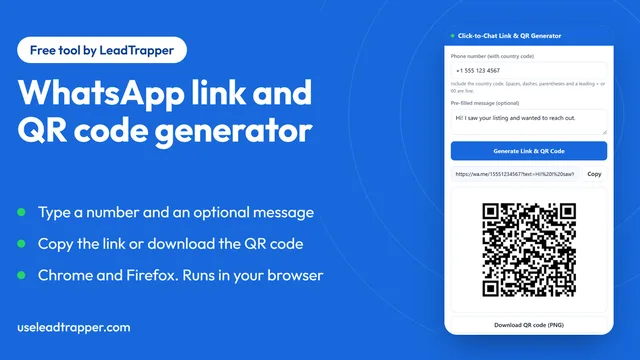
WhatsApp Link & QR Code Generator (Free Extension)
Make a WhatsApp click-to-chat link and QR code from any number with the free Chrome or Firefox exten…
Read article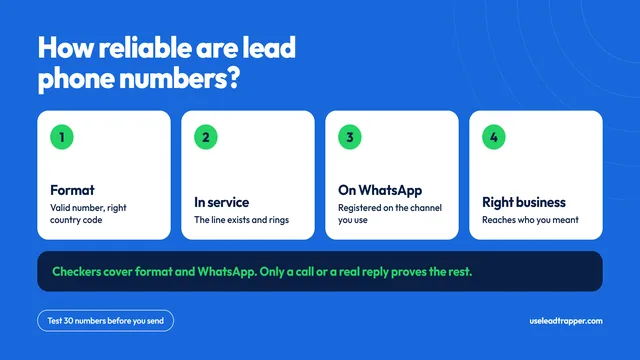
How Reliable Are Phone Numbers From B2B Lead Tools?
How reliable are the phone numbers from B2B lead generation tools? Where they come from, why they fa…
Read articleBrowse All Articles
Lead generation, WhatsApp marketing, Google Maps, Instagram, and Facebook scraping guides.
See all