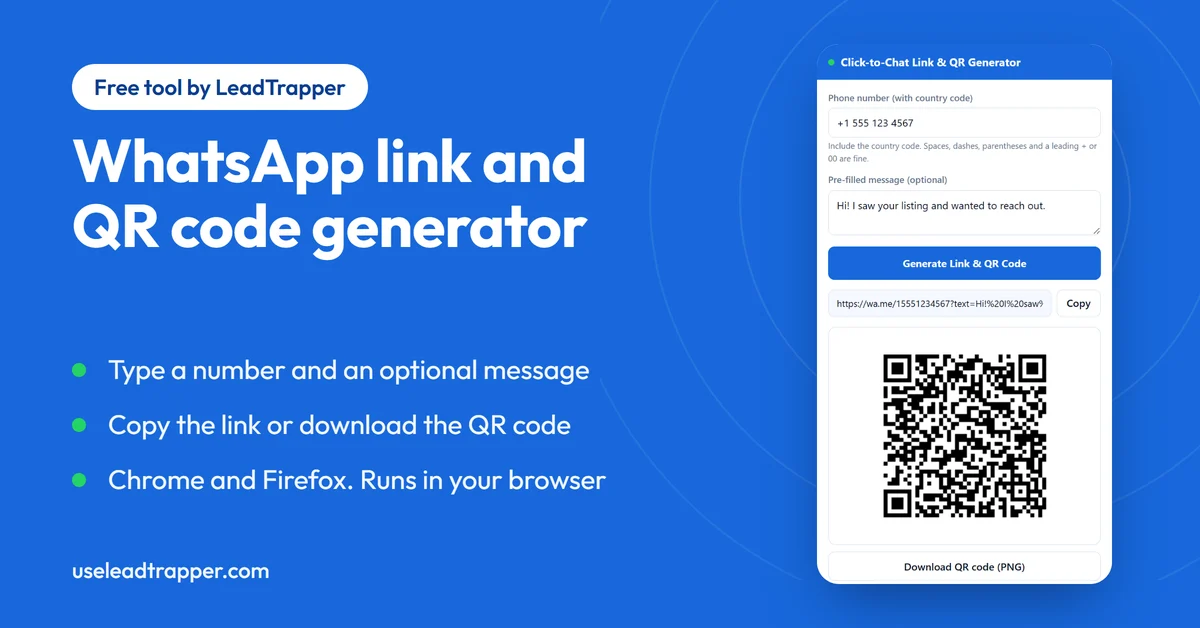
- A WhatsApp click-to-chat link is wa.me plus a phone number in international format, with an optional pre-filled message. The extension builds it and a matching QR code from a number and a message.
- The Chrome extension also removes a leading + or 00, refuses a number that starts with 0, and downloads the QR code as a print-size PNG. The Firefox add-on builds the link from the digits you type, so start with the country code.
- It is free, needs no account, and runs in your browser. The only thing it stores is your last number and message, on your own computer.
- The QR code holds the link itself, so it does not expire and needs no subscription. It is plain black on white, with no logo or colour options.
- A link opens one chat. To message many people who agreed to hear from you, the LeadTrapper Windows app has the same generator plus the bulk sender, Number Filter and delay calculator.
A WhatsApp click-to-chat link is a web address that opens a chat with one phone number, with a message already typed if you want one. The free extension in this guide builds that link from a number, and a QR code for it, in a few seconds. It works in Chrome and Firefox, needs no account, and nothing you type leaves your browser.
What a Click-to-Chat Link Is
The link always has the same shape: https://wa.me/ followed by the phone number, then optionally ?text= and your message with spaces and punctuation encoded. For example, https://wa.me/15551234567?text=Hi!%20I%20saw%20your%20listing opens a chat with +1 555 123 4567 and puts the text in the message box. The person still has to press send, so nothing goes out until they choose.
The number is the part people get wrong. It must be the full international number as digits only, country code first, with no plus sign, no brackets, no dashes and no leading zeros. A UAE mobile that you would dial locally as 050 123 4567 becomes 971501234567, and a US number gets a 1 in front. Leave the country code off and the link opens a chat with the wrong number, or none.
Make a Link and QR Code in Four Steps
Install the free WhatsApp link and QR code generator for Chrome or the WhatsApp Link & QR Generator for Firefox, then click its icon.
- Type the phone number with its country code. The Chrome version accepts spaces, dashes, brackets and a leading + or 00.
- Type the message you want pre-filled. This box is optional.
- Press Generate Link & QR Code. The link appears with a Copy button, and the QR code appears under it.
- Copy the link, or in Chrome press Download QR code (PNG) to save a print-size image.
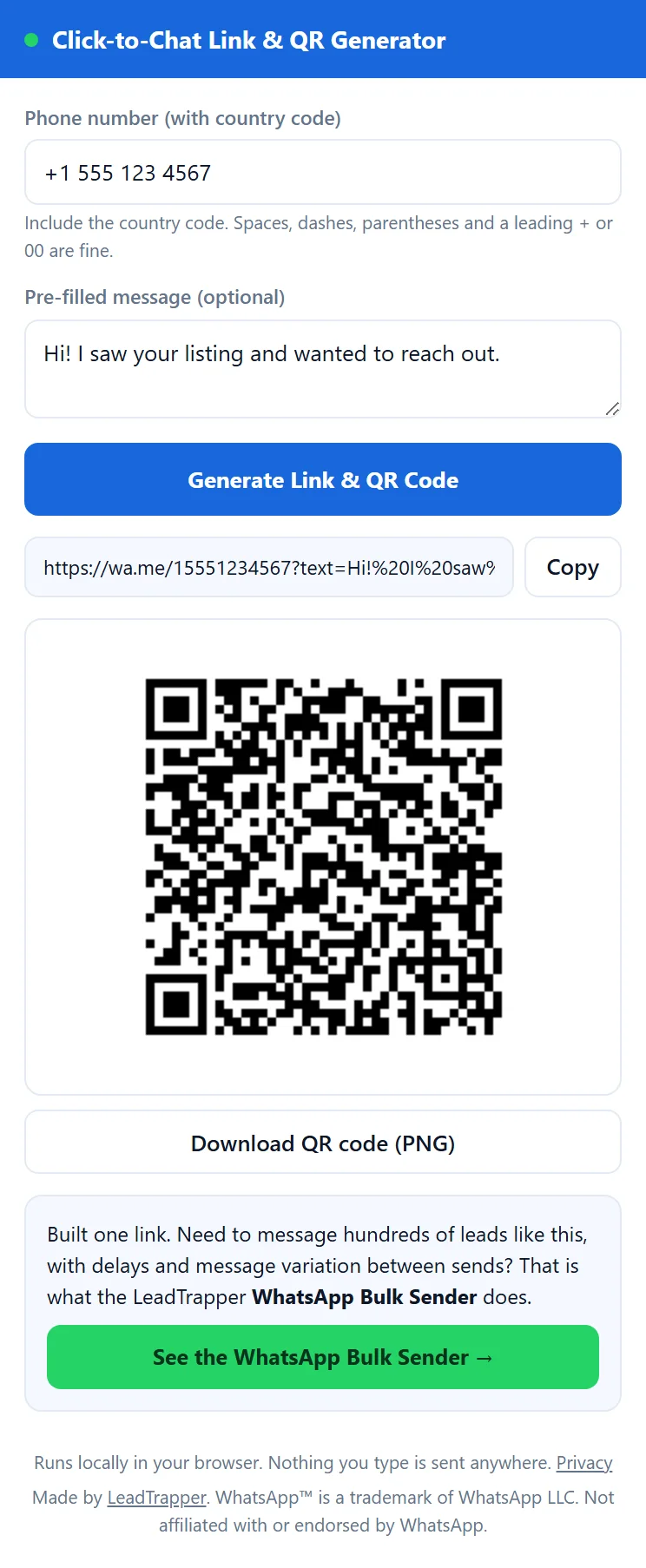
The extension remembers the last number and message you typed, so a second link for the same business takes one edit.
Chrome and Firefox: What Is Different
The two versions make the same link and the same QR code. We tested both builds side by side, and they differ in three small ways.
| Chrome | Firefox | |
|---|---|---|
| Download the QR code as a PNG | Yes, about 1,000 pixels wide | No. Copy the link or take a screenshot |
| A leading + or 00 in the number | Removed for you | + is removed, 00 is kept in the link |
| A number that starts with 0 | Refused, with a hint to add the country code | Accepted and built into the link as typed |
Where to Use the Link and the QR Code
The link suits anything people click. Put it behind a “chat with us” button on a website, in an email signature, or in a social profile, with a pre-filled message such as “Hi, I have a question about your dentist appointments” so the customer starts from a sentence instead of a blank box.
The QR code suits anything people see on paper or a screen: a flyer, a menu, a shop window, a business card, a slide at the end of a talk. Scan it with a phone before you print a batch. A mistyped digit is an easy mistake to make, and the phone shows you which chat actually opens.
QR Generator Extension or a Website Tool?
A general QR code site makes a code for any web address, so you have to build the wa.me link yourself, and a typo still gives you a perfectly scannable code that opens the wrong place. This extension only makes WhatsApp chat links, so it can check the number: it expects 8 to 15 digits, and the Chrome version asks for the country code if the number starts with 0.
It also makes a static code. The QR holds the link itself, with no redirect through anyone’s server, so it keeps working as long as the number does and there is nothing to renew. The cost is that you get no scan counts. It is plain black on white, with no logo, colours or SVG download. If you need a branded code, build the link here and paste it into a design tool.
Free and Private
The extension is free, has no account or ads, and asks for one browser permission: storage, which it uses to remember your last number and message. It reads no web pages and makes no network requests, so the number and message you type stay on your computer. The details are in the LeadTrapper privacy policy.
When One Link Is Not Enough
A link works when people come to you. A customer taps it and the chat starts. It does nothing when the job runs the other way: you have 300 customers, or a list of contacts who agreed to hear from you, and each should get a personal message.
That is what the LeadTrapper Windows app is for. The same generator is in the app under WhatsApp, then Link & QR Generator, calculated on your own PC. Around it sits a WhatsApp bulk sender that fills in each contact’s name and varies the wording of each message, and it can send from several connected accounts. The Number Filter checks which numbers on a list are registered on WhatsApp before you send, and the Delay Calculator works out the pause between messages. Campaign Builder will not send until you have run it. If the list starts as a business search, the Google Maps scraper collects the businesses and their numbers.
Whatever tool you use, WhatsApp’s rules on who you may message apply, and unwanted messages get reported. The WhatsApp cold outreach policy guide explains where the lines are. The Windows app costs $50 a year and has a 14-day free trial, and you can download it here.
Frequently Asked Questions
Open the extension, type the phone number with its country code, type the message in the second box and press Generate Link & QR Code. You get a wa.me link with your message added to it. Copy it, or use the QR code. The person who opens it still presses send.
The full international number, digits only, with the country code first and no plus sign, spaces or leading zeros. A UAE mobile written locally as 050 123 4567 becomes 971501234567. The Chrome extension removes a leading + or 00 for you and asks for the country code if the number starts with a 0.
Yes. Click-to-Chat Link & QR Generator by LeadTrapper is free on the Chrome Web Store, needs no account, and can download the QR code as a PNG about 1,000 pixels wide for printing. There is a Firefox version too, which copies the link and shows the QR code but has no PNG download.
No. The code contains the wa.me link itself, so it works for as long as that number does. There is no service behind it to renew. The trade-off is that you get no scan statistics, and if the number or message changes you need to make a new code.
Not in this extension. The code is plain black on white with medium error correction. If you need a branded code, make the link here, paste it into a design tool that supports logos, and scan the result with a phone before you print it.
No. A click-to-chat link opens one chat with one number. To message a list of people who agreed to hear from you, use a sender such as the LeadTrapper Windows app, which sends personalised messages with calculated delays. WhatsApp's rules on who you may message still apply.
Message Your Own List, Not Just One Chat
LeadTrapper for Windows: Google Maps scraper, Number Filter and WhatsApp bulk sender in one app. $50/year, 14-day free trial.
Related Articles
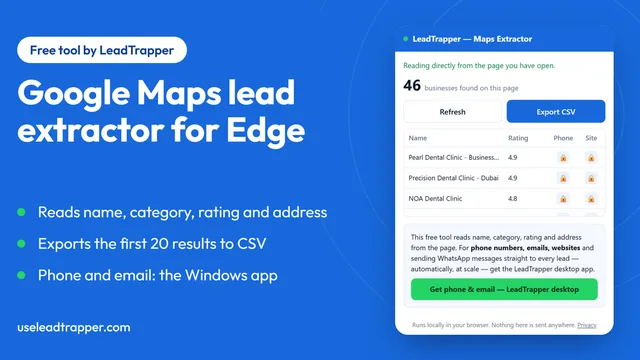
Google Maps Lead Extractor Extension for Edge (Free)
The free Maps Lead Extractor for Microsoft Edge reads names, ratings and addresses from Google Maps…
Read article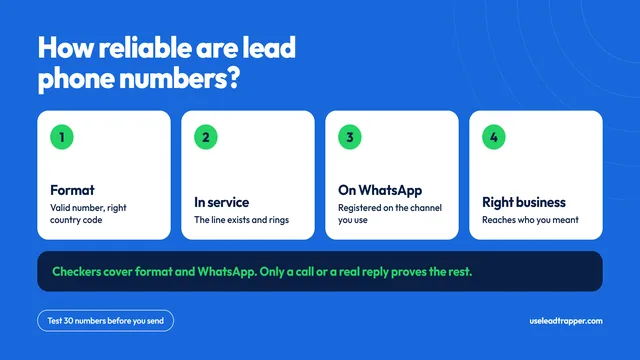
How Reliable Are Phone Numbers From B2B Lead Tools?
How reliable are the phone numbers from B2B lead generation tools? Where they come from, why they fa…
Read articleBrowse All Articles
Lead generation, WhatsApp marketing, Google Maps, Instagram, and Facebook scraping guides.
See all