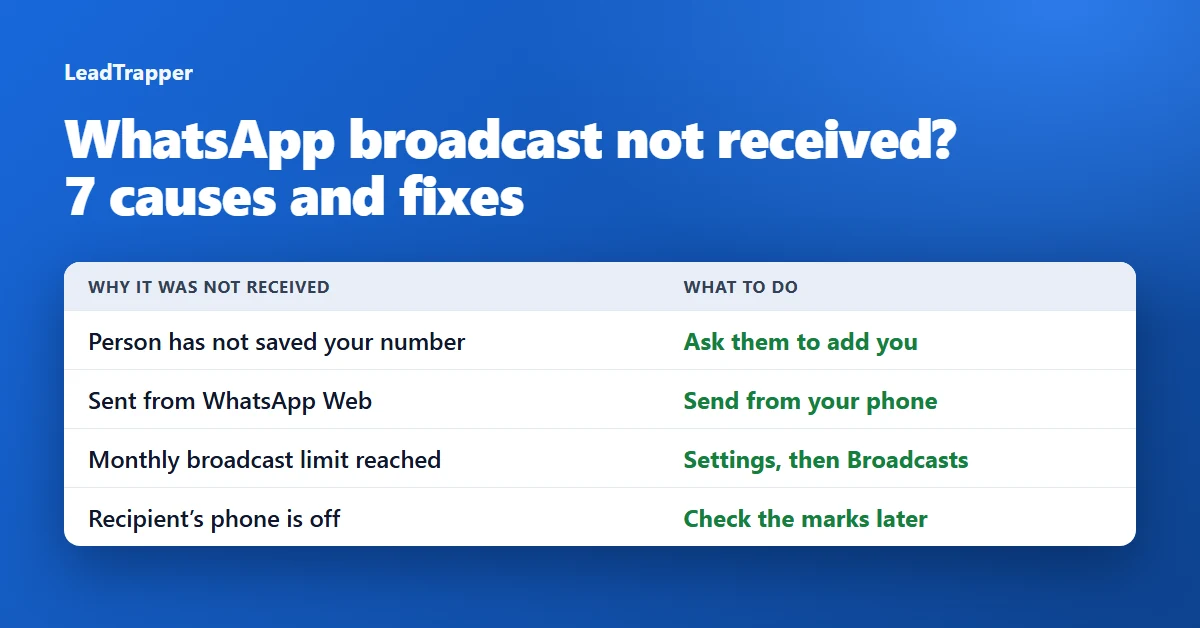
- A WhatsApp broadcast reaches only people who have added you to their phone's contacts. WhatsApp's own advice for someone who is not receiving it is to ask them to add you.
- Other causes are listed on WhatsApp's help pages: a monthly broadcast limit in some countries, a recipient's phone that is off, sending from WhatsApp Web or a computer, and a recipient who blocked you or turned read receipts off.
- Check marks tell you how far a message got. One means sent, two means delivered, blue means read, and a clock means it has not been sent or delivered yet.
- Some of the missing blue check marks are not missing messages. WhatsApp lists disabled read receipts and a first message to someone as reasons a read receipt may not arrive.
- If people will not save your number, a broadcast list is the wrong tool. WhatsApp itself points to status updates, channels and groups for reaching many people.
You sent a WhatsApp broadcast and some of the people on the list say they never got it. Nothing is wrong with your phone, and in most cases nothing is wrong with the list either. A broadcast follows one strict rule, and a handful of smaller reasons can stop a message even when the rule is met. This guide goes through the seven causes in the order to check them, with the fix for each. If you build your lists from a spreadsheet, the step-by-step guide to a broadcast list from Excel shows how the lists are made in the first place, and the free LeadTrapper broadcast list maker cuts a spreadsheet into batches of 256.
Start with the Check Marks
Before you look for a cause, see how far the message got. WhatsApp’s help page How to check read receipts explains the marks next to a sent message:
| Mark | What WhatsApp says it means |
|---|---|
| One check | The message was sent. |
| Two checks | The message was delivered to the recipient’s phone or a linked device. |
| Two blue checks | The recipient has read it. |
| A clock | The message is not sent or delivered yet, which can be a connection problem. |
Two checks and no blue means delivered, not lost. That is the first thing to rule out.
Cause 1: The Person Has Not Saved Your Number
This is the usual reason. WhatsApp’s broadcast list help page is direct about it: only people who have added you to their phone’s contacts will receive your broadcast message, and if someone is not receiving it, ask them to add you to their contacts.
How to check: ask two people from the list, one who gets your broadcasts and one who does not, whether your number is in their contacts. Fix: ask the person to save your number. For customers, a line on your receipt, your shop window or your website that says “save this number to get our updates” does the job.
Cause 2: They Saved a Different Number
WhatsApp does not spell this one out, but it follows from the rule. A person who saved an old number of yours, or one with a typo, has not saved your number. It happens with shops that changed numbers and with people who typed the number by hand. Fix: send the person your contact card or a click-to-chat link from a normal one-to-one chat and ask them to save it. The free WhatsApp link generator makes a link that opens a chat with your number.
Cause 3: You Sent It From a Computer
Broadcast lists exist only in the phone app. The help page says they are not supported on Windows, Mac or the web. If you open WhatsApp Web and cannot find the option, that is why. Fix: create and send the broadcast from your phone.
Cause 4: The Monthly Limit
WhatsApp says people in some countries might see a monthly broadcast limit. Its page about broadcast limits says you can send up to 35 free broadcast messages per month, that the feature is rolling out gradually, and that it may not be available everywhere. To check yours, open Settings and tap Broadcasts. WhatsApp says it will notify you when you are about to reach the limit. Fix: plan the month around the limit, and use a different route for the rest (see the last section).
Cause 5: Their Phone Is Off or Offline
If the recipient’s phone is off and the message is not delivered to any of their linked devices, WhatsApp says the second check mark will not appear. The message is not gone, it is waiting. Fix: nothing to do. Check the marks again later.
Cause 6: Blocked, or Read Receipts Off
The same read receipts page lists reasons why you may not see two blue checks: you or the recipient might have turned read receipts off, the recipient might not have opened your conversation, either of you might have connection problems, and, when a person gets your message for the first time, a read receipt might not be sent to you. It also lists that the recipient might have blocked you. You cannot tell a block from the marks alone, and this guide will not pretend you can. Fix: if a person you know wants your messages and still gets nothing, ask them directly. If they blocked you, respect it.
Cause 7: They Never Made It Onto the List
A list holds up to 256 contacts, so a longer list has to be split. Also, you can only pick people WhatsApp can see in your contacts. On an iPhone, WhatsApp’s page on contacts permissions says that without access, contact names will not show, and that with partial access you must choose which contacts WhatsApp can see. Fix: allow contact access, check that the batch you imported is included, and count the people in each list.
When a Broadcast List Is the Wrong Tool
If most of your list has not saved your number, no setting will fix it, because the rule is built into broadcast lists. The guide to sending a WhatsApp broadcast without saving contacts compares them. WhatsApp’s own pages name other routes: status updates and channels to message many people at once, and a group chat when you want people to take part in a conversation.
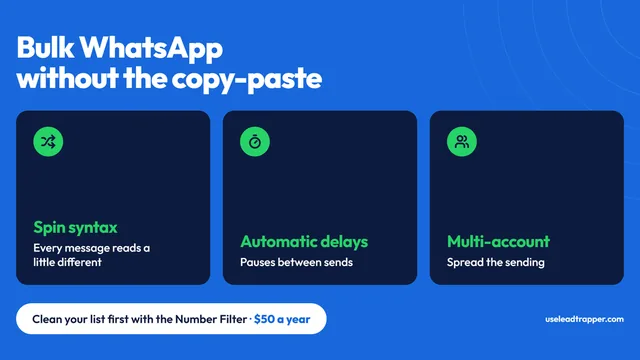
Another route is to message the numbers directly. LeadTrapper for Windows is a WhatsApp bulk sender that sends to the numbers in your list from your own computer, with calculated delays, so nobody has to save you first. It costs $50 a year with a 14-day free trial. That freedom comes with responsibility. WhatsApp’s terms of service name “bulk messaging, auto-messaging, auto-dialing” as examples of illegal or impermissible communications, the rules differ between countries, and this is not legal advice. Message people who expect to hear from you, and read the cold outreach policy guide first. LeadTrapper is not affiliated with or endorsed by WhatsApp.
Frequently Asked Questions
The most common reason is that the recipient has not saved your number. WhatsApp's help page says only people who have added you to their phone's contacts receive your broadcast, and that you should ask someone who is not receiving it to add you. Other reasons are a monthly broadcast limit in some countries, a recipient whose phone is off, sending from WhatsApp Web or a computer, and a recipient who blocked you.
Look at the check marks next to your message. One check mark means it was sent, two mean it was delivered to the recipient's phone or a linked device, and two blue check marks mean it was read. A clock means it has not been sent or delivered yet. A missing blue check does not always mean a problem: the recipient may have turned off read receipts, or may not have opened the chat.
WhatsApp says people in some countries might see a monthly broadcast limit, and that you can send up to 35 free broadcast messages per month. The feature is rolling out gradually, so you may not see a limit yet. To check yours, open Settings and tap Broadcasts. WhatsApp says it will notify you when you are about to reach the limit.
No. WhatsApp's help page says broadcast lists are not supported on Windows, Mac or the web. Create and send them from the WhatsApp app on your phone.
A broadcast list will not reach them, so use a different route. WhatsApp's help pages point to status updates and channels for reaching many people at once, and to a group chat when you want recipients to take part in a conversation. Only message people who expect to hear from you.
Reach People Who Have Not Saved Your Number
LeadTrapper for Windows sends to the numbers in your list from your own computer, with calculated delays. $50/year, 14-day free trial.
Related Articles
WhatsApp Bulk Sender: 1,000+ Messages Without Ban
WhatsApp bulk sender software sends personalized messages to a contact list without the API or month…
Read article
WhatsApp Marketing: Templates, Timing, Personalization
How to write WhatsApp marketing messages that get replies — template structure, personalization toke…
Read article