In this article 6 sections
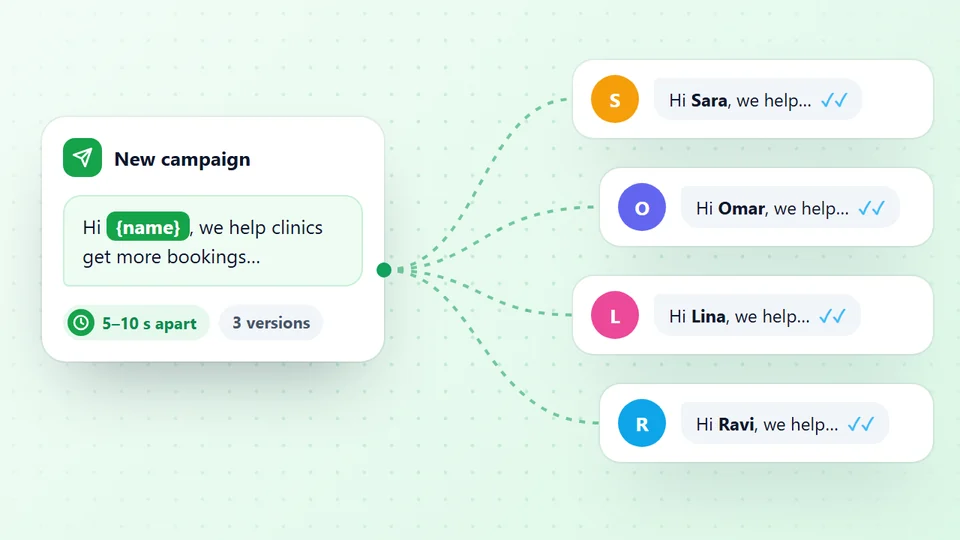
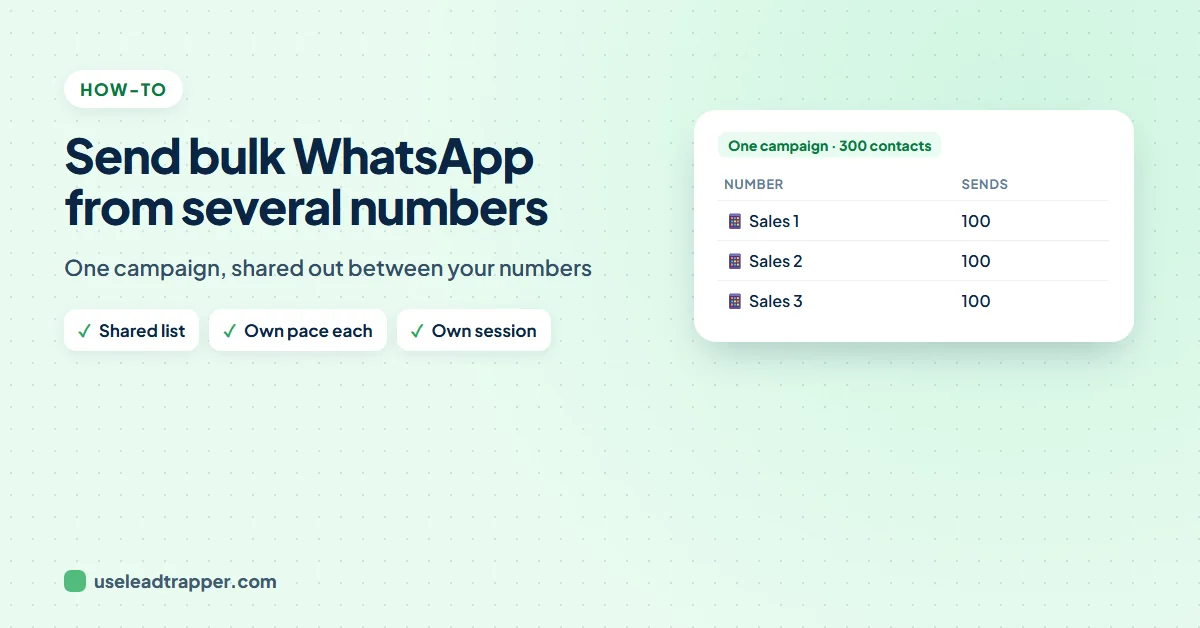
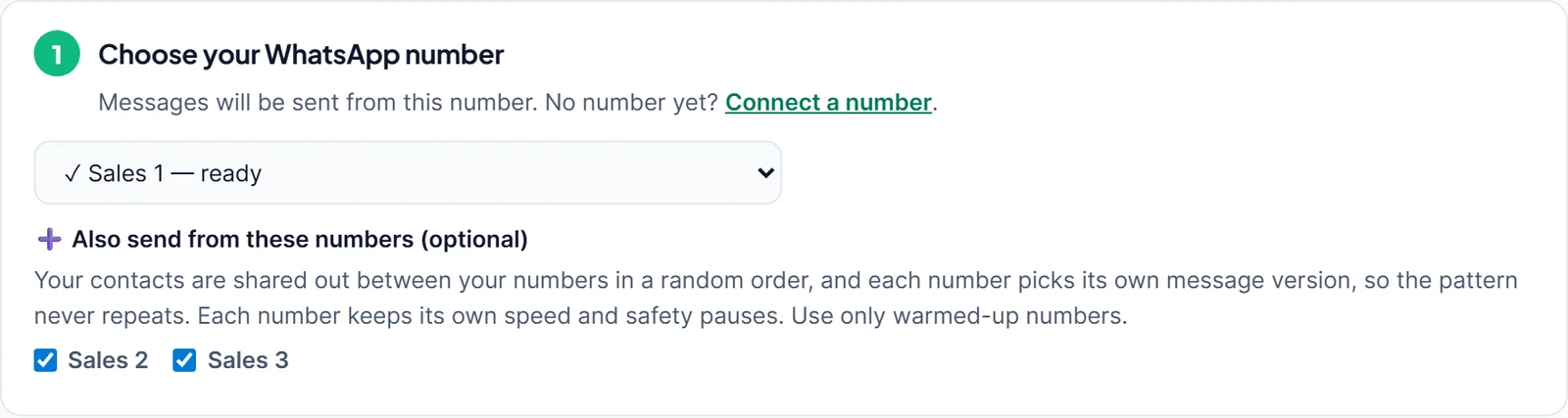
Connect your WhatsApp numbers in LeadTrapper, choose one in step 1 of Send Bulk Messages and tick the others under Also send from these numbers. The contacts are shared out between the numbers in a random order, and each number keeps its own speed, rests and safety pauses.
- In LeadTrapper one campaign can go out from several of your WhatsApp numbers: pick the first in step 1 and tick the others under Also send from these numbers.
- Contacts are dealt out like cards from a shuffled deck, so each number gets an even share in a random order.
- Each number keeps its own waits, rests and safety pauses, and picks its own message version, so the numbers do not send in step with each other.
- With three numbers, a list takes roughly a third of the time, and each number sends a third as many messages.
- The results file has a Sent From column, so you can see which number sent each message. Use only numbers that are already warmed up.
A list of 600 contacts at a safe pace takes a long time from one number, and it puts every message on that one account. If your team already has two or three WhatsApp numbers, you can share the campaign between them. This guide shows how to send one bulk WhatsApp campaign from multiple numbers in LeadTrapper, how the list is shared out, and which numbers are fit for it.
Why Share a Campaign Between Numbers
- Less on each number. With three numbers, each sends about a third of the messages.
- Faster overall. The numbers send at the same time, so the list finishes in roughly a third of the time. The estimate in step 4 shows it, for example "Estimated time for 7 numbers from 3 WhatsApp numbers".
- Replies spread out. Each number gets the replies to its own share, which suits a small sales team.
Connect Your Numbers
Each WhatsApp number is connected once in LeadTrapper: open WhatsApp, then Connect Numbers, and scan the QR code with the phone that has that number, the same way you would for WhatsApp Web. Every number runs in its own separate browser session, and each can use its own proxy, which the guide to running multiple WhatsApp accounts explains.
Share the Campaign, Step by Step
- Open Send Bulk Messages and choose the first number in step 1.
- Under Also send from these numbers (optional), tick the other numbers.
- Load your contacts in step 2 and write the message in step 3, with {{name}} and a few versions.
- Choose the speed in step 4 and press Start Sending.
Share a campaign across numbers free for 14 days
How the Sharing Works
LeadTrapper deals the contacts out like cards from a shuffled deck. Every number gets one contact per round, in a new random order each round, so the shares come out even and nobody can predict which number messages whom. The numbers also start a little apart, in a random order, so they do not all send their first message at the same second.
From then on each number runs as its own campaign:
- Its own pace. Each number waits and rests by the speed you chose, so Safe means 20 to 40 seconds between messages for every number.
- Its own message versions. Each number picks its own version for each contact, so the pattern never lines up across numbers. The WhatsApp spintax guide shows how to write versions.
- Its own safety pauses. If one number hits a problem, its pause does not stop the others.
- The same checks. Every number is checked on WhatsApp before sending, and numbers on your do-not-send list are skipped.
Which Numbers to Use
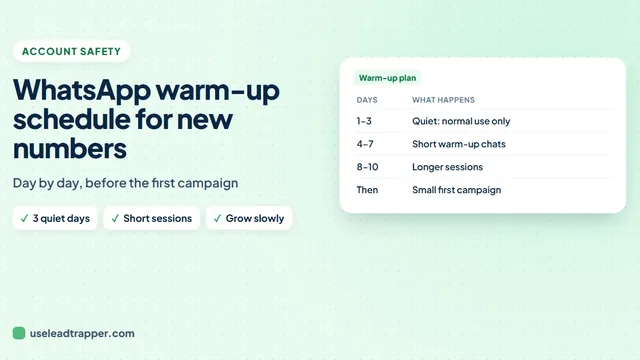
Sharing a campaign spreads the work; it does not make a weak number strong. A brand-new number that suddenly sends hundreds of messages is still at risk, whichever tool sends them. Use numbers that have been in normal use for a while, or warm new ones up first with the WhatsApp warmer. The WhatsApp warm-up schedule shows a day-by-day plan.
Check the Results
When the campaign ends, press Download Results in step 4. With several numbers the file, which opens in Excel, has a Sent From column next to each contact’s result, so you can see which number reached whom and follow up from the same number.
The WhatsApp bulk sender is part of LeadTrapper, which costs $50 a year with a 14-day free trial. WhatsApp’s rules apply to any tool that sends messages, and LeadTrapper is not affiliated with or endorsed by WhatsApp.
Before you send: warm up new or quiet numbers first with the WhatsApp warmer (LeadTrapper's Account Warmer), which runs in the same app.
Frequently Asked Questions
Yes. In LeadTrapper, connect each number, choose one in step 1 of Send Bulk Messages and tick the others under Also send from these numbers. The contacts are shared out between the numbers and each sends its share at its own safe pace.
Like dealing cards from a shuffled deck: every number gets one contact per round, in a new random order each round, so the shares are even and the pattern does not repeat.
It spreads the work, so each number sends fewer messages at its own pace. It does not make a cold or new number safe: WhatsApp can still restrict any number that people block or report, so use only warmed-up numbers and send to people who expect to hear from you.
Yes. Download Results after the campaign. With several numbers the file has a Sent From column next to each contact's result.
LeadTrapper lets you connect several numbers, each in its own separate browser session, and each can use its own proxy. Every number you add needs its own phone to scan the QR code.
About LeadTrapper
LeadTrapper is a Windows app for finding business leads and contacting them on WhatsApp. It collects business contacts from Google Maps, Instagram, Facebook, TikTok, LinkedIn and business websites, checks which numbers are on WhatsApp with its Number Filter, and sends personalised campaigns with automatic delays from one or more WhatsApp accounts. It also has a chatbot, a shared inbox for every account, and Store Orders for online shops. It installs from the Microsoft Store, and the full app is free for 14 days, then $50 a year. Free web tools, browser extensions and a Wix app are listed on the Free Tools page.
Share Your Next Campaign Across Your Numbers
LeadTrapper for Windows sends one bulk WhatsApp campaign from several of your numbers, each at its own safe pace. $50/year, 14-day free trial.