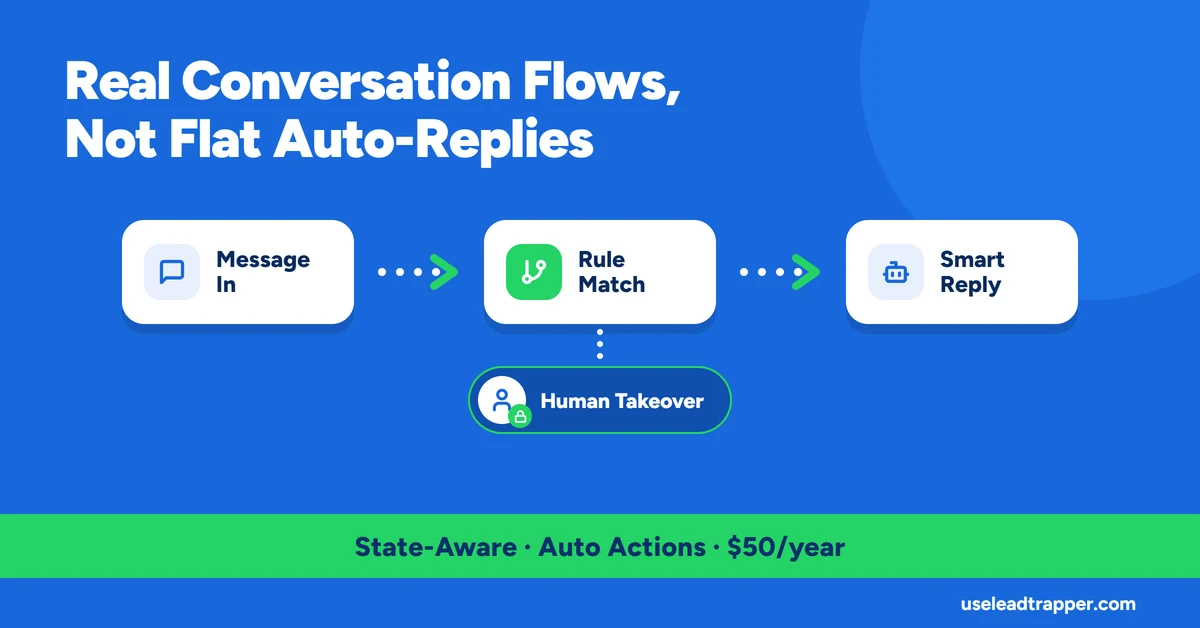
- LeadTrapper's chatbot tracks a conversation state per sender, so rules can be scoped to a specific point in a flow — this is a real multi-step system, not a flat keyword-to-reply table.
- The moment a human agent takes over a conversation, a mute lock silences the bot for that specific sender automatically — it doesn't talk over a live agent.
- Matching supports four modes (exact, contains, starts-with, regex), and rules fire in the priority order they're listed in, first eligible match wins.
- A matched rule can do more than reply — it can auto-blacklist the sender from future campaigns or fire a webhook alert, both as first-class rule actions.
- Every reply runs through spin-tax and a short randomized typing pause before sending, the same anti-fingerprint approach used elsewhere in LeadTrapper's sending logic.
Most things called a “WhatsApp chatbot” are a flat table: message contains word X, send reply Y, no memory of what was said before. LeadTrapper’s chatbot is a genuine state machine — each sender has a tracked position in a conversation, and which rules are even eligible to fire depends on where they are in it. Here’s exactly how that works, verified against the rule engine’s actual code.
Not a Flat Keyword Table — a Conversation State Machine
Every sender who messages a connected account gets a session with an active_state — null by default, meaning they’re at the root of the conversation. A rule can require a specific state to be eligible: no requirement at all (root only), a wildcard that matches any state (for always-available commands like “STOP” or “HELP”), or a specific state token that only applies mid-flow. That’s what makes a real branching conversation possible — a “yes” after one question can mean something different from a “yes” after another, because the rule set that’s even active depends on the state the sender is currently in.
Sessions aren’t permanent. If a sender goes quiet for 30 minutes, their state resets to null the next time they message — so an abandoned conversation starts fresh rather than leaving someone stuck three steps into a flow they gave up on hours ago.
A concrete example of what this makes possible: a root-state rule matching “pricing” replies with the plans and sets the sender’s state to AWAITING_PLAN_CHOICE. Two more rules, both scoped to require exactly that state, match “yearly” or “monthly” and reply with the matching checkout link — and because they require that specific state, the same words typed by someone who never asked about pricing don’t accidentally trigger a checkout reply out of context. That’s the practical difference a state machine buys over a flat keyword table: the same input can mean different things depending on what was already said.
How to Build a Rule
Each rule is one form: a name for your own reference, a match type (Contains, Exact, Starts With, or Regex) paired with a comma-separated list of keywords, and a reply type — Text, Media (a file plus an optional caption), or Action Only, which fires a rule’s actions without sending any message back at all. For a text or media reply, the content field accepts the same spin-tax syntax and / personalization tokens used elsewhere in LeadTrapper, so a “Sales Greeting” rule can read naturally rather than sending the identical string to everyone who triggers it.
How a Rule Actually Matches
Within the rules eligible for a sender’s current state, matching supports four modes: exact text equality, substring containment, prefix matching, or a full regular expression — checked in the order the rules are listed, and the first eligible rule that matches wins. Everything after it is skipped for that message, which means rule order is a real priority list, not just a display order — a narrow, specific rule placed above a broad catch-all fires first exactly because it comes first.
The Human Takeover Lock
Before any rule is even evaluated, LeadTrapper checks whether a human agent has muted the bot for that specific sender. If a mute is active and hasn’t expired, the entire rule engine is skipped for that message — no reply, no action, nothing — and the message still lands in the live-chat inbox for the agent to see and answer personally. Once the mute expires (or is cleared), the bot resumes automatically on the next incoming message, with no manual re-enable step needed. This is scoped per sender, not global — muting one conversation for a human takeover doesn’t pause the bot for anyone else it’s talking to.
Rule Actions Beyond Replying
A matched rule isn’t limited to sending something back. Two actions run independently of the reply: automatically adding the sender to LeadTrapper’s blacklist, so they’re suppressed from every future campaign without anyone remembering to do it by hand, and firing a webhook alert through LeadTrapper’s existing alert pipeline — useful for routing a specific trigger (a complaint, an opt-out phrase, a high-value keyword) to an external system instead of relying on someone watching the chat live.
Text and Media Replies, With Personalization
A rule’s reply can be plain text or a media attachment (image, video, or document), with a text caption alongside it. Reply text supports personalization tokens for the sender’s name, phone number, and current conversation state, and every resolved reply is run through the same spin-tax engine used in bulk campaigns — so a rule that fires constantly for a common keyword doesn’t send the identical string to everyone who triggers it. If a media rule’s attachment file has gone missing from disk, it degrades to a text-only fallback rather than silently failing to respond at all.
One small but deliberate detail: every reply — text or media — waits a short, randomized pause under three seconds before sending. An instant, identical-speed reply to every single message is itself a signal that nothing human is on the other end; the pause exists for the same reason LeadTrapper’s Account Warmer randomizes its own timing, and the same reasoning behind why the official WhatsApp Business Platform documents message-pacing behavior as something automated senders need to account for deliberately, not ignore.
Frequently Asked Questions
Yes, if it tracks conversation state. LeadTrapper's chatbot assigns each sender an active state token; a rule can require a specific state to be eligible, which is what makes branching, multi-step flows possible instead of every message being evaluated against the same flat rule list.
A mute lock activates for that specific sender, and the bot skips all automated reply logic for them until the lock is manually cleared or its timeout expires — it won't send a reply in the middle of a conversation a human is already having.
Yes. A matched rule can also auto-add the sender to a blacklist (suppressing them from all future campaigns) or trigger a webhook alert, independently of whether it also sends a text or media reply.
Every reply is preceded by a short randomized pause (under 1 to about 2.5 seconds) before sending, rather than an instant response — a small detail, but an instant reply to every message is itself a signal a human isn't the one typing.
Run Real Conversation Flows, Not Just Keyword Replies
LeadTrapper's chatbot engine runs on any connected account. $50/year — all features included.
Related Articles
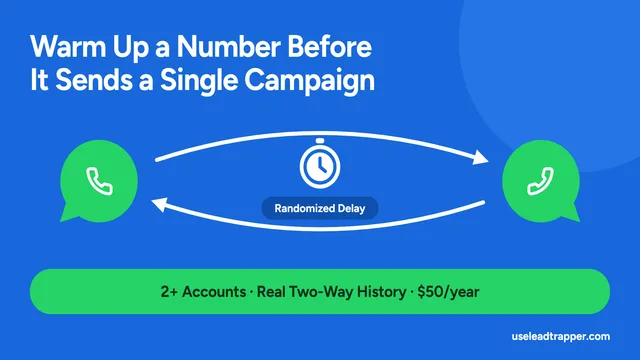
WhatsApp Account Warmer: How to Warm Up a Number
LeadTrapper's Account Warmer runs a real two-way conversation between your own WhatsApp accounts bef…
Read article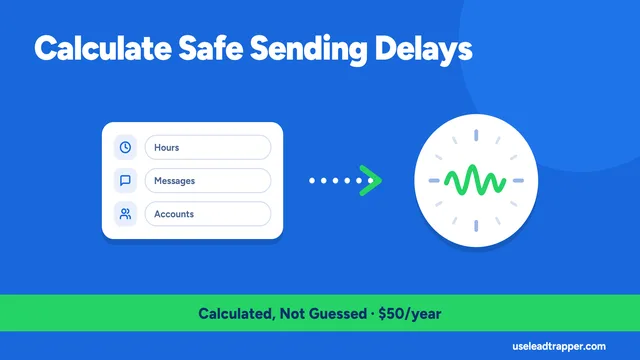
WhatsApp Delay Calculator: How Safe Sending Delays Work
LeadTrapper calculates safe message and batch delays from your campaign size, then requires it befor…
Read articleBrowse All Articles
Lead generation, WhatsApp marketing, Google Maps, Instagram, and Facebook scraping guides.
See all