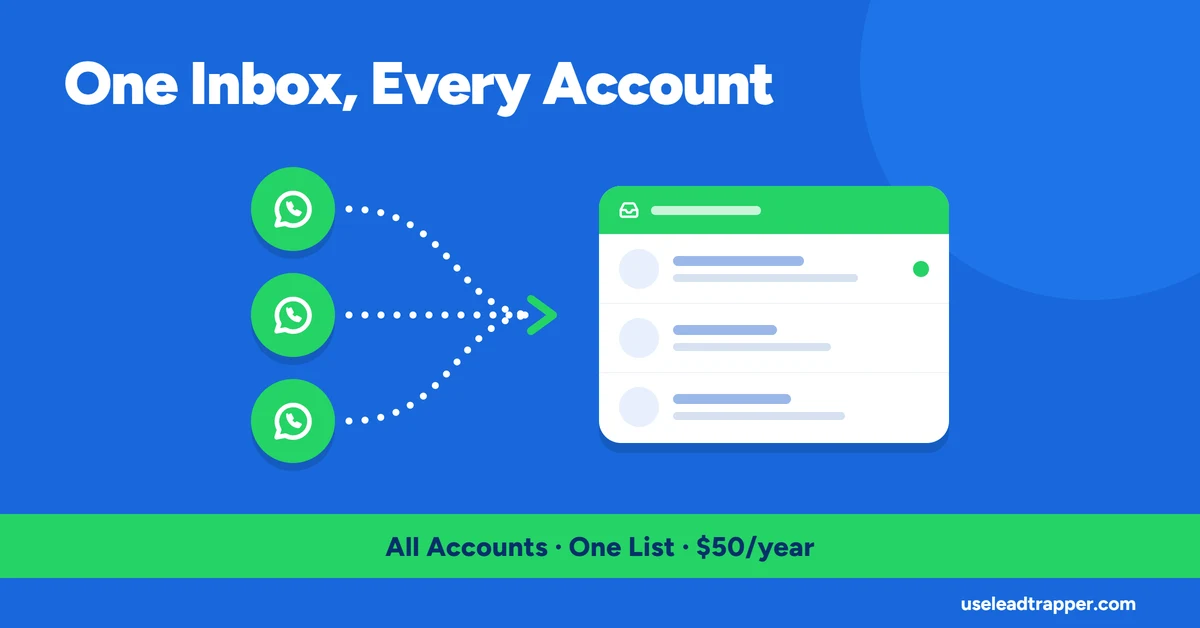
- Every connected WhatsApp account's conversations land in one flat thread list, keyed by account plus phone number, sorted by most recent message across all accounts combined.
- Sending a manual reply from the inbox automatically mutes the chatbot for that specific sender for 60 minutes — no separate step to stop the bot from replying over you.
- A thread's unread flag clears the moment you open it to read the messages, not on a timer or a manual mark-as-read action.
- Each thread stores up to 500 messages before the oldest are evicted — a real, fixed cap, not unlimited history.
- The mute status shown per thread is live-checked on every fetch, so an expired mute clears itself automatically rather than needing anyone to notice and reset it.
Running a WhatsApp campaign across several accounts usually means several places to check for replies — switch to account one, check for new messages, switch to account two, repeat. LeadTrapper’s Live Chat Inbox merges every connected account’s conversations into a single list instead. Here’s exactly how that merge works, verified against the code that builds it.
One List, Every Connected Account
Each conversation is keyed by a combination of which account it belongs to and the contact’s phone number, so the same person messaging two different connected accounts shows up as two separate, correctly separated threads rather than being merged into one. But the thread list itself isn’t filtered by account — every thread from every connected account is pulled into one flat list and sorted by whichever conversation had the most recent activity, across all accounts at once. The account each thread belongs to still travels with it, so a merged view doesn’t mean losing track of which number is actually talking to which contact.
The Inbox Layout
The screen splits into two panels: a conversation list on the left, showing every thread’s contact name, last message preview, timestamp, and an unread badge when there’s something new — and a workspace on the right that opens whichever thread you click. Before anything is selected, the workspace simply says “Select a conversation to begin,” with a reminder that every incoming WhatsApp message across every connected account surfaces here automatically. There’s no separate step to “check for new messages”: while the panel is open, it polls for updates every 3 seconds on its own, on top of the manual refresh button available for an immediate check.
How a Thread Gets Built
A thread is created the first time either side sends a message — an inbound message from a contact, or an agent replying first from the inbox. Every message inside a thread carries a role, inbound or outbound, a timestamp, and the message text, rendered as a normal two-sided conversation view rather than a flat activity log. Inbound messages are recorded through the exact same code path that feeds the chatbot’s rule engine — meaning the inbox always has the complete conversation history a human agent needs, whether or not the chatbot ever touched that particular message.
Chatbot Mode vs. Agent Intercept
Every open conversation shows a pinned bar at the top reading either “🤖 Chatbot Mode” or “👤 Agent Intercept,” clickable to switch between the two directly — a manual, visible toggle for taking over a specific conversation before you’ve even sent a reply. On top of that manual switch, sending a message from the inbox mutes the chatbot’s automated rule engine for that sender automatically for the next 60 minutes, so simply replying already prevents an automated reply from landing in the same conversation — no extra step required in the moment. The mute state shown per thread is checked fresh on every request, so an expired 60-minute mute clears itself the next time the thread list loads rather than sitting stale until someone notices and resets it by hand.
Unread Status and the 500-Message Cap
A thread is marked unread the instant a new inbound message arrives, and that flag clears the moment its messages are actually fetched to be read — not on a timer, and not through a separate “mark as read” action. Opening the conversation is what marks it read, matching how reading a message normally works rather than requiring an extra step.
History per thread is capped at 500 messages, with the oldest evicted once a conversation exceeds that. For the overwhelming majority of conversations this cap is never reached, but it’s a real, fixed limit rather than an unbounded archive — worth knowing if a single contact has been in an unusually long-running conversation and older context matters. The same discipline applies elsewhere in LeadTrapper’s messaging stack: bounded, predictable state rather than data that grows without limit, similar in spirit to how the official WhatsApp Business Platform documents its own conversation and message-retention windows rather than promising unlimited storage.
Who This Actually Helps
The clearest case is anyone running more than one WhatsApp number for the same business — separate accounts per region, per campaign, or split simply to stay under safe per-account sending volumes. Without a merged view, that means separately checking each one for replies throughout the day. With it, a reply on any connected number surfaces in the same list, sorted by whoever needs attention most recently, regardless of which number they messaged.
It also matters for anyone running automated chatbot flows who still wants a real person available for anything the bot can’t handle. The Agent Intercept toggle and the automatic mute-on-reply mean a human can step into any single conversation without turning off automation everywhere else — the bot keeps handling every other open conversation exactly as configured while one specific thread is being worked by a person instead.
Frequently Asked Questions
Yes. Every connected account's conversations are merged into a single thread list, sorted by the most recent message regardless of which account received it — there's no need to switch between accounts to see what's waiting for a reply.
No. Sending a manual reply from the Live Chat Inbox automatically mutes the chatbot rule engine for that specific sender for 60 minutes, so an agent's reply and an automated one never land in the same conversation back to back.
Up to 500 messages per thread. Beyond that, the oldest messages are evicted to keep the cap — it's real, bounded history, not an unlimited archive.
Each thread in the inbox carries its originating account alongside the contact's name and number, so a merged view doesn't mean losing track of which number a conversation belongs to.
Stop Checking Five WhatsApp Accounts Separately
LeadTrapper's Live Chat Inbox merges every connected account into one view. $50/year — all features included.
Related Articles
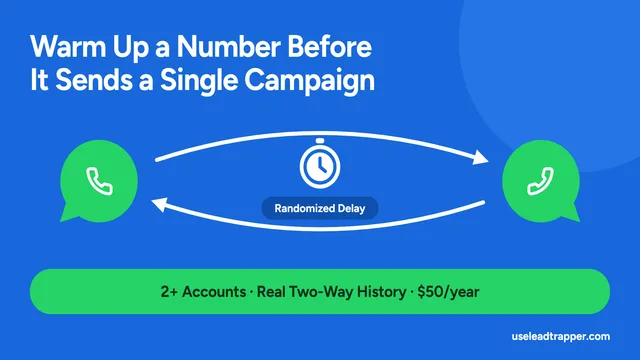
WhatsApp Account Warmer: How to Warm Up a Number
LeadTrapper's Account Warmer runs a real two-way conversation between your own WhatsApp accounts bef…
Read article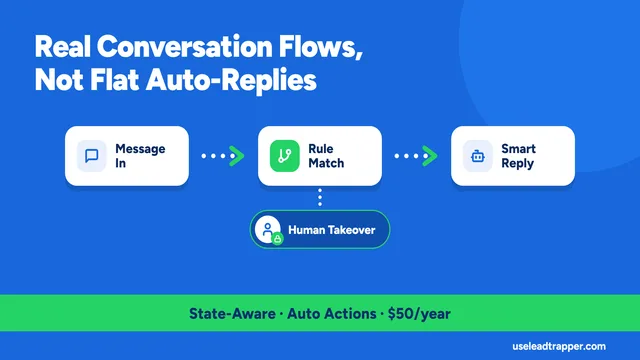
WhatsApp Chatbot for Business: How the Rule Engine Works
LeadTrapper's chatbot runs real multi-step conversation flows, not flat auto-replies, and steps asid…
Read articleBrowse All Articles
Lead generation, WhatsApp marketing, Google Maps, Instagram, and Facebook scraping guides.
See all