In this article 5 sections
A WhatsApp auto reply answers common messages for you: prices, opening hours, location or STOP. The WhatsApp Business app has a greeting and an away message. For replies by keyword on any number, LeadTrapper's Auto-Reply Bot sends the right answer when a message contains words such as price or hours.
- The best auto replies answer one question completely: the price list, the hours, the address, or how to book.
- The WhatsApp Business app has a greeting message and an away message, sent to everyone; it does not choose a reply by what the person wrote.
- LeadTrapper's Auto-Reply Bot replies by keyword on any connected number, personal or Business: when a message contains price, it sends the price list.
- Each reply can use the person's name with {{sender_name}}, vary its wording with {Hi|Hello}, send a photo or file, and add the person to the do-not-send list.
- The bot runs while the LeadTrapper app is open on your computer, and only answers new messages, not old ones.
“How much?”, “Are you open today?”, “Where are you?” Most businesses answer the same few WhatsApp questions all day. An auto reply answers them in seconds, even when nobody is at the phone. This guide gives 20 WhatsApp auto reply message samples you can copy, and shows the two ways to send them automatically.
Two Kinds of WhatsApp Auto Reply
- Greeting and away messages, built into the WhatsApp Business app on your phone. The greeting goes to people who message you for the first time or after a long gap; the away message goes out outside the hours you set. They are free, but the same text goes to everyone, whatever they asked.
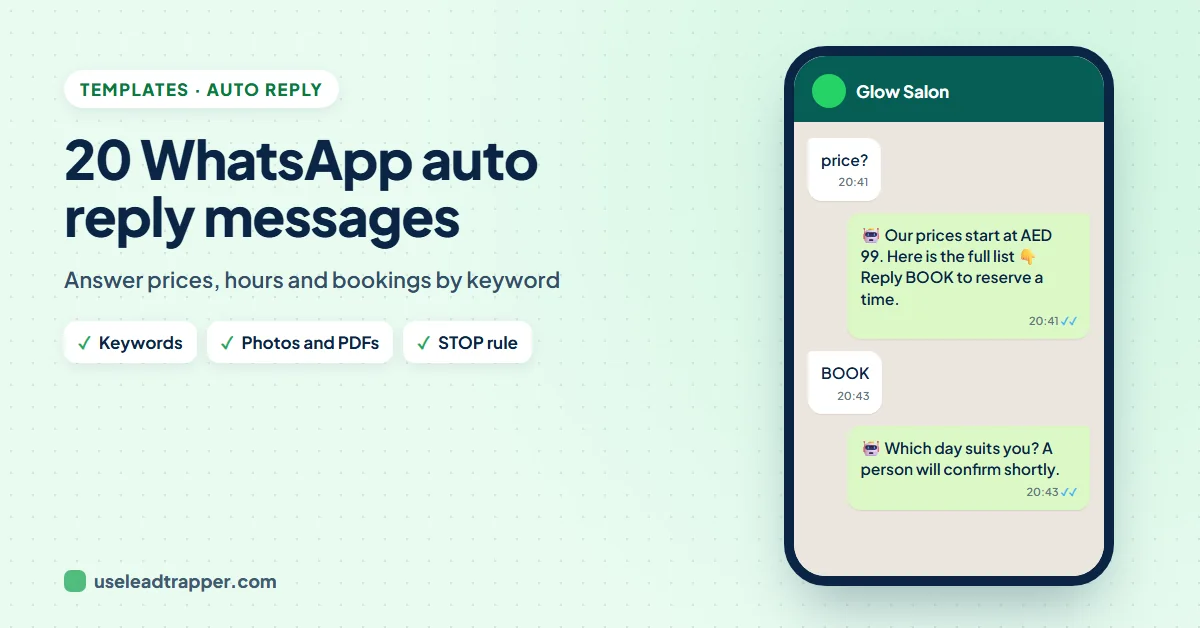
- Keyword replies, which look at what the person wrote. "What's the price?" gets the price list; "where are you?" gets the location. LeadTrapper's Auto-Reply Bot does this on any number you connect, personal or Business, from your Windows computer.
The guide to the WhatsApp chatbot for business explains how the rules engine behind the bot decides which reply to send.
20 Auto Reply Message Samples
Greetings and after hours
Hi {{sender_name}}! Thanks for your message. We reply within the hour between 9 am and 6 pm.{Hi|Hello} {{sender_name}}, thanks for reaching out! Tell us what you need and we'll get back to you shortly.We're closed right now and open again tomorrow at 9 am. Leave your question here and we'll answer first thing.Thanks for your message! We're away for the weekend and back on Monday morning.
Prices and products
Hi {{sender_name}}! Here's our price list. Reply with the service you want and we'll confirm the time.(with the price list attached)Our prices start at AED 99. Reply MENU to see everything, or BOOK to reserve a time.Thanks for asking! The full catalogue is in the PDF above. Which item would you like?Yes, it's in stock. Reply ORDER and we'll send the payment link.
Hours and location
We're open Saturday to Thursday, 9 am to 9 pm, and Friday 2 pm to 10 pm.We're at Al Wasl Road, next to the petrol station. Here's the map: https://maps.app.goo.gl/yourlinkFree parking is right in front of the shop. See you soon, {{sender_name}}!We deliver across the city from 10 am to 10 pm. Delivery is free over AED 100.
Bookings and orders
Great, {{sender_name}}! Which day suits you? Reply with the day and time and we'll confirm.Your booking request is in. We'll confirm the time within 30 minutes.To track your order, reply with the order number and we'll check it for you.To change or cancel a booking, reply CHANGE or CANCEL with the date.
Follow-up, thanks and opt-out
Thank you, {{sender_name}}! We're glad you liked it. A quick review would help us a lot: https://g.page/r/yourlinkA person from our team will reply shortly. Thanks for your patience!{Thanks|Thank you}! We've noted it and someone will call you today.Done, {{sender_name}}. You won't get any more offers from us.(for STOP)
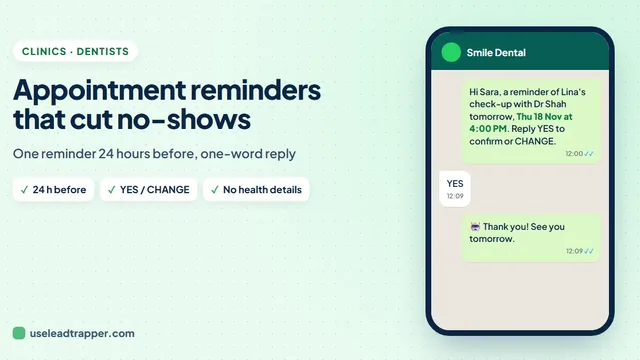
Replace the example prices, hours and links with your own. The STOP reply works best together with the do-not-send list described in the guide to WhatsApp opt-out messages. Clinics can use the YES and CHANGE replies with the day-before messages in the guide to WhatsApp appointment reminders, and gyms can answer RENEW and FREEZE as in the guide to gym membership renewal messages. Dental practices can answer a YES to a recall with their available times, as the dental recall samples show.
Set Up Keyword Auto Replies
- In LeadTrapper, open Auto-Reply Bot and pick the number to reply from under Reply from this number.
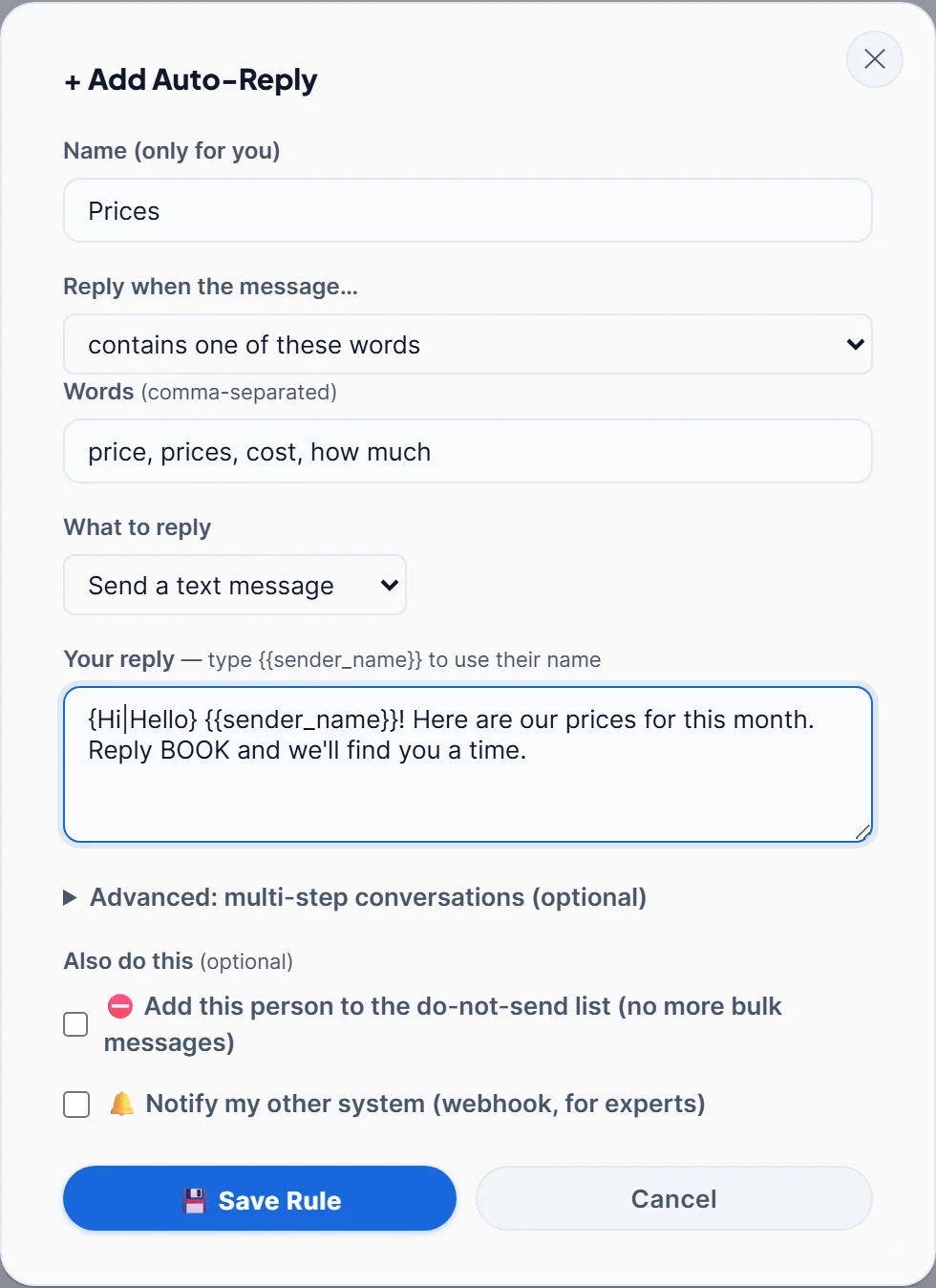
- Click + Add Auto-Reply. Give the rule a name, such as Prices.
- Under Reply when the message… choose contains one of these words and type the words people use, separated by commas: price, prices, cost, how much.
- Choose what to reply: a text message, a photo or file, or no reply and only an action.
- Write the reply, save the rule, and switch the bot On.
Try the Auto-Reply Bot free for 14 days
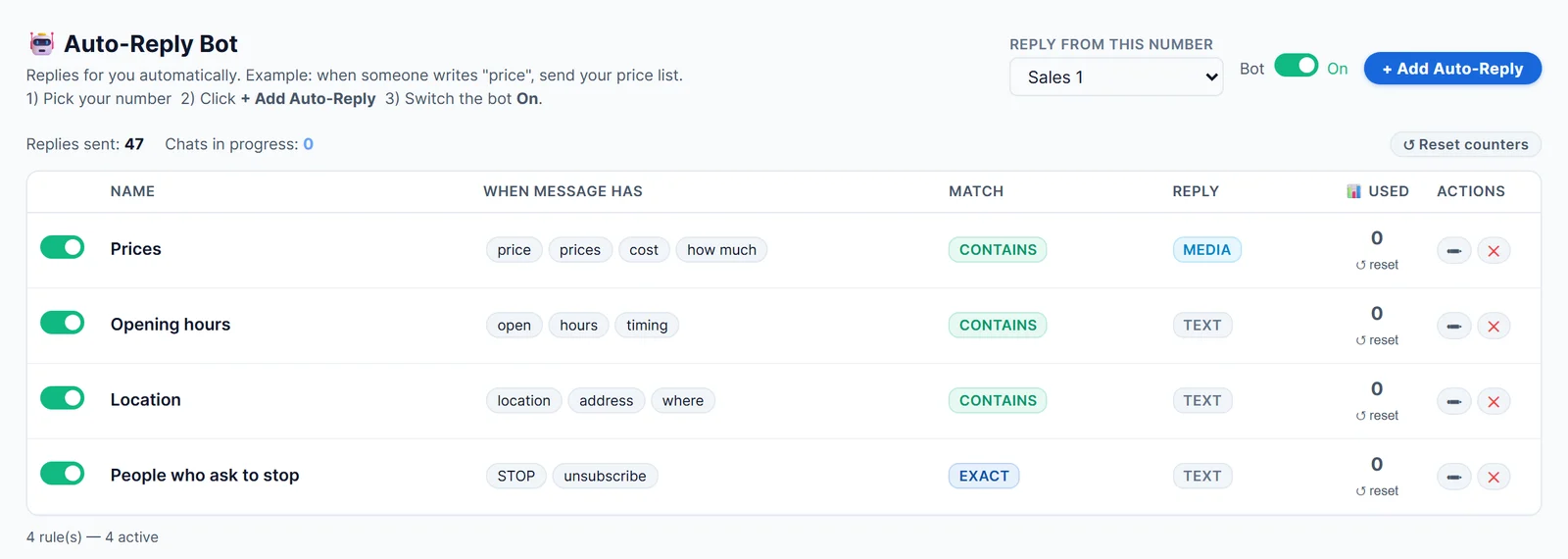
Add a rule for each common question. The list shows every rule, its words, how it matches and how often it has been used, so you can see which answers people need most.
Make Replies Feel Personal
- Use the name.
{{sender_name}}becomes the name the person shows on WhatsApp. - Vary the wording.
{Hi|Hello|Hey}picks one word each time, as the WhatsApp spintax guide explains. - Answer completely. A reply that says "check our website" creates a second question. Put the price, the hours or the map link in the reply itself.
- Hand over to a person. Replies arrive in the WhatsApp live chat inbox, so your team can take over any chat.
What to Know Before You Switch It On
- The app must be open. LeadTrapper replies from your own number on your computer, so it answers while the app is running and the number is connected.
- Old messages are left alone. When you switch the bot on, it only answers messages that arrive from then on.
- Choose words with care. "Contains" matches anywhere in the message, so "open" also matches "is the offer still open?". For short words such as STOP, choose is exactly one of these words.
- The rules are shared; the switch is per number. Switch the bot on for every number that should answer, and leave it off on numbers that should not.
The Auto-Reply Bot is part of LeadTrapper for Windows, with the WhatsApp bulk sender and the shared inbox. It costs $50 a year with a 14-day free trial. LeadTrapper is not affiliated with or endorsed by WhatsApp.
Before you send: warm up new or quiet numbers first with the WhatsApp warmer (LeadTrapper's Account Warmer), which runs in the same app.
Frequently Asked Questions
In the WhatsApp Business app, open Business tools and turn on the Greeting message or Away message. For replies that depend on what the person wrote, use a tool with keyword rules: in LeadTrapper's Auto-Reply Bot, pick your number, add a rule such as price, prices, cost, write the reply and switch the bot on.
The personal WhatsApp app has no auto reply setting. LeadTrapper's Auto-Reply Bot works with any number you connect to it, personal or Business, and replies while the app is open on your computer.
Short, friendly and complete: greet the person by name, answer the exact question, and tell them the next step. For example: Hi Sara! Our prices are in the picture above. Reply BOOK and we will find you a time.
In LeadTrapper, yes. A rule can send a text, a photo or file such as your price list PDF, or do an action without replying, such as adding the person to the do-not-send list.
No. LeadTrapper's bot ignores messages that arrived before it was switched on, so it does not suddenly answer a backlog of old chats.
About LeadTrapper
LeadTrapper is a Windows app for finding business leads and contacting them on WhatsApp. It collects business contacts from Google Maps, Instagram, Facebook, TikTok, LinkedIn and business websites, checks which numbers are on WhatsApp with its Number Filter, and sends personalised campaigns with automatic delays from one or more WhatsApp accounts. It also has a chatbot, a shared inbox for every account, and Store Orders for online shops. It installs from the Microsoft Store, and the full app is free for 14 days, then $50 a year. Free web tools, browser extensions and a Wix app are listed on the Free Tools page.
Answer the Same Questions Automatically
LeadTrapper's Auto-Reply Bot answers price, hours and location questions on any WhatsApp number from your PC. $50/year, 14-day free trial.