In this article 9 sections
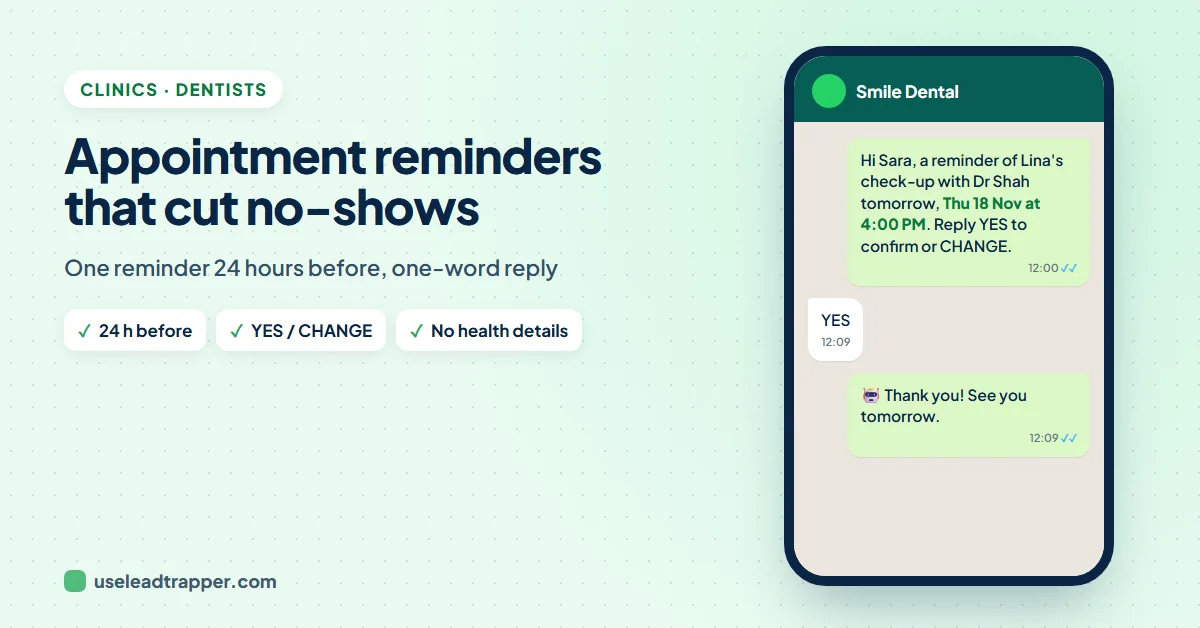
Send one WhatsApp reminder about 24 hours before each appointment, with the patient's name, the day, the time, the doctor and a one-word reply to confirm or change. In a 2026 study of 475,214 appointments, a single 24-hour WhatsApp reminder cut no-shows by about a quarter. Keep health details out of the message.
- Text reminders raise attendance: in a Cochrane review, 78.6% of patients attended with a text reminder against 67.8% with none.
- Timing matters more than volume. In a 2026 study of 475,214 appointments, one WhatsApp reminder about 24 hours before cut no-shows by about 24%; a second reminder at 72 hours added nothing, and a 72-hour reminder alone did much less.
- A good reminder has the patient's name, the day, the time, the doctor, the place and one simple reply: YES to confirm, CHANGE for another time.
- Keep diagnoses, treatments, results and ID or insurance numbers out of WhatsApp; 'your appointment with Dr. Sara' is enough.
- Reminders are a health purpose; offers and promotions are marketing and need the patient's separate consent.
A patient who doesn’t come leaves an empty chair, a dentist with nothing to do and a slot that another patient wanted. Most of those patients didn’t decide to skip; they forgot, or something changed and nobody asked them. A WhatsApp appointment reminder fixes much of that, because patients read WhatsApp and can answer in one word. This guide covers what the research says about reminders, when to send them, what to write and what never to write, and a daily routine that takes the work off your reception desk.
What a Missed Appointment Costs
A missed visit costs a clinic twice: the time that was blocked earns nothing, and the patient’s care is delayed. The missed hour also can’t be sold again once it has passed. That is why the first goal of a reminder is not only that more patients come, but that the patients who can’t come say so early, while the slot can still go to someone else.
The research is clear on the main point. A Cochrane review of text reminder trials found that 78.6% of patients attended with a text reminder, against 67.8% with no reminder, and that texts worked about as well as phone calls at a lower cost. Studies in dental clinics alone are more mixed: some found large gains, others none, often because many phone numbers on file were out of date. So measure your own no-show rate for a month before you start, and compare.
When to Send the Reminder
The largest WhatsApp-specific study so far followed 475,214 appointments in the public health system of Buenos Aires between June 2023 and May 2024 (Esteban and colleagues, 2026). Without a reminder, 34.6% of patients didn’t come. Compared with no reminder:
| WhatsApp reminder | Change in no-shows |
|---|---|
| One reminder about 24 hours before | 8.2 points fewer (about 24% fewer) |
| Two reminders, about 72 and 24 hours before | 7.1 points fewer (about 20% fewer) |
| One reminder about 72 hours before | 3.2 points fewer (about 9% fewer) |
Two things follow for a clinic. One reminder about a day before is enough; a second one did not add attendance. And every reminder made more patients cancel ahead of time, which is good news: a cancellation the day before is a slot you can still fill. The study is a preprint that has not yet been peer reviewed, and a public health system with a high no-show rate is not a private clinic, so read the numbers as a direction, not a promise. An older review of text reminders found no clear difference between 24, 48 and 72 hours, so a reminder sent the day before at a sensible hour is the safe choice.
In practice: send tomorrow’s reminders once a day, around midday. Patients have time to answer, and your reception has the afternoon to fill any freed slots. For Monday appointments, send on the last working day before.
What a Good Reminder Says
- Who it's from. The clinic's name in the first line. A message from a number the patient hasn't saved needs to say who you are.
- Who it's for. When a parent books for a child, name both: "Adam has an appointment", written to Mona.
- When and with whom. The day, the date, the time and the doctor. "Wed 18 Nov at 4:00 PM" is harder to misread than "tomorrow".
- Where. A map link, and parking if it's hard to find.
- One easy answer. "Reply YES to confirm or CHANGE for another time." One word, no phone call.
- Preparation, only if it's general. "Please arrive 10 minutes early" or "bring your insurance card". Nothing that reveals the treatment.
One detail is worth testing. In two UK hospital trials with about 20,000 patients, a reminder that stated what a missed appointment costs the health service cut missed appointments from 11.1% to 8.4% (Hallsworth and colleagues, 2015); saying the same thing in general words worked less well. A private clinic doesn’t need to quote a price, but a concrete line such as “If you can’t come, please tell us so another patient can have this time” uses the same idea.
What Never to Put in a WhatsApp Message
A reminder can be read by anyone who sees the patient’s phone, and many families share one number. Write it so that a stranger reading it learns only that there is an appointment.
- No diagnosis, treatment or results. "Your appointment with Dr. Sara" is enough. Not "your root canal", "your IVF consultation" or "your test results are ready".
- No ID, card or insurance numbers. WhatsApp's business messaging policy tells businesses not to share or ask for personal ID numbers, card numbers or other sensitive identifiers.
- No health information where the law forbids it. The same policy says not to use WhatsApp to send or request health information where local rules require systems with stronger protection.
- No messages to people who didn't give you their number for this. WhatsApp asks businesses to contact only people who gave their number and agreed to be contacted, and to honour every request to stop.
The rules where you work go further. In the UAE, Federal Law No. 2 of 2019 on technology in health fields requires health data to be kept confidential and used for health purposes unless the patient approves in writing. In Saudi Arabia, the Personal Data Protection Law treats health data as sensitive data, and law firms read it as restricting its use for marketing. In Dubai, health advertising on social media, WhatsApp included, falls under the Dubai Health Authority’s advertising standards, which ban claims such as “the best”, “guaranteed” or “100%” and require the medical director’s approval. This is a summary, not legal advice; check with your health authority.
Reminder and Recall Templates
The codes in double curly brackets are filled from your appointment sheet, one column each. Replace the clinic name and the map link with your own.
The day-before reminder
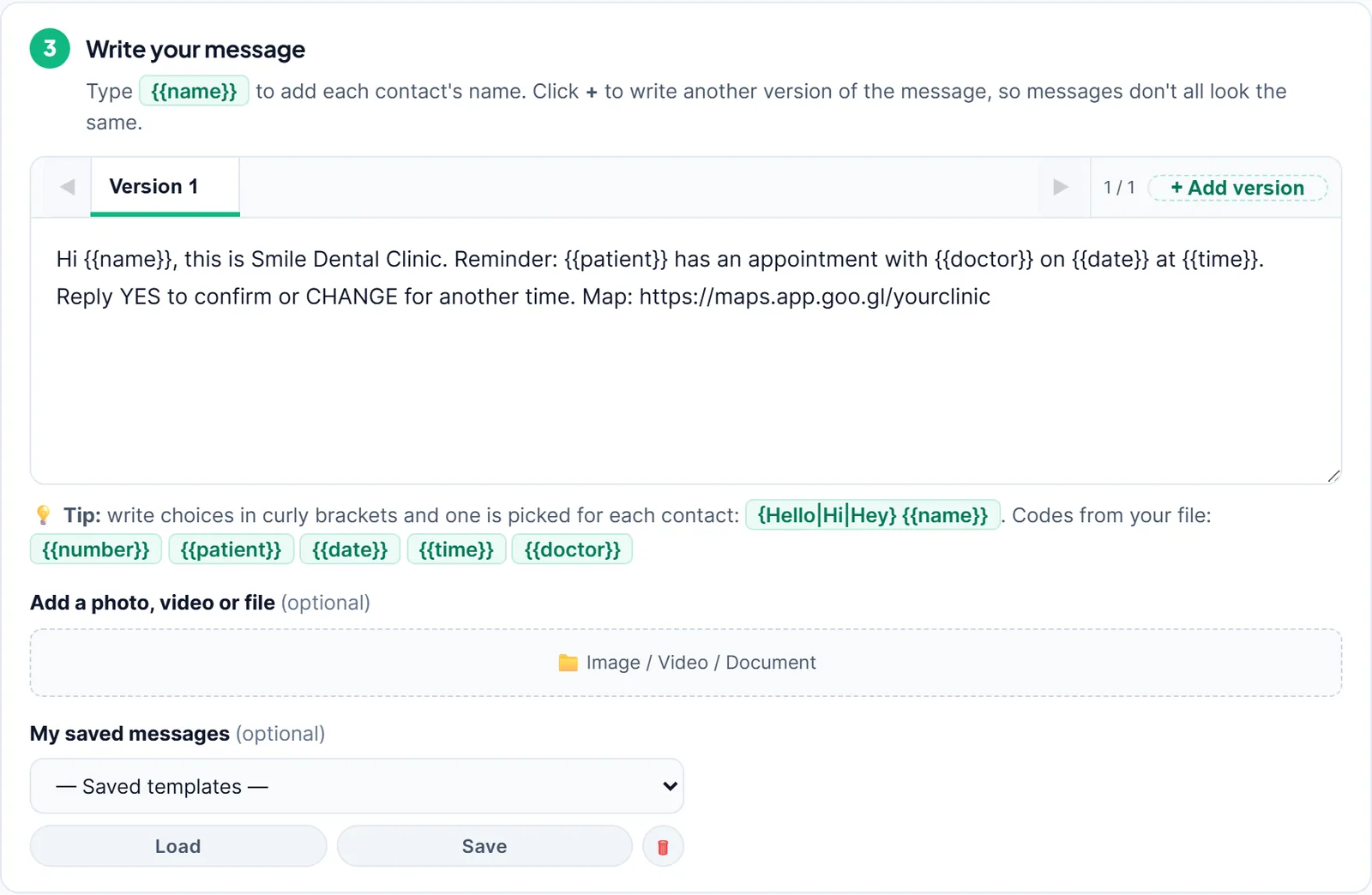
Hi {{name}}, this is Smile Dental Clinic. Reminder: {{patient}} has an appointment with {{doctor}} on {{date}} at {{time}}. Reply YES to confirm or CHANGE for another time. Map: https://maps.app.goo.gl/yourclinicHi {{name}}, your appointment at Smile Dental Clinic is on {{date}} at {{time}} with {{doctor}}. Please reply YES to confirm. If you can't come, reply CHANGE so another patient can have this time.
In Arabic
مرحباً {{name}}، معك عيادة سمايل لطب الأسنان. نذكّرك بموعد {{patient}} مع {{doctor}} يوم {{date}} الساعة {{time}}. للتأكيد أرسل "نعم"، ولتغيير الموعد أرسل "تغيير".
مرحباً {{name}}، موعدك في عيادة سمايل يوم {{date}} الساعة {{time}}. إذا لم تستطع الحضور، أخبرنا ليستفيد مريض آخر من هذا الموعد.
If you send Arabic reminders, add the Arabic answers to your reply rules too, and write the date and time columns in your sheet the way you want patients to read them.
Replies to the answers
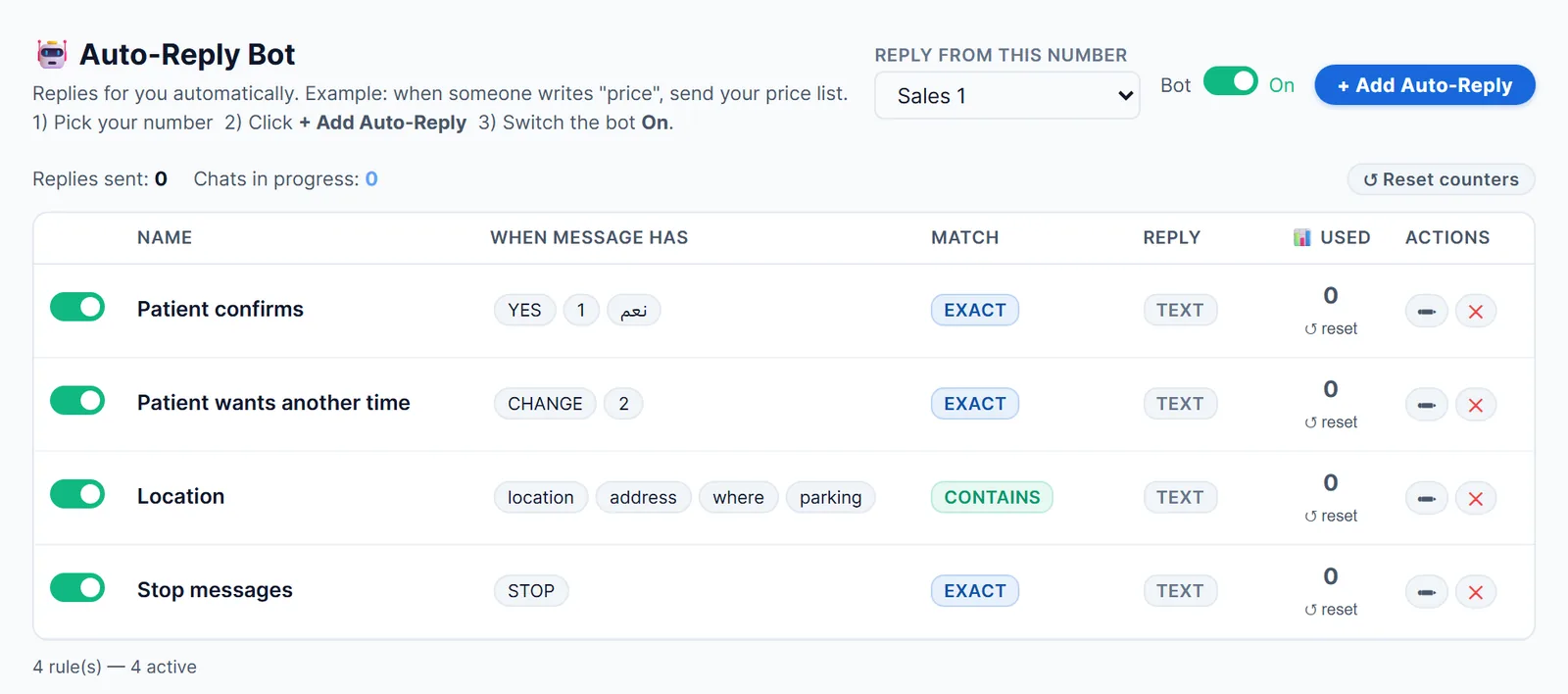
- To YES:
Thank you {{sender_name}}, your appointment is confirmed. See you soon! If anything changes, reply CHANGE. - To CHANGE:
No problem, {{sender_name}}. Which days and times suit you? Our team will reply shortly with a new time. - To STOP:
Done. You won't get further messages from us. For appointments, call us on 04 123 4567.
Recall: patients due for a check-up
Hi {{name}}, it's time for {{patient}}'s check-up at Smile Dental Clinic, as {{doctor}} recommended. Reply YES and we'll send you a few times to choose from.
A Daily Reminder Routine in LeadTrapper
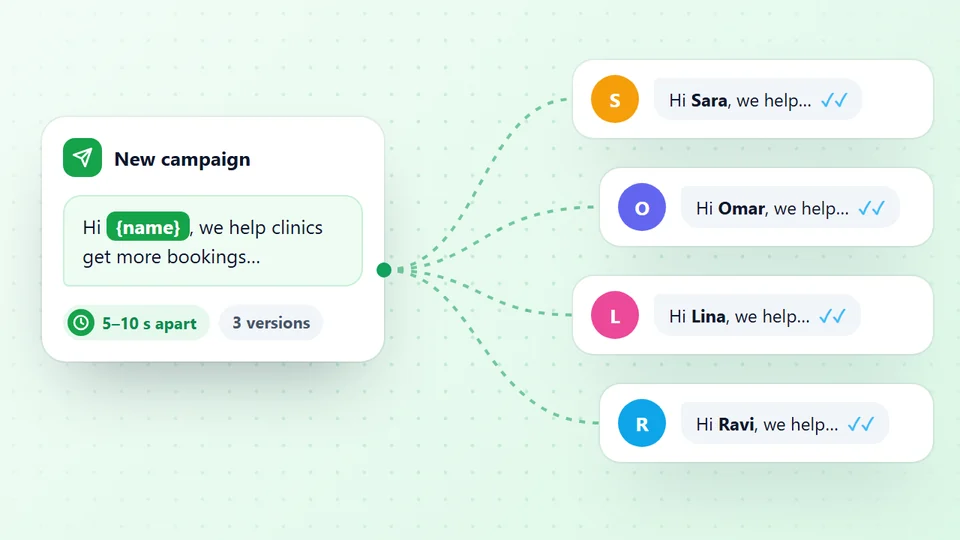
LeadTrapper’s WhatsApp bulk sender sends each patient their own reminder from your clinic’s WhatsApp number, on your Windows computer. It doesn’t connect to your booking software; instead you export tomorrow’s appointments once a day. The routine:
- Export tomorrow's appointments to Excel from your booking system, with a heading on every column: Name (who gets the message), Phone, Patient, Date, Time and Doctor. One row per appointment. If a mother has booked two children, keep two rows with the same number: each child gets their own reminder (version 2.1.123 or later).
- Open Send Bulk Messages, choose your clinic's number and upload the file. Every column becomes a code: Patient gives
{{patient}}, Time gives{{time}}. - Write the reminder with the codes, or load it from My saved messages so it's one click tomorrow.
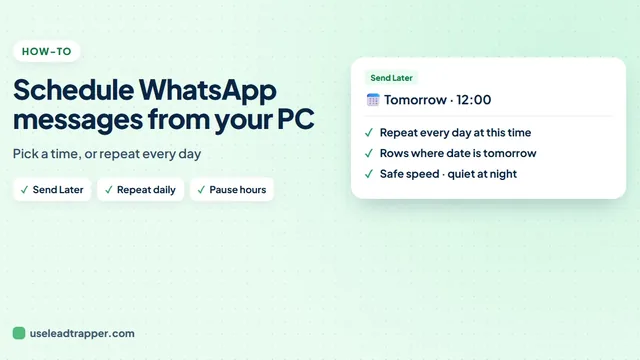
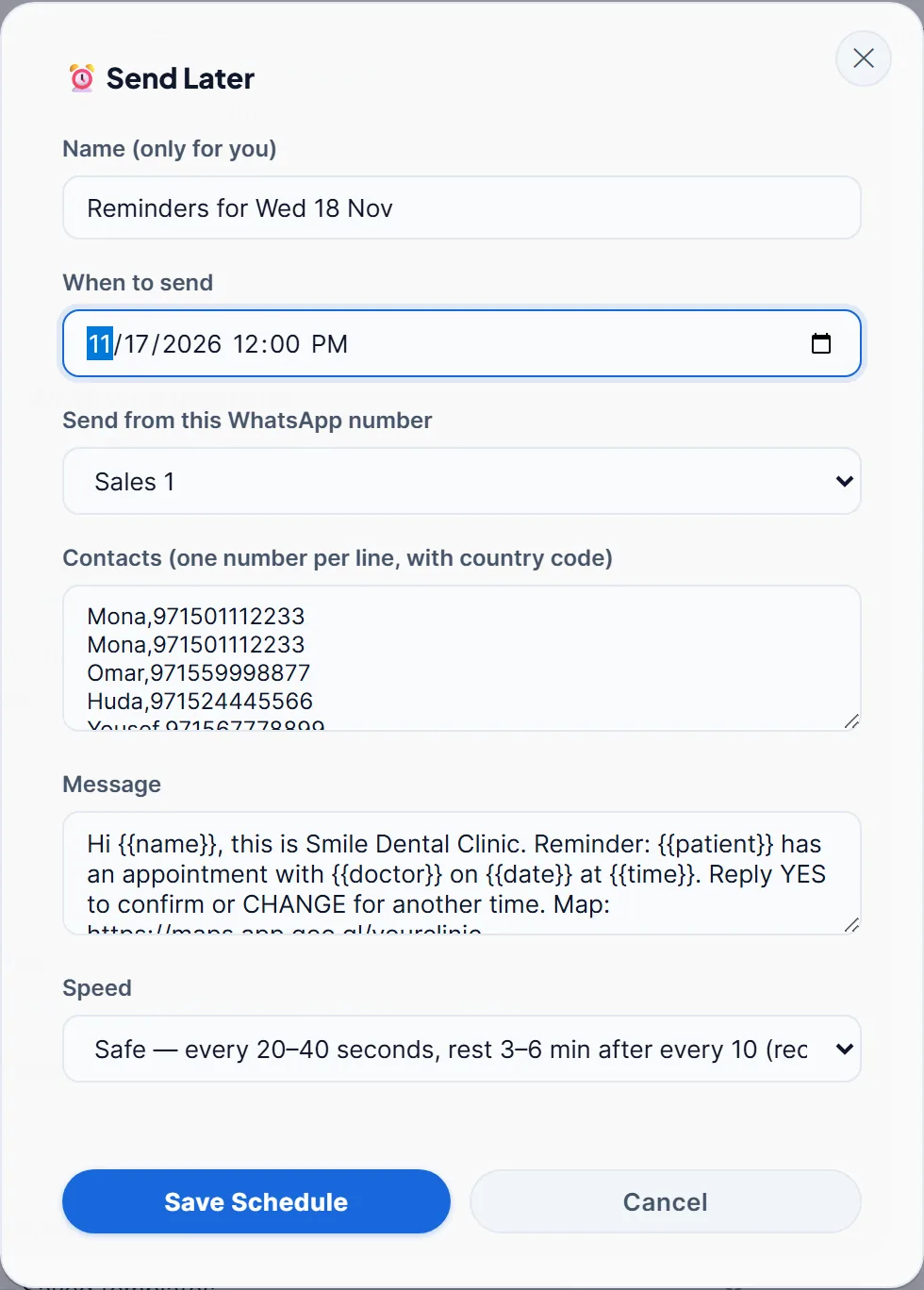
- Press Send Later and pick today at noon, or press Start Sending now. Keep the Safe speed.
Send tomorrow's reminders free for 14 days
From version 2.1.123, dates and times show the way your sheet displays them, so format the Date column as you want patients to read it, such as “Wed 18 Nov”. Upload the sheet straight into Send Bulk Messages rather than through Check Numbers: Check Numbers removes repeated numbers, which is right for marketing lists but would drop the second child. Send Bulk Messages checks every number on WhatsApp on its own before sending and skips numbers without WhatsApp. The results file then shows who was skipped, so reception knows whom to call instead. The guides to sending a bulk WhatsApp message with each name and scheduling WhatsApp messages explain codes and Send Later in more detail.
Or let it run every day
From version 2.1.124 you can skip the daily export. Export the next two to four weeks of appointments once, upload the file, then in Send Later tick Repeat every day at this time and choose Rows where date is tomorrow. Every day at that time, only the patients with an appointment the next day get their reminder; the box shows how many today’s and tomorrow’s runs will reach. When new bookings come in, load the new file and press Use the list now loaded on the schedule. The app has to be open at that time, and a day it stays closed is skipped rather than sent late.
Let the answers handle themselves
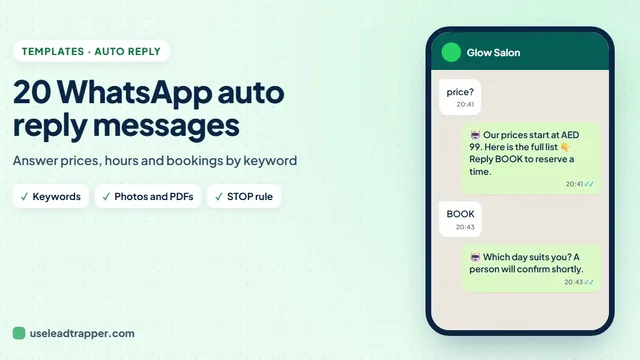
Most patients answer YES. LeadTrapper’s Auto-Reply Bot can thank them, and tell those who answer CHANGE that a person will reply, while reception gets on with the day. Set the YES, CHANGE and STOP rules to is exactly one of these words, so a longer message such as “yes but can we come at 5?” reaches a person instead. All replies arrive in the inbox, where your team picks up the CHANGE requests. A STOP rule can also add the person to the do-not-send list. The guide to WhatsApp auto reply messages shows the setup.
After sending, Download Results and Replies lists every patient with their reply, whether it was YES, CHANGE or STOP, and the columns from your sheet, so reception can see at a glance who to call (version 2.1.124 or later).
What to know before you start
- The computer must be on. LeadTrapper sends from your number on your PC, so a scheduled send needs the app open and the number connected. If the computer was off, the reminders go out when you open the app.
- Use the clinic's own number. Patients save it and recognise it, and replies come back to the same place.
- Reminders are small batches. Twenty to sixty messages a day to people who booked with you is ordinary use. The WhatsApp warm-up schedule shows how to prepare a brand-new number first.
Salons, Spas and Barbers
The same day-before reminder works for any business that runs on bookings. A salon’s sheet might have Service, Stylist, Date and Time columns:
Hi {{name}}, see you tomorrow at Glow Salon: {{service}} with {{stylist}} on {{date}} at {{time}}. Reply YES to confirm or CHANGE for another time.
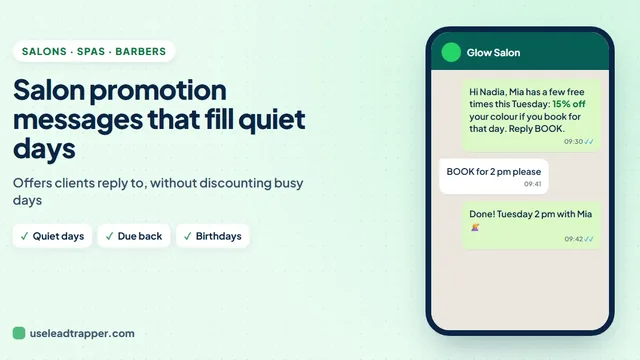
The privacy rules are lighter than for a clinic, but the habits are the same: one reminder about a day before, a one-word reply, and the replies handled by the Auto-Reply Bot. A late cancellation is the same empty chair whether it’s a dentist’s or a stylist’s. To fill the quiet slots themselves, see the guide to salon promotion messages. And when someone misses anyway, the missed appointment message templates show what to send the same day to rebook them.
Recalls, Follow-Ups and Offers
Schools use the same routine for fees, with an Amount and a Due Date column, as the guide to fee reminder messages to parents shows, and gyms use it for renewals, as in the guide to gym membership renewal messages. The same routine works once a month for recalls: export the patients whose check-up is due, load the sheet and send the recall message with the Safe speed. After a treatment, a short “How are you feeling today? Reply if you have any questions” shows care without naming the treatment.
Offers are different. A whitening promotion is marketing, not care, so send it only to patients who agreed to receive offers, keep a separate column or list for them, and include a way to stop, as the guide to WhatsApp opt-out messages explains. In Dubai, the medical director signs off health advertising first, and words such as “the best” or “guaranteed” don’t belong in it.
Sources
- Gurol-Urganci I. et al. Mobile phone messaging reminders for attendance at healthcare appointments. Cochrane Database of Systematic Reviews, 2013.
- Esteban S. et al. Comparative effectiveness of single vs. dual WhatsApp reminders on no-shows. medRxiv preprint, 2026 (not peer reviewed).
- Hallsworth M. et al. Stating appointment costs in SMS reminders reduces missed hospital appointments. PLoS One, 2015.
- Guy R. et al. How effective are short message service reminders at increasing clinic attendance? Health Services Research, 2012.
- NICE. Dental checks: intervals between oral health reviews (CG19). Recommendations.
- WhatsApp. WhatsApp Business Messaging Policy, updated 23 September 2026.
The WhatsApp bulk sender and Auto-Reply Bot are part of LeadTrapper for Windows, which costs $50 a year with a 14-day free trial. LeadTrapper is not affiliated with or endorsed by WhatsApp.
Before you send: warm up new or quiet numbers first with the WhatsApp warmer (LeadTrapper's Account Warmer), which runs in the same app.
Frequently Asked Questions
About 24 hours before the appointment. In a 2026 study of 475,214 appointments in Buenos Aires, a single WhatsApp reminder about 24 hours before cut no-shows by about 24%, as much as two reminders at 72 and 24 hours, and more than one reminder at 72 hours. The study is a preprint, so treat the exact numbers with care.
The patient's name, the clinic's name, the day and time, the dentist, the address or map link, and one reply to confirm or change. For example: Hi Mona, this is Smile Dental Clinic. Reminder: Adam has an appointment with Dr. Sara on Wed 18 Nov at 4:00 PM. Reply YES to confirm or CHANGE for another time.
WhatsApp's business policy asks you to message only people who gave you their number and agreed to hear from you, to honour every request to stop, and not to send health information where local law forbids it. Reminders that say only the day, time and doctor stay within that. Check your health authority's rules; this is not legal advice.
Yes, on average. A Cochrane review found attendance of 78.6% with text reminders against 67.8% with none, and texts worked about as well as phone calls at a lower cost. Results in dental clinics vary from study to study, so measure your own no-show rate before and after.
Only with their separate consent. A reminder serves the patient's care; an offer is marketing. UAE health data law limits patient data to health purposes unless the patient approves in writing, and Saudi Arabia's data protection law treats health data as sensitive and restricts its use for marketing.
About LeadTrapper
LeadTrapper is a Windows app for finding business leads and contacting them on WhatsApp. It collects business contacts from Google Maps, Instagram, Facebook, TikTok, LinkedIn and business websites, checks which numbers are on WhatsApp with its Number Filter, and sends personalised campaigns with automatic delays from one or more WhatsApp accounts. It also has a chatbot, a shared inbox for every account, and Store Orders for online shops. It installs from the Microsoft Store, and the full app is free for 14 days, then $50 a year. Free web tools, browser extensions and a Wix app are listed on the Free Tools page.
Send Tomorrow's Reminders in Five Clicks
LeadTrapper for Windows sends each patient their own reminder from your clinic's WhatsApp number, with replies answered automatically. $50/year, 14-day free trial.