In this article 7 sections
A good salon promotion message goes to clients who agreed to hear from you, names their usual service and stylist, makes one real offer with a clear end date, and asks for a one-word reply. Send it when a client is due back, before quiet weekdays, and on birthdays. Never use client photos without written consent.
- The best list a salon has is its own clients: send each one an offer for their usual service, from their usual stylist.
- Use offers to fill quiet slots, such as weekday mornings, instead of discounting the busy days that fill themselves.
- Timing helps: research on the 'fresh start effect' shows people act on personal goals after landmarks such as a birthday or the start of a month.
- In the UAE, advertising fake or untrue discounts counts as misleading advertising under the consumer protection law.
- Never send client before-and-after photos without written consent, and never promote laser or injectables unless you hold the medical licence they need.
Saturday fills itself. Tuesday at eleven doesn’t. A salon promotion message that reaches the right clients, for the service they already love, with a stylist they trust, turns an empty chair into a booking without discounting the days that are already full. This guide covers who to send offers to, when, what never to send, and salon offer message samples you can copy. For reminders about appointments already booked, see the guide to WhatsApp appointment reminders, which covers salons too.
Who to Send Offers To
The best list a salon has is its own clients: people who sat in your chair, liked the result and gave you their number. A message to them isn’t advertising to strangers; it’s “your stylist has a gap and thought of you”. Keep the list in a sheet with what makes the offer personal:
| Name | Phone | Service | Stylist | Last Visit |
|---|---|---|---|---|
| Noura | 971501119876 | root colour | Hala | 3 Oct |
| Reem | 971554443210 | keratin treatment | Joanna | 22 Aug |
Add a column for clients who said yes to offers, and send only to them. WhatsApp’s business messaging policy asks businesses to message only people who gave their number and agreed to be contacted, and to honour every request to stop.
Fill Quiet Days, Not Busy Ones
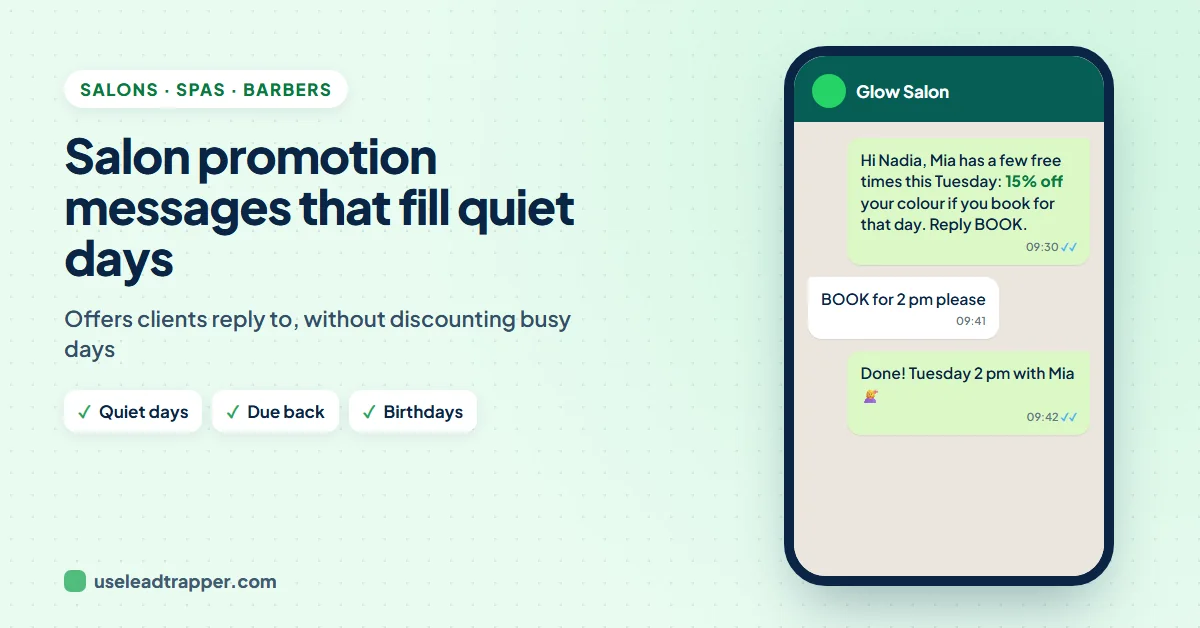
A discount on a Saturday gives away money you’d have earned anyway. Look at your diary for the last month and find the slots that stay empty, often weekday mornings and early afternoons. Make offers for those slots only: “20% off weekday appointments before 2 pm” fills Tuesday without touching Saturday’s prices.
Send the offer a day or two before the quiet days, so clients can plan. Make it specific: a service, a stylist, the days, the end date. “Big sale this week!” says nothing; “Hala has free spots Tuesday and Wednesday” gets replies.
Timing: Due Dates, Birthdays and New Months
- When a client is due back. Each service has its own rhythm: colour roots, nails and threading come round faster than a keratin treatment. Use the interval your stylists recommend for each service, and message clients when their Last Visit date says they're due.
- Birthdays and new months. Research on the "fresh start effect" (Dai, Milkman and Riis, Management Science, 2014) found that people act on personal goals more often after time landmarks such as a new week, a new month or a birthday. A birthday treat or a "new month, new look" message arrives when clients are already in the mood for a change.
- Seasons and occasions. Eid, wedding season and the start of the school holidays bring their own bookings. Send the offer a week or two before, while diaries are still open.
Keep it to one or two offers a month per client. In the UAE, send during working hours: Cabinet Resolution No. 56 of 2024 allows marketing calls only between 9 am and 6 pm, and law firms such as Al Tamimi read the rules as covering marketing messages too.
What Never to Send
- Fake discounts or fake deadlines. "50% off" on a price you raised last week, or "today only" every week, misleads clients. Under the UAE's consumer protection law (Federal Law No. 15 of 2020), advertising fake or untrue discounts counts as misleading advertising.
- Client photos without written consent. A before-and-after photo is the client's image. In the UAE, sharing someone's photo without consent can breach the privacy provisions of the cybercrime law, with fines that Khaleej Times reported at AED 150,000 to 500,000. Get consent in writing, say where the photo will appear, and keep the record.
- Medical treatments you aren't licensed for. In Dubai, laser hair removal, Botox and fillers are medical procedures that a salon on a beauty licence can't offer, as Dubai's crackdown on salon laser treatments showed. If you can't offer it, don't promote it.
- Rewards for reviews. Google's review policy forbids discounts or gifts for reviews and forbids asking only happy clients. Send every client the same plain request.
- Comments on someone's looks. "Your roots are showing!" is a joke between friends, not a message from a business. Talk about the service, not the person's appearance.
- Card numbers in the chat. Take deposits with a payment link or at the salon. When deposits and no-show fees are fair, and what to send a client who missed, is covered in the guide to no-show messages.
Salon Promotion Message Samples
The codes in double curly brackets are filled from your client sheet. Replace “Glow Salon” and the offers with your own, and make sure every offer is real.
Quiet-day offers
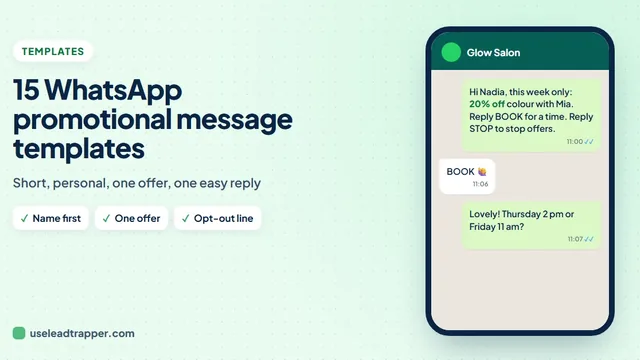
Hi {{name}}, it's time to refresh your {{service}}! {{stylist}} has free spots this Tuesday and Wednesday, with 20% off all weekday appointments before 2 pm. Reply BOOK and we'll find you a time. Reply STOP to stop offers.{{name}}, quiet morning tomorrow at Glow Salon: a free hair mask with any {{service}} booked before 1 pm. Reply YES and we'll hold a chair for you.
Due-back rebooking
Hi {{name}}, it's been a few weeks since your {{service}} with {{stylist}}. Shall we book your next one? Reply with a day that suits you.
Birthdays and new months
Happy birthday, {{name}}! Treat yourself this month: a complimentary blow-dry with any {{service}} at Glow Salon until the end of the month. Reply BOOK to choose a time.New month, new look, {{name}}? {{stylist}} has new colour shades in this week. Reply YES for a free consultation.
New services and occasions
Hi {{name}}, we've just added lash lifts at Glow Salon. Introductory price AED 150 until 30 Nov. Reply BOOK to try it.Eid is two weeks away, {{name}}! Bridal and party hair slots are filling up. Reply BOOK and tell us your day.
Thank you and review
Thank you for visiting Glow Salon today, {{name}}! We'd be grateful for your honest review: https://g.page/r/yourlink
In Arabic
مرحباً {{name}}، حان وقت تجديد {{service}}! لدى {{stylist}} مواعيد متاحة يومي الثلاثاء والأربعاء، مع خصم 20% على مواعيد أيام الأسبوع قبل الساعة 2 ظهراً. أرسلي "حجز" وسنحدد لكِ موعداً.
In Hindi
नमस्ते {{name}}, आपकी {{service}} का समय हो गया है! {{stylist}} के पास इस मंगलवार और बुधवार को समय खाली है, दोपहर 2 बजे से पहले की बुकिंग पर 20% छूट। BOOK लिखकर भेजें और हम आपका समय तय कर देंगे।
Send Each Client Their Own Offer
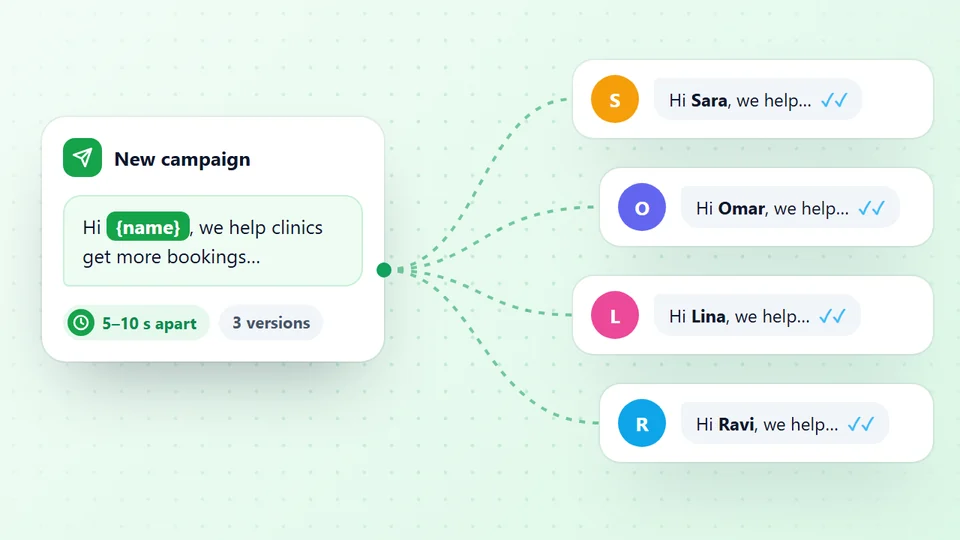
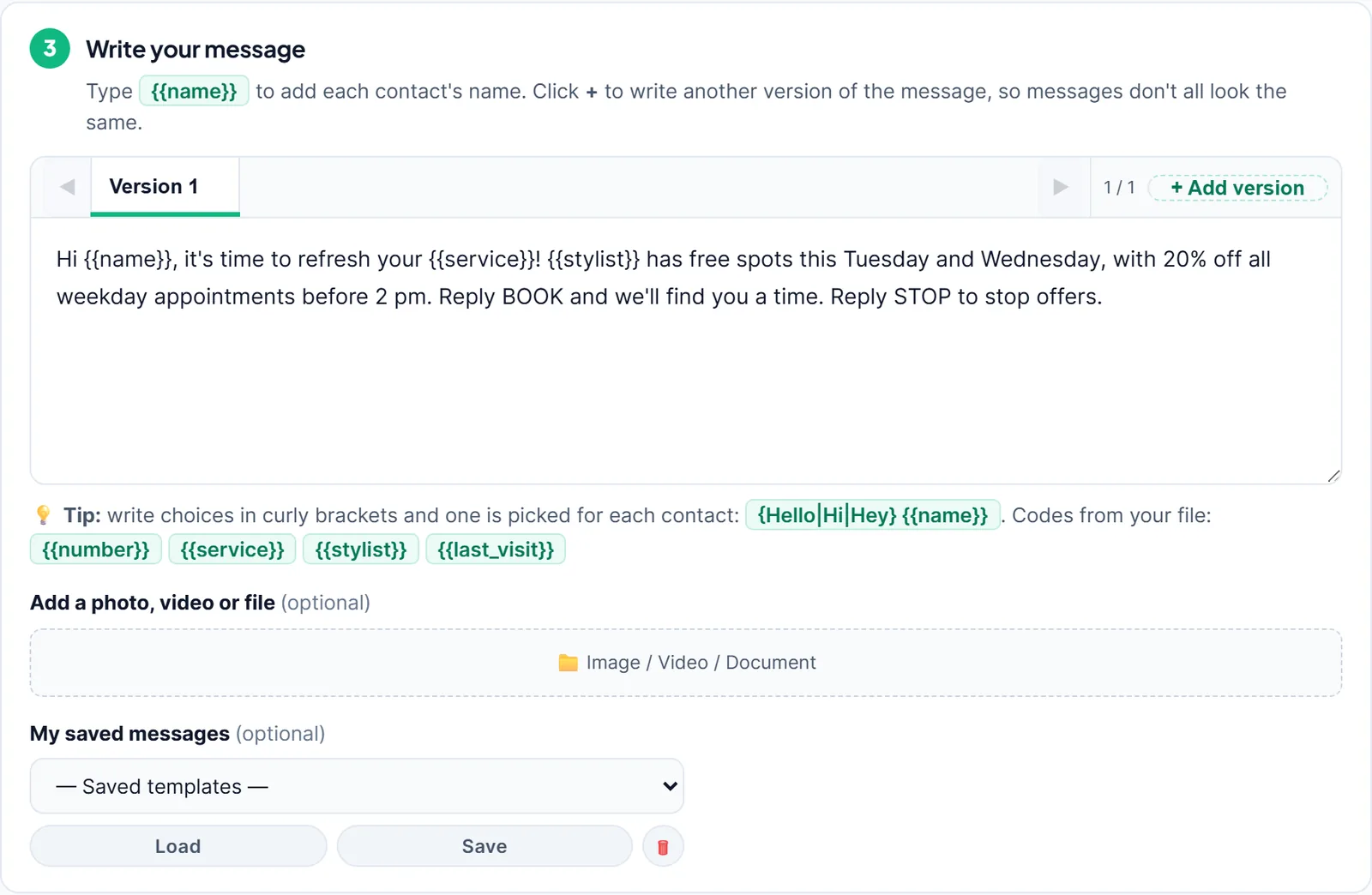
With LeadTrapper’s WhatsApp bulk sender, one message goes to every client on the list, each with their own service and stylist:
- Export your clients from your booking system to Excel, with a heading on every column: Name, Phone, Service, Stylist and Last Visit. Filter to clients who agreed to offers and are due back.
- Open Send Bulk Messages, choose the salon's number and upload the file. Every column becomes a code: Service gives
{{service}}, Stylist gives{{stylist}}. - Write the offer with the codes, attach a photo of a new style or treatment if you like (with consent if it shows a client), and press Send Later for the morning before your quiet days.
Send your first salon offer free for 14 days
Birthday messages can send themselves from version 2.1.124: add a Birthday column to your client file, and in Send Later tick Repeat every day at this time and choose is today’s day and month (birthdays). Each morning, only that day’s birthdays get the message. A ready-made birthday message is under My saved messages.
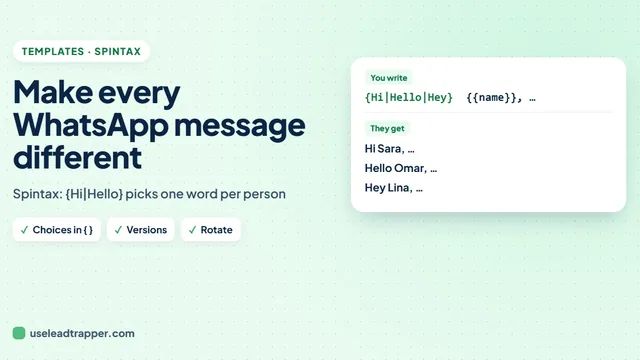
Write two or three versions of the offer so not every client gets the same words, as the WhatsApp spintax guide explains. Replies such as BOOK and STOP can be answered by the Auto-Reply Bot, and anything longer lands in the inbox for your front desk, as the guide to WhatsApp auto reply messages shows. More offer ideas are in the WhatsApp promotional message templates, and the WhatsApp opt-out message guide covers STOP replies. A brand-new number should be prepared first, as the WhatsApp warm-up schedule explains.
Sources
- Dai H., Milkman K. L., Riis J. The Fresh Start Effect: Temporal Landmarks Motivate Aspirational Behavior. Management Science, 2014.
- CMS. The UAE's new consumer protection landscape (Federal Law No. 15 of 2020).
- Khaleej Times. New UAE cybercrime law: fines for taking photos of people without consent.
- Khaleej Times. Dubai gets tough with laser treatment at salons.
- Google. Maps user-generated content policy: prohibited and restricted content.
- WhatsApp. WhatsApp Business Messaging Policy, updated 23 September 2026.
The WhatsApp bulk sender and Auto-Reply Bot are part of LeadTrapper for Windows, which costs $50 a year with a 14-day free trial. LeadTrapper is not affiliated with or endorsed by WhatsApp.
Before you send: warm up new or quiet numbers first with the WhatsApp warmer (LeadTrapper's Account Warmer), which runs in the same app.
Frequently Asked Questions
Short and personal: the client's name, their usual service and stylist, one real offer with a clear end date, and an easy reply. For example: Hi Noura, it's time to refresh your root colour! Hala has free spots this Tuesday and Wednesday, with 20% off weekday appointments before 2 pm. Reply BOOK and we'll find you a time.
When a client is due back for their usual service, a day or two before quiet weekdays you want to fill, around birthdays and at the start of a month or season. One or two offers a month is plenty; more and clients mute you.
Only with the client's written consent. In the UAE, sharing someone's photo without consent can breach the cybercrime law's privacy provisions, with fines that law firms put at AED 150,000 to 500,000. Ask in writing, say where the photo will be used, and keep the consent.
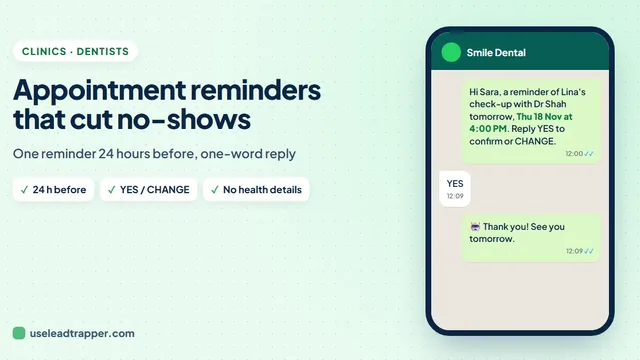
Send one reminder about a day before each appointment, with the service, stylist, date and time and a one-word reply to confirm or change. The guide to WhatsApp appointment reminders covers the timing research and the setup.
No. Google's review policy forbids rewards for reviews and forbids asking only happy clients. Send every client the same plain request with your review link.
About LeadTrapper
LeadTrapper is a Windows app for finding business leads and contacting them on WhatsApp. It collects business contacts from Google Maps, Instagram, Facebook, TikTok, LinkedIn and business websites, checks which numbers are on WhatsApp with its Number Filter, and sends personalised campaigns with automatic delays from one or more WhatsApp accounts. It also has a chatbot, a shared inbox for every account, and Store Orders for online shops. It installs from the Microsoft Store, and the full app is free for 14 days, then $50 a year. Free web tools, browser extensions and a Wix app are listed on the Free Tools page.
Fill Next Week's Quiet Slots
LeadTrapper for Windows sends each client an offer for their own service and stylist, from your salon's WhatsApp number. $50/year, 14-day free trial.