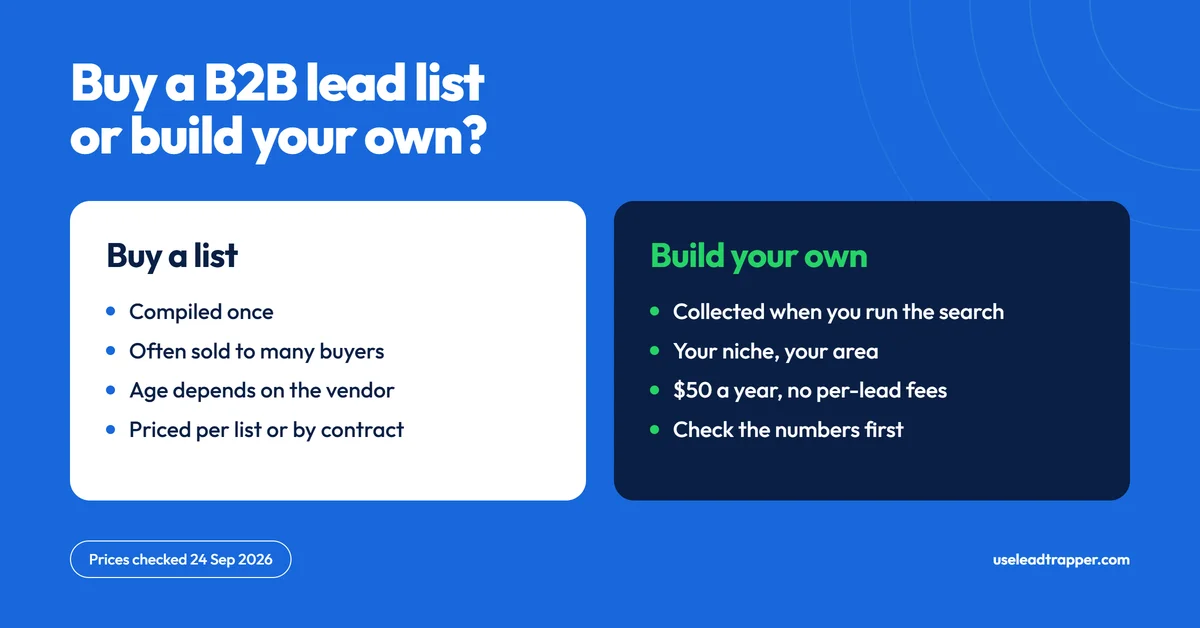
Build your own. A bought B2B list is sold to many buyers and ages fast. A list built from Google Maps fits your niche and area. LeadTrapper exports 13 columns per business, including phone, website and rating, for $50 a year. Check the numbers before you send.
- A bought B2B lead list is compiled once and sold to many buyers, so it ages and the same contacts get approached by several sellers.
- A list you build from Google Maps is made for your niche and area, from details businesses published themselves. Those phone numbers are unverified, so check them before you send.
- LeadTrapper's Google Maps scraper opens each listing and exports 13 columns, including name, phone, website, address, rating and review count. A big search takes minutes, not seconds.
- Google's own Maps terms restrict copying and mass downloading, and privacy law can apply to the list you build. The risk is yours, and this isn't legal advice.
- LeadTrapper costs $50 a year with no per-lead fees. Competing tools charge monthly or per record. Prices below were checked on 24 September 2026.
What Is a B2B Lead Generation List?
A B2B lead generation list is a structured collection of businesses your sales team can contact: names, phone numbers, emails, addresses and websites. You can buy one from a data vendor, or you can build one yourself from public sources. The most common public source is Google Maps, where businesses publish their own details so customers can reach them.
LeadTrapper’s Google Maps lead generation tool automates the second route. You enter a business type and a place, it opens the listings one by one, and it exports what each business published. That is public information, not verified data. Whether a number is current, or is on WhatsApp, is something you check before you send, and there’s a step for it below.
Why Buying B2B Lead Lists Is Risky
Vendors compile contact data from crawls, filings and profiles, then sell it repeatedly. That model has three predictable weaknesses.
Age. A list may have been compiled months before you receive it. Phone numbers change and businesses close, and in fast-moving sectors like hospitality and retail the drift is quick. Ask for the collection date, and treat “verified” on a sales page as a claim to test, not a fact.
Sharing. The same list is usually sold to many buyers. A restaurant owner that appears on a popular list can hear from several sellers in a week, which pushes reply rates down.
Rules. Using a bought list for marketing still needs a lawful basis under GDPR Article 6 if any contacts are in the EU, and a CAN-SPAM-compliant opt-out if you email people in the US. Buying the list doesn’t transfer those duties to the vendor.
How to Build a B2B Lead List from Google Maps
Businesses maintain their own Google Maps listings, because customers use them to call or visit. That makes Maps a good place to start a list of local businesses. Here’s the process with LeadTrapper.
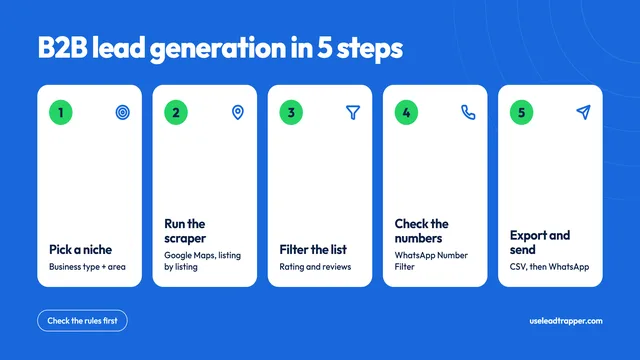
Step 1: Define your target precisely. Broad searches return volume, and specific searches return relevance. “Gym Dubai” covers a whole emirate, while “gym Jumeirah Dubai” is a district you can actually work through. Specificity improves the quality of the list more than its size.
Step 2: Run the search. Enter the business type and the location, or paste a Google Maps link. LeadTrapper searches several areas of the city in turn, scrolls each results list to the end, then opens every listing to read its details. Because it opens listings one at a time, a large search takes minutes rather than seconds.
Step 3: Filter for quality. Use rating and review count to focus on established businesses, and drop listings with very few reviews, which are often inactive. The review count is the number Google shows, not the review text.
Step 4: Check the phone numbers. Numbers come from each business’s own listing. Some are landlines, some are wrong, and many aren’t on WhatsApp. Test a sample first (the method is in how reliable are phone numbers from B2B lead tools), then run the list through the WhatsApp Number Filter before you message anyone, so you don’t waste sends on numbers that aren’t registered, which also protects the account you send from.
Step 5: Export and reach out. Export to CSV, then load the file into Campaign Builder for WhatsApp bulk sending. Write your message with spin syntax so each send varies slightly, and keep the delays on. Message only businesses you have a reason to contact, and offer an easy way to opt out.
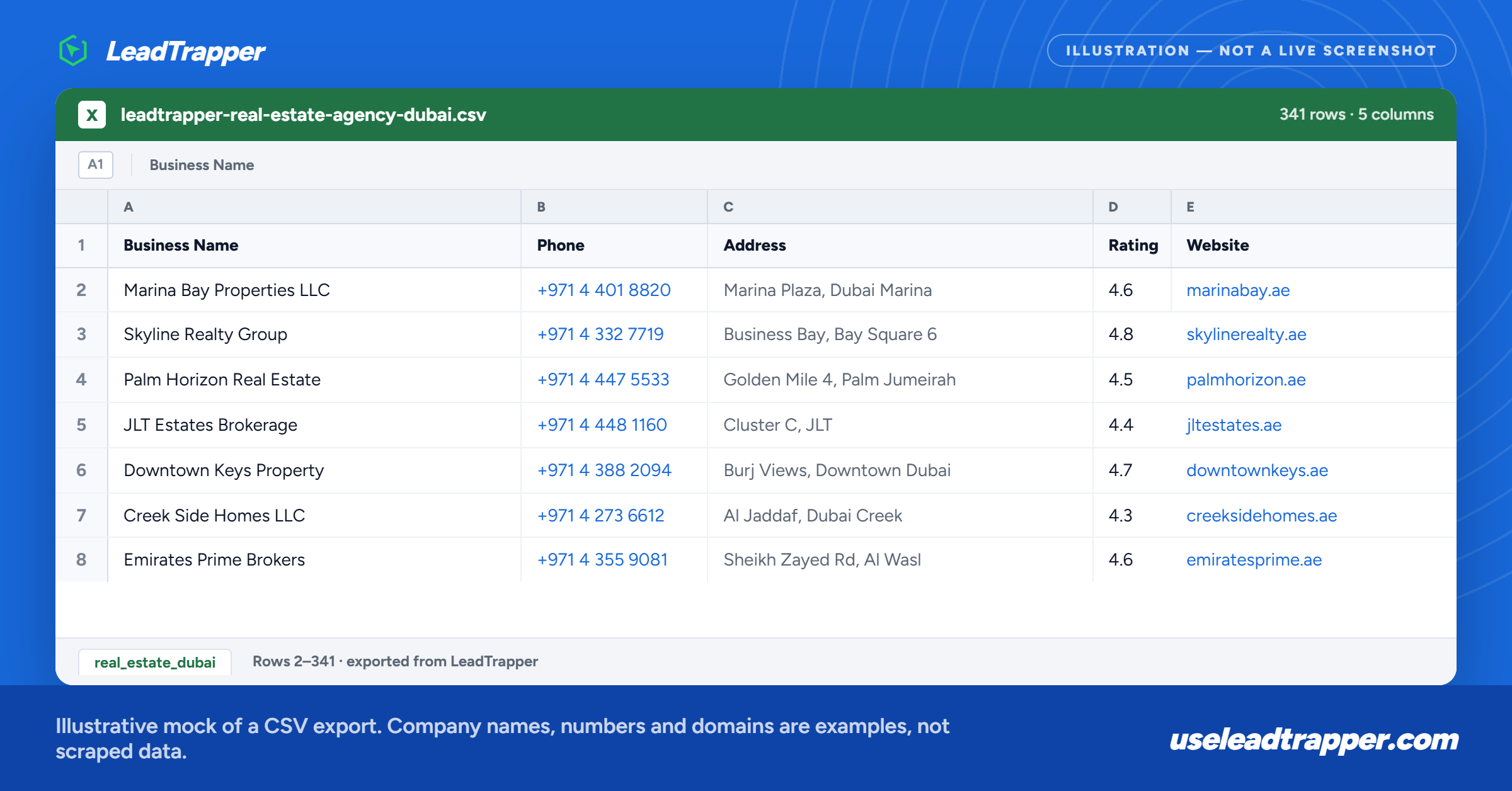
| ❌ Buying a B2B lead list | ✅ Building with LeadTrapper |
| Compiled once, age depends on the vendor | Collected when you run the search |
| Often the same list sold to many buyers | Your own search, area and niche |
| Priced per list or on a contract | $50 a year, no per-lead fees |
| No way to check numbers yourself | Number Filter checks WhatsApp registration |
B2B Lead Lists by Industry
Google Maps covers most business types that have a public presence. These are common uses.
Real estate services. Agents search “property management company” or “real estate agency” by district and build a list of firms for landlord or referral partnerships.
Wholesale and distribution. Suppliers search retailers by category, such as electronics retailers, grocery distributors or hardware stores, to find buyers for their stock.
Marketing agencies. Agencies search small businesses by category and area to build prospecting lists for outreach.
Recruitment firms. Recruiters search employers by industry, such as IT companies, logistics firms or manufacturers, to reach hiring contacts directly.
Professional services. Accountants, IT support providers and cleaning companies search their own service area by business type. Searching one area at a time keeps a list local and relevant.
Rules to Know Before You Build One
Building a list from Google Maps raises three separate questions, and they have different answers.
- Is it a crime? In the US, the Ninth Circuit held in 2022 that collecting from public pages that need no account is unlikely to breach the main anti-hacking law.
- Does it break Google’s rules? Google’s Maps terms restrict copying and mass downloading of Maps content. A scraper collects in bulk by design, so on their face those terms restrict it. LeadTrapper can’t grant Google’s permission, so the risk is yours.
- Can you lawfully use the data? Most listings are businesses, but a sole trader or small clinic named after its owner is personal data in the EU and UK, and marketing rules can require consent or an opt-out.
The full breakdown, with sources, is in is scraping Google Maps legal. This isn’t legal advice.
Cost Comparison: Buying vs Building B2B Lead Lists
| Source | How you pay | Price (checked 24 Sept 2026) | WhatsApp sender included? |
|---|---|---|---|
| Bought list from a data vendor | Per list | Varies widely by vendor, from hundreds to thousands of dollars | No |
| ZoomInfo | Custom contract | Not published, quote only | No |
| Apollo | Per user per month | Professional from about $79 billed annually ($99 monthly) | No |
| Lusha | Per month | Starter $49.90 monthly ($37.45 billed annually) | No |
| Hunter | Per month | Starter $49 monthly ($34 billed annually) | No |
| Outscraper | Pay as you go | About $3 per 1,000 records after the first 500 free; emails and other enrichment cost extra | No |
| LeadTrapper | $50 a year | No per-lead fees | Yes |
Prices were taken from each vendor’s pricing page where it loaded, and from 2026 reviews where it didn’t, and they change often. Check the current price before you buy.
Building your own list costs the tool subscription and your time, and no data fees. The trade-off is that you carry the rules and the checking yourself, which is what the Number Filter step and the legality section above are for.
LeadTrapper is used by teams in Dubai, Riyadh, New York, Jakarta and São Paulo to build Google Maps lead lists and contact them on WhatsApp, for $50 a year.
For the full step-by-step on structuring outreach after you’ve built a list, see the WhatsApp bulk sender guide. For a wider view of B2B lead generation methods and costs, see the B2B lead generation guide.
Frequently Asked Questions
Google Maps is the free place to look, because every listing was published by the business itself. Copying listings by hand is slow, and tools that automate it are not free. LeadTrapper's Google Maps scraper costs $50 a year with no per-lead fees. Whichever route you choose, check the rules in the Google Maps legality section below.
Sometimes, from a specialist vendor with a recent collection date, a refund policy and an exclusive list. Most are compiled once and sold to many buyers, so they age and the same contacts hear from several sellers. Ask any vendor when the data was collected and whether it is exclusive, and check you have a lawful basis to use it.
LeadTrapper's export has 13 columns: zone, business name, phone, WhatsApp, email, website, social links, rating, review count, address, Google Maps link, services and prices. Phone is what the business published on Google. WhatsApp, email and social links appear only where the business shows them on its own website. Review count is a number, not the review text.
LeadTrapper does not charge per lead. How many you collect depends on how many businesses Google lists in your area and how long you let the run go, because the scraper opens listings one at a time. A large search takes minutes rather than seconds. Narrow searches by area give cleaner, more relevant lists.
It depends which law you mean. US courts have held that reading public web pages is not hacking, but Google's Maps terms restrict copying and mass downloading of Maps content, and privacy or marketing law can apply, especially for a sole trader listed under their own name. The risk of using any Maps scraper is yours. This isn't legal advice.
About LeadTrapper
LeadTrapper is a Windows app for finding business leads and contacting them on WhatsApp. It collects business contacts from Google Maps, Instagram, Facebook, TikTok and LinkedIn, checks which numbers are on WhatsApp with its Number Filter, and sends personalised campaigns with automatic delays from one or more WhatsApp accounts. It also has a chatbot, a shared inbox for every account, and Store Orders for online shops. It installs from the Microsoft Store, and the full app is free for 14 days, then $50 a year. Free web tools, browser extensions and a Wix app are listed on the Free Tools page.
Build Your Own B2B Lead List
LeadTrapper's Google Maps scraper turns a business type and a place into a CSV of names, phones, websites and addresses. Number Filter and WhatsApp sender included. $50/year, all features.
Related Articles
How to Do B2B Lead Generation: A Step-by-Step Guide
B2B lead generation step by step: define your target, build a list from Google Maps, check the numbe…
Read article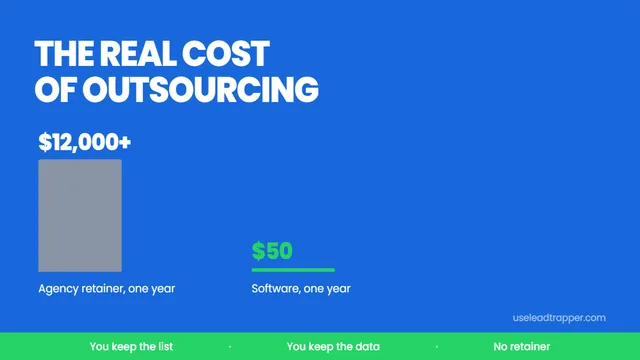
B2B Lead Generation Outsourcing: The Real Cost
B2B lead generation outsourcing costs $1,000-$5,000 a month. Here is what agencies actually deliver,…
Read article