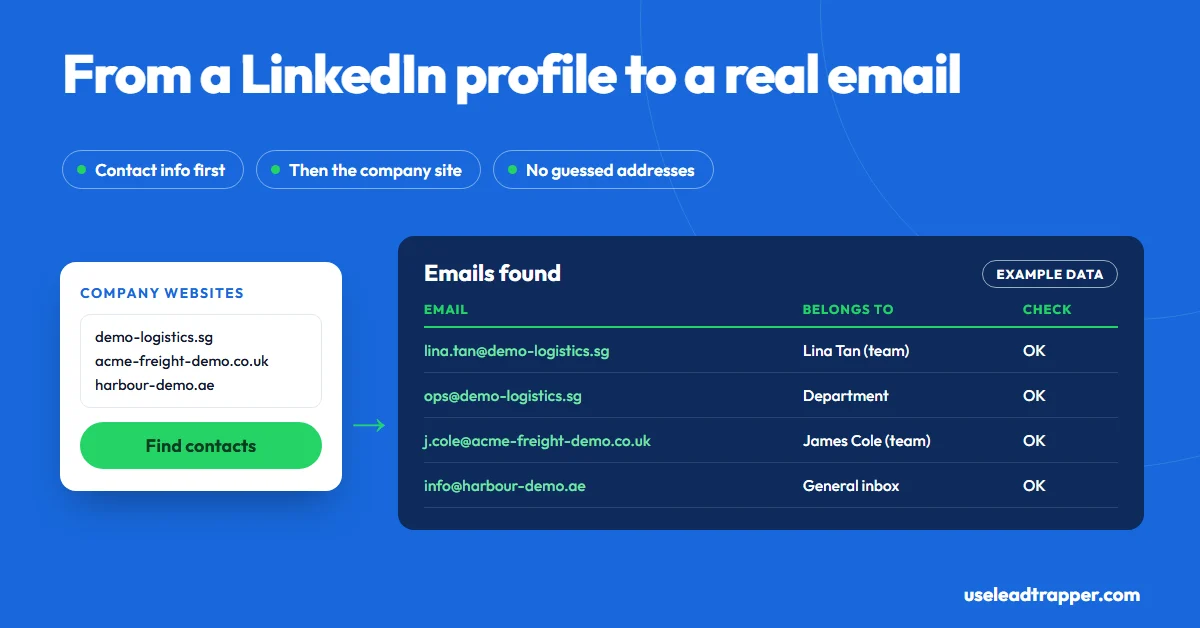
Check the profile's Contact info first: LinkedIn shows a member's email to their connections by default. If you're not connected, go through their company: open the employer's website and look for the person on its team pages. LeadTrapper's Email Finder reads those pages for hundreds of companies at once and labels each email by person.
- LinkedIn shows a member's primary email in Contact info to their 1st-degree connections by default. Members can widen or narrow that, and many hide it.
- If you're not connected, LinkedIn won't show the email, and tools that promise one are matching the name against a database or guessing a pattern like first.last@company.com.
- The reliable route is the company: the profile names the employer, the employer's website often lists team members with their own addresses, and a general inbox when it doesn't.
- LeadTrapper's Email Finder reads a company's contact, team and branch pages for up to 1,000 websites per run, and labels each email as a team member (with their name), a department, a branch or a general inbox.
- LeadTrapper's LinkedIn tools return names, headlines and locations, never emails. The email comes from the company's own website.
To find an email from a LinkedIn profile, check the profile’s Contact info first, because LinkedIn shows members’ emails to their connections. If you’re not connected, LinkedIn won’t show it, and you go through the company instead: the profile names the employer, and the employer’s website often lists its people with their own addresses. LeadTrapper’s Email Finder reads those websites in bulk and labels every email by person, department, branch or general inbox. This guide covers both routes, and what the extensions that promise LinkedIn emails are really doing.
Start With Contact Info
On any profile, under the name and headline, there’s a Contact info link. It shows the profile URL and whatever the member chose to share: a website, a phone number, and their email.
By default, LinkedIn shows a member’s primary email to their 1st-degree connections, as LinkedIn’s help centre explains. Members can narrow that to only themselves, or widen it to 2nd-degree connections or everyone. So the honest first step, when the person is worth it, is a connection request with a short note. If they accept and share their email, you have the address they want you to use.
Why LinkedIn Hides Emails From Strangers
LinkedIn treats a member’s email as theirs to share. The ways it offers to reach people you’re not connected to are its own: InMail and Sales Navigator, both paid. Exports follow the same rule: an email appears in a connections export only for connections who allowed it, as our guide to exporting LinkedIn connections to Excel explains.
That’s why any tool claiming to pull emails “from LinkedIn” is actually pulling them from somewhere else. Knowing where is what separates a good address from a bounce.
The Company Route, Step by Step
- Read the experience section. Note the current employer and the person’s exact title.
- Find the company website. It’s usually linked on the company’s LinkedIn page. Search the company name with the city if not.
- Check the team, about and leadership pages. Smaller companies often list each person with a direct email or phone.
- Check the branch or location pages. A regional manager’s address often sits on their branch’s page.
- Search the site. On Google, try
site:company.com "surname"to find press releases, PDFs and old pages that mention them. - Fall back to the right inbox. If the person isn’t listed, a department address such as sales@ or procurement@ with their name in the subject reaches them more often than a guess.
Picture an operations manager at a logistics firm in Singapore. Her profile names the company; the company’s “Our team” page lists her with her own address and a direct line. Ten minutes, no tool, and the address is one she or her company chose to publish.
Doing It for a Whole List
The company route takes about ten minutes per person. For a list of 200 prospects across London, Dubai and Toronto, that’s a week. LeadTrapper splits the job into two steps:
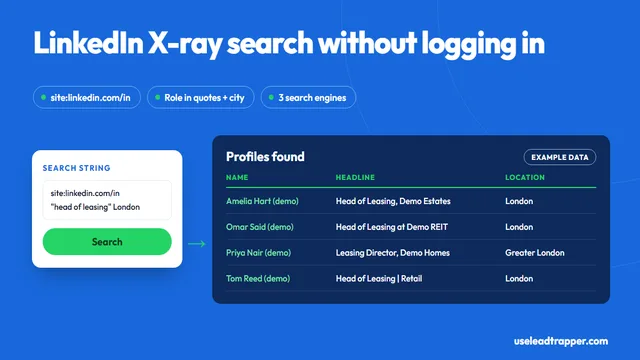
- Who: the LinkedIn scraper builds the prospect list, returning each profile’s name, headline, location and link from a keyword, a city and an optional job title. It returns no emails. Our LinkedIn X-ray search guide explains how its search works.
- How to reach them: the Email Finder takes the company websites, up to 1,000 per run pasted one per line or loaded from Excel or CSV. It reads each site’s home page plus its contact, team and branch pages, or up to 12 extra pages in Deep mode, and collects every email, phone and WhatsApp number it publishes.
The useful part is the labels. Each email is marked as a general inbox, a department, a branch, or a team member with their name when the page shows a name next to the address or the address follows a first.last pattern. Filter Belongs to to team members, search for your prospect’s surname, and you see whether their company published their address. Before you send, Check emails asks Cloudflare’s public DNS whether each domain can receive mail, sending only the domain names. The full walkthrough is in our guide to finding business email addresses.
What About Email Finder Extensions?
Search “LinkedIn email finder” and most results are browser extensions that add a “find email” button to profiles. They don’t read the email from LinkedIn. They take the name and company and either look them up in a database built from other sources, or generate likely patterns such as firstname.lastname@company.com and test them.
| Approach | Where the email comes from | Cost | Risk |
|---|---|---|---|
| Contact info | The member, if connected | Free | None; it’s what they shared |
| Company website by hand | The company’s own pages | Free | Slow for long lists |
| Email finder extensions | A database or a guessed pattern | Usually credits per lookup | Guessed addresses can bounce |
| LeadTrapper Email Finder | The company’s own pages, labelled by person | $50/year, all features | Only finds people the company lists |
Databases find named people at large companies well. For small and mid-sized companies, the website usually has the better address, and it’s one the company chose to publish.
Writing to Someone You Found on LinkedIn
Mention the reason you’re writing to them in particular: their role, a post, their company’s news. Keep it short, say who you are, and make it easy to say no. In the US, the CAN-SPAM Act requires your identity, an honest subject line and a working opt-out. In the EU and UK, a named work email is personal data under the GDPR, so you need a legitimate reason and a relevant message. This isn’t legal advice.
If they also publish a mobile number for WhatsApp on the company site, the Email Finder saves it too, and the WhatsApp Number Filter checks it before you message.
Frequently Asked Questions
Only if they let you. LinkedIn shows a member's primary email in their Contact info to 1st-degree connections by default, and members can change that to only themselves, or to wider groups. If you're not connected, you usually won't see it.
Connect with the person and check Contact info, or go through their company: open the employer's website and check the team, about and contact pages, and the footer. Searching site:company.com plus the person's surname on Google sometimes finds a page that lists them. All of that is free.
They return addresses, but not from LinkedIn. Most match the person's name and company against their own database or guess a pattern such as firstname.lastname@company.com, then check it. Guessed addresses can bounce, and a bounced email harms your sending reputation.
No. LeadTrapper's LinkedIn tools return each profile's name, headline, location and link, never an email or phone number. To reach the person, LeadTrapper's Email Finder reads their company's website and lists every email it publishes, labelled by person, department, branch or general inbox.
It depends on where they are. In the US, CAN-SPAM allows business email if you identify yourself and honour opt-outs. In the EU and UK, a named work email is personal data under the GDPR, so you need a legitimate reason, a relevant message and an easy way to object. This isn't legal advice.
About LeadTrapper
LeadTrapper is a Windows app for finding business leads and contacting them on WhatsApp. It collects business contacts from Google Maps, Instagram, Facebook, TikTok, LinkedIn and business websites, checks which numbers are on WhatsApp with its Number Filter, and sends personalised campaigns with automatic delays from one or more WhatsApp accounts. It also has a chatbot, a shared inbox for every account, and Store Orders for online shops. It installs from the Microsoft Store, and the full app is free for 14 days, then $50 a year. Free web tools, browser extensions and a Wix app are listed on the Free Tools page.
From LinkedIn Names to Emails That Don't Bounce
The Email Finder, LinkedIn tools, Google Maps scraper and WhatsApp bulk sender all come with LeadTrapper. $50/year — all features included.
Related Articles
LinkedIn X-Ray Search: Find Profiles via Google
LinkedIn X-ray search explained: copy-ready search strings for Google and Bing, the operators that m…
Read article
Sales Navigator Alternative: Cheaper Ways to Find Leads
Sales Navigator alternatives compared: what Core and Advanced cost, which tool replaces which featur…
Read articleEmail Finder for Business Websites
Every email, phone and WhatsApp number hundreds of websites publish, labelled and checked.
See the product