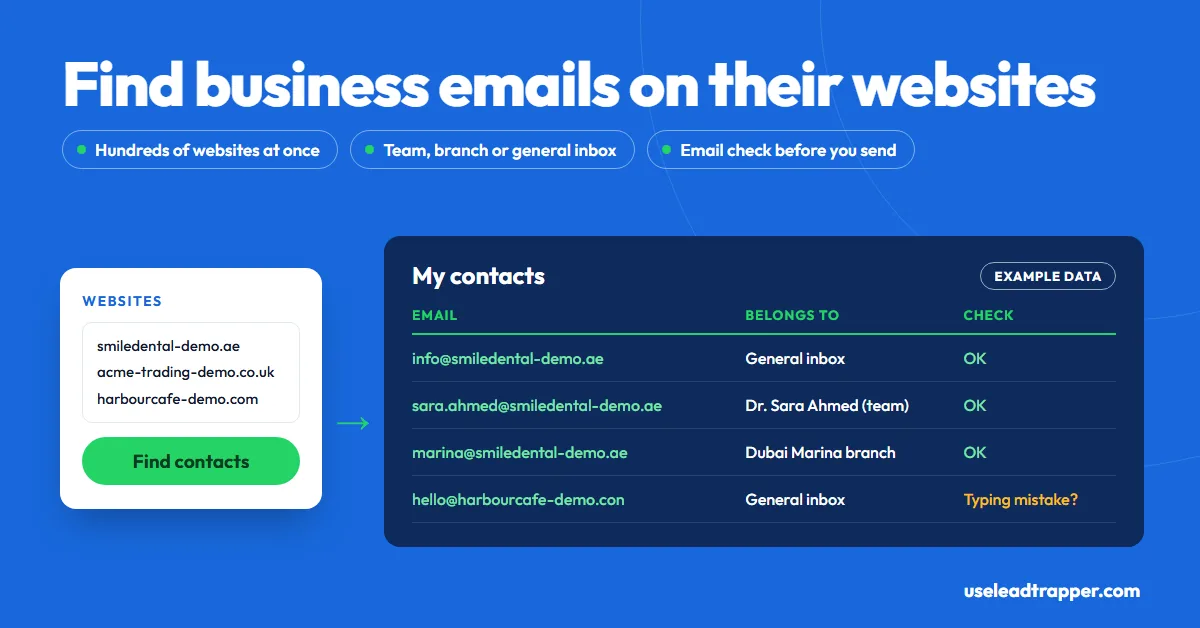
Most businesses publish their email on their own website, on the contact, team, about or branch pages. Check those pages and the footer by hand for a few companies. For hundreds, LeadTrapper's Email Finder reads every website on a list, labels each email as a general inbox, department, team member or branch, and checks it before you send.
- A business's own website is the most reliable place to find its email. Check the contact page, the team or about page, the branch or locations page, and the footer.
- Some emails are hidden from simple copying: written as info [at] company [dot] com, or encoded by Cloudflare's email protection. Reading the page source or a tool that decodes them finds these.
- For a list of websites, LeadTrapper's Email Finder reads up to 1,000 per run, or finds the businesses on Google Maps first from a business type and a city.
- Each email is labelled as a general inbox, a department, a team member with their name, or a branch with its name, so you can write to the right person.
- Checking catches typing mistakes, throwaway inboxes and domains that can't receive mail. No tool that only reads public data can prove one person's inbox exists.
The quickest way to find a business email address is the business’s own website: the contact page, the team or about page, the branch pages and the footer. That works well for five companies. For five hundred, LeadTrapper’s Email Finder reads every website on your list, saves each email with a label saying whether it’s a general inbox, a department, a team member or a branch, and checks it before you write. This guide covers both, plus what to do when a website publishes no email at all, checked against the code that runs it.
Where Businesses Publish Their Emails
Businesses want customers to reach them, so most put an email somewhere on their site. The usual places, in the order worth checking:
| Page | What you usually find |
|---|---|
| Contact page | The general inbox (info@, hello@), a phone number, often a WhatsApp link and a form |
| Team, About or Our People | Named people, sometimes with a direct email or mobile number |
| Locations or Branches | One email and phone per branch, with the branch address |
| Footer | The main email and phone, repeated on every page |
| Careers, Press, Support | Department inboxes such as jobs@, press@ or support@ |
Some addresses are hidden from a simple copy. A site may write “info [at] company [dot] com” to stop spam robots, or use Cloudflare’s email protection, which shows the address in your browser but stores it encoded in the page. Both are still published, just written so that simple scripts miss them.
Finding an Email by Hand
- Open the contact page. Look for a link called Contact, Contact us or Get in touch, usually in the menu or footer.
- Check the team and branch pages. Named emails live here more often than on the contact page.
- Read the footer. Many sites put the main inbox there and nowhere else.
- Search the site with Google. Type
site:acme.com "@acme.com"to list pages on that domain that mention its own addresses, including old PDFs. - Look at the page source. Press Ctrl+U and search for “mailto:” to find addresses hidden behind an “Email us” button.
In your browser, for the site you are on or a list of websites you paste, the free Contact Finder extension does steps 1 to 3 and 5 for you, including the team and branch pages and the hidden addresses.
Finding Emails for Hundreds of Websites
The manual method stops scaling somewhere around twenty websites. That’s where a bulk email extractor earns its place. The Email Finder in the LeadTrapper Windows app, called Website Contact Finder in the app, takes the websites two ways:
- My websites: paste up to 1,000 websites, one per line, or load them from an Excel, CSV or text file. Duplicates are removed for you.
- Search & find: type a business type and a city, such as “dental clinic” and “Dubai”. LeadTrapper finds the businesses with its Google Maps scraper first, then reads each one’s website.
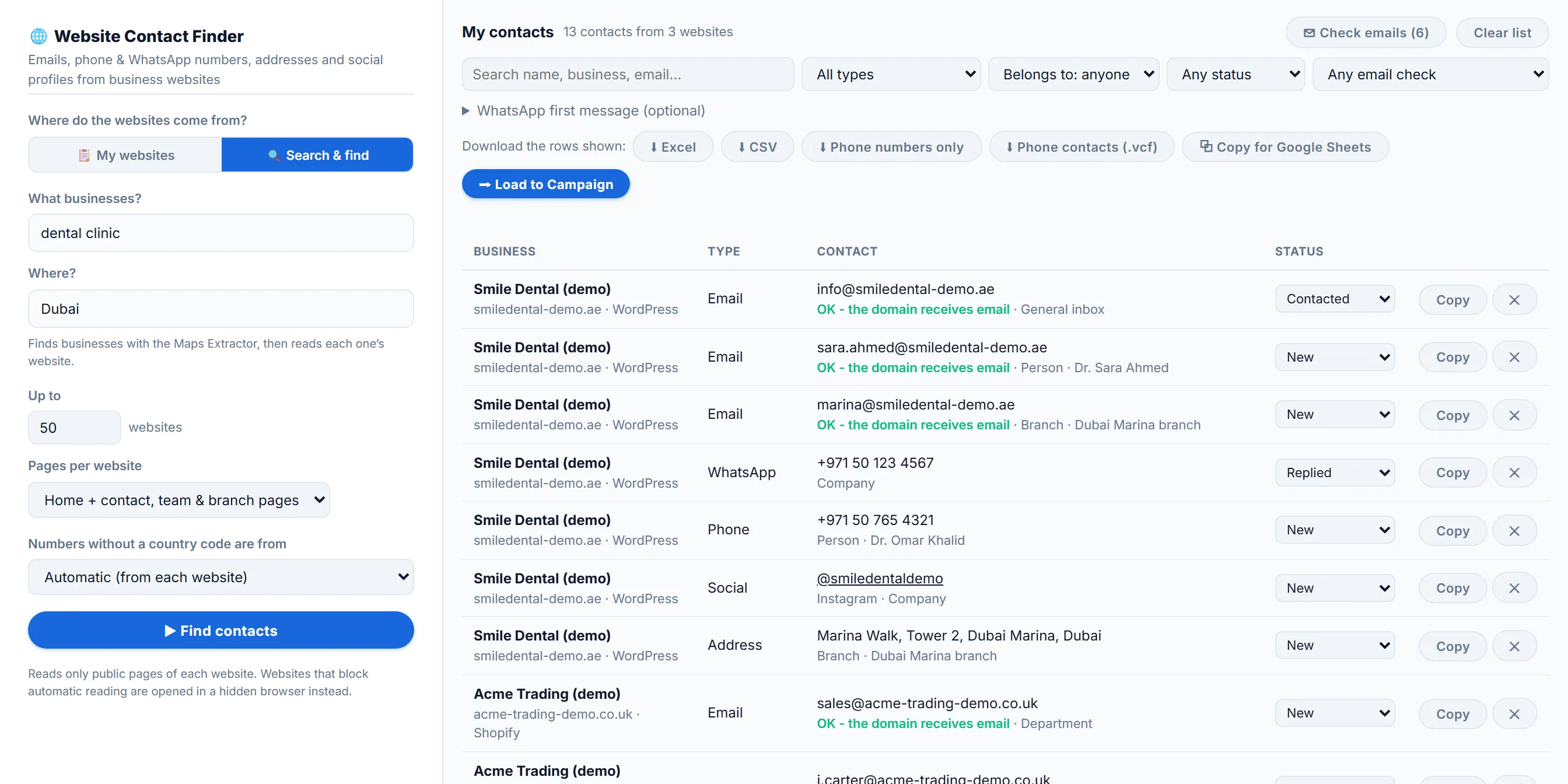
You choose how deep it reads each website: the home page only, the home page plus its contact, team and branch pages, or Deep mode with up to 12 extra pages. It reads four websites at a time from your own computer, and a website that refuses plain requests or builds its pages with scripts is opened in a hidden browser instead. It skips search engines, social networks and review sites, because those aren’t the business’s own website.
Besides emails, every run collects phone and WhatsApp numbers in international format, office and branch addresses with a map link, social profiles with their handles, and the page with the contact form. No-reply addresses, image file names that look like emails, and fax numbers are left out.
Team Member, Branch or General Inbox?
A clinic website might list info@, booking@, a dentist’s own address and one inbox per branch. Writing to the right one matters, so the Email Finder labels every email:
| Label | Example | How it decides |
|---|---|---|
| General inbox | info@, hello@, office@ | The part before the @ is a general word |
| Department | sales@, booking@, support@ | The part before the @ names a team or function |
| Team member | sara.ahmed@, with “Dr. Sara Ahmed” | A person’s name next to it on the page, or a first.last pattern |
| Branch | marina@, with “Dubai Marina branch” | A branch or location heading above it |
Phone numbers, social profiles and addresses get a label too: a team member’s (with their name), a branch’s, or the company’s. In My contacts, the Belongs to filter shows only team members, only branches or only general inboxes, and the search box finds a name, a business or an email. Everything stays in one list between searches, without duplicates, and you can mark each contact as Contacted, Replied, Not interested or Customer.
Check Emails Before You Send
A list scraped from websites carries old addresses and typing mistakes, and every bounce counts against your sending reputation. The Email Finder checks in two steps:
- As it collects: it flags likely typing mistakes in common mail providers, such as “gmial.com” or “.con”, with the probable fix, and marks throwaway inboxes from temporary-email services.
- When you press Check emails: it asks Cloudflare’s public DNS whether each email’s domain has a mail server. A domain that doesn’t exist, or has no mail server, is marked “Will bounce”. Only the domain names are sent, never the addresses.
What no tool reading public data can do is prove that one person’s inbox exists. Checking that means opening a connection to the company’s mail server and asking, and many servers refuse or say yes to every address. Treat “OK” as “this domain receives email”, not as a guarantee.
When a Website Has No Email
Plenty of small businesses publish no email at all, only a form or a phone number. The Email Finder doesn’t guess one. Instead it saves what the site does offer:
- The contact form’s page, as its own row with a link, so you can still reach the business.
- WhatsApp and phone numbers, often the faster way to reach a local business anyway.
- Social profiles, where many businesses answer messages.
The phone numbers can go straight into a WhatsApp campaign with Load to Campaign, and you can write one first message using or that fills in every WhatsApp link in your downloads. Before sending, the WhatsApp Number Filter removes numbers that aren’t on WhatsApp, and our guide to cleaning a contact list before a campaign covers the rest.
Email Finders vs Reading the Website
Search “email finder” and the top tools are databases. They match a company domain against addresses collected across the web, fill gaps by guessing name patterns like firstname.lastname@, and charge credits per search. That finds named people at large companies well, and local businesses poorly.
| Approach | What you get | Cost | Notes |
|---|---|---|---|
| By hand | Whatever the site shows you | Free | Fine for a handful of companies |
| Contact Finder extension | Emails, phones, WhatsApp, addresses and socials from websites you open or list | Free | Runs in your browser; no Maps search and no WhatsApp sending |
| Hunter | Domain search with found and pattern-based addresses, plus verification | Free plan with 50 credits; Starter €49/month (checked 21 October 2026) | Strong for named people at larger companies |
| Snov.io | Database search and verification | Free 50 credits; Starter $39/month (checked 21 October 2026) | Credits per lookup |
| LeadTrapper Email Finder | Every email, phone, WhatsApp, address and social profile each website publishes, labelled and checked | $50/year, all features | Windows app; no credits; never guesses an address; numbers load into a WhatsApp campaign |
If you need a specific executive at a large company, a database tool will find more, and if you start from LinkedIn profiles, which LeadTrapper’s LinkedIn scraper lists by role and city, see how to find an email from a LinkedIn profile. If you sell to local businesses, clinics, shops, agencies or suppliers, the business’s own website usually has a better address, often with a WhatsApp number no database knows.
Rules for Emailing Businesses
A published email is an invitation to contact the business about its business, not permission to add it to any list. In the US, the CAN-SPAM Act allows commercial email to businesses if you say who you are, use honest subject lines, include your address and honour opt-outs. In the EU and UK, GDPR and the ePrivacy rules treat a named person’s work email as personal data, so you need a legitimate reason, a relevant message and an easy way to object. Generic inboxes such as info@ carry less risk than named ones. Keep first messages short and specific to what the business does. This isn’t legal advice.
LeadTrapper doesn’t send emails itself: download the list as Excel or CSV for your email tool, or a phone contacts file, or copy it straight into Google Sheets. For WhatsApp outreach, the same list goes into the WhatsApp bulk sender with personalised messages and safe delays. And if the businesses you want aren’t on a list yet, the Google Maps scraper guide shows how to build one by business type and city.
Frequently Asked Questions
Open the company's website and check the contact page, the team or about page, the locations page and the footer. If nothing shows, search Google for site:company.com plus the @ sign and the domain, for example site:acme.com "@acme.com". The free Contact Finder browser extension by LeadTrapper does the same reading for the website you have open.
Use a tool that reads each website for you. LeadTrapper's Email Finder takes up to 1,000 websites per run, pasted or loaded from Excel or CSV, reads each home page plus its contact, team and branch pages, and saves every email into one list you can filter and download. It costs $50 a year with every LeadTrapper feature.
They work differently. Database tools such as Hunter and Snov.io combine addresses they have found with guesses built from name patterns, then score or verify them, and charge credits per lookup. A website reader only returns what the business published, so it finds fewer named people but never a guessed address.
Partly. You can catch typing mistakes, throwaway inboxes and domains that have no mail server, which is what LeadTrapper's email check does. Proving that one particular inbox exists needs a test connection to the company's mail server, which many servers refuse or answer falsely, so no check is certain.
It depends on where you and they are. The US CAN-SPAM Act allows business email if you identify yourself and honour opt-outs, while the EU's GDPR and ePrivacy rules are stricter, especially for named people. Send relevant messages, say who you are, and make opting out easy. This isn't legal advice.
About LeadTrapper
LeadTrapper is a Windows app for finding business leads and contacting them on WhatsApp. It collects business contacts from Google Maps, Instagram, Facebook, TikTok, LinkedIn and business websites, checks which numbers are on WhatsApp with its Number Filter, and sends personalised campaigns with automatic delays from one or more WhatsApp accounts. It also has a chatbot, a shared inbox for every account, and Store Orders for online shops. It installs from the Microsoft Store, and the full app is free for 14 days, then $50 a year. Free web tools, browser extensions and a Wix app are listed on the Free Tools page.
Turn a List of Websites Into Labelled, Checked Contacts
The Email Finder, Google Maps scraper and WhatsApp bulk sender all come with LeadTrapper. $50/year — all features included.
Related Articles
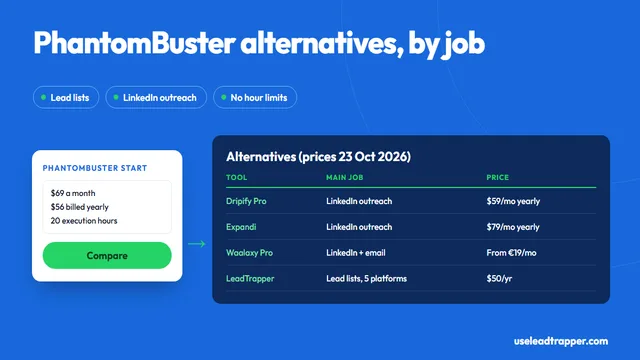
PhantomBuster Alternative: Lead Lists Without Hour Limits
PhantomBuster alternatives compared: Start, Grow and Scale prices, tools for its LinkedIn automation…
Read article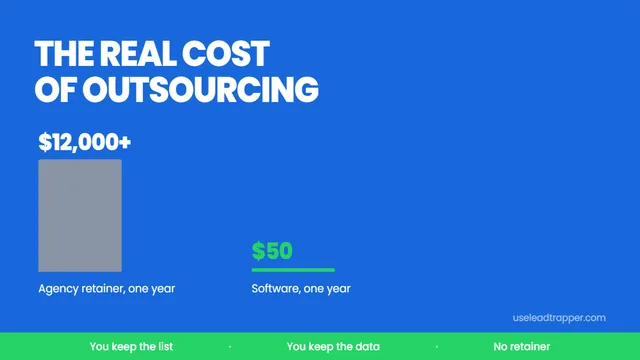
B2B Lead Generation Outsourcing: The Real Cost
B2B lead generation outsourcing costs $1,000-$5,000 a month. Here is what agencies actually deliver,…
Read articleEmail Finder for Business Websites
Every email, phone and WhatsApp number hundreds of websites publish, labelled and checked.
See the product