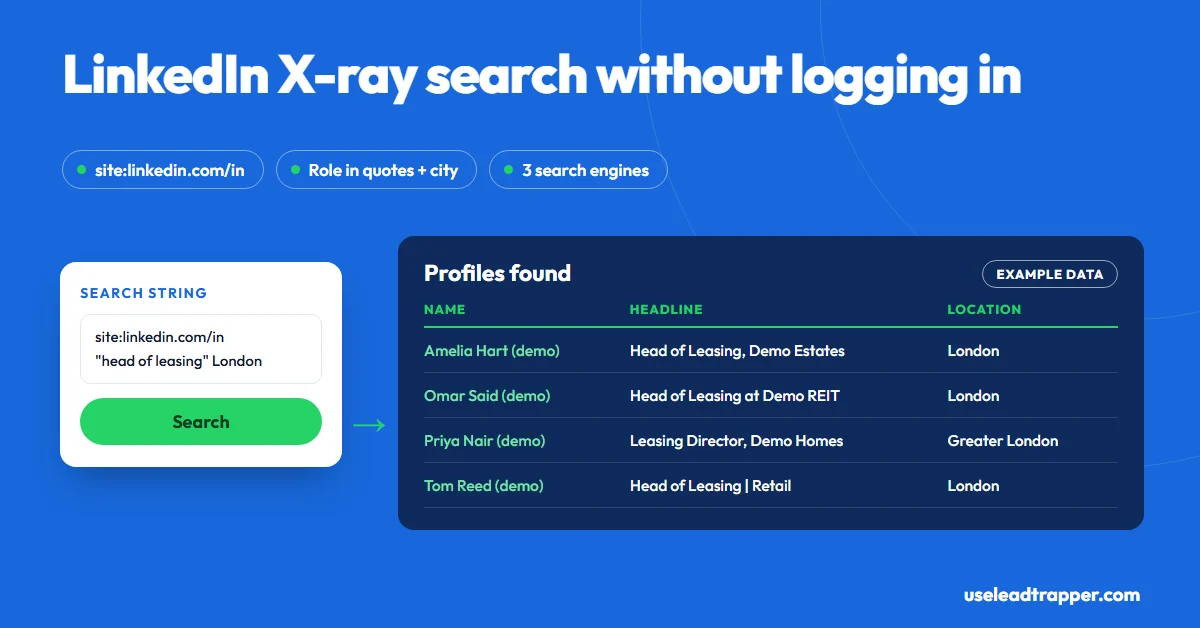
A LinkedIn X-ray search finds LinkedIn profiles through a search engine instead of LinkedIn. Type site:linkedin.com/in followed by a job title in quotes and a city, such as site:linkedin.com/in "procurement manager" Riyadh, into Google or Bing. You see public profiles without logging in. LeadTrapper runs the same search across Bing, Yahoo and DuckDuckGo and saves the results.
- An X-ray search uses a search engine's site: operator to list LinkedIn profile pages, so you can find people without a LinkedIn account or search limits.
- The core pattern is site:linkedin.com/in, then the role in quotes, then the place. Quotes force an exact phrase; OR (in capitals) widens; a minus sign removes words.
- You only see profiles the search engine has indexed and ranks for your words, and only what the result snippet shows. It finds people; it doesn't give you their contact details.
- LeadTrapper's Profile Search builds the same string from a keyword, a location and an optional job title, runs it across Bing, Yahoo and DuckDuckGo, then reads each profile's name, headline and location.
- Search engines limit how many results they show for one query, so several narrow searches beat one broad one.
A LinkedIn X-ray search finds LinkedIn profiles through a search engine instead of through LinkedIn itself. You type a string like site:linkedin.com/in "procurement manager" Riyadh into Google or Bing, and the results are LinkedIn profile pages that match. No login, no weekly search limit, no Sales Navigator. LeadTrapper’s LinkedIn scraper runs exactly this kind of search across three engines and saves the results as a list. This guide gives you the operators, twelve strings to copy, and the limits nobody mentions.
How X-Ray Search Works
Search engines index public LinkedIn profiles like any other web page. The page title usually carries the person’s name and headline, and the snippet below it shows their location and current role. The site: operator restricts results to one website, and adding /in restricts them to profile pages, skipping company pages, jobs and posts.
Everything after that is ordinary search. The engine matches your words against what it stored about each profile, ranks the closest matches first, and shows a page of results. You’re searching LinkedIn through a window the search engine opened.
The Operators That Matter
| Operator | Example | What it does |
|---|---|---|
site: |
site:linkedin.com/in |
Only profile pages on LinkedIn |
| Quotes | "head of procurement" |
The exact phrase, in that order |
OR |
"CFO" OR "finance director" |
Either term; must be in capitals |
| Minus | -recruiter |
Removes results with that word |
| Brackets | ("CTO" OR "VP engineering") |
Groups terms so OR applies to them only |
Quotes do most of the work. procurement manager matches profiles with both words anywhere; "procurement manager" matches the job title. Put the role in quotes and leave the city without them, because profiles write places in different ways.
12 Search Strings to Copy
Change the role and the city to yours. Each string works in Google and Bing.
By role and city
site:linkedin.com/in "operations manager" logistics Singaporesite:linkedin.com/in "head of procurement" Riyadhsite:linkedin.com/in "property manager" London -recruitersite:linkedin.com/in ("owner" OR "founder") "dental clinic" Toronto
By industry and seniority
site:linkedin.com/in ("CFO" OR "finance director") manufacturing Istanbulsite:linkedin.com/in "marketing director" ecommerce Berlinsite:linkedin.com/in "general manager" hotel Dubaisite:linkedin.com/in ("CTO" OR "head of engineering") fintech "São Paulo"
By company or skill
site:linkedin.com/in "at Acme" "sales manager"(replace Acme)site:linkedin.com/in "SAP" "supply chain" Mumbaisite:linkedin.com/in "real estate agent" Madrid -assistantsite:linkedin.com/in "import" "export" "manager" Mexico City
Where X-Ray Search Stops
X-ray search is good at one thing: telling you who holds a role in a place. It’s honest to know where it ends.
- Only indexed profiles. Members who turned off search engine visibility don’t appear, and the engine may not have indexed recent changes.
- Only a limited number of results. Search engines stop showing results after a certain depth for any one query. Five narrow searches find more distinct people than one broad search.
- Only the snippet. You see what the result shows: name, headline, often location. Opening many profiles in a row can bring up LinkedIn’s sign-in wall.
- No contact details. A profile page doesn’t show an email or phone to strangers. To reach the person, you go through their company. Our guide to finding an email from a LinkedIn profile covers how.
- Different engines, different results. Google, Bing and DuckDuckGo index and rank differently, so running the same string on more than one finds people the first missed.
Saving the Results as a List
Copying names out of search results works for a page or two. For a real territory, it’s slow and easy to get wrong.
LeadTrapper’s Profile Search does the same thing for you. You type a keyword, a location and, if it must match exactly, a job title. It builds the string in the same shape you’d type: keyword “property manager”, location “London” and job title “Head of Leasing” become site:linkedin.com/in property manager London "Head of Leasing". It sends that to DuckDuckGo, reads up to four pages of 20 results from Bing and from Yahoo, and keeps every link that starts with linkedin.com/in, stopping early when an engine runs out of new results.
It then opens each profile and reads the name, headline and location, scores how well each matches your words, and gives you a list to sort and export as CSV. You set Max Results from 1 to 1,000, and it waits 2 to 4 seconds between profiles, so 100 profiles take about five minutes. The search step reads search engines, not LinkedIn, so it doesn’t need your LinkedIn account. The full walkthrough is in our LinkedIn profile scraper guide.
| Approach | What you get | Cost |
|---|---|---|
| X-ray search by hand | Names and headlines from result pages | Free |
| Free string-builder websites | A ready-made search opened in Google | Free |
| LinkedIn Sales Navigator | LinkedIn’s own advanced search and lead lists | Core plan listed at $119.99 a month (checked 23 September 2026) |
| LeadTrapper Profile Search | The same search across 3 engines, each profile read and scored, exported to CSV | $50/year, all features |
The Rules
Searching Google or Bing is ordinary use of a search engine. Collecting LinkedIn profiles with software is something else: LinkedIn’s User Agreement bans scraping and automated access, and reading profile pages with a tool falls under that. The full picture, court cases included, is in does LinkedIn allow scraping. Profile data is also personal data under the GDPR and similar laws, so collect what you need for a real purpose and no more. This isn’t legal advice.
If you’d rather start from people you already know, our guide to exporting your LinkedIn connections to Excel uses LinkedIn’s own, permitted download.
Frequently Asked Questions
It's a search for LinkedIn profiles run on Google, Bing or another search engine instead of on LinkedIn. You use the site: operator, for example site:linkedin.com/in "marketing manager" Berlin, so the engine only returns LinkedIn profile pages that match your words.
Yes, through a search engine. An X-ray search lists public LinkedIn profiles that Google or Bing have indexed, and you can read the title and snippet without an account. Opening a profile may show a sign-in prompt after a few views, and LinkedIn's own people search does need an account.
Yes. Search engines still index public LinkedIn profiles, so site:linkedin.com/in searches return results. The number of results per query is limited by the search engine, and members who hide their profile from search engines won't appear.
Running a search on Google or Bing is ordinary use of a search engine. Automating the collection of LinkedIn profiles is a different matter: LinkedIn's User Agreement bans scraping, and reading profile pages with software is against those terms. Profile data is personal data under laws such as the GDPR. This isn't legal advice.
Several free websites build the search string for you and open it in Google. LeadTrapper goes further: its Profile Search builds the string, runs it across Bing, Yahoo and DuckDuckGo, collects the profile links and reads each profile's name, headline and location into a list you can export. It costs $50 a year with every feature.
About LeadTrapper
LeadTrapper is a Windows app for finding business leads and contacting them on WhatsApp. It collects business contacts from Google Maps, Instagram, Facebook, TikTok, LinkedIn and business websites, checks which numbers are on WhatsApp with its Number Filter, and sends personalised campaigns with automatic delays from one or more WhatsApp accounts. It also has a chatbot, a shared inbox for every account, and Store Orders for online shops. It installs from the Microsoft Store, and the full app is free for 14 days, then $50 a year. Free web tools, browser extensions and a Wix app are listed on the Free Tools page.
Turn an X-Ray Search Into a Prospect List
LinkedIn tools, the Google Maps scraper, Instagram and TikTok tools and the WhatsApp sender all come with LeadTrapper. $50/year — all features included.
Related Articles
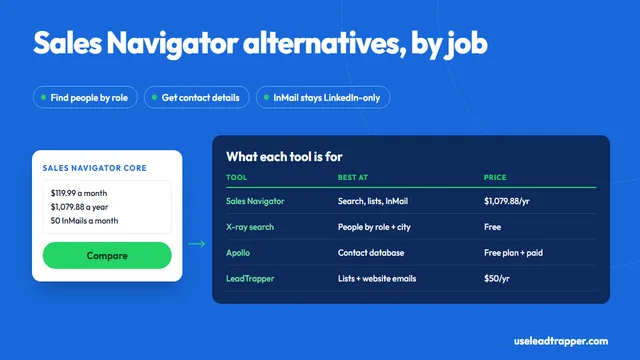
Sales Navigator Alternative: Cheaper Ways to Find Leads
Sales Navigator alternatives compared: what Core and Advanced cost, which tool replaces which featur…
Read article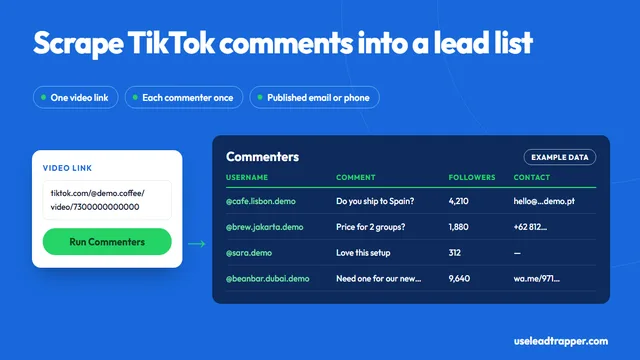
How to Scrape TikTok Comments Without Code
Scrape TikTok comments without code: paste a video link and export each commenter's profile, comment…
Read articleLinkedIn Scraper for Prospect Lists
Profiles by keyword, job title and city, with name, headline and location.
See the product