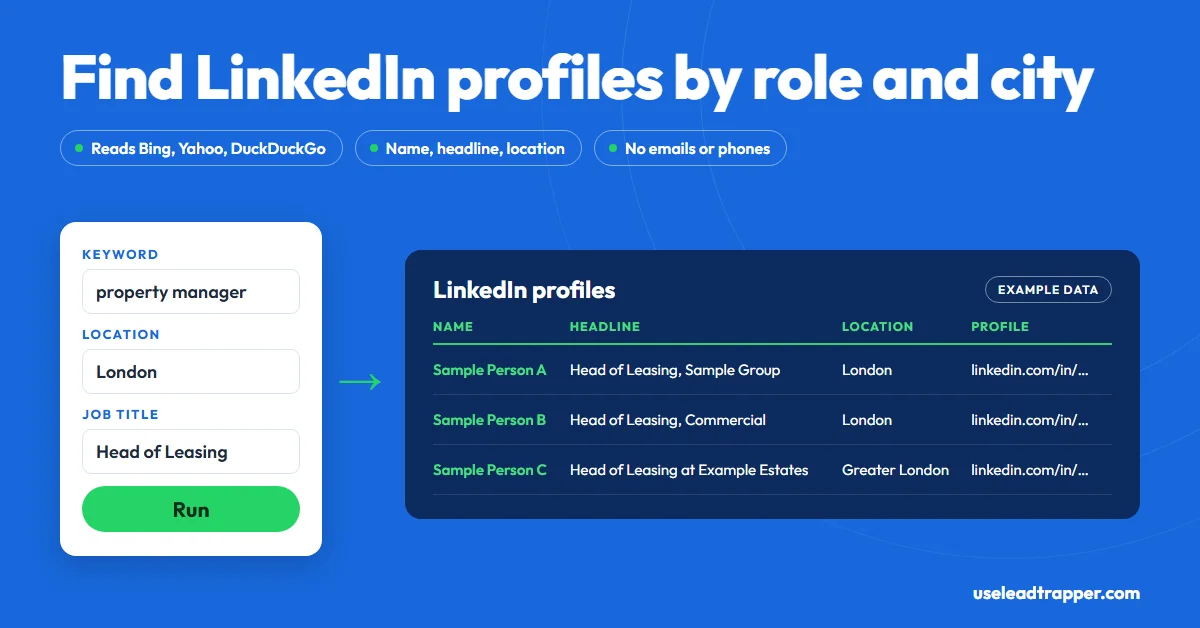
LeadTrapper's LinkedIn profile scraper finds profile links by keyword, job title and location through Bing, Yahoo and DuckDuckGo, then reads each profile's name, headline and location. It returns no emails or phone numbers. LinkedIn's User Agreement bans scraping, so the risk is yours.
- LeadTrapper's LinkedIn tools have three tabs: Profile Search (keyword, location and job title), Profile Scraper (a list of profile links you already have) and Lead Gen (search using your own LinkedIn session).
- Profile Search reads Bing, Yahoo and DuckDuckGo for linkedin.com/in links, so without a connected session it finds only what those search engines show.
- For each profile it reads the name, headline and location the page shows, and marks the row Verified profile or Partial when LinkedIn hides the page behind a sign-in wall.
- It returns no email addresses, no phone numbers, no followers or connections lists, no job posts and no company pages.
- LinkedIn's User Agreement bans scraping, and connecting your session puts that account at risk. The browser-based search pauses for 24 hours when LinkedIn shows a security check. This isn't legal advice.
A LinkedIn profile scraper turns a search such as “operations manager, logistics, Singapore” into a list of matching profiles. LeadTrapper’s LinkedIn profile scraper finds the profile links through Bing, Yahoo and DuckDuckGo, then reads each profile’s name, headline and location. That’s the whole output. It doesn’t return email addresses or phone numbers, and anyone promising those from LinkedIn alone is pulling them from somewhere else. This guide covers how the search works, what the export holds and the risks, checked against the code that runs it.
What a LinkedIn Profile Scraper Does
A LinkedIn profile scraper is a tool that collects LinkedIn profiles matching a role, industry or place and puts them into rows: who the person is, what their headline says they do, where they are, and the link to their profile. Sales teams use it to build a prospect list for a territory, and recruiters use it to map who holds a role in a city.
The value is the targeting. A list of every “Head of Procurement” in Riyadh, or every property manager in London, tells you who to look for. What it doesn’t give you is a way to contact them, which is why the last sections of this guide matter as much as the first.
Three Ways to Collect Profiles
| Tab | You give it | What it does |
|---|---|---|
| Profile Search | A keyword, a location, an optional job title, and Max Results (1 to 1,000) | Finds profile links through search engines, then reads each profile |
| Profile Scraper | A list of LinkedIn profile links, one per line | Reads each profile you paste |
| Lead Gen | A keyword, a location and your LinkedIn session cookie | Searches with your signed-in session as well as the search engines |
Profile Scraper suits lists you already have, such as profile links from an event attendee page, a spreadsheet a colleague built, or the URL column of your own LinkedIn connections export. Profile Search and Lead Gen start from nothing.
How It Finds Profiles
Profile Search builds a search engine query in the same shape you’d type yourself. A keyword of “property manager”, a location of “London” and a job title of “Head of Leasing” become:
site:linkedin.com/in property manager London "Head of Leasing"
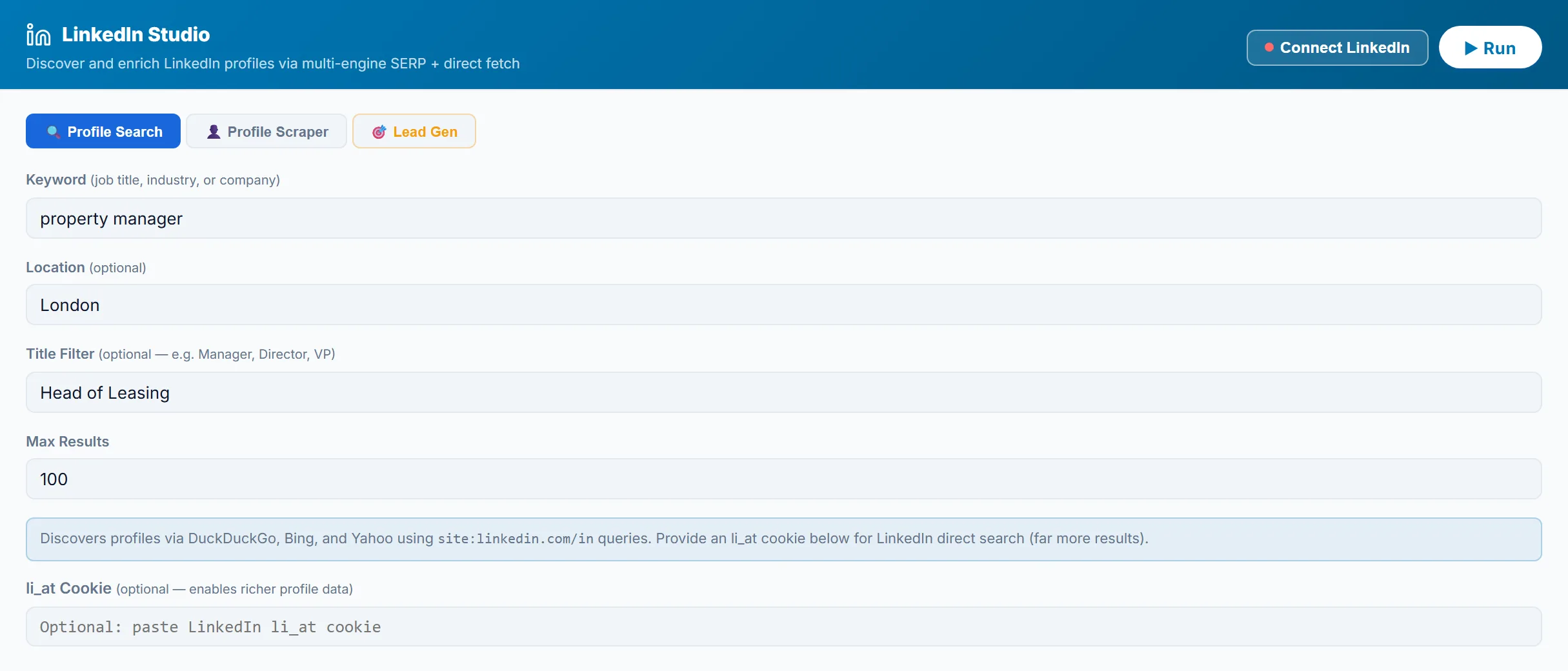
It’s the same technique as a manual LinkedIn X-ray search, run for you. The keyword and location match loosely, which finds more people. The job title goes in quotes, so it must appear as written. LeadTrapper sends that query to DuckDuckGo, then reads up to four pages of 20 results from Bing and from Yahoo, collecting every link that starts with linkedin.com/in and skipping company, jobs and other LinkedIn pages. It stops early when an engine runs out of new results.
That puts a ceiling on a search without your account: you get the profiles those search engines have indexed and rank for your words, not every matching member. Narrow searches in big cities, such as a specific title in Toronto or São Paulo, often do better than broad ones, because the engines rank close matches first.
With your LinkedIn session connected, either by signing in through Connect LinkedIn or by pasting your session cookie in Lead Gen, it also runs LinkedIn’s own people search, page by page, and then a browser-based search for anything still missing. That finds more people, and it’s the part of the tool that acts on LinkedIn as you. If LinkedIn shows a security check or a sign-in wall to the browser-based search, that search pauses for 24 hours.
What You Get Back
For every profile link, LeadTrapper loads the profile page and reads what it shows:
| Field | What it holds |
|---|---|
| Profile URL | The linkedin.com/in link |
| Name | The name on the profile, or a name guessed from the link if the page is hidden |
| Headline | The headline or job title the profile shows |
| Location | The city or area the profile shows, used in the score |
| Status | Verified profile when the page loaded, Partial when LinkedIn showed a sign-in wall instead |
| Score | Higher when the name looks real, the headline contains your keyword and the location matches yours |
Sort by score to put the closest matches at the top. Partial rows still have a working link, so you can open them yourself. The results table shows the name, headline, location, score and profile link, and the CSV export adds the same columns. Its email and phone columns stay empty, because the tool doesn’t collect them.
LeadTrapper waits 2 to 4 seconds between profiles, so 100 profiles take about five minutes plus loading time. It runs at most two LinkedIn searches at once.
Running Your First Search
- Open LinkedIn Studio in LeadTrapper and stay on Profile Search.
- Type a keyword for the industry or role, such as “logistics” or “dental clinic owner”.
- Type a location, such as Singapore, Berlin or Dubai.
- Add a job title only if it must match exactly, such as “Procurement Manager”.
- Set Max Results. A run of 50 to 100 tells you quickly whether the search is too broad or too narrow.
- Press Run, watch the progress, and export the CSV when it’s done.
Leave Connect LinkedIn alone for your first runs. You’ll see what the search engines alone return, and you can decide later whether more results are worth the risk to your account.
Free Scrapers, Extensions and APIs
The tools that rank for “LinkedIn scraper” fall into four groups. Open-source scripts in Python on GitHub are free and need coding, and they break when LinkedIn changes its pages. Chrome extensions read the LinkedIn pages you open while you’re signed in, so they work on your account by design, and many cap free exports. Cloud automation tools such as PhantomBuster run LinkedIn workflows for you, also on your account, for a monthly fee; our PhantomBuster alternatives guide compares them. Data APIs and datasets sell profile data that someone else collected, by the record or by subscription.
LeadTrapper’s search differs from extensions in one way that matters: while no session is connected, Profile Search reads search engines, not LinkedIn, so the discovery step doesn’t use your account at all. Reading the profile pages still means fetching LinkedIn pages. Once you connect a session, every search and profile read uses it.
The Risks, Briefly
LinkedIn’s User Agreement bans using software, scripts, robots, crawlers or browser add-ons to scrape or copy profiles, and LinkedIn has enforced that in court. The full picture, including the hiQ case and what LinkedIn does to accounts, is in does LinkedIn allow scraping.
LeadTrapper can’t tell you its LinkedIn tools are permitted, because under LinkedIn’s terms they aren’t. Profile data is also personal data under laws such as the GDPR, so collect what you need and no more. This isn’t legal advice.
Turning Profiles Into Conversations
A profile list tells you who works where. To reach them, you need the business, not the profile. Take the company from the headline, find its website, and look for the person there, as our guide to finding an email from a LinkedIn profile explains, or use the Email Finder to read the email addresses and phone numbers the business publishes. For local businesses, the Google Maps scraper goes straight to listings that already carry a phone number.
Once you have numbers, check them with the WhatsApp Number Filter before any campaign. And keep the first message about the person’s role and business, which is the reason you found them in the first place.
How It Compares
| Approach | What you get | Cost | Uses your LinkedIn account? |
|---|---|---|---|
| Searching by hand | Whatever you copy | Free | Yes, within LinkedIn’s rules |
| LinkedIn Sales Navigator | Advanced search, lead lists and messaging, inside LinkedIn | Core plan listed at $119.99 a month (checked 23 September 2026) | Yes, and it’s allowed |
| PhantomBuster | Automated LinkedIn workflows | Start plan $56 a month billed annually, $672 a year (checked 23 October 2026) | Yes |
| LeadTrapper LinkedIn tools | Profile link, name, headline, location and score | $50/year, all features | Only if you connect it; Profile Search reads search engines |
If you need to message people on LinkedIn at volume, Sales Navigator is the permitted tool, and our Sales Navigator alternatives guide shows which jobs cheaper tools can take over. If you want a quick list of who holds a role in a city, and plan to reach their businesses through other channels, LeadTrapper does that without signing in to your account unless you connect it. For other platforms, the TikTok scraping guide and the Instagram lead scraper guide cover tools that do read published contact details.
Frequently Asked Questions
There are free open-source scripts on GitHub and free tiers of some browser extensions, and searching by hand is free. They all fall under LinkedIn's ban on scraping, and free extensions usually cap exports. LeadTrapper isn't free: it costs $50 a year with every feature included, LinkedIn tools among them.
Technically, yes: profile links show up in ordinary search engine results, and profile pages can be read. Whether it's allowed is a different question. LinkedIn's User Agreement bans scraping, and LinkedIn enforces it in court and by restricting accounts. This isn't legal advice.
It can. LinkedIn says members who break its rules risk having their accounts restricted or shut down. The risk is highest when a tool runs on your signed-in account. LeadTrapper's Profile Search works without your account, and connecting your session is optional and adds that risk.
LeadTrapper's doesn't. It returns each profile's link, name, headline and location, and its export's email and phone columns stay empty. Tools that promise LinkedIn emails get them from other databases, not from the profile page.
No. It looks only for personal profile links, the ones that start with linkedin.com/in, and skips company, jobs and other LinkedIn pages. For job listings, LinkedIn's own job alerts are the permitted route.
No. Profile Search and Profile Scraper work without it, through search engines and public profile pages. Connecting your account, or pasting your session cookie in Lead Gen, adds LinkedIn's own people search and more results, and it's the step that puts your account at risk.
About LeadTrapper
LeadTrapper is a Windows app for finding business leads and contacting them on WhatsApp. It collects business contacts from Google Maps, Instagram, Facebook, TikTok, LinkedIn and business websites, checks which numbers are on WhatsApp with its Number Filter, and sends personalised campaigns with automatic delays from one or more WhatsApp accounts. It also has a chatbot, a shared inbox for every account, and Store Orders for online shops. It installs from the Microsoft Store, and the full app is free for 14 days, then $50 a year. Free web tools, browser extensions and a Wix app are listed on the Free Tools page.
Build a List of the Right People, Then Reach Their Businesses
LinkedIn tools, the Google Maps scraper, Instagram and TikTok tools and the WhatsApp sender all come with LeadTrapper. $50/year — all features included.
Related Articles
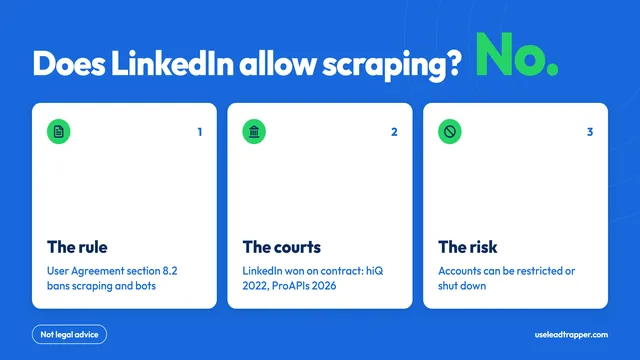
Does LinkedIn Allow Scraping? What Its Rules Say
No: LinkedIn's User Agreement bans scraping and bots. The rules, the court cases, what can happen to…
Read article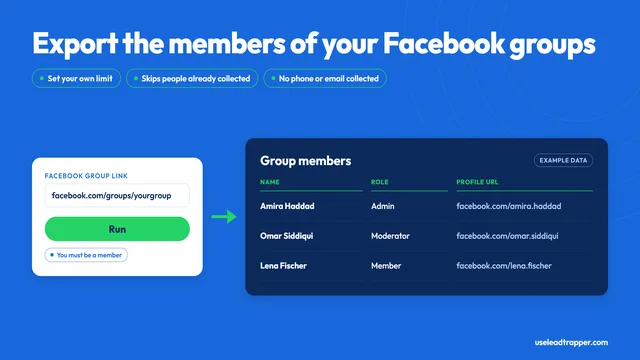
Facebook Group Members Scraper: What It Collects
LeadTrapper's Facebook group members scraper exports names, roles and profile links from a group you…
Read articleLinkedIn Scraper for Prospect Lists
Profiles by keyword, job title and city, with name, headline and location.
See the product