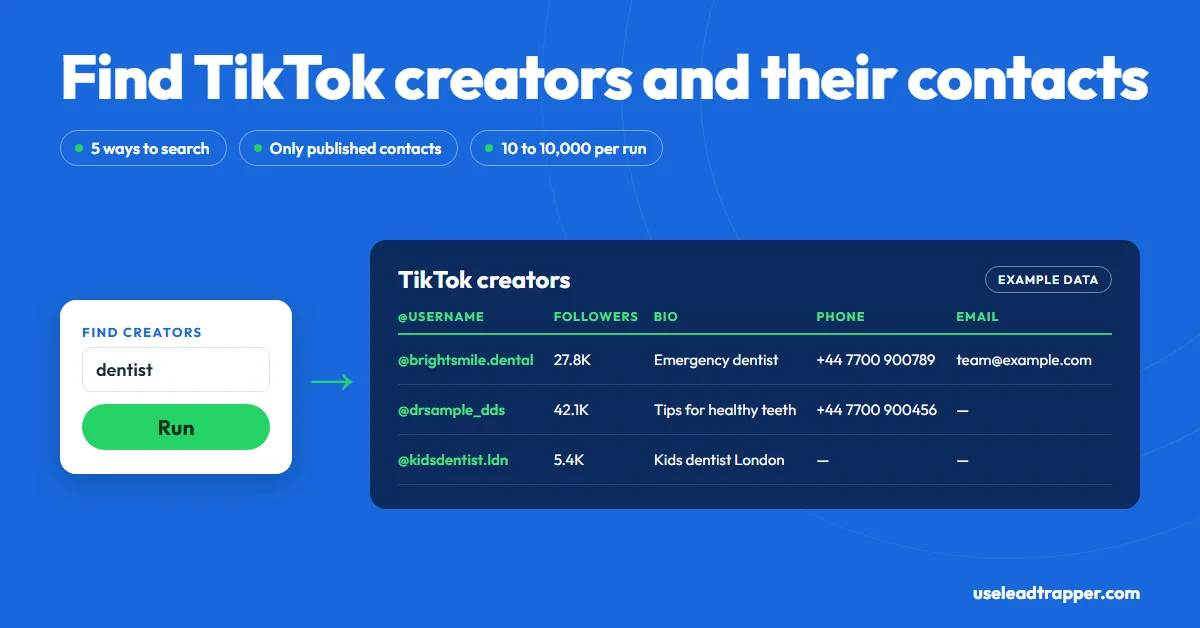
LeadTrapper scrapes TikTok without code. It finds creators by keyword, collects videos by hashtag, search phrase or username, and lists the people who commented on a video. It reads emails and phone numbers that profiles publish, and many publish none. TikTok's Terms ban automated collection, so the risk is yours.
- LeadTrapper's TikTok tools find leads five ways: creators by keyword, videos by hashtag, videos by search phrase, videos from usernames you name, and the people who commented on one video.
- For every new creator it finds, it opens the public profile page and looks for an email address, a WhatsApp link or a phone number. Many profiles publish none, so expect blank cells.
- You set the result limit, from 10 to 10,000 (100 by default), and can tick a box to skip videos collected in earlier runs.
- It runs in a visible browser window on your own Windows computer. If TikTok asks you to log in, you log in once in that window and later runs reuse it.
- TikTok's Terms of Service say you may not use automated scripts to collect information from TikTok. LeadTrapper can't give you that permission, so the risk is yours. This isn't legal advice.
You can scrape TikTok without writing code by using a desktop tool that runs the searches for you and fills a table. LeadTrapper’s TikTok scraper finds creators by keyword, collects videos by hashtag, search phrase or username, and lists the people who commented on a video. It then opens each creator’s public profile to look for an email, a WhatsApp link or a phone number. What it can’t do is invent contact details a profile doesn’t publish, and on TikTok plenty don’t. This guide covers what each mode returns, what the export holds, and the rules to know first, checked against the code that runs it.
What a TikTok Scraper Does
A TikTok scraper is a tool that searches TikTok for accounts or videos and copies what it finds into rows you can sort and export. For lead generation, the rows that matter are the creators behind the videos: their username, follower count, bio, the link in their bio, and any contact details they chose to publish.
Doing that by hand means scrolling a hashtag, opening one profile at a time and copying anything useful. That works for twenty profiles. It doesn’t work for a real estate agent in Toronto who wants every local agent posting under #torontorealestate, or a supplier in Mumbai looking for food creators who list a WhatsApp number.
Five Ways to Find TikTok Leads
| Tab | You give it | What you get |
|---|---|---|
| Find Creators | A keyword | Accounts from TikTok’s own account search whose username or display name matches |
| Hashtags | One or more hashtags, one per line | Videos posted under each hashtag, with the creator of each |
| Keywords | A search phrase | Videos from TikTok’s search results for that phrase, with their creators |
| Profiles | Exact TikTok usernames, one per line | Videos from each creator you name |
| Commenters | The link to one TikTok video | The people who commented on it |
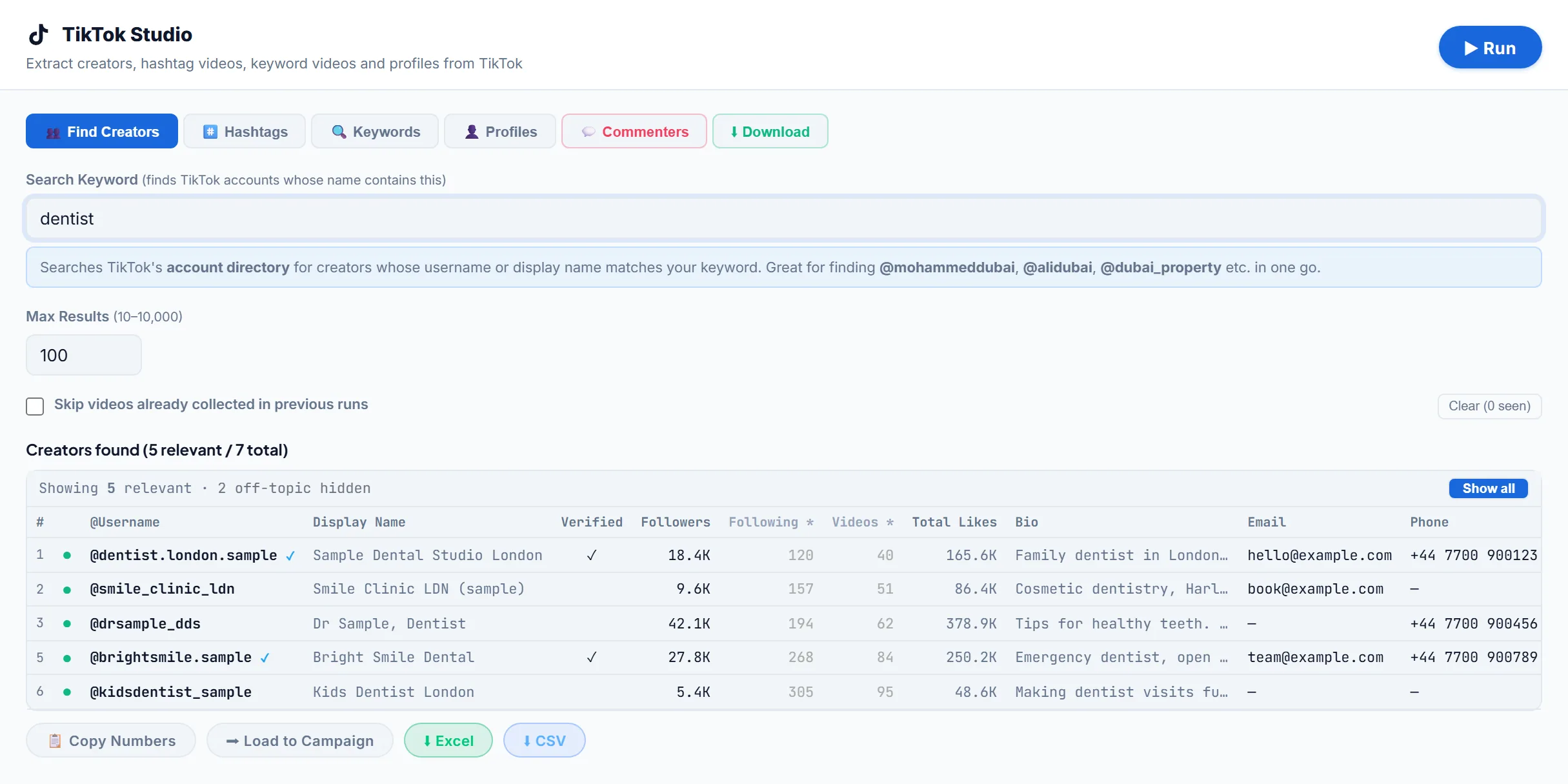
Find Creators is the quickest way to a list of accounts rather than videos. A keyword such as “dentist” returns accounts whose name contains it, which suits niches where businesses put their trade or city in the handle. The results table shows the relevant accounts first, those whose username, display name or bio contains your keyword, and hides the rest until you press Show all. With a phrase such as “dentist london”, an account counts as relevant when each word matches, and a city also matches its country or phone code, so a bio that says “UK” or a +44 number counts for London.
Hashtags and Keywords start from content. You get one row per video, so a busy creator can appear several times, and each row carries both the video’s numbers and the creator’s details. Spaces in a hashtag are removed for you, so “real estate” becomes #realestate. Our TikTok hashtag scraper guide shows how to read a hashtag export.
Profiles reads the videos of accounts you already know. If you type something that looks like a topic rather than a username, LeadTrapper warns you and points you to the Hashtags or Keywords tab.
Commenters works from the comment list, because TikTok doesn’t show who liked a video. It returns each commenter’s profile details with the first 120 characters of what they wrote. People commenting on a competitor’s video in your niche are often the warmest names on the list, and our guide to scraping TikTok comments shows how to pick the videos worth running.
How It Finds Emails and Phone Numbers
For every creator it hasn’t seen yet in the run, LeadTrapper loads the creator’s public TikTok page and looks for three things: an email address, a wa.me WhatsApp link, and a phone number written in international format, such as +44 or +971. A WhatsApp link wins over a plain number, because the creator put it there to be messaged. It checks five profiles at a time. In Find Creators, it also reads any email or phone number written in the bio text itself.
TikTok has no business email or phone field the way Instagram business accounts do, which LeadTrapper’s Instagram scraper reads. Contact details only exist where a creator typed them into the bio or the profile page shows them, so a run in most niches comes back with more blank contact cells than filled ones. Creators who want brand deals publish far more often, as our guide to finding a TikTok creator’s business email explains.
What You Get Back
The results export to Excel or CSV. Every row carries the creator’s details:
| Column | What it holds |
|---|---|
| Username, Display Name | The account handle and the name shown |
| Verified, Private | Whether TikTok marks the account verified, and whether it’s private |
| Followers, Following | The counts on the profile |
| Total Likes, Total Videos | The account’s lifetime likes and number of videos |
| Bio, Bio Link | The bio text and the link in bio |
| Email, Phone | Whatever the profile publishes, when found |
| Profile URL | A link to the profile |
Rows from the Hashtags, Keywords and Profiles tabs add the video itself: its link, caption, language, posting date, location tag, plays, likes, comments, shares and saves, its length, the sound used, its hashtags, and whether TikTok marks it as an ad, sponsored or pinned. Sorting by plays or comments is a fast way to see which creators in a niche actually get attention.
Running Your First Search
- Open TikTok Studio in LeadTrapper and pick a tab.
- Type your keyword, hashtags, usernames or video link.
- Set Max Results. Start with 100 to see what the niche returns.
- Tick Skip videos already collected in previous runs if you run overlapping searches. The Clear button next to it resets that memory.
- Press Run. A browser window opens and works through TikTok while the progress bar counts results. Stop keeps what it has collected so far.
- Export to Excel or CSV, or press Load to Campaign.
The same TikTok Studio also has a Video Download tab for saving videos as MP4 files, covered in our guide to the TikTok video downloader without watermark.
The browser window keeps its own TikTok session on your computer, separate from your everyday browser. If a run finishes with no results, LeadTrapper tells you TikTok may want a login: log in inside that window and run it again. If TikTok shows its own error page in the window instead of results, press Stop and try again later. When TikTok is blocking requests, waiting about 30 minutes before retrying is what LeadTrapper suggests.
Free Options: GitHub, Python and Extensions
Search “TikTok scraper” and most of what comes back is for developers: Python and npm libraries on GitHub, scraping APIs, and cloud tools you call with a key. They’re free or cheap per result, and they’re the right choice if you write code and want raw data in your own pipeline. The catch is upkeep. TikTok changes how its pages load often, and an open-source scraper only works until the next change and the next fix.
Browser extensions sit in the middle. They read the page you’re looking at, which keeps them simple, but most stop at what’s on screen and don’t open each profile to look for contact details. A desktop tool like LeadTrapper does the clicking and scrolling for you, keeps results across runs, and hands phone numbers straight to a WhatsApp campaign, which is the part none of the free options cover.
Does TikTok Allow Scraping?
No. TikTok’s Terms of Service (the version for most countries, last updated 1 December 2025) list using “automated scripts to collect information from or otherwise interact with the Services” among the things you may not do, and say TikTok can terminate accounts or limit access for it. LeadTrapper can’t grant a permission TikTok doesn’t give, so the risk of using it, or any scraper, is yours.
LeadTrapper paces itself rather than firing requests as fast as it can: it waits 2 to 4 seconds between hashtags or usernames and reads only five profiles at once. That lowers the load it puts on TikTok and doesn’t make scraping permitted. Contact details you collect can also be personal data under privacy laws such as the GDPR, so think about how you store and use them. Other platforms are stricter in different ways, as does LinkedIn allow scraping explains. This isn’t legal advice.
From TikTok Leads to WhatsApp
Copy Numbers copies the phone numbers found, and Load to Campaign puts them straight into Campaign Builder, the start of the WhatsApp bulk sender. Only rows with a phone number load, and they arrive without names, so add a name column from the export if your message uses one.
Numbers written into bios are often old, landlines, or not on WhatsApp at all. Running the list through the WhatsApp Number Filter first removes the ones that aren’t registered, which keeps your sending account’s failure rate down. And a number published in a bio isn’t consent to a sales message: keep the first message short, relevant to what the creator posts, and easy to say no to.
How It Compares
| Approach | What you get | Cost | Notes |
|---|---|---|---|
| By hand | Whatever you copy | Free | Fine for a few dozen profiles |
| Python or npm libraries from GitHub | Raw profile and video data | Free | You write, run and repair the code |
| Apify TikTok Scraper | Profiles, videos, hashtags and comments | From $1.70 per 1,000 results (checked 23 October 2026) | Its page says it doesn’t extract private data such as email addresses |
| LeadTrapper TikTok scraper | Creators, videos and commenters, plus emails and phones where published | $50/year, all features | Runs on your Windows computer; loads numbers into a WhatsApp campaign |
If you’re weighing this against paid lead ads, TikTok lead generation compares the two routes. If you want TikTok creators in a niche, with whatever contacts they publish, in a table you can check and message from the same tool, this is the shorter path. If you need the raw data in your own code, a library or an API fits better. And if the businesses you want list themselves on maps rather than TikTok, the Google Maps scraper guide covers that side, while the Instagram lead scraper guide covers the platform where business contact fields are built in.
Frequently Asked Questions
Yes, if you can code. Free Python and npm libraries on GitHub read TikTok data, but you run and repair them yourself whenever TikTok changes its site. Cloud tools such as Apify charge per result, from $1.70 per 1,000 for its TikTok Scraper. LeadTrapper isn't free: it costs $50 a year with every feature included.
No. TikTok's Terms of Service list using 'automated scripts to collect information from or otherwise interact with the Services' among the things you may not do. LeadTrapper can't grant permission TikTok doesn't give, so the risk of using any scraper is yours. This isn't legal advice.
Only the ones creators publish. LeadTrapper opens each new creator's public profile page and looks for an email address, a WhatsApp link or a phone number written in the bio. TikTok doesn't show a business email or phone field the way Instagram does, so many rows come back with neither.
Not always. LeadTrapper opens TikTok in its own browser window, and some searches work without an account. If a run finishes with no results, LeadTrapper asks you to log in in that window and try again. The window keeps its own saved session on your computer, so you log in once.
You choose a limit from 10 to 10,000, with 100 as the default. A run stops when it reaches your limit or when TikTok stops returning new videos or accounts, so the limit is a ceiling, not a promise.
No. LeadTrapper's Commenters tab collects the people who commented on a video, with their profile details, the first 120 characters of their comment, and any email or phone number published on their profile. TikTok doesn't show who liked a video.
About LeadTrapper
LeadTrapper is a Windows app for finding business leads and contacting them on WhatsApp. It collects business contacts from Google Maps, Instagram, Facebook, TikTok, LinkedIn and business websites, checks which numbers are on WhatsApp with its Number Filter, and sends personalised campaigns with automatic delays from one or more WhatsApp accounts. It also has a chatbot, a shared inbox for every account, and Store Orders for online shops. It installs from the Microsoft Store, and the full app is free for 14 days, then $50 a year. Free web tools, browser extensions and a Wix app are listed on the Free Tools page.
Turn TikTok Searches Into a Contact List You Can Check and Message
The TikTok scraper, Instagram tools, Google Maps scraper and WhatsApp sender all come with LeadTrapper. $50/year — all features included.
Related Articles
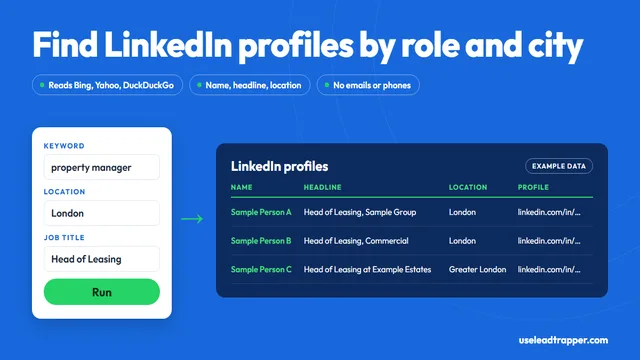
LinkedIn Profile Scraper: What It Finds and the Risks
LeadTrapper's LinkedIn profile scraper finds profiles by keyword, job title and city, then reads nam…
Read article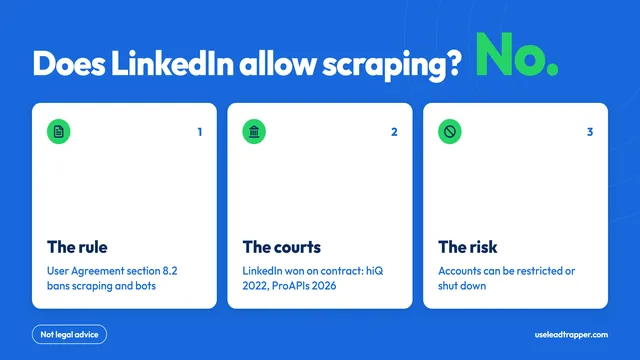
Does LinkedIn Allow Scraping? What Its Rules Say
No: LinkedIn's User Agreement bans scraping and bots. The rules, the court cases, what can happen to…
Read articleTikTok Scraper for Business Leads
Creators by keyword, hashtag or username, with the emails and phones they publish.
See the product