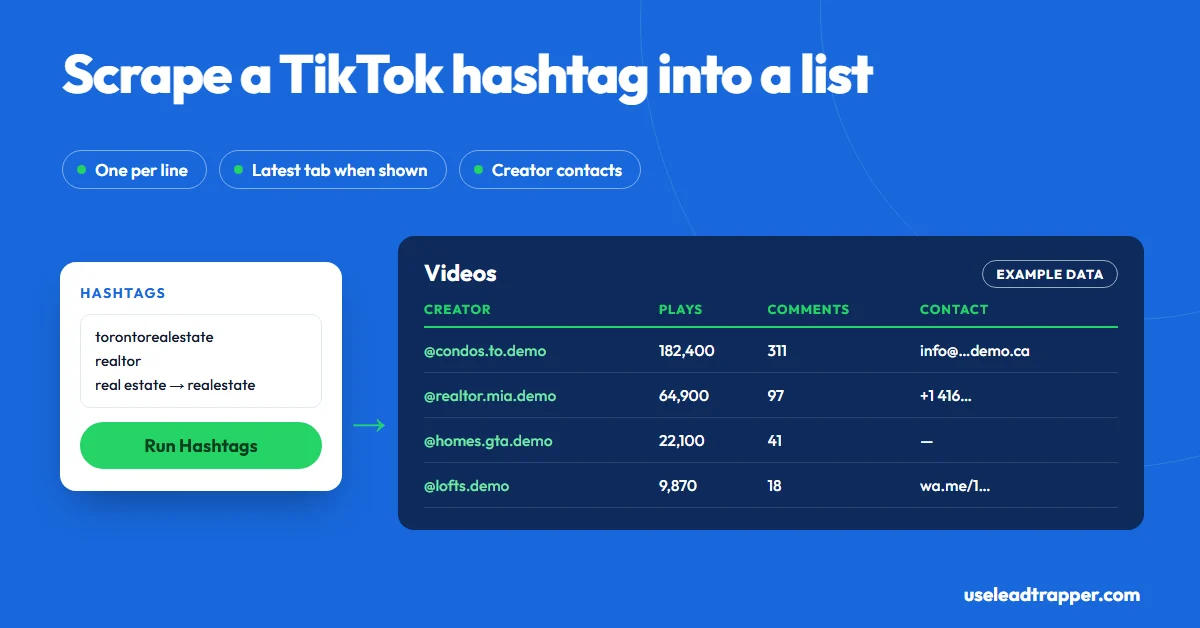
A TikTok hashtag scraper opens a hashtag's page and copies every video it loads into rows. LeadTrapper's Hashtags tab takes one or more hashtags, switches to TikTok's Latest tab when it's shown, and exports each video's plays, likes, comments, shares, caption and date with its creator's followers, bio and any published email or phone.
- LeadTrapper's Hashtags tab takes one or more hashtags, one per line, and removes spaces for you, so 'real estate' becomes #realestate.
- TikTok's hashtag pages open on a Top tab of popular videos; LeadTrapper switches to the Latest tab when TikTok shows one, so you see more than the curated set.
- You get one row per video: link, caption, date, language, location tag, plays, likes, comments, shares, saves, length, sound, hashtags and ad or pinned flags, plus the creator's details.
- For every new creator it reads the public profile for an email, a WhatsApp link or a phone number. Many creators publish none.
- Max Results runs from 10 to 10,000, a checkbox skips videos you collected before, and it waits 2 to 4 seconds between hashtags.
A TikTok hashtag scraper opens a hashtag’s page, scrolls through the videos, and copies each one into a row you can sort. LeadTrapper’s TikTok scraper does this on its Hashtags tab: type one or more hashtags, and it exports every video’s plays, likes, comments, caption and date, together with the creator behind it and any email or phone number their profile publishes. This guide covers how it reads a hashtag, what each row holds, and how to read the results, checked against the code that runs it.
What a Hashtag Scraper Is For
Hashtags are how TikTok groups content by topic, and the people who post under a niche hashtag are telling you what they do. A mortgage broker in Toronto can scrape #torontorealestate and find the agents posting listings every week. A catering company in Riyadh can scrape #riyadhevents to find event planners. A brand in Madrid can scrape #madridfood to see which creators get real views, not just followers.
The other use is research. Export a hashtag, sort by plays, and you see which videos worked in your niche this month, how long they were, what sound they used, and what else they were tagged with.
How LeadTrapper Reads a Hashtag
For each hashtag you enter, LeadTrapper opens the hashtag’s page on TikTok in its own browser window and collects the videos as TikTok loads them. A few details matter:
- Spaces are removed. “real estate” becomes #realestate, because hashtags can’t contain spaces.
- Latest, not just Top. TikTok opens hashtag pages on a Top tab of popular videos. When TikTok shows a Latest tab, LeadTrapper switches to it, so the run isn’t limited to the curated set.
- Several hashtags in one run. Put one per line. It waits 2 to 4 seconds between hashtags rather than firing them all at once.
- Creators get a second look. For every creator it hasn’t seen in the run, it opens their public profile and looks for an email, a
wa.meWhatsApp link and a phone number in international format, five profiles at a time.
What You Get for Each Video
One row per video, with the video’s numbers and its creator’s details:
| Group | Columns |
|---|---|
| The video | Link, caption, posting date, language, location tag, length, sound, hashtags |
| Its numbers | Plays, likes, comments, shares, saves |
| Flags | Whether TikTok marks it as an ad, sponsored or pinned |
| The creator | Username, display name, followers, following, total likes, videos, verified, private |
| Contacts | Bio, bio link, and the email and phone the profile publishes, when found |
Exports go to Excel or CSV. Copy Numbers copies the phone numbers found, and Load to Campaign sends them to the WhatsApp bulk sender.
Running It Step by Step
- Open TikTok Studio in LeadTrapper and choose Hashtags.
- Type your hashtags, one per line, with or without the #.
- Set Max Results, from 10 to 10,000. Start with 100 per hashtag to judge the niche.
- Tick Skip videos already collected in previous runs if you scrape the same hashtags weekly. Clear resets that memory.
- Press Run and watch the counter. Stop keeps what it has so far.
- Export, or load the numbers into a campaign.
If a run returns nothing, TikTok may want a login: sign in once in LeadTrapper’s TikTok window and run it again. That window keeps its own session, separate from your normal browser.
Reading the Results
A raw hashtag export is noisy. Four sorts turn it into something useful:
- By plays, to see which videos and creators the niche actually watches.
- By comments, to find videos that start conversations. Run the busiest through the Commenters tab to list the people asking questions; our guide to scraping TikTok comments explains how.
- By username, to group creators who post often under the tag. Several rows from one creator means they’re committed to the niche.
- By email or phone, to keep only creators who publish a way to reach them. If you want to pitch them, our guide to finding a TikTok creator’s business email covers the first message.
The Hashtags column is a research tool of its own. Count which other tags appear most often alongside yours, and you have your next hashtags to scrape.
Limits and Rules
The scraper collects what TikTok loads for each hashtag, so a run ends at your limit or when TikTok stops returning new videos. Very large hashtags never really end; small local ones may give you a few dozen videos. Contact details exist only where creators published them, and in most niches that’s a minority.
TikTok’s Terms of Service forbid using automated scripts to collect information from TikTok, so using any hashtag scraper is against TikTok’s rules and the risk is yours. If you sign in inside LeadTrapper’s window, the runs use that account, so use one you can afford to have limited. Contacts you collect can be personal data under the GDPR and similar laws. This isn’t legal advice.
How It Compares
| Approach | What you get | Cost | Notes |
|---|---|---|---|
| Scrolling the hashtag yourself | What you note down | Free | Fine for a quick look |
| Python libraries from GitHub | Raw hashtag feed data | Free | You write and repair the code |
| Apify TikTok Scraper | Videos and profiles through an API | From $1.70 per 1,000 results (checked 23 October 2026) | For developers; its page says it doesn’t extract private data such as emails |
| LeadTrapper Hashtags tab | Videos with numbers and creators, plus published emails and phones | $50/year, all features | Windows app; numbers load into WhatsApp |
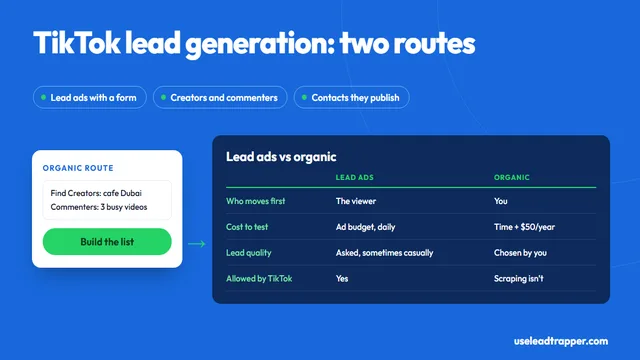
Hashtags are one of five ways LeadTrapper finds TikTok leads. The others, from creator search to usernames you name, are in our guide to how to scrape TikTok, and TikTok lead generation sets this approach against paid lead ads.
Frequently Asked Questions
In LeadTrapper, open TikTok Studio, choose the Hashtags tab, type one or more hashtags one per line, set Max Results and press Run. A browser window opens each hashtag page and collects the videos as it scrolls. Export the result to Excel or CSV.
For coders, free Python libraries on GitHub read hashtag feeds, but you maintain them when TikTok changes. Cloud tools such as Apify charge per result; its TikTok Scraper starts at $1.70 per 1,000 results (checked 23 October 2026). LeadTrapper costs $50 a year with every feature after a 14-day free trial.
Not directly. It collects the videos under hashtags you choose. Sorting those videos by plays, or by date, shows which posts and creators get attention under each hashtag, and the Hashtags column shows which other tags they use, which is a good way to find related hashtags.
Because the Hashtags tab returns one row per video, and a busy creator can post several videos under the same hashtag. Sort or filter by username to group them, or use the Find Creators tab when you want one row per account.
No. TikTok's Terms of Service forbid using automated scripts to collect information from TikTok. LeadTrapper can't give you that permission, so the risk is yours. This isn't legal advice.
About LeadTrapper
LeadTrapper is a Windows app for finding business leads and contacting them on WhatsApp. It collects business contacts from Google Maps, Instagram, Facebook, TikTok, LinkedIn and business websites, checks which numbers are on WhatsApp with its Number Filter, and sends personalised campaigns with automatic delays from one or more WhatsApp accounts. It also has a chatbot, a shared inbox for every account, and Store Orders for online shops. It installs from the Microsoft Store, and the full app is free for 14 days, then $50 a year. Free web tools, browser extensions and a Wix app are listed on the Free Tools page.
Turn Any Hashtag Into a List of Creators You Can Contact
The TikTok scraper, Instagram tools, Google Maps scraper and WhatsApp sender all come with LeadTrapper. $50/year — all features included.
Related Articles
TikTok Lead Generation: Ads vs Finding Leads Yourself
TikTok lead generation compared: lead ads with Instant Forms versus finding creators and commenters…
Read article
TikTok Video Downloader Without Watermark (HD, Bulk)
Download TikTok videos without the watermark in HD or SD, one link or a whole list, and repost your…
Read articleTikTok Scraper for Business Leads
Creators by keyword, hashtag or username, with the emails and phones they publish.
See the product