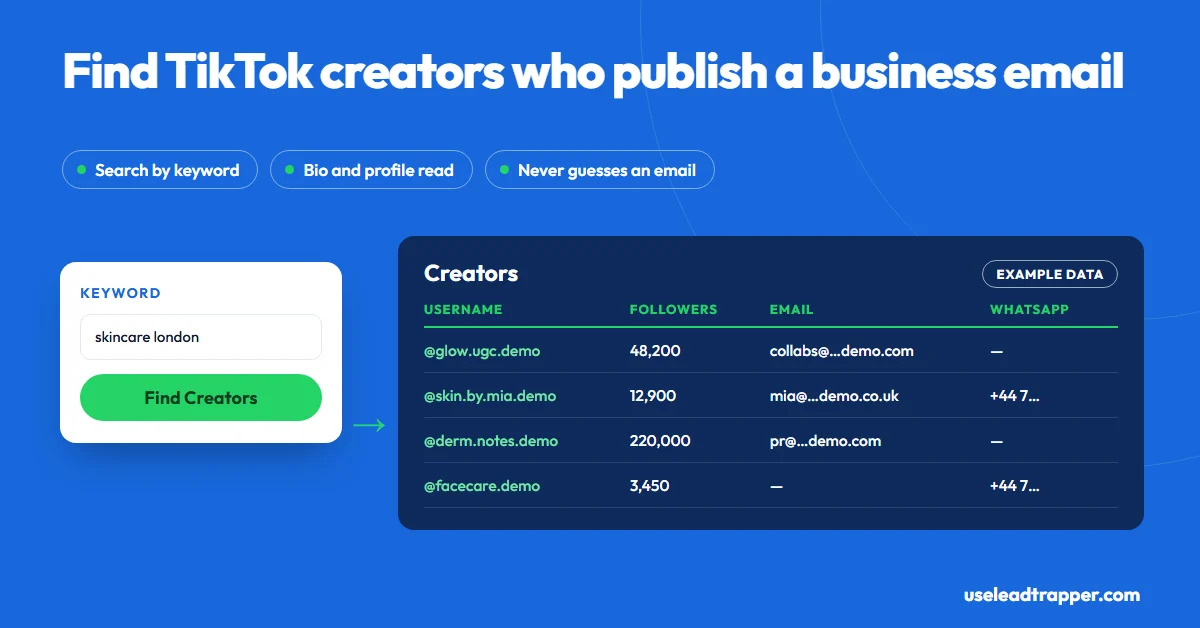
Creators who want brand deals publish a business email in their bio, on their profile, or on the page their bio link opens. Check those three places by hand for a few creators. For a whole niche, LeadTrapper's TikTok scraper finds creators by keyword or hashtag and reads the emails, WhatsApp links and phone numbers their public profiles show.
- A creator's business email is only findable if the creator published it: in the bio, on the profile page, or on the page their bio link opens. No honest tool can reveal the private email behind an account.
- LeadTrapper's Find Creators tab searches TikTok's account search by keyword. The results put creators whose username, display name or bio match your keyword first.
- For each new creator it opens the public profile and looks for an email, a WhatsApp link or a phone number. In Find Creators it also reads any email or phone written in the bio text.
- The Profiles tab works from usernames you already have, one per line, so you can check a shortlist of creators in one run.
- Treat a published email as an invitation to pitch work, not to add someone to a newsletter. A short, specific first message gets answers; a template doesn't.
The only TikTok creator emails worth having are the ones creators publish, because those creators want to hear from brands. They put the address in their bio, behind the email button business accounts can add, or on the page their bio link opens. Checking that by hand works for ten creators. For a whole niche, LeadTrapper’s TikTok scraper finds the creators by keyword and reads the email, WhatsApp link or phone number each public profile shows. This guide covers both, and how to write a first message that gets a reply.
Where Creators Publish a Business Email
There are three places, and creators who do brand work usually use at least one:
| Place | What you’ll see |
|---|---|
| Bio text | “📩 collabs@…” or “business: name@gmail.com”, often with an emoji |
| Email button | A contact button that business accounts can add, shown next to the bio in the TikTok app |
| Bio link page | A link-in-bio page or the creator’s own site, often with an email or a “work with me” form |
Some creators write the address in a way that stops robots, such as “name [at] gmail [dot] com”. It’s still published; type it out properly before you use it.
Checking One Creator by Hand
- Open the creator’s profile in the TikTok app, where business contact buttons show.
- Read the bio for an address or a word like “business”, “collabs” or “PR”.
- Tap the bio link and look for an email, a contact page or a booking form. If it opens a business website, the Email Finder reads its Contact and About pages for you.
- Check their Instagram or YouTube if they link one. Instagram business profiles have a built-in email field that many creators fill in, and LeadTrapper’s Instagram scraper reads it.
That takes about two minutes per creator. Fine for a shortlist of ten, slow for a campaign that needs fifty creators in São Paulo, Manila and Madrid.
Finding Emails for a Whole Niche
LeadTrapper’s TikTok tools start from the niche instead of the creator. Two tabs matter here:
- Find Creators takes a keyword, such as “skincare” or “Dubai food”, and searches TikTok’s own account search. The table shows the relevant accounts first, those whose username, display name or bio contains your words, and hides the rest until you press Show all.
- Profiles takes usernames you already have, one per line. Use it for a shortlist a colleague sent, or for creators you found by hand.
For every creator it hasn’t seen in the run, LeadTrapper opens the public TikTok page and looks for an email address, a wa.me WhatsApp link and a phone number written in international format, five profiles at a time. In Find Creators it also reads any email or phone typed into the bio text. Each row carries the creator’s followers, total likes, number of videos, bio and bio link, so you can sort by size and skip accounts that are too big for your budget.
Export to Excel or CSV for your email tool. Phone and WhatsApp numbers can go to the WhatsApp bulk sender with Load to Campaign, though for creators an email pitch is usually the better first step.
Searching Like a Brand, Not a Viewer
A keyword such as “makeup” returns accounts with “makeup” in their name, most of them hobbyists. Creators who want paid work describe themselves differently. Try the words they put in their own handles and bios:
- Role words: “UGC”, “creator”, “content creator”, “influencer”
- Niche plus place: “Toronto food”, “Mumbai fashion”, “Berlin fitness”
- Service words: “reviews”, “unboxing”, “makeup artist”
A phrase with a city also matches a bio that names the country or uses that country’s phone code, so “fitness london” counts a bio that says “UK” or shows a +44 number. If you’d rather start from content, the Hashtags and Keywords tabs collect videos with their creators, and our guide to how to scrape TikTok explains every mode.
When There's No Email
Many creators publish nothing, and that is an answer in itself: they probably don’t want unsolicited offers. For the ones you really want, there are polite routes left:
- TikTok’s own creator marketplace. TikTok runs a platform for brands and creators to find each other and agree deals, which is the permitted way to reach creators who list themselves there.
- A direct message on TikTok. Short, specific, and only once.
- Their other platforms. An Instagram business profile or a YouTube “About” page often has the email TikTok doesn’t.
People who comment under a creator’s videos are a different list: the audience, not the creator. If that’s who you want, see how to scrape TikTok comments.
Writing the First Message
Creators with a business email get a lot of vague offers. Specific ones stand out. A good first email does four things in under 120 words:
- Says who you are and what you sell, in one line.
- Names one of their videos and why it fits.
- Says what you’d like them to make: one video, a series, a review.
- States the budget or the product you’re offering, and the timeline.
Send it from a real address, not a no-reply. In the EU and UK, a named creator’s email is personal data under the GDPR, so pitch only work that fits what they publish and stop if they say no. Contacting them about their business, using an address they published for business, is the reasonable use. This isn’t legal advice.
How the Options Compare
| Approach | What you get | Cost | Notes |
|---|---|---|---|
| Checking profiles by hand | Whatever each profile shows | Free | Fine for 10 to 20 creators |
| TikTok’s creator marketplace | Creators who opted in, with campaign tools | Varies by market and programme | The official route; only covers creators who joined |
| Single-lookup websites | One profile at a time | Often free with limits | Quality varies; check the source of any email |
| LeadTrapper TikTok scraper | Creators by keyword or username, with published email, WhatsApp and phone | $50/year, all features | Windows app; never reveals private emails |
If your campaign also targets Instagram creators, the Instagram lead scraper guide covers a platform where business emails are a built-in profile field. And for a wider view of TikTok as a source of customers, read TikTok lead generation.
Frequently Asked Questions
Open their profile and look at the bio, the email button that business accounts can add, and the page their bio link opens, often a link-in-bio page that lists an email. To check many usernames at once, paste them one per line into LeadTrapper's Profiles tab, which reads each public profile for an email, a WhatsApp link or a phone number.
No, and you shouldn't try. The email a person signed up with is private. Tools that claim to reveal it are guessing or using leaked data. LeadTrapper only reads contact details a creator chose to publish on their public profile.
Checking profiles by hand is free and fine for a short list. Some websites offer free single lookups. LeadTrapper isn't free: it costs $50 a year with every feature after a 14-day free trial, and it checks a whole niche in one run instead of one creator at a time.
TikTok has no required contact field, and many creators don't want brand messages. Creators who sell services or want sponsorships publish one far more often, so search by the words they use about themselves, such as 'UGC creator', 'collabs' or a city name, rather than by topic alone.
Who you are, why you picked them (name a video), what you'd like them to make, and the budget or the product you're offering. Keep it under 120 words. Creators who publish a business email get many vague offers, and specific ones stand out.
About LeadTrapper
LeadTrapper is a Windows app for finding business leads and contacting them on WhatsApp. It collects business contacts from Google Maps, Instagram, Facebook, TikTok, LinkedIn and business websites, checks which numbers are on WhatsApp with its Number Filter, and sends personalised campaigns with automatic delays from one or more WhatsApp accounts. It also has a chatbot, a shared inbox for every account, and Store Orders for online shops. It installs from the Microsoft Store, and the full app is free for 14 days, then $50 a year. Free web tools, browser extensions and a Wix app are listed on the Free Tools page.
Build a List of Creators Who Publish a Business Email
The TikTok scraper, Instagram tools, Google Maps scraper and WhatsApp sender all come with LeadTrapper. $50/year — all features included.
Related Articles
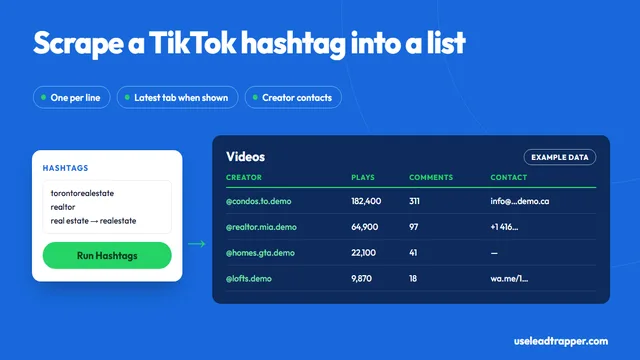
TikTok Hashtag Scraper: Export Videos and Creators
Scrape TikTok hashtags without code: export each video's plays, likes and caption with the creator's…
Read article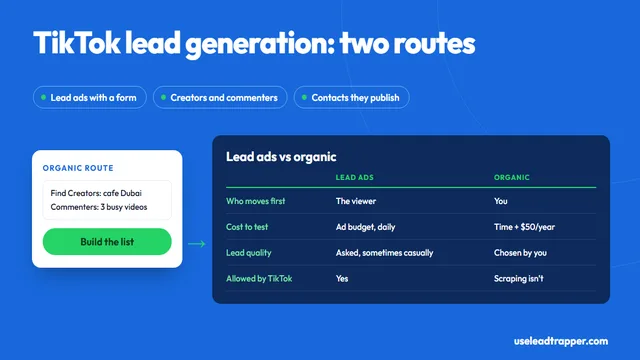
TikTok Lead Generation: Ads vs Finding Leads Yourself
TikTok lead generation compared: lead ads with Instant Forms versus finding creators and commenters…
Read articleTikTok Scraper for Business Leads
Creators by keyword, hashtag or username, with the emails and phones they publish.
See the product