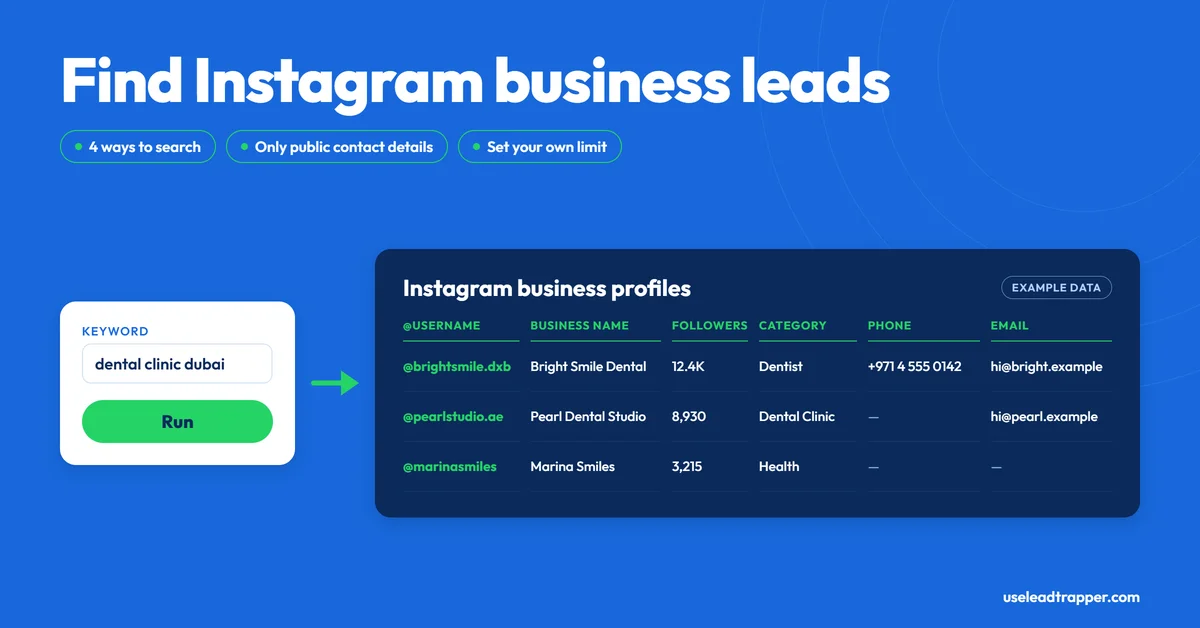
- LeadTrapper finds Instagram business profiles four ways: by hashtag, by keyword, from a list of usernames, or in Lead Gen mode, which opens each profile to read its contact details.
- It reads only what a profile publishes: an email, a phone number, a WhatsApp link, or a contact page behind a link in bio. Many profiles publish none, so expect blanks.
- You set the result limit (100 by default, 10 to 5,000), and you can keep or drop profiles by keyword, with Arabic and English handled.
- It skips profiles it collected in earlier runs. Clear DB in the Instagram tools wipes that memory.
- Instagram's Terms prohibit automated data collection without its permission, and LeadTrapper's Instagram tools run signed in to your account. The Instagram search tools pause themselves for 2 hours when Instagram pushes back, but that reduces the risk rather than removing it.
An Instagram lead scraper finds business profiles that match a niche and reads whatever contact details they publish. LeadTrapper’s Instagram lead scraper does it four ways: by hashtag, by keyword, from a list of usernames, or in Lead Gen mode, which opens each business profile to read its contact details. It doesn’t produce verified buyers. It produces public profile information, and plenty of it comes back with blanks. This is what each mode returns, what the export contains, and the rules to know before you run it, checked against the code that runs it.
What an Instagram Lead Scraper Does
Searching Instagram for businesses by hand means opening one profile at a time, reading the bio, and copying out an email or number if there is one. A scraper runs the search, opens the profiles and collects the fields into a table you can export. The hard limit is what profiles choose to publish: a scraper can only read what’s there.
This guide covers the lead-finding tools. The Followers, Following and Likes scrapers are separate tools, and the Instagram scraper guide covers the followers side.
Four Ways to Find Profiles
| Mode | You give it | What it does |
|---|---|---|
| Hashtag Posts | One or more hashtags, and an optional date range | Collects the accounts that posted under each hashtag |
| Keyword Search | A search phrase | Collects the accounts Instagram’s own search returns for it |
| Profile Scraper | A list of usernames, one per line | Reads each profile you name |
| Lead Gen | Keywords, keep and remove filters, an optional city or country | Searches, filters by name, then opens each business profile to read its contact details |
Every mode runs in a visible browser window on your own computer, signed in to your own Instagram account. Only one Instagram task runs at a time. Start a second while one is running and LeadTrapper tells you to wait for the first to finish.
How It Finds Contact Details
In the standard modes (hashtag, keyword, profile), the scraper first collects the profiles, then loads each public profile page that has no email or phone yet and looks for email addresses, WhatsApp links and phone-number patterns. If a profile has a link in bio, such as a Linktree-style page, and still shows nothing, it follows that link and looks there.
In Lead Gen mode, it searches your keywords, drops profiles whose names match your remove list, then opens each remaining profile and reads the business contact details Instagram itself publishes on business accounts: the business phone, the business email, the category, the website and the bio. It waits a random 3 to 7 seconds between profiles by default. You can raise the minimum delay from 1 to 30 seconds. If a profile has no business phone, it uses a number written in the bio: a WhatsApp link or a “WhatsApp:” line first, otherwise the first phone-like number. If you enter a city or country, it also drops profiles whose phone prefix or bio location doesn’t match.
Either way, the tool reads public details. If a profile has no email, phone or link-in-bio page, there’s nothing to collect. Expect many blank cells.
What You Get Back
The CSV or Excel export has these columns:
| Column | What it holds |
|---|---|
| username, full_name | The account handle and display name |
| verified | Whether Instagram marks the account as verified |
| followers, following, posts | The counts shown on the profile |
| category | The business category, when shown |
| bio, bio_link | The bio text and the link in bio or website |
| email, phone | Whatever the profile publishes or the page reveals |
| profile_url | A link to the profile |
There’s no separate WhatsApp column. A WhatsApp number found on a profile, in a wa.me link or a “WhatsApp:” line, goes into the phone column, unless the profile publishes a business phone, which takes priority. Read the bio column too, because a bio can list more than one number.
Filters, Limits and Duplicates
- Keep and remove filters. Type words, one per line, to keep only profiles whose username, name or bio match, or to drop those that match. The matching ignores word order, allows for synonyms and small typos, and normalizes Arabic spelling, so a filter written in one form still catches the other.
- Date range. For hashtag searches you can restrict results to accounts that posted within a date range.
- The limit. You set it from 10 to 5,000, with 100 as the default. A run stops at your limit or when Instagram stops returning new profiles, so it’s a ceiling, not a promise.
- No repeats. LeadTrapper remembers every profile it has collected and skips it on later runs, which is convenient when you run overlapping searches. The side effect is that a second run of the same search returns only new profiles. The Instagram tools show a count of what’s remembered, and Clear DB empties that record after a confirmation.
From Profiles to WhatsApp
The results have a Load to Campaign button, and Lead Gen adds an Export to WhatsApp button. Both use the phone column only: they load each profile that has a phone number into Campaign Builder, and Export to WhatsApp also keeps the profile’s name as the contact name. Profiles with only an email or no contact aren’t loaded.
Numbers scraped from bios are often wrong, landlines, or not on WhatsApp. Running the list through the WhatsApp Number Filter before sending removes the ones that aren’t registered, which protects the account you send from.
Instagram's Rules and the Built-In Pauses
Instagram’s Terms of Use say you can’t access or collect information in an automated way without Instagram’s express permission, “regardless of whether such automated access or collection is undertaken while logged-in to an Instagram account.” Meta’s Terms restrict automated data collection across its products as well. LeadTrapper can’t grant that permission, so the risk of using it is yours.
It matters that these tools run signed in. In January 2024 a US federal court ruled in Meta v. Bright Data that Meta’s terms didn’t stop a company scraping public data while logged out. LeadTrapper’s Instagram tools use your logged-in account, so that reasoning doesn’t cover them. LinkedIn’s rules are stricter still, as does LinkedIn allow scraping explains. This isn’t legal advice, and contact details you collect can also be personal data under privacy laws such as the GDPR.
What LeadTrapper does is limit how hard it pushes. If Instagram returns three rate-limit or access errors in a row during a search, in any of the four modes, the Instagram tools pause for 2 hours. A Lead Gen run that hits this stops early and keeps what it has collected, and new searches are refused with a message that Instagram is cooling down to protect your account. Lead Gen visits every profile it enriches, so it’s the mode to run gently: its delay between profiles is adjustable, and slower is always an option. These measures reduce the chance of an account restriction and don’t remove it. Use an account you can afford to have limited, and keep runs modest.
This describes LeadTrapper 2.1.33 and later. Older versions update themselves; the version number is shown in the app.
How It Compares
| Approach | What you get | Cost | Notes |
|---|---|---|---|
| By hand | Whatever you copy | Free | Slow beyond a few dozen profiles |
| Apify Instagram Leads Scraper | Profile fields and an email when enabled; per its listing it finds profiles through Google searches and doesn’t list phone numbers | Listed at $10/month plus usage (checked 24 September 2026) | Cloud tool; you handle sending separately |
| Scraper APIs such as Bright Data | Structured profile and post data | Advertised as pay per successful result | Built for developers |
| LeadTrapper Instagram lead scraper | Profiles with username, followers, category, bio, email and phone where published | $50/year, all features | Runs on your computer and signed in to your account; sends via WhatsApp |
If you want business profiles for a niche, with whatever contacts they publish, in a table you can check and message from the same tool, this is the shorter path. If you need guaranteed contact details for every profile, no scraper can give you that, because the details often aren’t there. For businesses that list themselves on maps rather than Instagram, the Google Maps scraper guide covers the other side.
Frequently Asked Questions
It's a tool that finds Instagram business profiles matching a niche and copies the contact details they publish into a list. LeadTrapper's version searches by hashtag, keyword or username, reads each profile's public page, and returns username, name, followers, category, bio, email and phone where they exist.
No. Instagram's Terms of Use say you can't access or collect information in an automated way without Instagram's express permission, whether or not you're logged in. Meta's Terms say the same for its products. LeadTrapper can't grant that permission, so the risk of using any scraper is yours. This isn't legal advice.
Email addresses, phone numbers and WhatsApp numbers that a profile publishes in its bio, its business contact details or a link-in-bio page. In Lead Gen mode it reads the business phone and email Instagram shows on business accounts. It can't find details a profile doesn't publish.
Free scripts and browser extensions exist, and copying details by hand is free but slow. LeadTrapper isn't free: it costs $50 a year with all features included. Whichever route you choose, Instagram's automated-collection rules apply to it.
You set a limit from 10 to 5,000, with 100 as the default. A run stops when it reaches your limit or when Instagram stops returning new profiles, so the limit is a ceiling, not a promise.
LeadTrapper remembers every profile it has collected and skips them on later runs. If you lost a result set and want the profiles again, press Clear DB in the Instagram tools, then run the search again.
Turn Instagram Searches Into a Contact List You Can Check and Message
The Instagram lead scraper, Google Maps scraper and WhatsApp sender all come with LeadTrapper. $50/year — all features included.
Related Articles
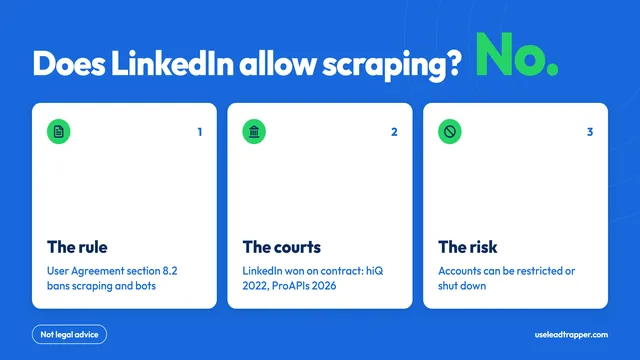
Does LinkedIn Allow Scraping? What Its Rules Say
No: LinkedIn's User Agreement bans scraping and bots. The rules, the court cases, what can happen to…
Read article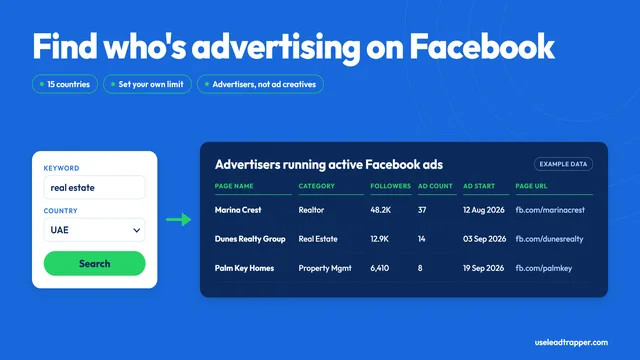
Facebook Ad Library Scraper: Find Advertisers by Keyword
LeadTrapper's Facebook Ad Library scraper lists businesses running active ads for a keyword and coun…
Read articleBrowse All Articles
Lead generation, WhatsApp marketing, Google Maps, Instagram, and Facebook scraping guides.
See all