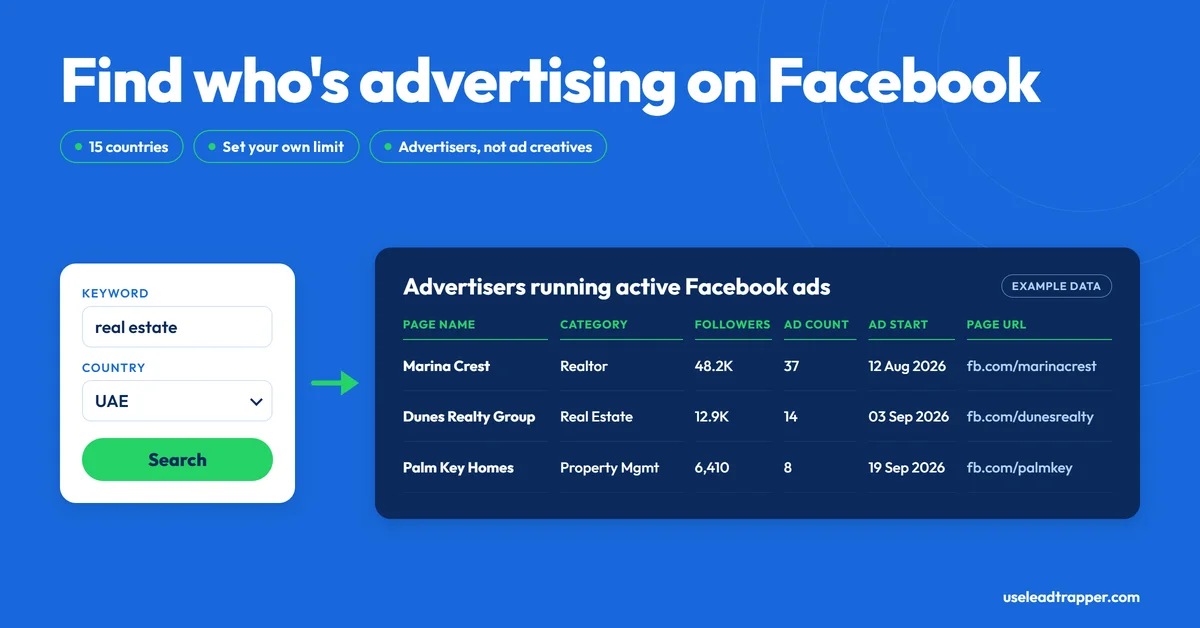
- LeadTrapper's Ad Library tool finds advertisers, not ads: you enter a keyword and a country, and it lists the businesses running active Facebook ads for it.
- It searches 15 countries or all of them, scrolls up to 20 times, and stops at the result limit you set (200 by default, 10 to 5,000). The limit is a ceiling, not a promise.
- The results table holds page name, category, followers, ad count, ad start date and page link. The export adds email, phone and website columns, but they fill in only if Facebook's response happens to include them.
- To get contact details you run the advertisers' page links through the Page Scraper or Lead Gen mode, which return what each page shows publicly.
- Meta's Terms prohibit automated data collection without its permission. LeadTrapper runs in your own browser and pauses itself when Facebook pushes back, but that reduces the risk rather than removing it.
LeadTrapper’s Facebook Ad Library scraper answers one question: which businesses are running Facebook ads for this keyword, in this country, right now? You type a keyword such as “real estate” or “online course”, pick a country, and it lists the advertisers behind the active ads, up to a limit you set. It finds advertisers, not ads. It doesn’t download ad images, ad copy or landing pages. This is exactly what it does, what comes back, and the rules to know before you run it, checked against the code that runs it.
What a Facebook Ad Library Scraper Does
A Facebook Ad Library scraper reads Meta’s public Ad Library search results and turns them into a list. The Ad Library is Meta’s public tool for searching the ads currently running across its products. Done by hand, that means scrolling and copying business names one at a time. A scraper does the scrolling and collects the names, so a search that would take an afternoon becomes a table you can export.
How the Search Works, Step by Step
- Set the search. In LeadTrapper’s Facebook tools, open the Ad Library tab, enter a keyword, and choose All Countries or one of 15: the United States, United Kingdom, United Arab Emirates, Saudi Arabia, India, Pakistan, Egypt, Nigeria, Australia, Canada, Germany, France, Brazil, Malaysia or Singapore. Set the result limit, anywhere from 10 to 5,000. The default is 200.
- Run it. LeadTrapper opens a visible browser window on your own computer, signed in to your own Facebook account, and loads the Ad Library filtered to active ads for that keyword and country.
- Let it scroll. It scrolls the results up to 20 times, collecting advertisers from Facebook’s own responses as they load and skipping any name it has already collected in that run. It stops when it reaches your limit or the twentieth scroll.
- Export. The results appear in a table, and you can export them to CSV or Excel.
Only one Facebook task runs at a time. Start a second while the first is running and LeadTrapper tells you to wait for it to finish.
What You Get Back
| Column | What it holds |
|---|---|
| Page Name | The advertiser’s Facebook Page name |
| Category | The page category, when Facebook includes it |
| Followers | The page’s follower count, when included |
| Ad Count | How many ads Facebook reports for the advertiser, when included |
| Ad Start | The start date of the advertiser’s ads, when included |
| Page URL | A link to the advertiser’s page |
The last five columns depend on what Facebook returns for each result, so expect some blanks. The CSV or Excel export also has email, phone, website and bio columns, but they fill in only if Facebook’s response happens to include them, so expect them to be empty. What the table doesn’t have matters more: the Ad Library tells you who is advertising, not how to reach them.
From Advertiser List to Contacts
The contact step is separate, and it’s where the Page Scraper comes in. Paste the advertisers’ page links into it, one per line, and it returns each page’s name, category, email, phone, website, followers, likes and rating, wherever the page shows them publicly. Lead Gen mode goes a step further by reading each page’s About section for a phone number, and it can load those numbers into Campaign Builder as named contacts.
Numbers collected this way still need checking before a campaign. Running them through the WhatsApp Number Filter first removes the ones that aren’t on WhatsApp, and the same idea for local businesses, starting from a map search instead of an ad search, is covered in the Google Maps scraper guide.
Take a niche like teeth whitening in the United Arab Emirates as an example. You’d search the keyword with the country set to UAE and the limit at 50, export the advertisers, run their page links through the Page Scraper, and check whatever numbers turn up before sending anything. What you’d find depends entirely on who is advertising that week.
What It Doesn't Do
It doesn’t collect ad creatives, ad text, landing pages, spend or reach. It doesn’t look at inactive ads, since the search is filtered to active ones. And it doesn’t promise that every advertiser Facebook shows will appear, because a run stops at your limit or after 20 scrolls, whichever comes first. If ad-level data is what you need, Meta’s own Ad Library is the place to look, and tools built for ad creatives are a better fit. For the people inside a Facebook group you belong to, see the group members scraper guide.
Meta's Rules and the Built-In Pauses
Meta’s Terms of Service prohibit accessing or collecting data from its products by automated means without Meta’s prior permission (section 3.2), and Meta provides its own Ad Library API for programmatic access. That applies to any scraper, this one included, and LeadTrapper can’t grant Meta’s permission for you. The risk of using it is yours.
What LeadTrapper does is limit how hard it pushes. It runs in your own browser, from your own connection or a proxy you’ve set up in Proxy Manager, not through a shared server. It also backs off when Facebook does. If Facebook shows a security check, the Facebook tools pause for 24 hours. If Facebook returns three rate-limit or access errors during a run, they pause for 2 hours. While a pause is running, new Facebook searches are refused with a message that Facebook is cooling down to protect your account.
Those pauses reduce the chance of an account restriction. They don’t remove it. Use a Facebook account you can afford to have limited, keep searches modest, and treat the results as public business information for B2B research, with your local privacy and marketing rules in mind. This isn’t legal advice.
How It Compares
| Approach | What you get | Cost | Notes |
|---|---|---|---|
| Meta Ad Library, by hand | Ads and advertisers you read yourself | Free | Slow beyond a few dozen advertisers |
| Meta Ad Library API | Meta’s official programmatic access | Set by Meta | Meta says it covers ads about social issues, elections or politics and ads delivered in the EU and associated territories, and requires authorization |
| Apify Ad Library actors | Ad-level data, per their listings: 40+ fields per ad for one popular actor, including creatives, dates and spend | That actor lists from $0.75 per 1,000 ads, pay per event (checked 23 September 2026); other actors set their own rates | Ad-level data, not built for WhatsApp outreach |
| Open-source Python scripts (GitHub) | Ad data, varies by script | Free | You install, run and fix the code yourself |
| LeadTrapper Ad Library scraper | Advertiser list: name, category, followers, ad count, start date, link | $50/year, all features | No ad creatives; contacts via Page Scraper or Lead Gen |
If your goal is to find businesses that are already spending on ads and then reach them on WhatsApp, an advertiser list plus the Page Scraper is the shorter path. If your goal is to study what the ads themselves say, it isn’t.
Frequently Asked Questions
It's a tool that reads the results of Meta's public Ad Library search for you and turns them into a list. LeadTrapper's version takes a keyword and a country and returns the businesses currently running Facebook ads for that keyword, instead of you scrolling and copying names by hand.
No. It collects the advertisers behind the ads: page name, category, followers, ad count, ad start date and page link, wherever Facebook includes them. If you need ad creatives, ad text or landing pages, you need a tool built for ad-level data.
Not reliably. The on-screen table has no contact columns, and the export's email, phone and website columns fill in only if Facebook's response includes them. For contact details you copy the page links into the Page Scraper, or use Lead Gen mode, which reads each page's public details such as the About section. They only appear where the page shows them.
The Ad Library is public, but Meta's Terms of Service prohibit accessing or collecting data from its products by automated means without Meta's prior permission, and Meta offers its own Ad Library API for programmatic access. LeadTrapper can't grant that permission, so the risk is yours. This isn't legal advice.
Meta lists no fee for it. Its help center describes the Ad Library as a place to search the ads running across its products, and you open it at facebook.com/ads/library. LeadTrapper's scraper automates the scrolling and copying, and it comes with LeadTrapper at $50 a year with all features included.
You can search All Countries or one of 15: the US, UK, UAE, Saudi Arabia, India, Pakistan, Egypt, Nigeria, Australia, Canada, Germany, France, Brazil, Malaysia and Singapore. You set the limit from 10 to 5,000 (200 by default), but a run scrolls at most 20 times, so very large limits may not be reached.
Find the Businesses Already Spending on Facebook Ads in Your Niche
The Ad Library scraper, Page Scraper and Lead Gen mode all come with LeadTrapper. $50/year — all features included.
Related Articles
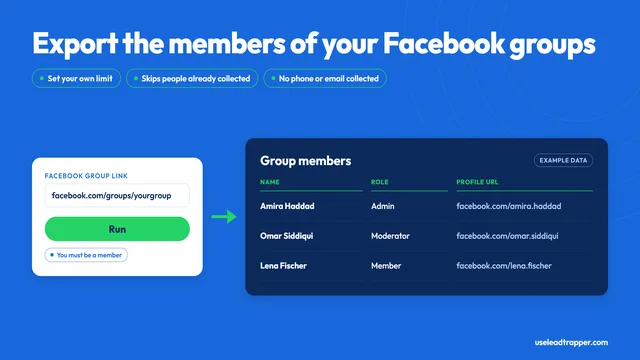
Facebook Group Members Scraper: What It Collects
LeadTrapper's Facebook group members scraper exports names, roles and profile links from a group you…
Read article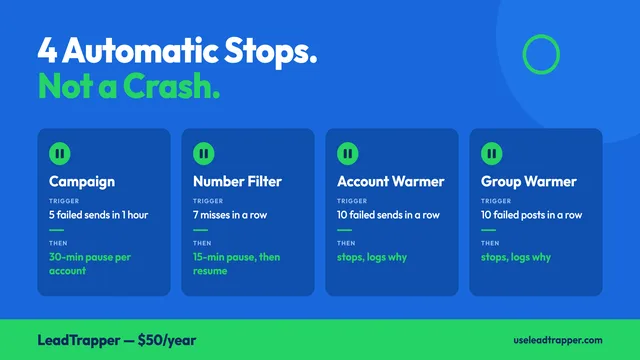
Why Your WhatsApp Campaign Stopped Itself (and What to Do)
LeadTrapper halts a run on its own in four cases: repeated failed sends, a run of dead numbers, or a…
Read articleBrowse All Articles
Lead generation, WhatsApp marketing, Google Maps, Instagram, and Facebook scraping guides.
See all