In this article 9 sections
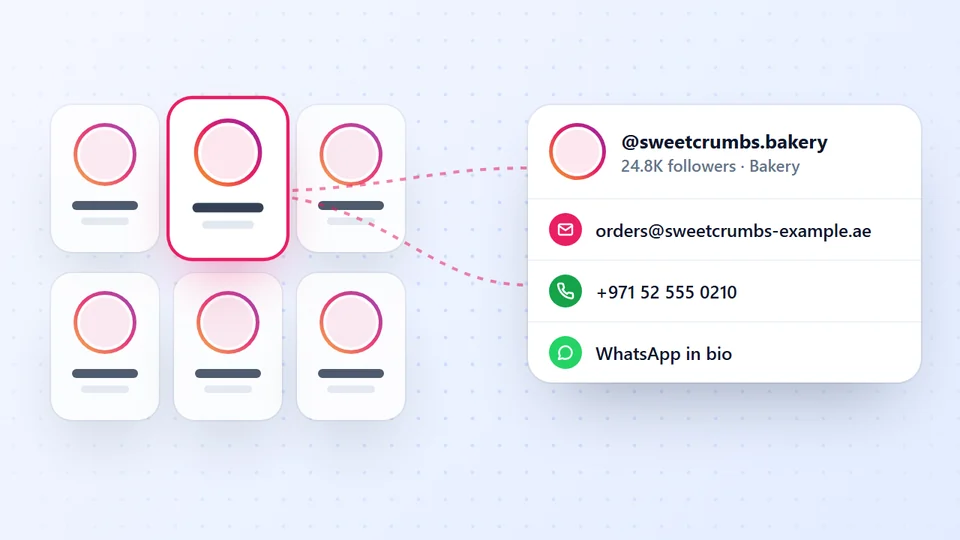
An Instagram profile scraper reads the public details of accounts you name. In LeadTrapper, paste usernames one per line into Profile Details and press Start. You get bio, follower counts, category, link in bio and any public email or phone, as CSV or Excel.
- LeadTrapper's Profile Details tool takes exact Instagram usernames, one per line, and returns each profile's name, bio, followers, following, posts, verified flag, category and link in bio.
- It then looks on the profile page and in the link in bio for a public email, WhatsApp link or phone number. Many profiles publish none, so blank cells are normal.
- Use it to check a shortlist you already have: competitors, creators you found elsewhere, or Instagram handles taken from business websites.
- It reads public pages only and cannot see private accounts' details, post content or engagement rates.
- Instagram's Terms ban automated collection without permission, and LeadTrapper runs signed in to your own account. The risk is yours.
An Instagram profile scraper reads the public details of accounts you name, so you do not open them one by one. In LeadTrapper’s Instagram scraper it is the Profile Details tool: paste usernames, press Start, export a table. It fills in accounts you already know. It does not find new ones. This guide covers what it returns, where to get usernames, and the rules.
What an Instagram Profile Scraper Does
It turns a list of handles into a table of profile facts. For every username you give it, the tool opens that profile, records the public fields and then looks for a contact detail the profile publishes.
That suits a shortlist. You may have 40 competitors to compare, 60 creators from a spreadsheet, or 200 handles copied from business websites. A profile scraper checks them in one run and lets you sort by followers, category or whether a contact exists.
To discover accounts you do not know yet, use the hashtag or keyword tools instead. The Instagram hashtag scraper guide covers hashtags, and the Instagram lead scraper guide compares every mode. For the people who follow one account, see how to scrape Instagram followers.
Instagram's Rules Come First
Instagram does not allow automated collection without its permission, even for public profiles. Instagram’s Terms of Use say you may not access or collect information from Instagram in an automated way without its express permission. Meta’s Automated Data Collection Terms say you will not engage in automated data collection without first obtaining Meta’s express written permission.
LeadTrapper cannot give you that permission. Its Instagram tools run in a browser window on your computer, signed in to your own account, so any restriction would land on that account. This is not legal advice. Use an account you can afford to have limited, and keep runs small.
The official route is narrower. Meta’s Business Discovery lets your own professional account read other professional accounts’ metadata and metrics, such as followers count and media count (checked 23 November 2026). It lists no email or phone fields, so it cannot replace a contact lookup.
How to Scrape Profiles, Step by Step
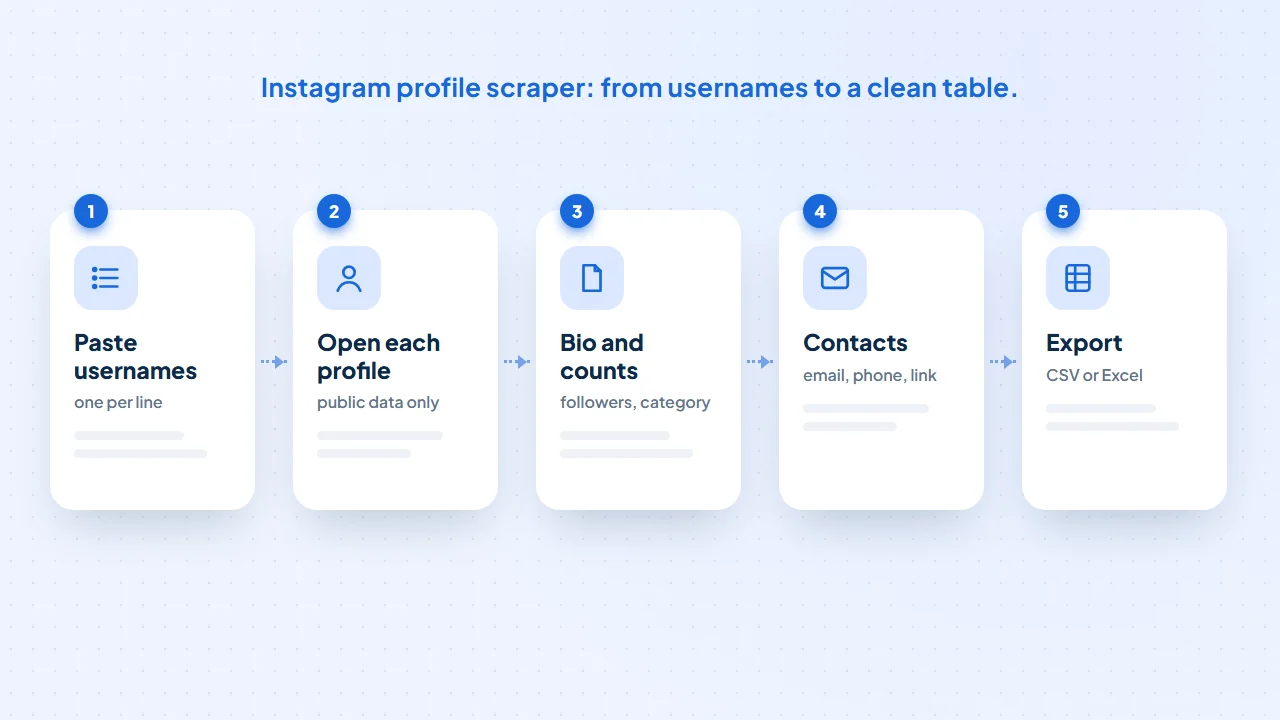
Connect your account, paste the usernames, press Start. In full:
- Open Instagram, then Profile Details in LeadTrapper, and press Connect to log in to your Instagram account.
- Paste the usernames, one per line. Use the exact handle. The @ is removed for you, so @natgeo and natgeo both work.
- Add keep or drop words if you want them. They match the username, name and bio.
- Set Max results (10 to 5,000, default 100) and press Start.
- Read the table, then export to CSV or Excel, or press Load to Campaign to send rows with a phone number into Send Bulk Messages. Filter the numbers with the WhatsApp Number Filter first.
Only one Instagram task runs at a time. Download LeadTrapper for Windows to try it with the 14-day free trial.
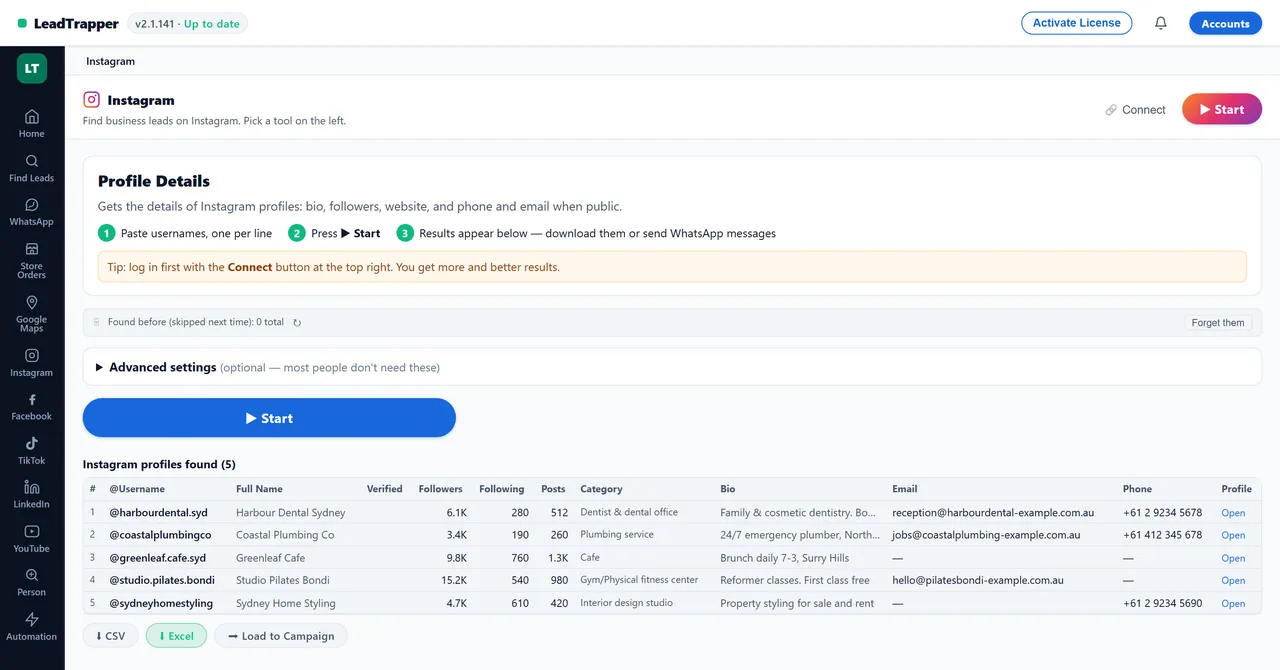
What You Get Back
Each row holds the profile’s public facts plus any contact the tool could read. The columns are below.
| Column | What it holds | Often blank? |
|---|---|---|
| username, full_name | Handle and display name | No |
| verified | Whether Instagram marks it verified | No |
| followers, following, posts | The counts on the profile | Rarely |
| category | The business category, if shown | Often, on personal accounts |
| bio | The bio text | Sometimes |
| bio_link | The link in bio or website | Often |
| email, phone | Public contact found on the page or link in bio | Often |
| profile_url | A link to the profile | No |
A WhatsApp number found in the bio or a wa.me link goes into the phone column. Read the bio column too, as a bio can list a second number.
Where to Get the Usernames
Good input beats big input. These sources give you handles worth checking:
| Source | How to get the handles | Next step |
|---|---|---|
| Your own spreadsheet | Copy the handle column | Paste into Profile Details |
| Business websites | The Email Finder lists social links it finds on each site | Take the Instagram handles, paste them in |
| Google Maps leads | Run the Google Maps scraper, then the Email Finder on the websites | Check the Instagram handles of the businesses that have one |
| A competitor’s followers | The followers tool lists accounts | Re-run the interesting ones for full detail |
| Hashtag or keyword results | Rows you want to read more closely | Paste their usernames |
Many small businesses list an Instagram handle on their website and an email nowhere, so the profile is where the contact lives. Our guide to the Instagram email extractor covers collecting those emails and phones by keyword and city.
A Worked Example
These values illustrate how to plan a run. They are not a test result. Say you sell booking software to gyms in Manchester.
- You have 40 gym Instagram handles from their websites, pasted one per line.
- You set Max results to 50 and keep words “gym” and “fitness” to drop unrelated accounts.
- After the run, say 36 rows remain. You sort by followers: 9 gyms have under 500 followers, 20 have 500 to 5,000 and 7 have more.
- 14 of the 36 show an email or phone. You check five profiles by hand to confirm the contact is the gym’s own.
- You message the mid-size gyms first, because they are active but small enough to have no booking system, and use the profile bio to start the message.
The result is a sorted shortlist you can check, rather than 40 browser tabs.
Filters, Limits and Pauses
Keep and drop words narrow the rows, the limit caps the run, and the tool pauses itself when Instagram pushes back.
- Keep and drop words. One per line. Matching allows for word order, synonyms, small typos and Arabic spelling.
- The limit. 10 to 5,000, default 100. Start with 20 to 50.
- No repeats. An account collected before is skipped on later runs. If a name you pasted does not appear, it may have been collected earlier. Forget them clears that memory.
- Contact lookup. For profiles with no email or phone yet, the tool reads the profile page, then follows the link in bio if it still finds nothing.
- The pause. If Instagram returns three rate-limit or access errors in a row, the Instagram tools pause for 2 hours. That lowers the risk of a restriction, but does not remove it.
What It Cannot Do
It cannot read posts, engagement rates, audience demographics or private details, and it cannot guess a contact a profile does not publish. A misspelled username returns nothing for that line. The Business Leads mode, which opens business profiles to read the contact buttons Instagram shows on business accounts, is a different tool, covered in the lead scraper guide above.
How It Compares
| Compared | LeadTrapper | Hosted scrapers (Apify-style) | Meta’s Business Discovery | By hand |
|---|---|---|---|---|
| Input | List of usernames | Usernames or URLs | One account at a time via your app | One profile at a time |
| Account used | Your own, signed in | Often no login, per the vendor | Your own professional account | Yours |
| Returns | Bio, counts, category, link, public email and phone | Bio, counts, links, recent posts | Counts and media metrics, no email or phone | What you copy |
| Cost | $50/year after a 14-day free trial | One listing shows $19.99/month plus usage | Free, with App Review | Your time |
Hosted scrapers such as this Apify profile scraper also return recent posts. LeadTrapper does not. Automated collection rules apply whichever you use.
In short: bring a list you trust, expect blanks in the contact columns, and use the sorted table to decide who to contact first.
Where LeadTrapper Finds Leads
LeadTrapper collects leads from each of these sources in one Windows app, then checks the numbers and sends the WhatsApp messages from the same place.
- Google Maps Scraper: Business leads from any city.
- Facebook Scraper: Advertisers, pages and group members.
- Instagram Scraper: Leads from profiles and hashtags.
- TikTok Scraper: Creators, hashtags and commenters.
- LinkedIn Scraper: Profiles by role and city.
- Email Finder: Emails from business websites.
Frequently Asked Questions
It is a tool that opens Instagram profiles and copies their public details into a table: name, bio, follower and post counts, category, link in bio and any contact details. LeadTrapper's version works from a list of usernames you type or paste.
Username, full name, verified, followers, following, posts, category, bio, link in bio, email, phone and a profile link. Email and phone are filled only when the profile or its link in bio publishes one.
It returns what is public. A private account's profile page shows little beyond the name, bio and counts, and its posts are hidden, so expect thin rows. It does not bypass privacy settings.
Not without Meta's permission. Instagram's Terms of Use and Meta's Automated Data Collection Terms both prohibit collecting information in an automated way without permission. LeadTrapper cannot grant that permission, so the risk to your account is yours. This is not legal advice.
Type as many as you like, one per line, with a result limit of 10 to 5,000. Start with a small list, because each profile is loaded to look for contact details and Instagram can push back on fast runs.
Only if the account publishes it in its bio, contact button or link in bio. It does not guess or unlock hidden emails. If the profile links a business website, the Email Finder can read that site's contact pages.
Those tools discover accounts you did not know about. Profile Details starts from accounts you already know and fills in their details, so it suits shortlists, competitor lists and handles collected from other sources.
About LeadTrapper
LeadTrapper is a Windows app for finding business leads and contacting them on WhatsApp. It collects business contacts from Google Maps, Instagram, Facebook, TikTok, LinkedIn and business websites, checks which numbers are on WhatsApp with its Number Filter, and sends personalised campaigns with automatic delays from one or more WhatsApp accounts. It also has a chatbot, a shared inbox for every account, and Store Orders for online shops. It installs from the Microsoft Store, and the full app is free for 14 days, then $50 a year. Free web tools, browser extensions and a Wix app are listed on the Free Tools page.
Check a List of Instagram Accounts in One Run
LeadTrapper's Instagram scraper reads profile details, finds accounts by hashtag or keyword and lists followers. $50/year after a 14-day free trial, all features included.