In this article 9 sections
An Instagram hashtag scraper lists the accounts that posted under a hashtag. In LeadTrapper, type hashtags such as dubairealestate, set a date range if you want, press Start, then export usernames, bios, follower counts and any public email or phone. Instagram's Terms ban automated collection.
- LeadTrapper's Instagram Posts by Hashtag tool collects the accounts that posted under each hashtag you type, not the posts themselves, and returns username, name, bio, followers, category and link in bio.
- You can limit a hashtag run to accounts that posted between two dates, and keep or drop accounts by words in the username, name or bio.
- Contact details come second: after the accounts are collected, LeadTrapper reads each profile page and link in bio for an email, WhatsApp link or phone number. Many profiles publish none.
- Meta's official hashtag search is limited to 30 unique hashtags in 7 days, needs App Review and returns posts, not contact details. That gap is why scrapers exist.
- Instagram's Terms ban automated collection without permission, and LeadTrapper runs signed in to your own account. The risk is yours; use an account you can afford to lose.
An Instagram hashtag scraper collects the accounts that post under a hashtag and puts their public details in a table. LeadTrapper’s Instagram scraper does this in its Posts by Hashtag tool. It returns accounts, not posts, and it reads an email or phone only where a profile publishes one. Here is how it works, what to expect, and the rules to know first.
What an Instagram Hashtag Scraper Does
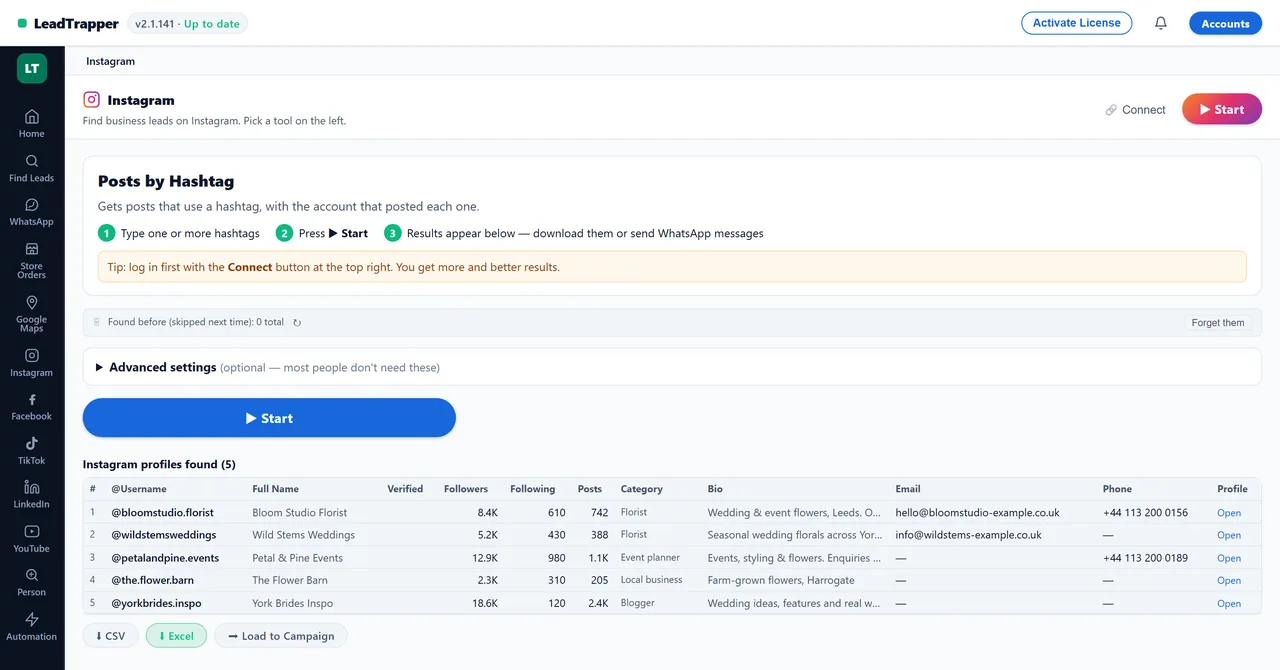
It turns a hashtag into a list of accounts. You type a hashtag, the tool opens its page on Instagram, scrolls, and records who posted. Each account becomes a row with a username, name, bio, follower count and link in bio.
That is useful when you know the topic but not the businesses. A hashtag such as #dubairealestate gathers agents, agencies, photographers and portals. A scraper gives you one list to filter, where scrolling by hand gives you a feed to read.
Searching by words instead of hashtags is a different tool, and the Instagram lead scraper guide compares all the modes. If you want the people who follow one account, use the Instagram followers scraper. TikTok has its own version: see the TikTok hashtag scraper guide.
Instagram's Rules Come First
Instagram does not allow automated collection without its permission, and that includes hashtag pages. Instagram’s Terms of Use say you may not access or collect information from Instagram in an automated way without its express permission. Meta’s Automated Data Collection Terms say you will not engage in automated data collection without first obtaining Meta’s express written permission.
LeadTrapper cannot give you that permission. Its Instagram tools run in a browser window on your computer, signed in to your own account, so any restriction lands on that account. This is not legal advice. Use an account you can afford to have limited, keep runs small, and read the pauses described below.
There is an official route, but it does something different. Meta’s Instagram hashtag search lets an approved app read public posts for a hashtag. It needs App Review and the Instagram Public Content Access feature, and one Instagram professional account can query at most 30 unique hashtags in a rolling 7 days (checked 23 November 2026). It returns posts, not email addresses or phone numbers.
How to Scrape a Hashtag, Step by Step
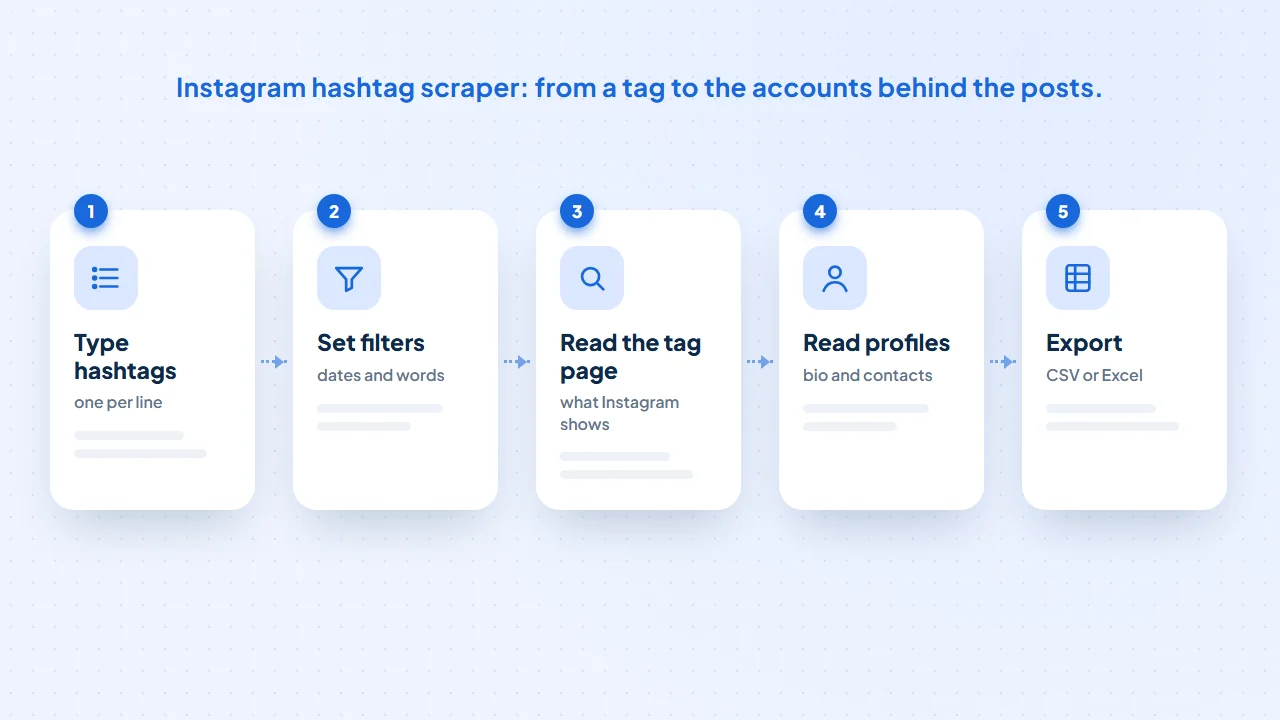
Connect your account, type the hashtags, set limits and press Start. In full:
- Open Instagram, then Posts by Hashtag in LeadTrapper, and press Connect at the top to log in to your Instagram account.
- Type your hashtags, one per line, without the #. Spaces are removed for you, so “real estate” becomes “realestate”.
- Set a date range if you want one. From and To are both optional, and To defaults to today.
- Add keep and drop words if you want them (see below), and set Max results. The default is 100 and the range is 10 to 5,000.
- Press Start. The phase line shows what it is doing: opening the hashtag, scrolling, paginating, then enriching profiles for contact details.
- Check the table, then export to CSV or Excel, or press Load to Campaign to send the rows that have a phone number into Send Bulk Messages. Run those numbers through the WhatsApp Number Filter first.
Only one Instagram task runs at a time, so wait for a run to finish before starting another. A hashtag run is slower than it looks, because it scrolls and then loads each profile for contact details. Start with a limit of 50.
Download LeadTrapper for Windows to try it with the 14-day free trial.
Choosing Hashtags That Return Businesses
Narrow, service-led and local hashtags return more business accounts than broad ones. A huge hashtag fills with personal posts, brands and content pages. A small one tends to hold the people who work in that niche. One hosted scraper’s own advice agrees: pick mid-size or niche hashtags, because very large ones update too quickly to be useful.
| Goal | Weak hashtag | Better hashtags | Why |
|---|---|---|---|
| Find estate agents in one city | #realestate | #dubairealestate, #dubaiproperty | City plus trade means local sellers |
| Find salons and clinics | #beauty | #londonlashes, #medspalondon | A service plus a place |
| Find wedding suppliers | #wedding | #cairoweddingphotographer | Suppliers use job words in tags |
| Find gyms and coaches | #fitness | #personaltrainerdubai | Coaches tag their own trade |
| Find food businesses | #food | #lagosbakery, #lagoscakes | Small sellers tag city and product |
| Find shops that sell on Instagram | #shopping | #shopsmallaccra | Sellers tag the local shopping scene |
Type several related hashtags in one run, one per line, and let the filters remove what does not fit. If hashtags return mostly people, the Instagram email extractor guide covers searching business profiles by keyword and city instead.
Filters, Date Range and Limits
Filters decide which accounts you keep, the date range narrows by when they posted, and the limit caps the run.
- Keep words. Type words one per line to keep only accounts whose username, name or bio match. The matching allows for word order, synonyms, small typos and Arabic spelling.
- Drop words. Accounts that match are removed. Use it for words such as “jobs”, “news” or “fan”.
- Date range. From and To compare against the date of the post the account was found through. It only filters accounts whose post date Instagram returned, so check the dates on a small run first.
- The limit. 10 to 5,000, default 100. A run stops at your limit or when Instagram stops returning new accounts, so the limit is a ceiling, not a promise.
- No repeats. An account collected before is skipped on later runs. Press Forget them in the strip above the tools to clear that memory.
How Contact Details Are Found
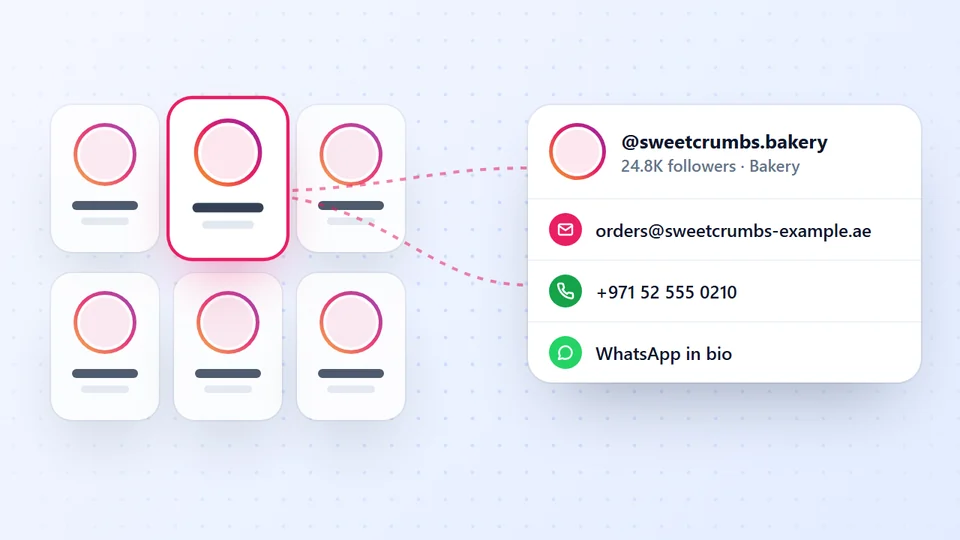
The hashtag step finds accounts. A second step reads their contact details. For every account that has no email or phone yet, LeadTrapper loads the public profile page and looks for email addresses, WhatsApp links and phone-number patterns. If the profile has a link in bio, such as a Linktree-style page, and still nothing, it follows that link and looks there.
It reads only what a profile publishes. Meta’s Business Discovery documentation shows the official API exposes counts such as followers and media, not an email or phone, which is why a profile’s own bio and link in bio are where contacts live. For accounts that link a full website, the Email Finder reads the site’s contact and team pages.
The export holds these columns: username, full name, verified, followers, following, posts, category, bio, link in bio, email, phone and profile link. A WhatsApp number found in a bio or wa.me link lands in the phone column.
A Worked Example
These values illustrate how to plan a run. They are not a test result. Say you sell photography to estate agents in Dubai.
- You type #dubairealestate, #dubaiproperty and #dubaiagent on three lines, set Max results to 100 and leave the dates empty.
- You add the keep words “real estate”, “property” and “agent”, and the drop words “jobs”, “news” and “wallpaper”.
- After the run you sort by the phone and email columns. Say 100 accounts came back, 60 were kept by the filter, and 18 of those show a phone, an email or both.
- You read those 18 bios, check five profiles by hand, and keep 15 that are real agencies or agents.
- You run the phone numbers through the WhatsApp Number Filter, then message the ones on WhatsApp with one specific line about listing photos.
The count that matters is the real contacts left at the end, 15 in this example. Plan around a contact rate well under half, and be pleased if you beat it.
What It Cannot Do
It cannot read posts, captions, likes or comments from a hashtag, only the accounts that posted. It cannot see details a profile does not publish. It cannot promise a number of results, because Instagram decides what a hashtag page returns. The app’s code does not show whether a hashtag page returns top posts, recent posts or a mix, so do not assume the list is the newest accounts.
It also pauses itself when Instagram pushes back. If Instagram returns three rate-limit or access errors in a row, the Instagram tools pause for 2 hours and new searches are refused with a message that Instagram is cooling down. That reduces the chance of an account restriction. It does not remove it.
How It Compares
| Compared | LeadTrapper | Hosted scrapers (Apify-style) | Meta’s hashtag API | By hand |
|---|---|---|---|---|
| What you get | Accounts that posted, with bio and public contacts | Posts, captions, likes, owner name | Posts for a hashtag | Whatever you copy |
| Account used | Your own, signed in | Often no login, per the vendor | An approved app | Yours |
| Cost | $50/year after a 14-day free trial | About $0.50 per 1,000 results on one listing | Free, with App Review | Your time |
| Limit | 10 to 5,000 accounts per run | Plan-based | 30 unique hashtags per 7 days | Your patience |
| Contacts | Reads public email, phone, link in bio | Not a focus | None | If you find them |
If you need post-level data, a hosted scraper such as this Apify hashtag scraper returns captions, likes and timestamps. If you need business contacts, accounts plus a profile read, as here, fit better. Automated collection rules apply whichever you choose.
In short: use narrow hashtags, filter by bio, expect many blank contact cells, and treat the result as a shortlist to check by hand.
Where LeadTrapper Finds Leads
LeadTrapper collects leads from each of these sources in one Windows app, then checks the numbers and sends the WhatsApp messages from the same place.
- Google Maps Scraper: Business leads from any city.
- Facebook Scraper: Advertisers, pages and group members.
- Instagram Scraper: Leads from profiles and hashtags.
- TikTok Scraper: Creators, hashtags and commenters.
- LinkedIn Scraper: Profiles by role and city.
- Email Finder: Emails from business websites.
Frequently Asked Questions
It is a tool that opens a hashtag's page on Instagram, collects the accounts that posted under it and copies their public details into a list. LeadTrapper's version returns the poster accounts with username, name, bio, follower count and link in bio, then tries to read an email or phone from each profile.
No. It collects the accounts that posted, not captions, likes or comments. If you need post-level data such as captions and like counts, that is a different type of tool, and several hosted scrapers sell it.
Not without permission. Instagram's Terms of Use and Meta's Automated Data Collection Terms both say you may not collect information in an automated way without Meta's express permission. LeadTrapper cannot grant that permission, so any risk to your account is yours. This is not legal advice.
LeadTrapper takes as many hashtags as you type, one per line, and works through them one after another with a shared result limit of 10 to 5,000 accounts. Instagram's own official hashtag search is stricter: 30 unique hashtags in a rolling 7 days per account.
LeadTrapper remembers every account it has collected and skips it next time. That is useful for overlapping hashtags, but it means a repeat run only returns new accounts. The Instagram tools show the remembered count and a Forget them button to clear it.
Sometimes. After collecting accounts, LeadTrapper looks on each profile page and in the link in bio for an email, a WhatsApp link or a phone number. Personal accounts and many small businesses publish none, so blank rows are normal.
Narrow, local and service-led hashtags, such as a trade plus a city, return more business accounts than huge general ones such as a single word like beauty. Large hashtags are dominated by personal accounts, brands and content pages.
About LeadTrapper
LeadTrapper is a Windows app for finding business leads and contacting them on WhatsApp. It collects business contacts from Google Maps, Instagram, Facebook, TikTok, LinkedIn and business websites, checks which numbers are on WhatsApp with its Number Filter, and sends personalised campaigns with automatic delays from one or more WhatsApp accounts. It also has a chatbot, a shared inbox for every account, and Store Orders for online shops. It installs from the Microsoft Store, and the full app is free for 14 days, then $50 a year. Free web tools, browser extensions and a Wix app are listed on the Free Tools page.
Turn Hashtags Into a List of Accounts You Can Check
LeadTrapper's Instagram scraper finds accounts by hashtag, keyword, username, followers or likes. $50/year after a 14-day free trial, all features included.