In this article 5 sections
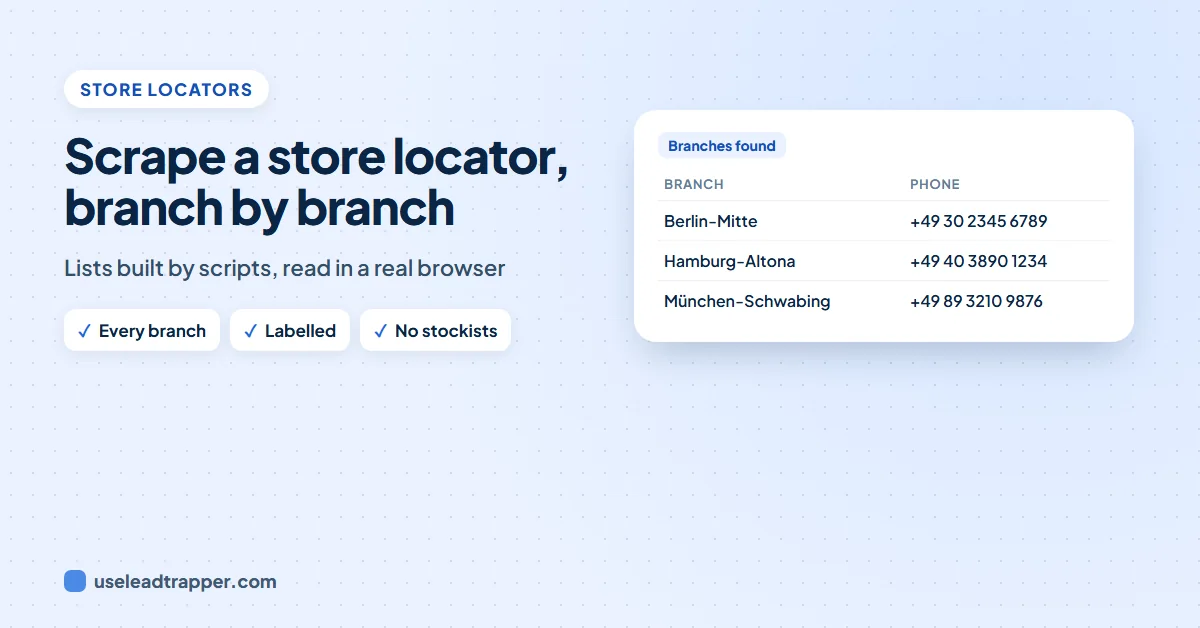
A store locator lists a chain's branches with their phones and emails, but most build that list with scripts after the page loads, so simple scrapers see nothing. Open it in a real browser and let the list load. The LeadTrapper app does this in a hidden browser and labels each contact with its branch.
- Chains publish one phone and often one email per branch on a store locator, branch finder or locations page.
- Most store locators build the list with scripts after the page loads, so a scraper that reads the plain page sees no branches at all.
- The fix is a real browser that runs the page's scripts and waits until the list has finished loading.
- A 'where to buy' page that lists other shops (stockists) is not the brand's own branches; keep only the brand's own contacts from it.
- The LeadTrapper app reads up to 2 script-built store or branch pages per website in a hidden browser, waits until the list stops growing, and labels each contact with its branch name.
A chain of opticians, pharmacies or clinics publishes one phone number, and often one email, for each branch. That is a valuable list: every branch is a business you can call. The catch is the store locator. Most of them draw their branches with scripts after the page has loaded, so the page a simple scraper receives is empty.
Why Store Locators Look Empty
When you open a store locator, two things happen. First the page arrives: a map, a search box, an empty list. Then a script on the page asks the website’s server for the branches and draws them, often a few seconds later, sometimes only after the map has loaded.
A scraper that reads the first page it receives, as most simple ones do, sees only the empty frame. That is why so many chain websites seem to have “no contacts” when you run them through an email extractor.
Reading One by Hand
For one chain:
- Open the store locator, branch finder or locations page. It is usually called Stores, Branches, Locations, Find a store, or in German Filialen or Standorte.
- Wait until the list has loaded. If it shows only branches near you, search for a wide area or zoom the map out.
- Copy each branch’s name, phone and email into a sheet, with the branch name in its own column.
Some store locators let you pick “show all” or a country; use that rather than searching city by city.
Store Locators vs Stockist Lists
A brand that sells through other shops often has a “where to buy” or stockist page that looks like a store locator. Its contacts belong to the shops, not to the brand. Keep the two apart: a list of a brand’s branches should hold the brand’s own phone numbers and emails, and a stockist list is a list of other businesses, each a separate lead.
Every Branch, in the App
The email finder in the LeadTrapper Windows app handles store locators for you:
- It finds the page. Pages called stores, branches, locations, store finder or store locator, and the same words in German, Spanish, Portuguese, Turkish and other languages, are read with the contact and team pages.
- It notices when the list is built by scripts. A store or branch page with no contacts in its plain page but several scripts is opened again in a hidden browser.
- It waits for the list. The app watches the email and phone links on the page and reads it once they have stopped growing for 5 seconds, or after 20 seconds at most. Up to 2 such pages are read per website.
- It labels each contact with its branch. “Filiale Berlin-Mitte” or “Kadıköy Şube” sits next to the number, with “(sure)” when the name is right beside it.
- It leaves stockists out. A page that lists emails on three or more other companies’ domains is treated as a stockist list, and only the brand’s own contacts are kept from it.
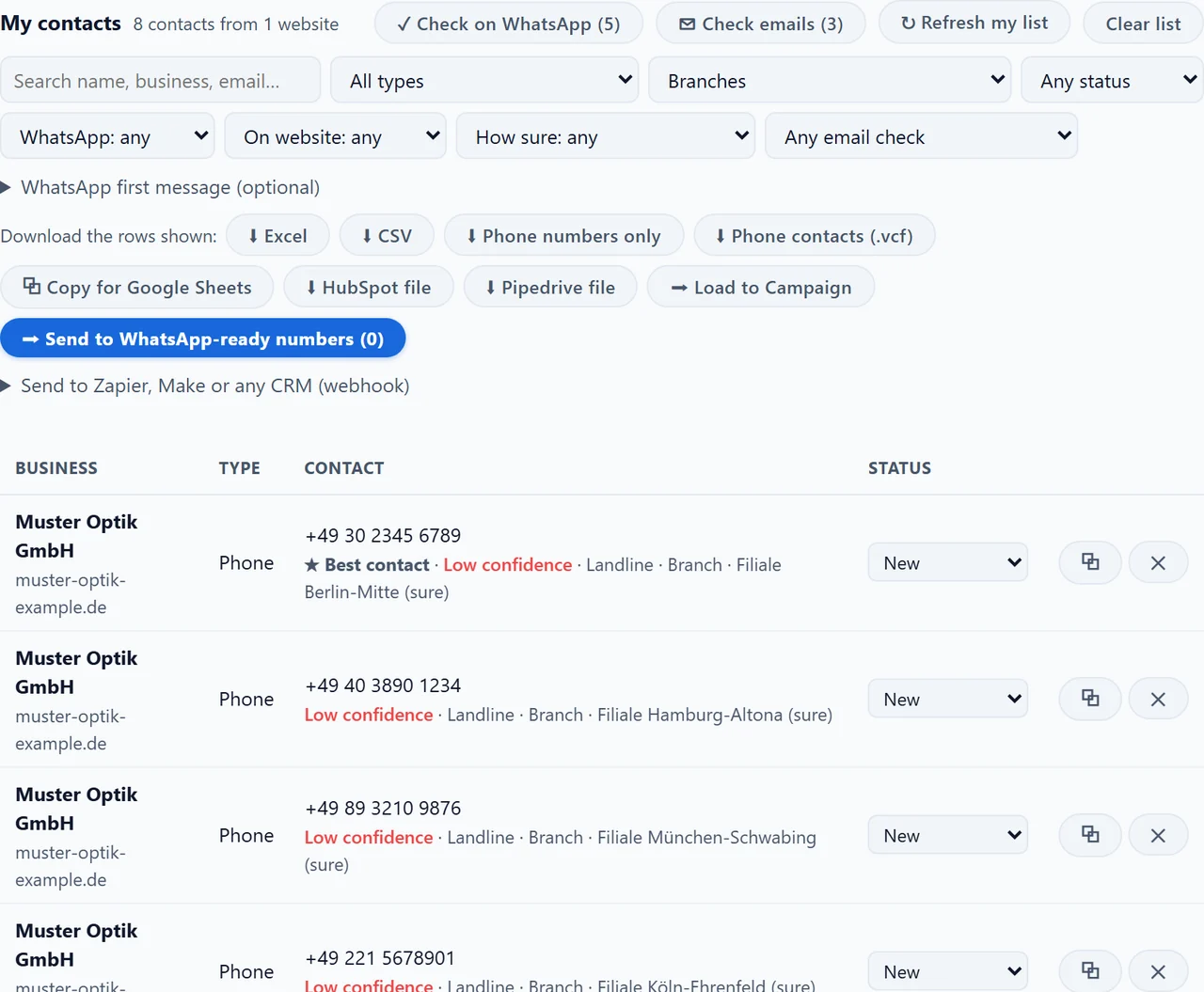
In My contacts, choose Belongs to: Branches to see only branch contacts, and download them as Excel or CSV with a Branch / section column. This is what lifted the email results on German websites, where chains use store finders heavily, in our hand-checked accuracy test.
Using Branch Contacts
Branch contacts are the right way in when you sell to branches: local services, supplies, staff. For decisions made at head office, find the managing director instead; see finding the decision makers in a company. A branch number is usually a landline; for WhatsApp, look for mobile numbers, as explained in telling a mobile from a landline. German chains are covered in more detail in B2B leads in Germany.
Frequently Asked Questions
Open the chain's store locator, branch finder or locations page in a browser, let the list load, and copy each branch's phone and email. For many chains, a tool that runs the page's scripts can collect them all at once and label each contact with its branch.
Because the branch list is not in the page itself. The page loads first, then a script fetches the branches and draws them, often several seconds later. A scraper that reads only the first page it receives sees an empty list.
A store locator lists the brand's own branches. A stockist or 'where to buy' list shows other shops that sell the brand. Their contacts belong to those shops, not to the brand, so keep them out of a list of the brand's contacts.
Yes. When a store, branch or locations page has no contacts in its plain page but many scripts, the app opens it in a hidden browser, waits until its email and phone links stop growing (5 seconds steady, 20 seconds at most), and adds each contact labelled with its branch. It reads up to 2 such pages per website.
Branch phone numbers and emails are published so customers can reach the branch. Read them at a gentle pace, follow the website's robots.txt, and use them for relevant business contact; see our guide to whether email scraping is legal.
About LeadTrapper
LeadTrapper is a Windows app for finding business leads and contacting them on WhatsApp. It collects business contacts from Google Maps, Instagram, Facebook, TikTok, LinkedIn and business websites, checks which numbers are on WhatsApp with its Number Filter, and sends personalised campaigns with automatic delays from one or more WhatsApp accounts. It also has a chatbot, a shared inbox for every account, and Store Orders for online shops. It installs from the Microsoft Store, and the full app is free for 14 days, then $50 a year. Free web tools, browser extensions and a Wix app are listed on the Free Tools page.
Every Branch of Every Chain
LeadTrapper for Windows reads store finders and branch pages, labels each phone and email with its branch, and sends with safe delays. $50/year, 14-day free trial.