In this article 8 sections
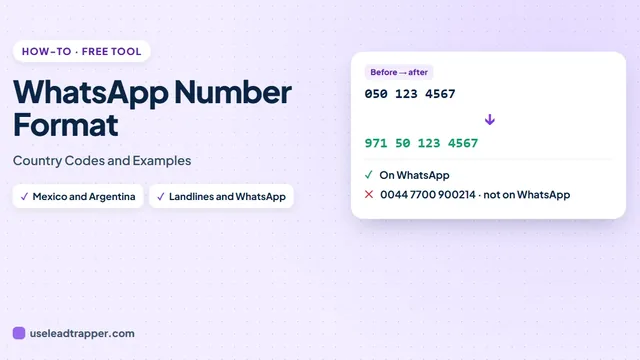
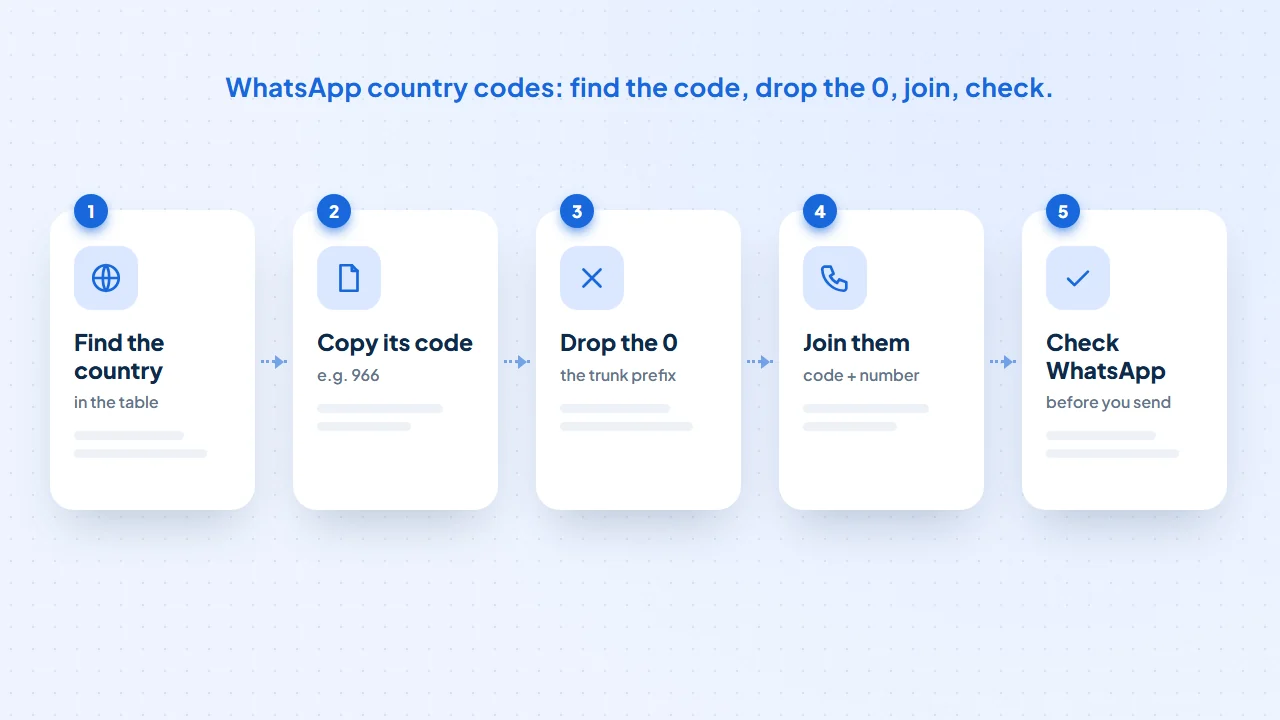
A WhatsApp number is the country code plus the number without its leading 0: Saudi Arabia is 966 (051 234 5678 becomes 966512345678), the US is 1 plus the 10-digit number (12015550123), the UK is 44. The table below gives 75 countries with a full example.
- A WhatsApp number is the country code followed by the phone number without the 0 you dial inside your own country: Saudi 051 234 5678 becomes +966 51 234 5678.
- 966 is Saudi Arabia's country code. A US or Canadian number is +1, then a three-digit area code and seven digits, 11 digits in all.
- No country has a code that begins with another country's code, so a number that starts with 1 is read as +1 and one that starts with 7 as +7 (Russia or Kazakhstan).
- Most countries drop a leading 0 when you add the code. Some have none to drop (the US, Spain, Poland, Kuwait), and Mexico and Argentina add a digit.
- A number in the right format can still be one that is not on WhatsApp, so check a list before you send.
A WhatsApp number is the country code, then the phone number without the 0 you dial inside your own country. Saudi Arabia is 966, so 051 234 5678 becomes 966512345678. This page lists 75 countries with a full example for each, and answers the questions behind the searches that bring people here: what “966” means, why numbers seem to start with “17”, and whether a mobile number starts with 0.
Read the Country Code First
The country code is the first one to three digits of any international number, and it tells WhatsApp which country the number belongs to. WhatsApp’s help page on the international phone number format describes the order: a plus sign, the country code, then the number. The ITU, the UN body that keeps the numbering plan, publishes it as Recommendation E.164, and its page shows the current edition, E.164 (02/26), as in force when we checked on 25 November 2026.
Under that plan a full number has at most 15 digits, and no country code starts with another country’s code. That second rule is what lets software read the code without a separator. A number that begins with 1 is always +1, and one that begins with 7 is always +7.
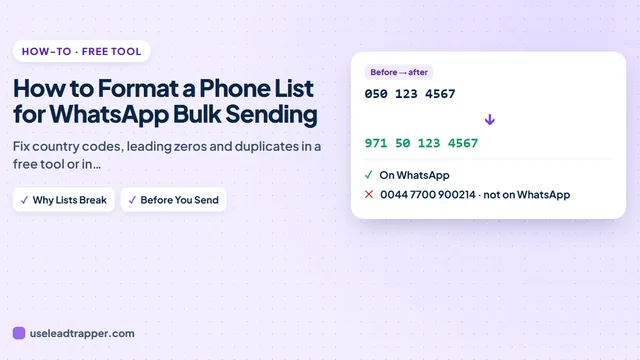
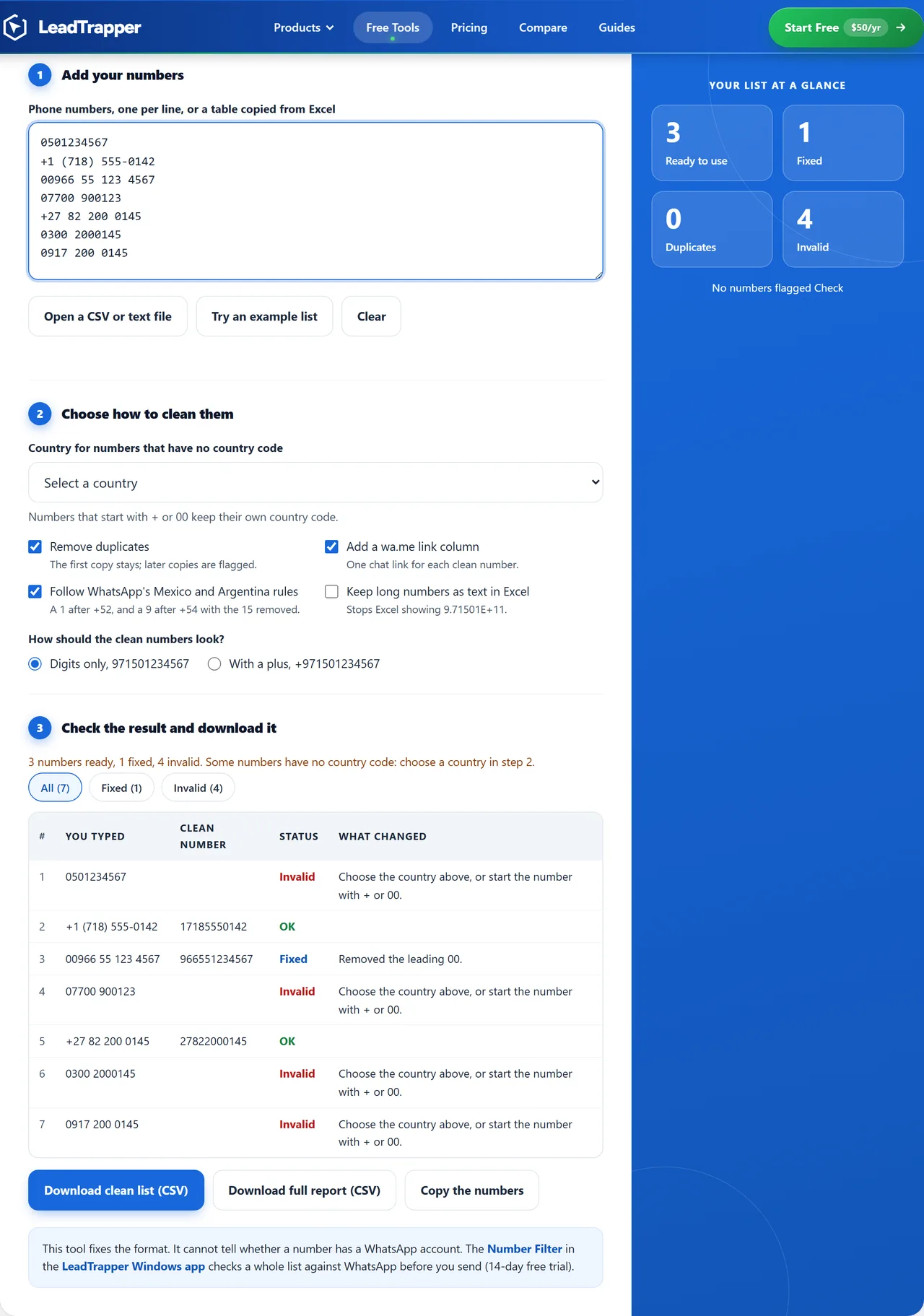
If you only need the format for one country, use the table in the next sections. If you have a whole list, the WhatsApp number format guide explains the three parts of a number, and the free WhatsApp number formatter fixes a list in your browser.
Why You See 966, 17 or 1 7xx
966 is Saudi Arabia’s code, and “17” is not a code at all: it is the US or Canada code +1 followed by an area code that starts with 7. Both come up in searches because people read the first digits of a number and try to match them to a country.
- 966. To send a WhatsApp message with the 966 country code, drop the 0 and put 966 first. Saudi mobiles are 9 digits after the code, starting with 5. A mobile written 051 234 5678 at home becomes 966 51 234 5678. Our WhatsApp bulk sender Saudi Arabia guide covers local rules.
- 17 and 1 7xx. The United States, Canada and many Caribbean countries share +1. After it comes a three-digit area code, such as 718, 713 or 702, then seven digits. So 1 718 555 0123 starts with “17” even though 17 is not a country. The whole number is 11 digits.
- Turkey (90). A Turkey WhatsApp number is +90, then 10 digits that start with 5: 0501 234 5678 becomes 905012345678 (checked 25 November 2026). Our guide to bulk WhatsApp messages in Turkey covers the local rules.
- Other first digits. Russia and Kazakhstan share +7, Egypt is +20, South Africa +27 and the UK +44.
When a number is in a list with no plus sign, the first digits can be a country code, a local area code or a leading 0. That is why a list from several countries needs a column for the country.
The Full List by Region
The tables give each country’s code, one example mobile in the form WhatsApp and wa.me links expect (digits only, no plus), whether to drop a leading 0, and how many digits follow the code. The examples are Google libphonenumber’s published sample numbers, so they are made up and do not belong to anyone. Digit counts are typical for mobiles; landlines and special numbers can differ.
Middle East and North Africa
| Country | Code | Example mobile in WhatsApp format | Drop the leading 0? | Digits after the code |
|---|---|---|---|---|
| United Arab Emirates | +971 | 971501234567 | Yes (0) | 9 |
| Saudi Arabia | +966 | 966512345678 | Yes (0) | 9 |
| Egypt | +20 | 201001234567 | Yes (0) | 10 |
| Jordan | +962 | 962790123456 | Yes (0) | 9 |
| Kuwait | +965 | 96550012345 | No 0 to drop | 8 |
| Qatar | +974 | 97433123456 | No 0 to drop | 8 |
| Bahrain | +973 | 97336001234 | No 0 to drop | 8 |
| Oman | +968 | 96892123456 | No 0 to drop | 8 |
| Iraq | +964 | 9647912345678 | Yes (0) | 10 |
| Lebanon | +961 | 96171123456 | No 0 to drop | 8 |
| Morocco | +212 | 212650123456 | Yes (0) | 9 |
| Algeria | +213 | 213551234567 | Yes (0) | 9 |
| Tunisia | +216 | 21620123456 | No 0 to drop | 8 |
| Libya | +218 | 218912345678 | Yes (0) | 9 |
| Sudan | +249 | 249911231234 | Yes (0) | 9 |
| Israel | +972 | 972502345678 | Yes (0) | 9 |
| Turkey | +90 | 905012345678 | Yes (0) | 10 |
| Iran | +98 | 989123456789 | Yes (0) | 10 |
South Asia and Southeast Asia
| Country | Code | Example mobile in WhatsApp format | Drop the leading 0? | Digits after the code |
|---|---|---|---|---|
| Pakistan | +92 | 923012345678 | Yes (0) | 10 |
| India | +91 | 918123456789 | Yes (0) | 10 |
| Bangladesh | +880 | 8801812345678 | Yes (0) | 10 |
| Sri Lanka | +94 | 94712345678 | Yes (0) | 9 |
| Nepal | +977 | 9779841234567 | No 0 to drop | 10 |
| Indonesia | +62 | 62812345678 | Yes (0) | 9 |
| Malaysia | +60 | 60123456789 | Yes (0) | 9 |
| Singapore | +65 | 6581234567 | No 0 to drop | 8 |
| Thailand | +66 | 66812345678 | Yes (0) | 9 |
| Vietnam | +84 | 84912345678 | Yes (0) | 9 |
| Philippines | +63 | 639051234567 | Yes (0) | 10 |
East Asia and Oceania
| Country | Code | Example mobile in WhatsApp format | Drop the leading 0? | Digits after the code |
|---|---|---|---|---|
| China | +86 | 8613123456789 | No 0 on mobiles | 11 |
| Japan | +81 | 819012345678 | Yes (0) | 10 |
| South Korea | +82 | 821020000000 | Yes (0) | 10 |
| Hong Kong | +852 | 85251234567 | No 0 to drop | 8 |
| Australia | +61 | 61412345678 | Yes (0) | 9 |
| New Zealand | +64 | 64211234567 | Yes (0) | 9 |
Europe and Central Asia
| Country | Code | Example mobile in WhatsApp format | Drop the leading 0? | Digits after the code |
|---|---|---|---|---|
| United Kingdom | +44 | 447400123456 | Yes (0) | 10 |
| Ireland | +353 | 353850123456 | Yes (0) | 9 |
| France | +33 | 33612345678 | Yes (0) | 9 |
| Germany | +49 | 4915123456789 | Yes (0) | 11 |
| Spain | +34 | 34612345678 | No 0 to drop | 9 |
| Portugal | +351 | 351912345678 | No 0 to drop | 9 |
| Italy | +39 | 393123456789 | No 0 on mobiles | 10 |
| Netherlands | +31 | 31612345678 | Yes (0) | 9 |
| Belgium | +32 | 32450001234 | Yes (0) | 9 |
| Switzerland | +41 | 41781234567 | Yes (0) | 9 |
| Austria | +43 | 43664123456 | Yes (0) | 9 |
| Sweden | +46 | 46701234567 | Yes (0) | 9 |
| Norway | +47 | 4740612345 | No 0 to drop | 8 |
| Denmark | +45 | 4534412345 | No 0 to drop | 8 |
| Finland | +358 | 358412345678 | Yes (0) | 9 |
| Poland | +48 | 48512345678 | No 0 to drop | 9 |
| Romania | +40 | 40712034567 | Yes (0) | 9 |
| Greece | +30 | 306912345678 | No 0 to drop | 10 |
| Ukraine | +380 | 380501234567 | Yes (0) | 9 |
| Russia | +7 | 79123456789 | Yes: replace the leading 8 | 10 |
| Kazakhstan | +7 | 77710009998 | Yes: replace the leading 8 | 10 |
The Americas
| Country | Code | Example mobile in WhatsApp format | Drop the leading 0? | Digits after the code |
|---|---|---|---|---|
| United States | +1 | 12015550123 | No 0 to drop | 10 |
| Canada | +1 | 15062345678 | No 0 to drop | 10 |
| Mexico | +52 | 5212221234567 | No 0; add the 1 after 52 | 11 |
| Brazil | +55 | 5511961234567 | No 0 to drop | 11 |
| Argentina | +54 | 5491123456789 | No 0 or 15; add the 9 after 54 | 11 |
| Chile | +56 | 56221234567 | No 0 to drop | 9 |
| Colombia | +57 | 573211234567 | No 0 to drop | 10 |
| Peru | +51 | 51912345678 | No 0 to drop | 9 |
| Venezuela | +58 | 584121234567 | Yes (0) | 10 |
| Ecuador | +593 | 593991234567 | Yes (0) | 9 |
Sub-Saharan Africa
| Country | Code | Example mobile in WhatsApp format | Drop the leading 0? | Digits after the code |
|---|---|---|---|---|
| Nigeria | +234 | 2348021234567 | Yes (0) | 10 |
| Ghana | +233 | 233231234567 | Yes (0) | 9 |
| Kenya | +254 | 254712123456 | Yes (0) | 9 |
| South Africa | +27 | 27711234567 | Yes (0) | 9 |
| Ethiopia | +251 | 251911234567 | Yes (0) | 9 |
| Tanzania | +255 | 255621234567 | Yes (0) | 9 |
| Uganda | +256 | 256712345678 | Yes (0) | 9 |
| Senegal | +221 | 221701234567 | No 0 to drop | 9 |
| Cameroon | +237 | 237671234567 | No 0 to drop | 9 |
The Leading 0 Rule
Do not start a WhatsApp mobile number with 0. The 0 many countries dial before a mobile is called a trunk prefix, and it only exists for calls inside that country. WhatsApp’s help page tells you to remove it, and the table shows which countries have one.
Three groups need care:
- Countries with a 0 (46 of the 75 above). Drop it: UK 07400 123456 becomes 447400123456. A number written +44 (0)7400 123456 has the 0 in brackets to show it is dropped from abroad.
- Countries with no 0 on mobiles. Spain, Portugal, Poland, Italy, the US, Canada, Brazil, Colombia, Kuwait and others write the mobile the same way inside and outside the country. Nothing to drop. (Italy’s landlines do keep their 0 as part of the number, but those rarely have WhatsApp.)
- Russia and Kazakhstan. The domestic prefix is 8, not 0: 8 912 345-67-89 becomes 79123456789.
One recent exception goes the other way. Côte d’Ivoire moved to 10-digit numbers on 31 January 2021, and the ITU’s bulletin says the 0 now has to be dialled after +225. Numbers there that begin 01, 05 or 07 keep that first 0. We left it out of the table because it is a rule that new lists often get wrong.
Countries With Extra Rules
Three countries need more than the code and the dropped 0, so check them before a campaign.
- Mexico (+52). WhatsApp’s help page lists a 1 after +52 for mobiles. 222 123 4567 becomes 5212221234567.
- Argentina (+54). A 9 goes between 54 and the area code, and the domestic mobile prefix 15 is removed. 011 15-2345-6789 becomes 5491123456789, 13 digits in all.
- Brazil (+55). Mobiles have a 2-digit area code and a 9-digit number starting with 9, so 11 digits after the code. An older 8-digit number without the leading 9 is the most common Brazilian list error.
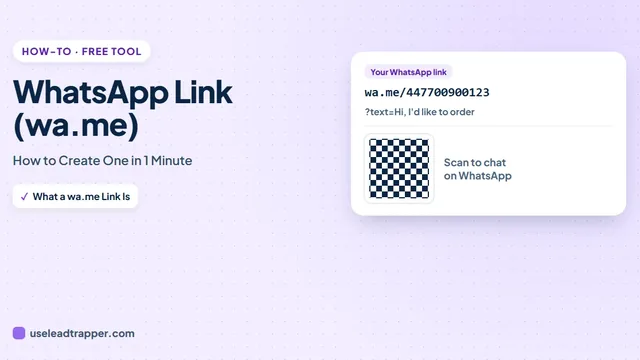
The WhatsApp number format guide goes through the Mexico and Argentina rules, and how to write the same number for a link is in the guide on how to create a WhatsApp link.
Worked Example: One Mixed List
Take six numbers from a spreadsheet of customers in different countries. Each one needs its code and the 0 handled differently.
| As it appears | Country | What to do | WhatsApp format |
|---|---|---|---|
| 051 234 5678 | Saudi Arabia (Riyadh) | Drop 0, add 966 | 966512345678 |
| 07400 123456 | United Kingdom | Drop 0, add 44 | 447400123456 |
| (718) 555-0123 | United States | Add 1 | 17185550123 |
| 8 912 345-67-89 | Russia | Replace 8 with 7 | 79123456789 |
| (11) 96123-4567 | Brazil (São Paulo) | Add 55 | 5511961234567 |
| 222 123 4567 | Mexico | Add 52 and the 1 | 5212221234567 |
The US row is the one that looks like “17”: the 1 is the country and 718 is the area code. Six numbers take a minute by hand. A list of 600 takes an afternoon, and one wrong guess about the country quietly turns every number into a different person’s.
Lookup: Your Problem, Your Fix
Find what you see in the first column, and the fix is in the last.
| What you see | Likely cause | Fix |
|---|---|---|
| “Phone number shared via URL is invalid” or no chat opens | A 0, a plus sign or brackets left in a link | Digits only, country code first, no 0 |
| A number starts 0 after the code (9710501234567) | The domestic 0 was kept | Remove the 0 after the code |
| Code appears twice (971971501234567) | The code was added to a number that had it | Add it only when it is missing |
| A US number has 10 digits and no code | Local format | Add 1 in front |
| Mexican number opens nothing | The 1 after 52 is missing | Write 52 1 and the 10 digits |
| Excel shows 9.71501E+11 | Excel turned the number into a float | Format the column as Text before pasting |
| Number looks right but no chat | The number is a landline or has no WhatsApp | Check the number on WhatsApp |
| A list from many countries | No country on each row | Add a country column, then add codes by country |
A correct format only fixes the shape. WhatsApp’s own help page on adding an international contact says to start with the plus sign when you save a number on your phone, and it does not promise the number has an account.
Format a Whole List Free
For a list, use the free WhatsApp number formatter: paste the numbers or a CSV, choose the country, and it adds the code and drops the 0, with the Mexico and Argentina rules switched on by default. It runs in your browser, and it formats; it does not check who is on WhatsApp. The guide to formatting a phone list for WhatsApp shows the Excel version of the same job.
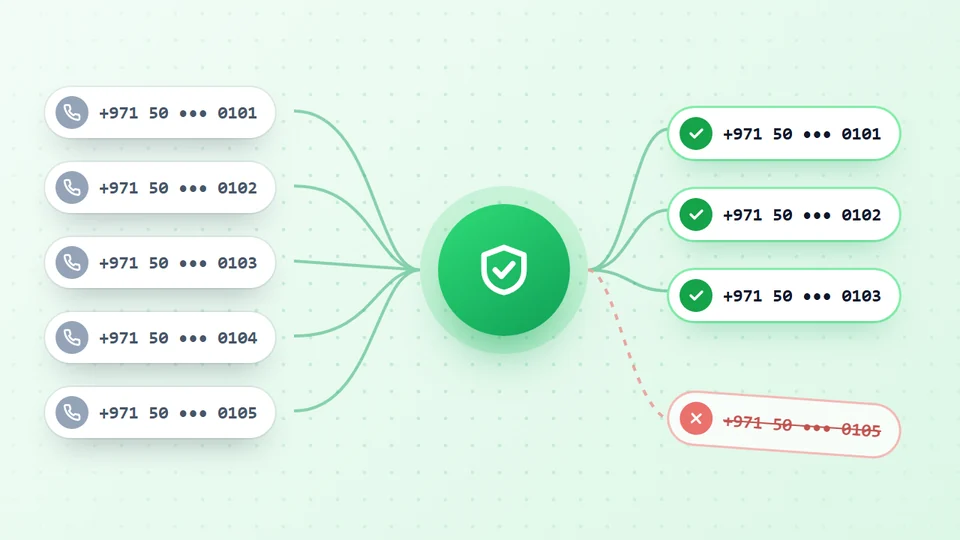
The step after formatting is checking. LeadTrapper’s WhatsApp number filter checks each number against WhatsApp with your connected account, so you send only to numbers with an account. Its free trial lasts 14 days.
Landlines are the usual reason a clean-looking number gets nothing. WhatsApp says the app is built for mobile phones, and only the WhatsApp Business app can register a landline. A list of business numbers always contains some, so the format step and the check step belong together. When your list is ready, the WhatsApp bulk sender sends from your own number with safe pacing. It is an unofficial tool, like every PC sender, and WhatsApp’s terms do not allow unwanted bulk messages, so message people who expect to hear from you.
Check which numbers are on WhatsApp, free for 14 days
No card needed. Free for 14 days, then $50 a year. Windows 10 and 11.
Before you send: warm up new or quiet numbers first with the WhatsApp warmer (LeadTrapper's Account Warmer), which runs in the same app.
Frequently Asked Questions
966 is the calling code of Saudi Arabia. A Saudi mobile written 05x xxx xxxx at home becomes 966 5x xxx xxxx on WhatsApp: the 0 is dropped and 966 goes first. For example, 051 234 5678 is +966 51 234 5678, or 966512345678 in a wa.me link.
The country code 1, then the three-digit area code, then the seven-digit number, with no leading 0: (201) 555-0123 is +1 201 555 0123, or 12015550123 in a link. Canada uses the same +1 and the same 10-digit pattern.
No. The 0 many countries dial before a mobile number is a domestic habit, not part of the international number. Write the country code, then the number without the 0: 07400 123456 in the UK is +44 7400 123456. The table shows the few countries that have no 0 to drop.
No country code is 17. A number that starts 17 is almost always the US or Canada code +1 followed by an area code that starts with 7, such as 718 or 713. Read the code first, then the area code.
When you save a contact on your phone, start with the plus sign, as WhatsApp's help page advises. In a wa.me link and in most bulk tools you write digits only, so the plus sign, spaces and brackets are removed.
The ITU, the UN agency that sets the standard, publishes the list of assigned country codes under Recommendation E.164, which was last updated in 2026. This guide lists 75 common countries with a worked example for each.
About LeadTrapper
LeadTrapper is a Windows app for finding business leads and contacting them on WhatsApp. It collects business contacts from Google Maps, Instagram, Facebook, TikTok, LinkedIn and business websites, checks which numbers are on WhatsApp with its Number Filter, and sends personalised campaigns with automatic delays from one or more WhatsApp accounts. It also has a chatbot, a shared inbox for every account, and Store Orders for online shops. It installs from the Microsoft Store, and the full app is free for 14 days, then $50 a year. Free web tools, browser extensions and a Wix app are listed on the Free Tools page.
Format, Check, Then Message the List
LeadTrapper for Windows checks which numbers are on WhatsApp and sends from your own number with safe pacing. $50/year, 14-day free trial.