In this article 5 sections
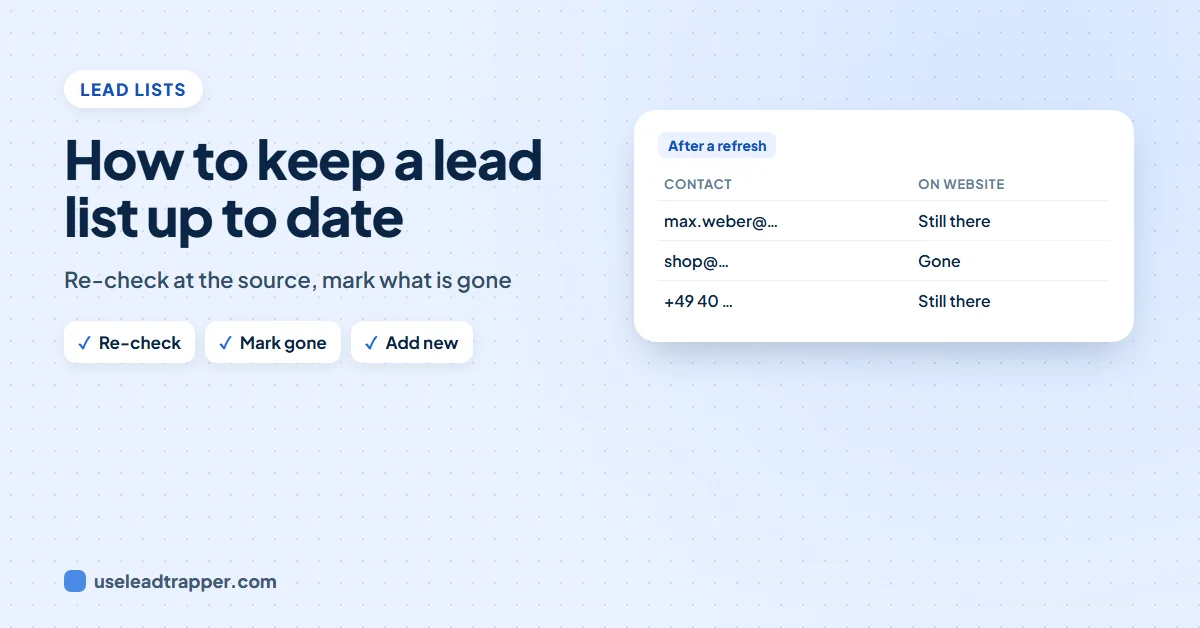
Contact details go out of date as people change jobs and businesses move, rebrand or close. Re-check each business at its source, its own website, every few months, mark the contacts that have gone instead of deleting them, and add the new ones. The LeadTrapper app does this with Refresh my list and reminds you after 3 months.
- A lead list starts going out of date the day you build it: people change jobs, inboxes close, numbers move, businesses rebrand or shut.
- The most reliable re-check is the source itself: the business's own website shows the contacts it uses today.
- Mark contacts that have gone instead of deleting them, so you keep the history of who you wrote to and why a message bounced.
- Re-check every three months, and always before a large campaign.
- The LeadTrapper app's Refresh my list reads the saved websites again, marks contacts no longer on the website as gone, adds new ones, and reminds you when a website has not been checked for 3 months.
A lead list is a snapshot. The day you build it, every email and number is right; a few months later some of them are not. Sending to a list that has quietly gone stale costs you bounces, wrong numbers and, for email, a sending reputation that takes months to repair.
Why Lists Go Stale
Contacts change for ordinary reasons:
- People move on. The sales manager who answered sara@ leaves, and the inbox closes.
- Businesses change. They move offices, rebrand to a new domain, switch phone providers or open and close branches.
- Businesses close. Their website lapses, their numbers are reassigned.
None of this announces itself. A list built once keeps the old details until someone checks.
Re-check at the Source
The most reliable way to check a business contact is the place the business itself keeps up to date: its own website. The contact page, the team page and the legal notice show the email and phone it uses today. A database or a list you bought can only be as fresh as its last update.
Two quick checks add to that:
- The email’s domain. A domain that no longer receives mail means every address on it will bounce. Our guide to checking if an email is valid shows how.
- WhatsApp. A number that has left WhatsApp will not receive your message. Check it again before a campaign.
Mark, Don't Delete
When a contact has gone, it is tempting to delete the row. Keep it, marked:
- You keep the history: who you wrote to, when, and what they said.
- The same dead address will not come back in from another source unnoticed.
- A bounce from three months ago makes sense when you can see the contact was marked gone.
Then send only to the contacts still marked as current.
Refresh a Whole List in the App
The email finder in the LeadTrapper Windows app keeps every contact it finds in My contacts, with the date it was added and the website it came from. ↻ Refresh my list reads those websites again, one at a time with a pause between them, and then:
- Contacts still on the website get today’s check date.
- Contacts no longer on the website are marked Gone from website with the date. They are kept, never deleted. They drop to Low (“No longer on the website”) and are left out of the best contact per business and the HubSpot and Pipedrive files.
- New contacts the business has published since are added.
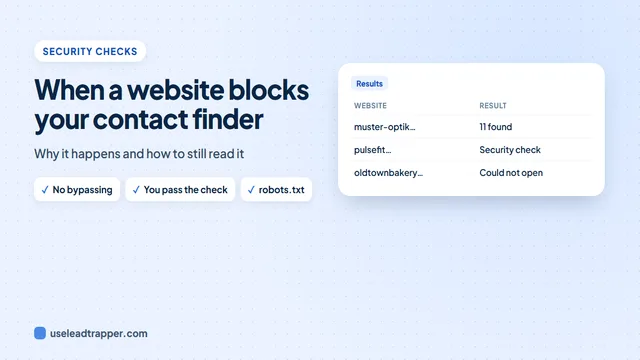
- A website that did not open this time, or showed a security check, is not marked at all, because a failed read says nothing about what the business publishes.
When a website in your list has not been checked for 3 months, a reminder appears above the list: “1 website was last checked more than 3 months ago. Businesses change their contacts. Check it again.” The link re-checks only those websites.
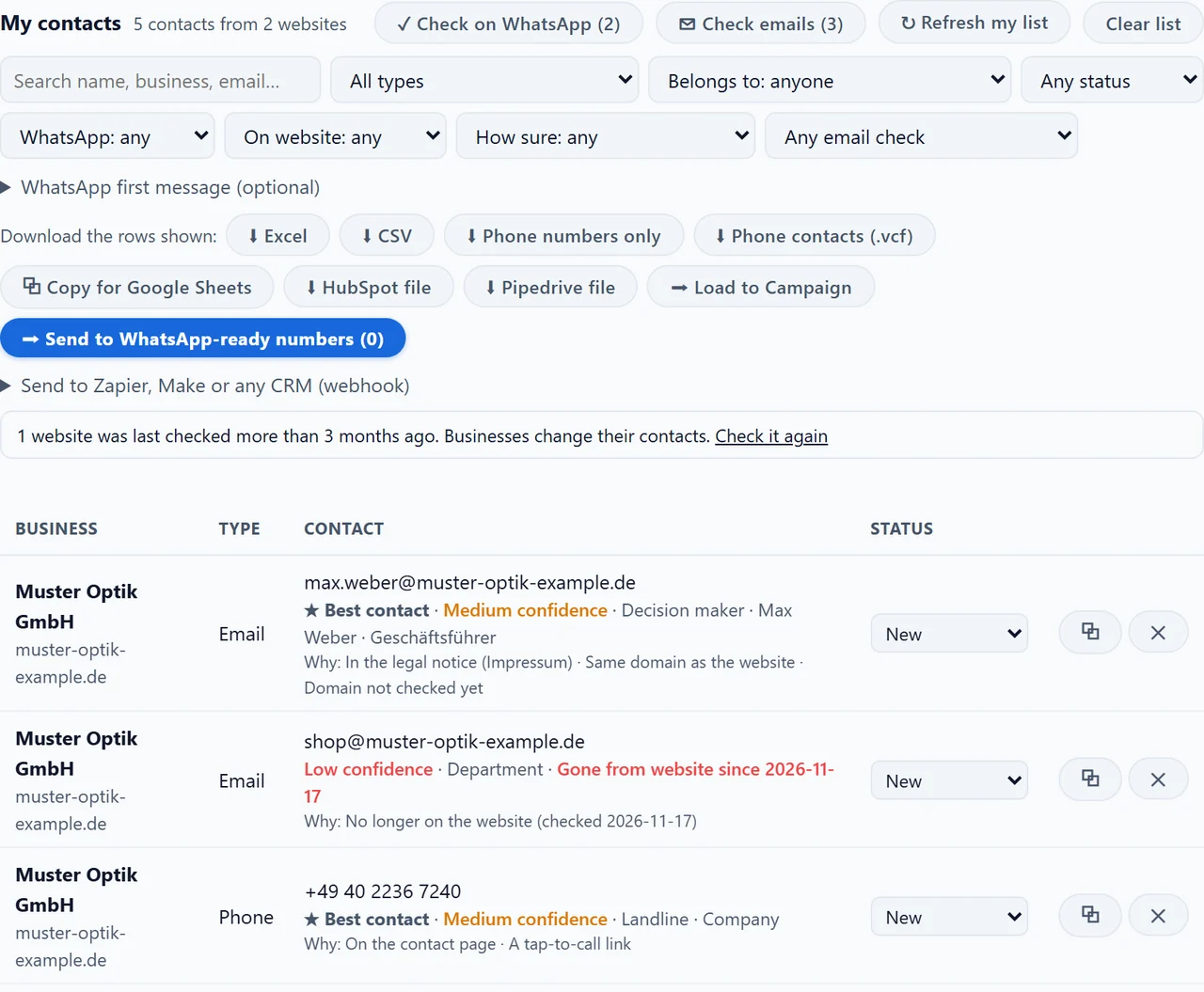
To work with the result, choose On website: Still on the website to see only current contacts, and do this before you load numbers into a WhatsApp campaign, or Gone from website to review what changed.
A Simple Routine
- Every three months, or when the app reminds you, refresh the list.
- Before a campaign, run Check emails and Check on WhatsApp on the contacts you will use.
- Filter to current contacts and to the best contact per business.
- Review the gone ones. A business whose every contact has gone may have closed or moved; search for its new website and add it.
The same rule applies to a list you did not build yourself; our guide to cleaning a contact list before a campaign covers the order of the checks. And for how many contacts a fresh run finds in the first place, see the hand-checked accuracy test of 190 websites.
Frequently Asked Questions
Every three months is a good habit, and always before a large campaign. Check sooner when bounces or wrong numbers start to rise, because that is the list telling you it is out of date.
People change jobs and their inboxes close, businesses move, rebrand, change their phone system or close. A list bought or built once does not change with them, so a growing share of it points to contacts that no longer exist.
Mark them instead. A record of who you contacted, when, and that the contact has gone stops you importing the same dead address again from another source, and explains past bounces. Send only to the contacts still marked as current.
Look at the business's own website: its contact, team and legal pages show the contacts it uses today. Then check that the email's domain can still receive mail, and that the phone number is still on WhatsApp if you plan to message it.
No. Refresh my list marks them 'Gone from website' with the date it noticed, drops them to Low and leaves them out of the best contact and the HubSpot and Pipedrive files. Before sending on WhatsApp, choose On website: Still on the website so only current numbers are loaded.
About LeadTrapper
LeadTrapper is a Windows app for finding business leads and contacting them on WhatsApp. It collects business contacts from Google Maps, Instagram, Facebook, TikTok, LinkedIn and business websites, checks which numbers are on WhatsApp with its Number Filter, and sends personalised campaigns with automatic delays from one or more WhatsApp accounts. It also has a chatbot, a shared inbox for every account, and Store Orders for online shops. It installs from the Microsoft Store, and the full app is free for 14 days, then $50 a year. Free web tools, browser extensions and a Wix app are listed on the Free Tools page.
Keep Your Leads Current
LeadTrapper for Windows re-reads the business websites in your list, marks contacts that are gone, adds new ones and reminds you every 3 months. $50/year, 14-day free trial.