In this article 6 sections
Reading the emails a business publishes on its own website is generally lawful; what the law controls is how you use them. In the EU a named person's work email is personal data under the GDPR, Germany and Spain need prior consent for marketing emails even to businesses, the UK allows them to companies, and the US requires an opt-out.
- Two questions get mixed up: may you collect a published email, and may you send marketing to it. The second is where the rules are.
- A general address such as info@ is company information; a named person's work email such as max.weber@ is personal data under the GDPR.
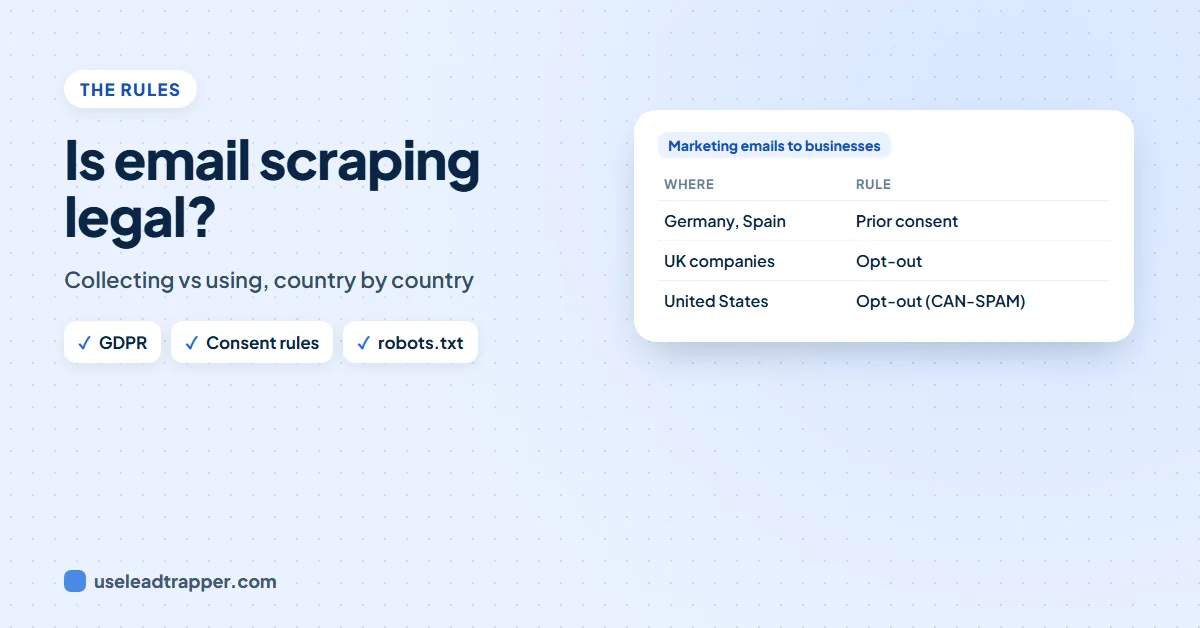
- Germany and Spain require prior consent for marketing emails, also to businesses. The UK allows them to companies with an opt-out; the US (CAN-SPAM) requires an opt-out; Canada (CASL) needs consent, which can be implied for a published, role-relevant address.
- A website's robots.txt and terms of service are rules to respect, and copying a whole database can infringe the EU database right.
- A careful tool reads only what businesses publish, at a gentle pace, follows robots.txt and never gets past a security check. This is general information, not legal advice.
“Is email scraping legal?” has two answers, because it is really two questions. Collecting the emails a business publishes on its own website is, in most countries, not the problem. Sending marketing to those emails is where the law steps in, and the rules differ a lot from country to country. This guide separates the two and sets out the main rules. It is general information, not legal advice.
Collecting vs Using
| Question | What decides it |
|---|---|
| May I read the contact details a business publishes? | Mostly the website’s own rules (robots.txt, terms of service) and, for whole databases, database and copyright law |
| May I keep a named person’s details? | Data protection law, such as the GDPR in the EU and UK |
| May I send them marketing? | Anti-spam and marketing law, which differs by country and by channel |
For the court cases on reading public web pages, see our guide to whether scraping Google Maps is legal; the same cases apply to websites.
Personal Data or Company Data?
A general address such as info@, sales@ or booking@ belongs to the company. A named person’s work address such as max.weber@ is personal data under the GDPR, because it identifies a person.
For personal data you need a lawful basis, which for business contact is usually legitimate interest: you have a real business reason, the person could reasonably expect it, and it does not override their rights. When you did not get the data from the person, article 14 of the GDPR says you must tell them who you are and how you use their data, at the latest in your first message or within a month. Keep only what you need, and delete it when asked.
Email Rules by Country
| Where | Marketing emails to businesses |
|---|---|
| Germany | Prior consent needed, also between businesses (UWG, section 7) |
| Spain | Prior consent needed for commercial emails, companies included (LSSI, article 21) |
| United Kingdom | Allowed to companies (limited companies, LLPs) with your identity and an opt-out; sole traders need consent (PECR) |
| United States | Allowed without consent; you must not mislead, must give a postal address and honour opt-outs within 10 business days (CAN-SPAM) |
| Canada | Consent needed; it can be implied when the address is published conspicuously, without a “no marketing” note, and your message is relevant to the person’s role (CASL) |
| Turkey | Messages to merchants and tradespeople allowed until they refuse; consumers need consent (commercial message rules) |
Our country guides go into detail: Germany, Spain and Mexico, Turkey, the UK.
Calls, SMS and WhatsApp have their own rules: Germany allows a first business call on presumed consent, and India’s TRAI rules restrict telemarketing to numbers on its Do Not Disturb list.
The Website's Own Rules
- robots.txt is a file in which a website asks automated visitors not to read some pages, and sometimes to pause between pages. It is not a law in itself, but following it is part of acting in good faith.
- Terms of service can forbid automated access. Courts treat them differently, but where they form a contract, breaking them is a contract risk.
- Security checks (“Verify you are human”) are the website saying no to automated visitors. Getting past them on purpose is a different matter from reading a public page.
- Database right. In the EU, copying a whole or substantial part of a database, such as a directory, can infringe the database maker’s right. Reading each business’s own website is not copying someone else’s database.
How LeadTrapper Is Built
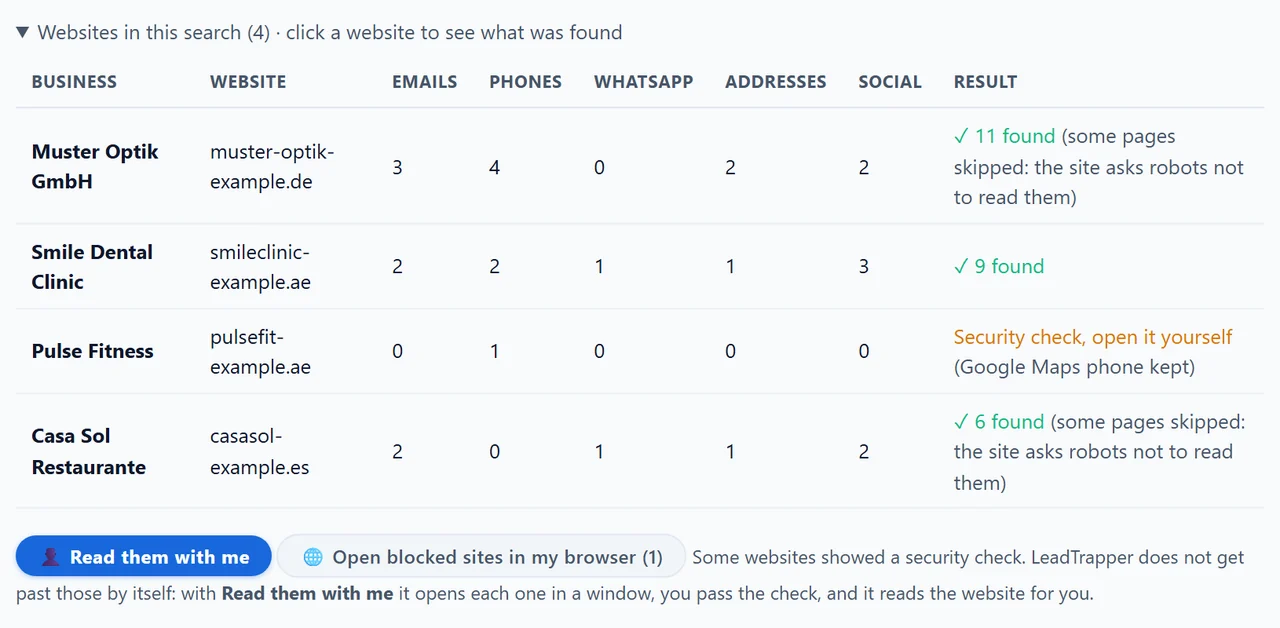
The email finder in the LeadTrapper Windows app is built to stay on the right side of these lines:
- It reads only what each business publishes on its own website, and never guesses an email from a name.
- It reads one website at a time, with a pause between websites and between pages.
- It follows each website’s robots.txt, leaves the pages every robot is asked to skip, keeps the pause it asks for, and tells you when pages were skipped.
- It never solves a CAPTCHA or gets past a security check; it lets you pass the check yourself.
- It does not read search engines’ pages. It reads a business’s own Facebook page or Instagram profile only when you turn that option on, with your own connected account.
- Everything stays on your computer; nothing is sent to us.
A Checklist Before You Send
- Know the country’s rule for the channel you use: email, call or WhatsApp.
- Prefer the business’s general address when the rule is strict, and use a named person’s address only with a clear business reason.
- Say who you are and how you found them, in the first message.
- Give an easy way to say no, and honour it at once.
- Keep a record of where each contact came from and when; the app’s “Found on page” and “Added” columns do this.
- Delete on request.
For writing on WhatsApp, read WhatsApp’s rules on cold outreach, and for websites that block automated visitors, what to do when a website blocks scraping.
Frequently Asked Questions
Reading the contact details a business publishes on its own website is generally lawful in most countries. What is regulated is what you do next: storing a named person's email is processing personal data under the GDPR in the EU and UK, and sending them marketing is covered by anti-spam rules that differ by country.
It depends on the country. Germany (UWG section 7) and Spain (LSSI article 21) require prior consent for advertising emails, also between businesses. Other EU countries allow emails to companies with a clear opt-out. Everywhere, a named person's email is personal data under the GDPR.
Under PECR you may send marketing emails to corporate subscribers, such as limited companies and LLPs, without prior consent, as long as you identify yourself and give a valid address for opting out. Sole traders and some partnerships count as individuals and need consent.
A lawful basis, usually legitimate interest for business contact, and transparency: when you did not get the data from the person, you must tell them who you are and how you use it, at the latest in your first message or within a month. Keep only what you need and delete it on request.
robots.txt is a website's request to automated visitors, not a law in itself. But respecting it is part of acting in good faith, and a website's terms of service can be a contract. LeadTrapper follows robots.txt: it leaves the pages every robot is asked to skip and keeps the requested pause.
About LeadTrapper
LeadTrapper is a Windows app for finding business leads and contacting them on WhatsApp. It collects business contacts from Google Maps, Instagram, Facebook, TikTok, LinkedIn and business websites, checks which numbers are on WhatsApp with its Number Filter, and sends personalised campaigns with automatic delays from one or more WhatsApp accounts. It also has a chatbot, a shared inbox for every account, and Store Orders for online shops. It installs from the Microsoft Store, and the full app is free for 14 days, then $50 a year. Free web tools, browser extensions and a Wix app are listed on the Free Tools page.
Collect Contacts the Careful Way
LeadTrapper for Windows reads only what businesses publish, follows each website's robots.txt and never gets past a security check. $50/year, 14-day free trial.