In this article 5 sections
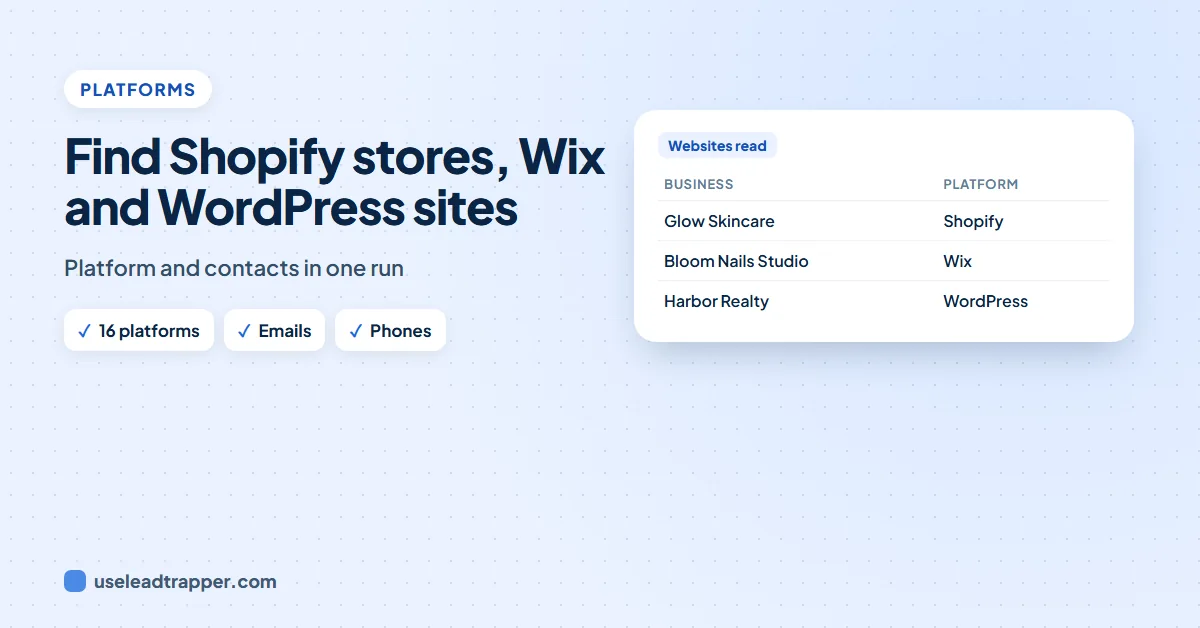
To find Shopify stores, look for the signs a platform leaves in a website's code: cdn.shopify.com for Shopify, static.wixstatic.com for Wix, wp-content for WordPress. Free browser tools such as Wappalyzer show them on any page. The LeadTrapper app detects 16 platforms on every website it reads, next to the business's emails and phones.
- Agencies, theme makers and app sellers need businesses on one platform: Shopify stores, Wix sites, WordPress or WooCommerce shops.
- Every platform leaves signs in a website's code, such as cdn.shopify.com, static.wixstatic.com or wp-content, so the platform can be read from the page.
- Free browser tools such as Wappalyzer show a site's platform; paid lead databases such as BuiltWith sell lists by platform.
- The LeadTrapper app detects 16 platforms, from Shopify, Wix and WordPress to Salla and Zid, on every website it reads, alongside its emails, phones and WhatsApp numbers.
- Search a business type and a city, then search My contacts for the platform's name to keep only those businesses.
If you sell to businesses on one platform, the platform is the first filter. A Shopify theme maker wants Shopify stores, a Wix designer wants Wix sites, a WooCommerce plugin seller wants WooCommerce shops. Every website gives away which platform it runs on, and you can read it in seconds.
Who Needs a List by Platform
- Agencies and freelancers who build or maintain sites on one platform.
- App and theme makers selling into one platform’s store.
- Migration services moving shops from one platform to another.
- Payment, shipping and marketing tools that integrate with particular platforms.
For agencies in general, our guide to finding clients for a marketing agency covers other ways to pick prospects.
Signs a Platform Leaves
Open a website and press Ctrl+U to see its code, then search (Ctrl+F) for these:
| Platform | What to look for in the code |
|---|---|
| Shopify | cdn.shopify.com, myshopify.com |
| WooCommerce | woocommerce |
| WordPress | wp-content, wp-includes, a WordPress generator tag |
| Wix | static.wixstatic.com |
| Squarespace | static1.squarespace.com |
| Webflow | data-wf-site, website-files.com |
| Salla, Zid | cdn.salla.sa, zid.store (popular in Saudi Arabia) |
Tools That Read the Platform
- Wappalyzer and similar free browser extensions show the platform of the page you are on.
- BuiltWith and other paid databases sell lists of websites by platform, often with company details; check how fresh the contacts are before you buy.
A browser extension works one site at a time. A database gives you sites, but its contacts can be months old. Reading each business’s own website gives you both the platform and today’s contacts.
Platform and Contacts in One Run
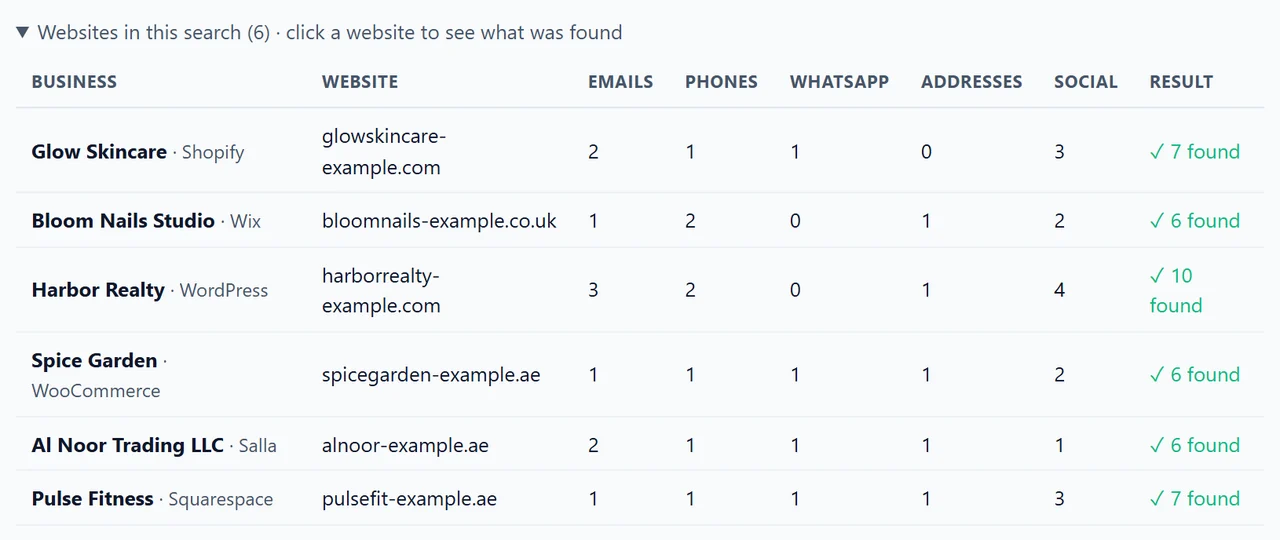
The email finder in the LeadTrapper Windows app detects the platform of every website it reads, from the same page it collects contacts from. It recognises 16: Shopify, WooCommerce, Wix, Squarespace, Webflow, Salla, Zid, BigCommerce, Magento, PrestaShop, OpenCart, Weebly, GoDaddy Website Builder, Joomla, Drupal and WordPress.
- In Search & find, type a business type, such as “skincare shop” or “boutique”, and one city per line. The app finds the businesses on Google Maps and reads each website.
- The results show the platform next to each business name.
- In My contacts, type the platform’s name, such as Shopify, into the search box to keep only those businesses.
- Download the list as Excel or CSV; the Website platform column comes with it.
Writing to Platform Users
Open with what you know: “I saw your shop runs on Shopify” is a better first line than a general pitch. Keep it relevant to their platform, short, and easy to decline. For the decision maker rather than the general inbox, see finding the decision makers in a company, and for the rules on writing to the contacts you collect, whether email scraping is legal.
Frequently Asked Questions
Look for Shopify's signs on a website: images and files loaded from cdn.shopify.com, or a myshopify.com address behind the store. A browser tool such as Wappalyzer shows it on any page you open. To find many at once, search for a business type in a city and check each website, which the LeadTrapper app does for you.
View the page source (Ctrl+U). Wix sites load files from static.wixstatic.com; WordPress sites load from folders called wp-content and wp-includes, and many say WordPress in a generator tag. WooCommerce shops are WordPress sites with the WooCommerce plugin.
Sixteen: Shopify, WooCommerce, Wix, Squarespace, Webflow, Salla, Zid, BigCommerce, Magento, PrestaShop, OpenCart, Weebly, GoDaddy Website Builder, Joomla, Drupal and WordPress. A website on none of these is left blank.
Yes, from what each store publishes on its own website: the contact page, the footer, the legal notice. The LeadTrapper app collects those emails, phones and WhatsApp numbers in the same run that detects the platform.
If you build Shopify themes, sell Wix design services, maintain WordPress sites or offer an app for one platform, every business on that platform is a potential customer, and you can speak to them about the platform they already use.
About LeadTrapper
LeadTrapper is a Windows app for finding business leads and contacting them on WhatsApp. It collects business contacts from Google Maps, Instagram, Facebook, TikTok, LinkedIn and business websites, checks which numbers are on WhatsApp with its Number Filter, and sends personalised campaigns with automatic delays from one or more WhatsApp accounts. It also has a chatbot, a shared inbox for every account, and Store Orders for online shops. It installs from the Microsoft Store, and the full app is free for 14 days, then $50 a year. Free web tools, browser extensions and a Wix app are listed on the Free Tools page.
Find Businesses by Platform
LeadTrapper for Windows finds businesses by type and city, shows which platform each website uses, and collects their emails, phones and WhatsApp numbers. $50/year, 14-day free trial.