In this article 8 sections
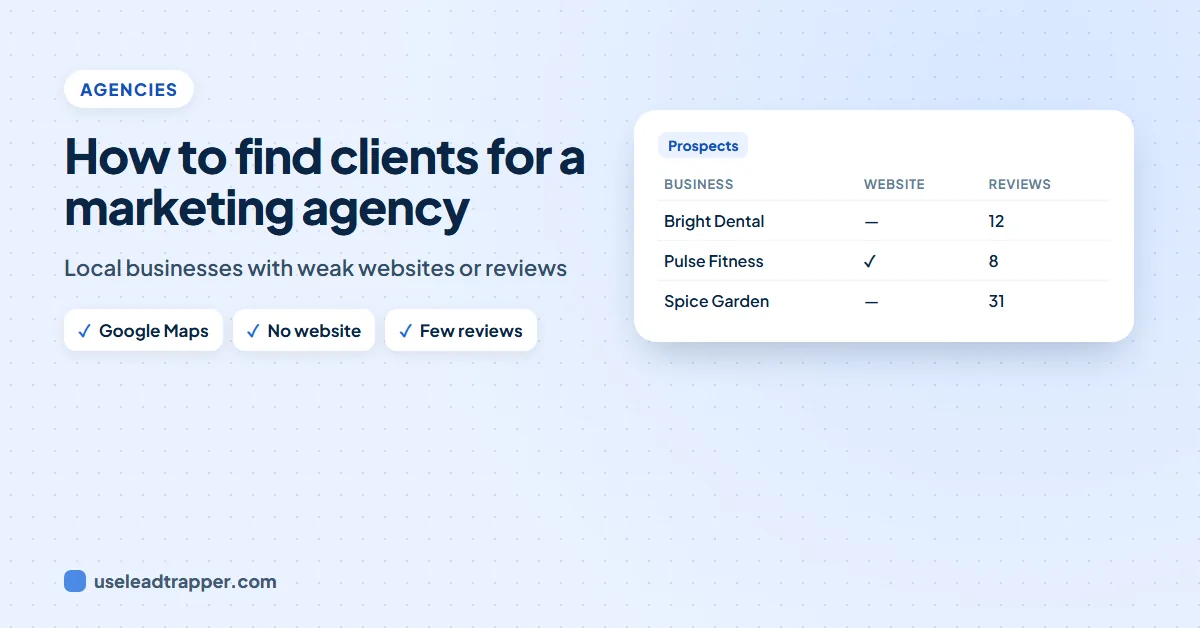
How to find clients for a marketing agency: pick one niche in one city, list every business in it from Google Maps, spot the ones that need you (no website, few reviews, no ads), find their contact details, and send each a short, personal message with one clear offer. LeadTrapper does all of this in one Windows app.
- Pick one niche in one city, such as dental clinics in London: a focused list gets better replies than a broad one.
- Google Maps lists every local business in the niche, with phone, website, rating and reviews.
- The list shows who needs you: no website for web design, few or poor reviews for reputation work, no ads or a quiet Facebook page for marketing.
- Find the contact details next: the Maps listing, the business homepage, then their contact and team pages.
- Send a short, personal first message with one clear offer and one easy question, to a few businesses a day, and follow up by hand.
Most new agencies find their first clients the same way: friends, referrals, then silence. The way out is a steady list of local businesses you can actually help, and a simple way to start a conversation with them. This guide shows the routine step by step, with a marketing or web design agency in mind.
Step 1: Pick One Niche in One City
“Small businesses” is not a target. “Dental clinics in London” is. One niche lets you speak their language, show one relevant example and reuse what works. One city keeps the list to businesses you can serve and visit. Good niches spend money on getting customers and live from their reputation: dentists, clinics, salons, gyms, restaurants, estate agents, trades.
Step 2: List Every Business From Google Maps
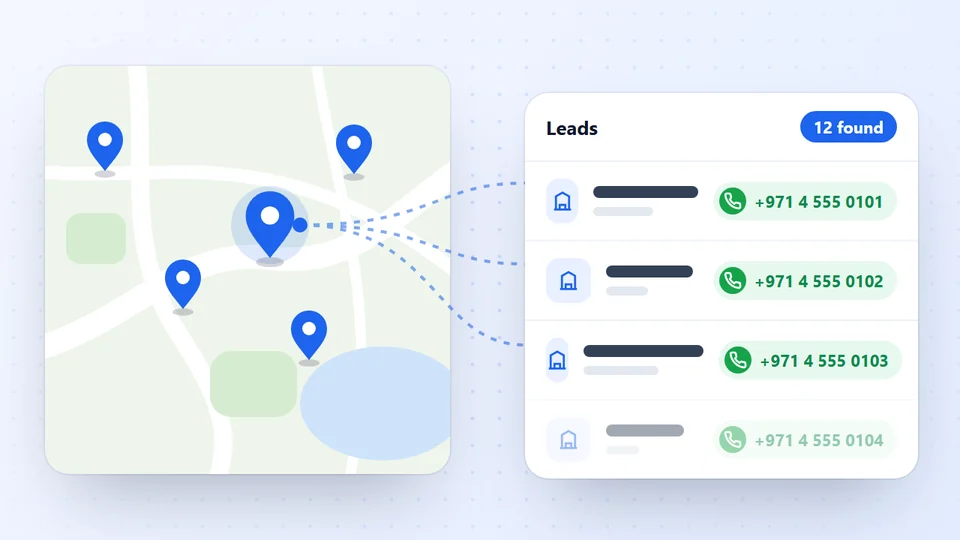
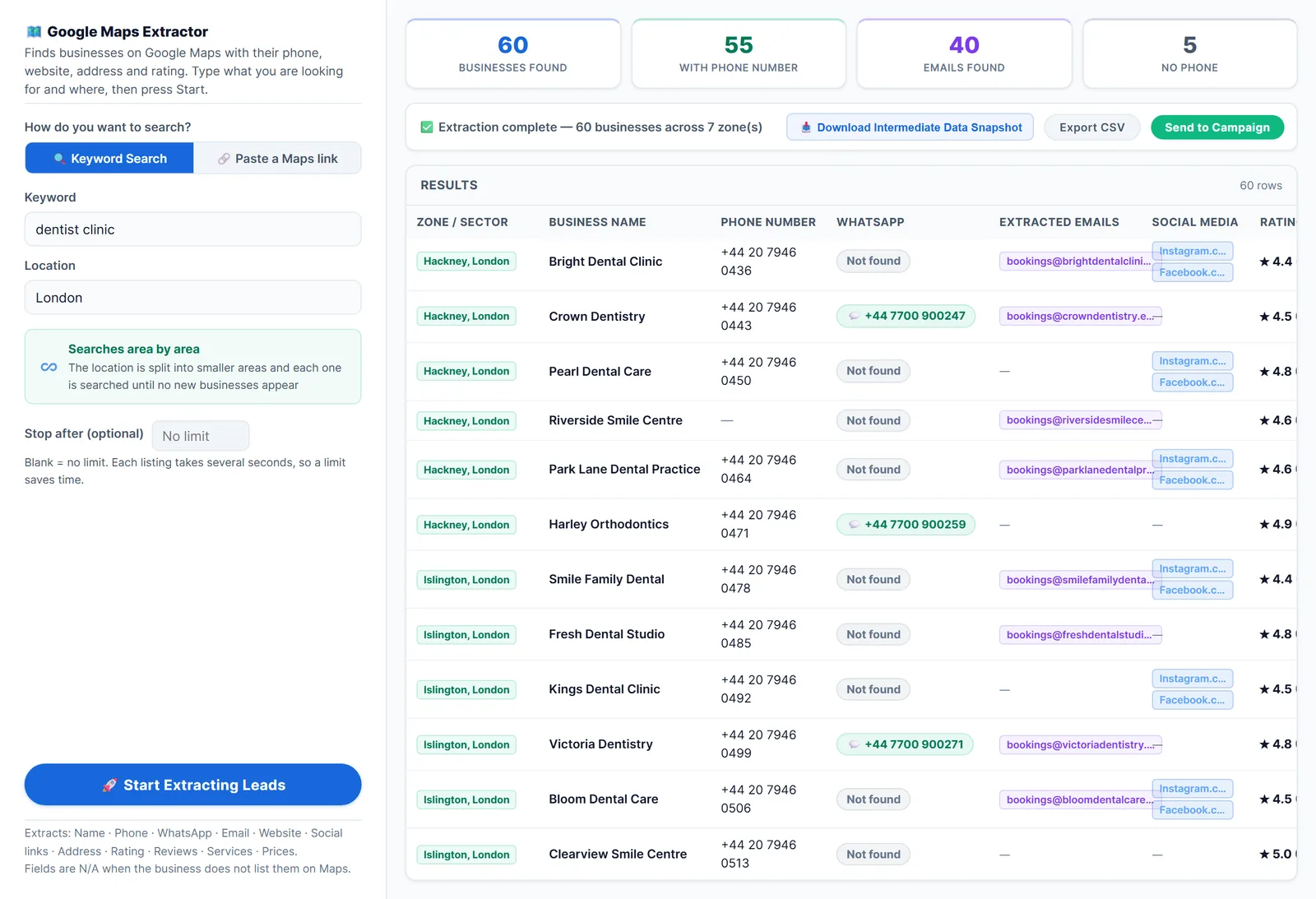
Google Maps has almost every local business, with its phone, address, website, rating and reviews. The Google Maps scraper in LeadTrapper turns a search like “dentist clinic” in “London” into a list, searching the city area by area so you’re not stopped at the first 120 results (see how to scrape more than 120 results).
Step 3: Spot Who Needs You
The list already tells you where the gaps are. Sort it and start with the businesses that match your service:
| You sell | Look for |
|---|---|
| Websites | An empty Website column |
| Reviews or reputation | A low rating or very few reviews |
| Social media | No social links, or a quiet Facebook page |
| Ads | Businesses not running ads, or competitors that are |
To check ads, the Facebook business page scraper shows whether each page is running ads right now. Pick 30 to 50 businesses with a clear gap. That’s your first list.
Step 4: Find the Contact Details
The Maps list has a phone number for nearly every business, plus the WhatsApp number, email and social links when the business lists them on Google Maps or its homepage. For the rest, paste their websites into the Email Finder: it reads their contact, team and branch pages. The guide to finding business email addresses covers other ways.
Step 5: Send a Short, Personal First Message
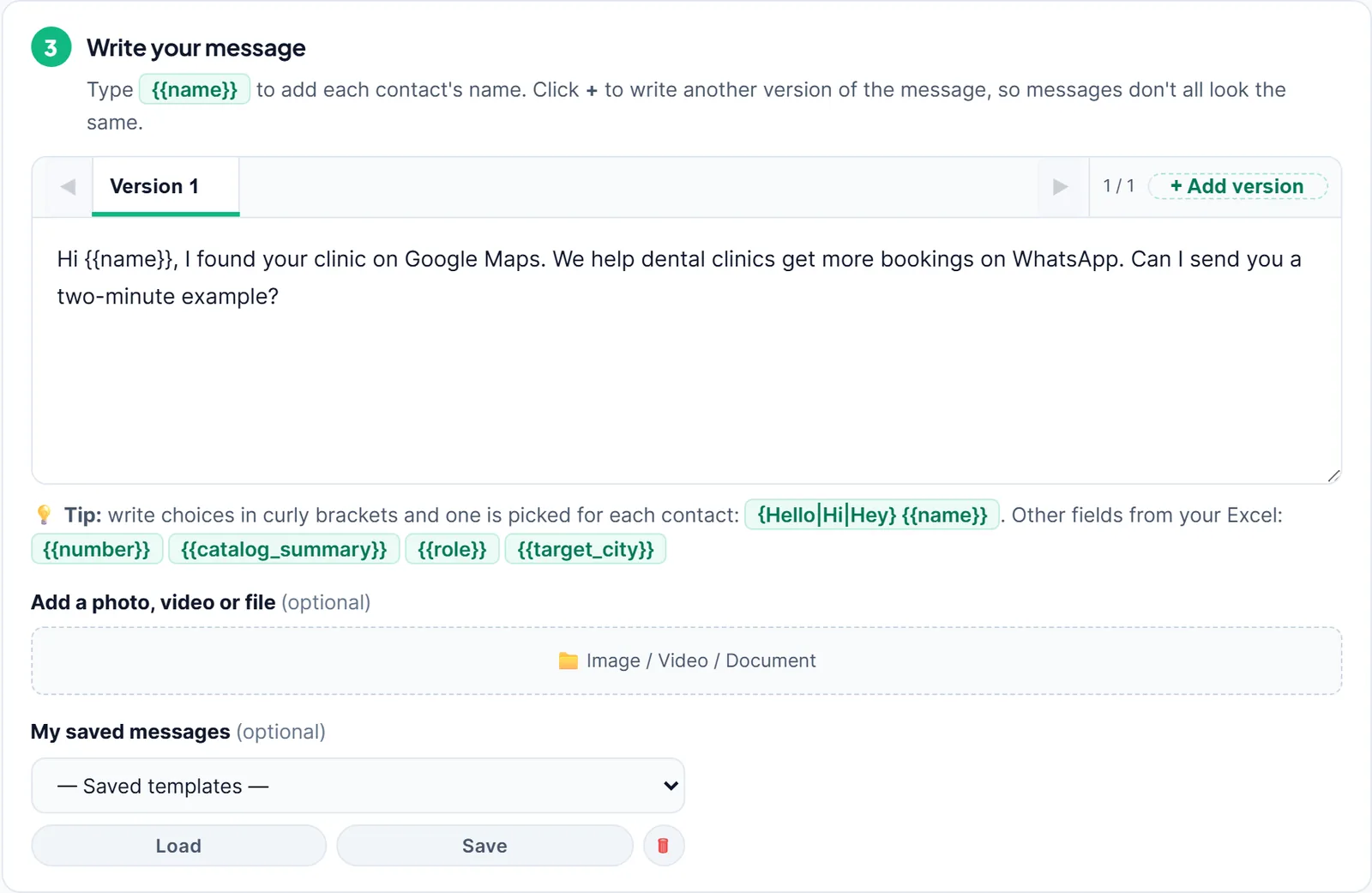
Keep the first message short: their name, one line on why you are writing to them, and one easy question. For example:
Hi, I found Crown Dentistry on Google Maps. We help clinics get more bookings on WhatsApp. Can I send you a two-minute example?
A short question is easier to answer than a long sales message. Send the list to the WhatsApp bulk sender: it checks each number on WhatsApp first, puts each business’s name in the message, varies the wording and waits a random time between messages.
Start with a few businesses a day from a warmed-up number, and stop for anyone who says no. WhatsApp’s terms limit bulk and automated messaging, and people who didn’t expect your message can report it, so relevance matters more than volume. The guide to B2B outreach on WhatsApp covers what works and what doesn’t.
Offers That Get Replies
Local business owners reply to a concrete result, not to a list of services. Lead with one small, specific thing you can show them:
- Web design: “Your clinic doesn’t have a website; here’s a one-page example with your name and your Google reviews on it.”
- Reviews: “You have 12 reviews and the clinic next door has 300. Here’s how we’d help you get more.”
- Ads: “Three dentists near you are running Facebook ads and you’re not. Here’s what theirs look like.”
- WhatsApp booking: “Patients message you on WhatsApp. Here’s a button that sends booking requests straight there.”
Make the first step small: a free audit, a two-minute video, a mock-up. A yes to a small step is far easier than a yes to a contract.
A simple weekly routine.
| Day | Task |
|---|---|
| Monday | Build or refresh the list for one niche and city |
| Tuesday | Pick the 30 to 50 best fits and find their contact details |
| Wednesday to Thursday | Send the first messages, a few at a time |
| Friday | Reply, follow up once, book calls, note what worked |
Repeat with the same niche for a month before you judge it: replies and follow-ups take time to add up.
What You Need, and What You Don't
Finding clients this way needs four things, and none of them is expensive:
| Job | What does it |
|---|---|
| A list of businesses | A Google Maps scraper, plus Facebook or Instagram for social-first niches |
| Contact details | The Maps listing, the business homepage, and an email finder for deeper pages |
| The first message | WhatsApp or email, short and personal, sent a few at a time |
| Keeping count | A simple spreadsheet: contacted, replied, call booked, won |
What you don’t need: a bought lead list (often old and shared with every competitor; see B2B lead generation lists), a big CRM before your first ten clients, or a long sales deck. A clear niche, a real gap you can fix and a short message do most of the work.
Step 6: Follow Up and Keep Count
Reply to everyone who answers, quickly and personally; the WhatsApp live chat inbox keeps replies from all your numbers in one place. Follow up once, by hand, with people who read but didn’t reply. Keep a simple count each week: businesses contacted, replies, calls booked, clients won. Then change one thing at a time: the niche, the offer or the first line.
In short: the agencies that find clients steadily don’t wait for referrals. They choose one niche in one city, build a full list from Google Maps, pick the businesses with a gap they can fix, and send each one a short, personal message about that gap. They send a few messages a day, reply quickly, follow up once and keep a simple count of what works. After a month they know which niche, offer and first line bring calls, and they repeat it in the next city. None of it needs a big budget, only a focused list and the discipline to keep going every week. Start this week with one niche, one city and thirty businesses, and judge the results after a month, not after the first day, because replies and booked calls often come after a short, polite follow-up rather than from the very first message.
Frequently Asked Questions
Pick one niche in one city, build a full list of those businesses from Google Maps, choose the ones with a clear gap you can fix, and contact each with a short personal message. A focused list of 50 good fits beats a broad list of thousands.
In a Google Maps list, businesses without a website have an empty Website column. LeadTrapper's Google Maps scraper exports that column, so you can sort the list and start with them.
Use the channel the business itself publishes. In many countries small businesses answer WhatsApp faster than email. Either way, keep the first message short and personal, and stop if they say no.
Their name, one line on why you are writing to them, and one easy question. For example: Hi, I found Crown Dentistry on Google Maps. We help clinics get more bookings on WhatsApp. Can I send you a two-minute example?
Rules differ by country, and WhatsApp's own terms limit bulk and automated messaging. Contact businesses with an offer that fits them, honour every request to stop, and check the rules where you and they are. This isn't legal advice.
About LeadTrapper
LeadTrapper is a Windows app for finding business leads and contacting them on WhatsApp. It collects business contacts from Google Maps, Instagram, Facebook, TikTok, LinkedIn and business websites, checks which numbers are on WhatsApp with its Number Filter, and sends personalised campaigns with automatic delays from one or more WhatsApp accounts. It also has a chatbot, a shared inbox for every account, and Store Orders for online shops. It installs from the Microsoft Store, and the full app is free for 14 days, then $50 a year. Free web tools, browser extensions and a Wix app are listed on the Free Tools page.
Find Your Agency's Next Clients on Google Maps
LeadTrapper lists local businesses from Google Maps, finds their emails and sends personal WhatsApp messages. $50/year after a 14-day free trial.