In this article 6 sections
To find businesses without a website, search a business type and city on Google Maps with a scraper, export the list and filter the Website column for empty rows. Then check each one's reviews and social links, sort by reviews to find active businesses, and send a short, specific offer by phone, WhatsApp or email.
- Google Maps lists many businesses with a phone and reviews but no website; a scraper puts them all in one sheet with an empty Website column.
- In our dentist test in Amman, 31% of 160 businesses had no website listed on Google Maps.
- Check before you pitch: some have a Facebook or Instagram page, a booking platform or a site that simply isn't on their listing.
- Rank by review count: a business with 80 reviews and no website is busy and reachable; one with 2 reviews may be closed.
- Lead with what they lose, in one line, plus a free mock-up or audit, not a price list.
Web designers, agencies and freelancers all say the same thing about this list: it’s the easiest client list there is. A business with no website already knows it’s missing something, its customers ask for one, and you can show the gap in a sentence. This guide shows how to build the list from Google Maps, check it, rank it and contact it, using the methods agencies share on their blogs and forums.
Why Businesses Without a Website Are Good Leads
- The need is visible. Their Google Maps listing has no website button. You don’t have to convince them of a problem.
- They are real and reachable. A Maps listing with a phone number and recent reviews is a working business.
- The share depends on the niche. In our own runs on 24 September 2026, 31% of Amman dentists and 27% of Cairo dentists had no website on Google Maps, but only 3% of real estate agencies in Downtown Dubai. Pick trades and areas where the gap is real; test a small run before committing to a niche.
- The first project is small. A one-page site with hours, prices, photos and a WhatsApp button is easy to say yes to, and often leads to more work.
Find Them on Google Maps in Four Steps
- Pick one trade and one city. “Plumbers in Manchester”, “salons in Riyadh” or “restaurants in Jakarta”. One niche makes the pitch specific.
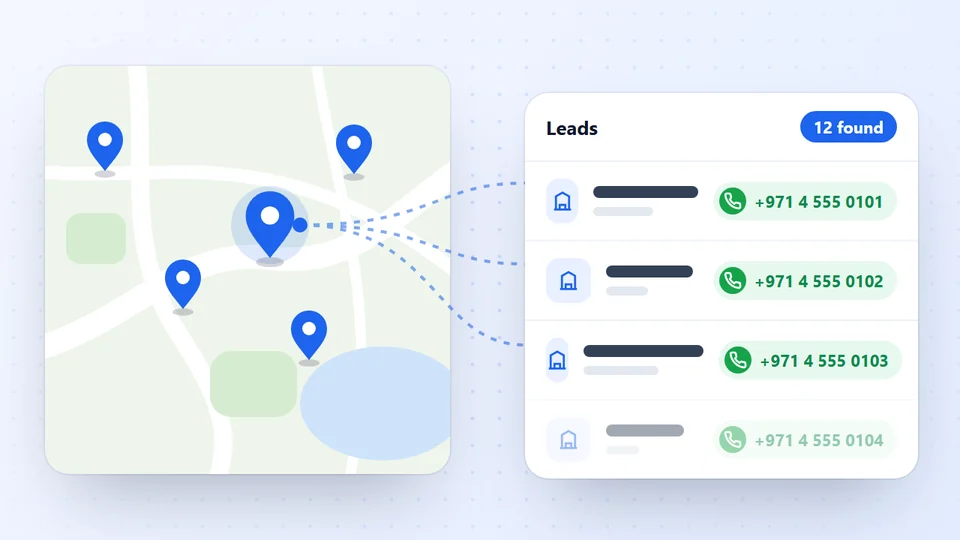
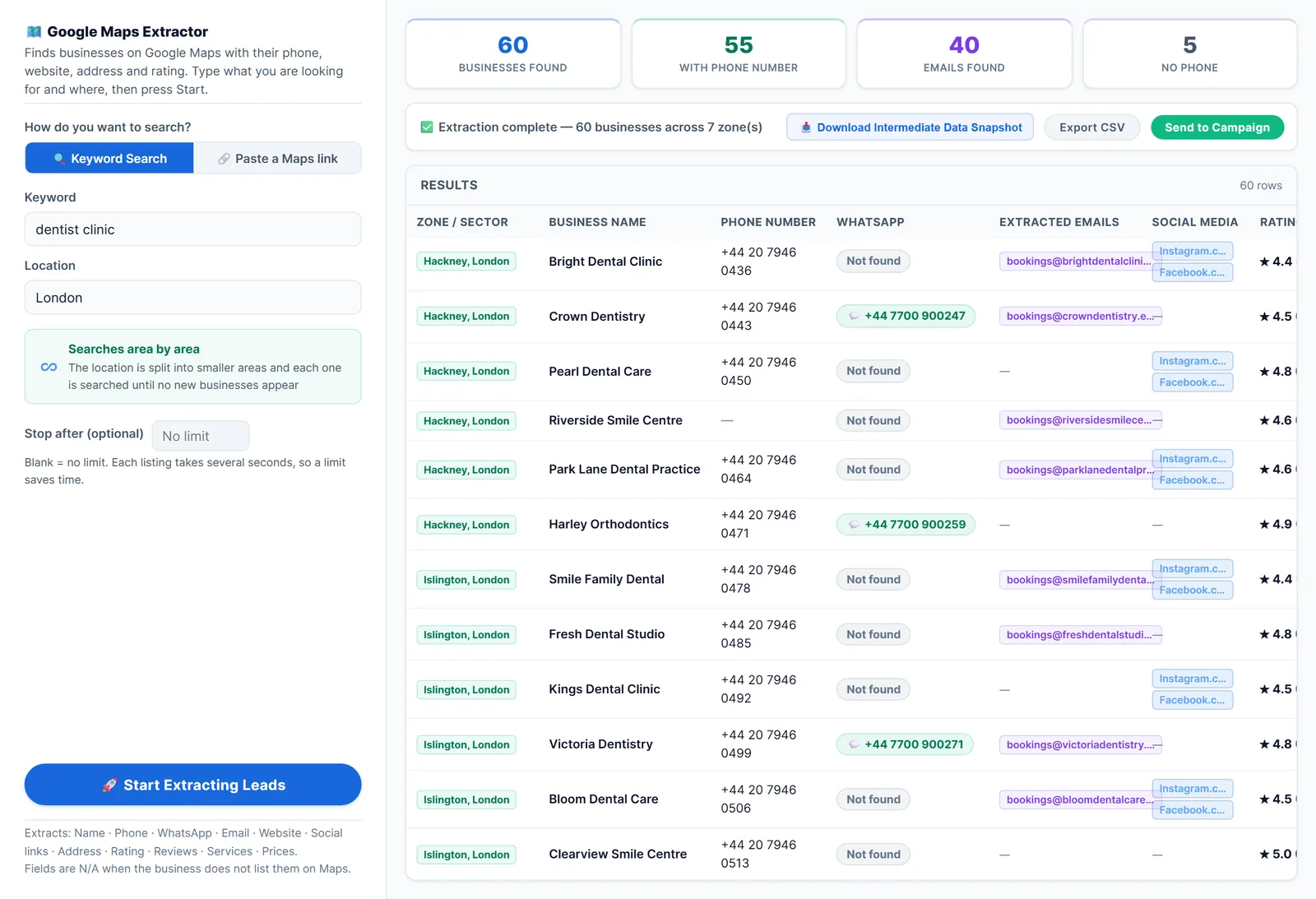
- Run the search in a scraper. LeadTrapper’s Google Maps scraper opens each business and exports its name, phone, address, rating, review count, website, social links and Maps link. Its unlimited scan mode searches the city district by district, so you get past the roughly 120 places one Maps search shows.
- Open the CSV in Excel or Google Sheets and turn on a filter.
- Filter the Website column to blanks. Every row left is a business whose Maps listing shows no website. Spot-check a few: a blank can also mean the page didn’t load fully during the run.
A worked example. Our run of dentists in Nasr City, Cairo returned 60 clinics in about 9 minutes. 27% had no website on Google Maps, so about 16 clinics, almost all with a phone number. That’s a day’s worth of personal outreach from one search.
Check Before You Pitch
An empty Website column means the listing shows no website, not always that none exists. Agencies that use this method regularly check three things, and it saves embarrassing first messages:
- The Social column. Many small businesses use a Facebook or Instagram page as their website. They’re still good leads, but the pitch changes: “Your Instagram is great; a simple site would make you findable on Google.”
- A quick name search. Search the business name and city. Some have a site that was never added to their listing. That’s a different, smaller offer: add it to their Google Business Profile.
- Booking platforms. Salons, clinics and restaurants often use booking or delivery platforms. Pitch what the platform doesn’t do: their own name, their own customers, no commission.
Who to Contact First
Sort the filtered list by review count, then rating:
| What you see | What it usually means | Priority |
|---|---|---|
| Many reviews, good rating, no website | Busy, popular, missing out on searches | Call first |
| Many reviews, low rating, no website | Busy but struggling with reputation | Offer site plus reviews help |
| Few reviews, recent | New business, building from zero | Good fit for a starter package |
| Few reviews, none recent, no phone | Possibly closed | Skip |
A business with 80 reviews and no website is usually one of the strongest leads on the sheet: it has customers, money and a clear gap.
Triage in five minutes
Give each row a colour before you write a word: green if you can name one honest, specific gap (no website, no hours, no booking), yellow if you need to check its social page first, red if it looks closed or you have nothing useful to say. Drop the reds. Agencies that work this way say it’s the single biggest time saver.
Try the customer path. Before contacting a green lead, try to book or ask for a price the way a customer would, from Google Maps. If it takes three calls, that’s your opening line.
New businesses. Listings with few but recent reviews are often new openings: they need a website most and haven’t been pitched by everyone yet.
What to Say
Keep the first message short, specific and about them:
Hi [Name], I found [Business] on Google Maps: 4.7 stars from 86 reviews, but no website on your listing. When people search “[trade] in [area]”, they can’t see your prices or book. I made a quick one-page example with your name. Can I send it?
- Use their numbers. Rating, review count and area show you looked.
- Offer one thing. A free mock-up or a two-minute video beats a price list.
- Pick the channel they use. Phone numbers come from the Maps listing for almost every business. Check which are on WhatsApp first with the WhatsApp Number Filter, and message those that are; email is often missing for businesses without a site, so a call or WhatsApp works better.
- Make stopping easy. “Reply STOP and I won’t message again” keeps you on the right side of people who aren’t interested.
For a full outreach plan for agencies, see how to find clients for a marketing agency.
Track it like a pipeline
Keep one sheet with columns for business, gap you saw, channel, date contacted, reply, call booked and result. After 50 contacts you’ll see where it breaks: few replies means the first message; replies but no calls means the offer. Most replies come on the second or third touch, so plan one polite follow-up a few days later with something useful, such as the mock-up itself.
Beyond Google Maps. Local business directories, chambers of commerce and Facebook Pages with an empty website field are good second sources for the same trade.
Mistakes to Avoid
- Pitching a business that has a site. Always run the checks above first.
- Sending the same message to the whole city at once. Identical messages with a link to many strangers are what WhatsApp restricts accounts for; its terms don’t allow unwanted bulk messages. Send in small batches, personalise each one, keep a slow pace, and see WhatsApp account restricted for what happens otherwise.
- Ignoring the data rules. Contact businesses, not private people, and read is scraping Google Maps legal before you start.
- Stopping at “no website”. Low ratings, few photos or missing hours are openings too. The same sheet shows them all.
Frequently Asked Questions
Search a business type and city in a Google Maps scraper, export the results and filter the Website column for blanks. Every row left is a business whose Google Maps listing shows no website. Check each one's social links and search its name before you contact it.
It depends on the trade and city. In our September 2026 test of dentists in Amman, 69% had a website on Google Maps, so 31% didn't. Trades such as cleaners, mechanics, tailors and small restaurants usually have higher shares.
Not always. Some have a site that isn't added to their listing, a Facebook or Instagram page instead, or a page on a booking platform. Search the business name and check the Social column before you pitch.
Something specific and low-risk: a one-page site that shows hours, prices and a WhatsApp button, a free mock-up with their name and photos, or help adding the site to their Google Business Profile. One clear offer gets more replies than a full price list.
About LeadTrapper
LeadTrapper is a Windows app for finding business leads and contacting them on WhatsApp. It collects business contacts from Google Maps, Instagram, Facebook, TikTok, LinkedIn and business websites, checks which numbers are on WhatsApp with its Number Filter, and sends personalised campaigns with automatic delays from one or more WhatsApp accounts. It also has a chatbot, a shared inbox for every account, and Store Orders for online shops. It installs from the Microsoft Store, and the full app is free for 14 days, then $50 a year. Free web tools, browser extensions and a Wix app are listed on the Free Tools page.
List Every Business Without a Website in Your City
LeadTrapper's Google Maps scraper exports every business with its phone, website, rating and reviews, so the empty Website column is your lead list. $50/year, 14-day free trial.