In this article 7 sections
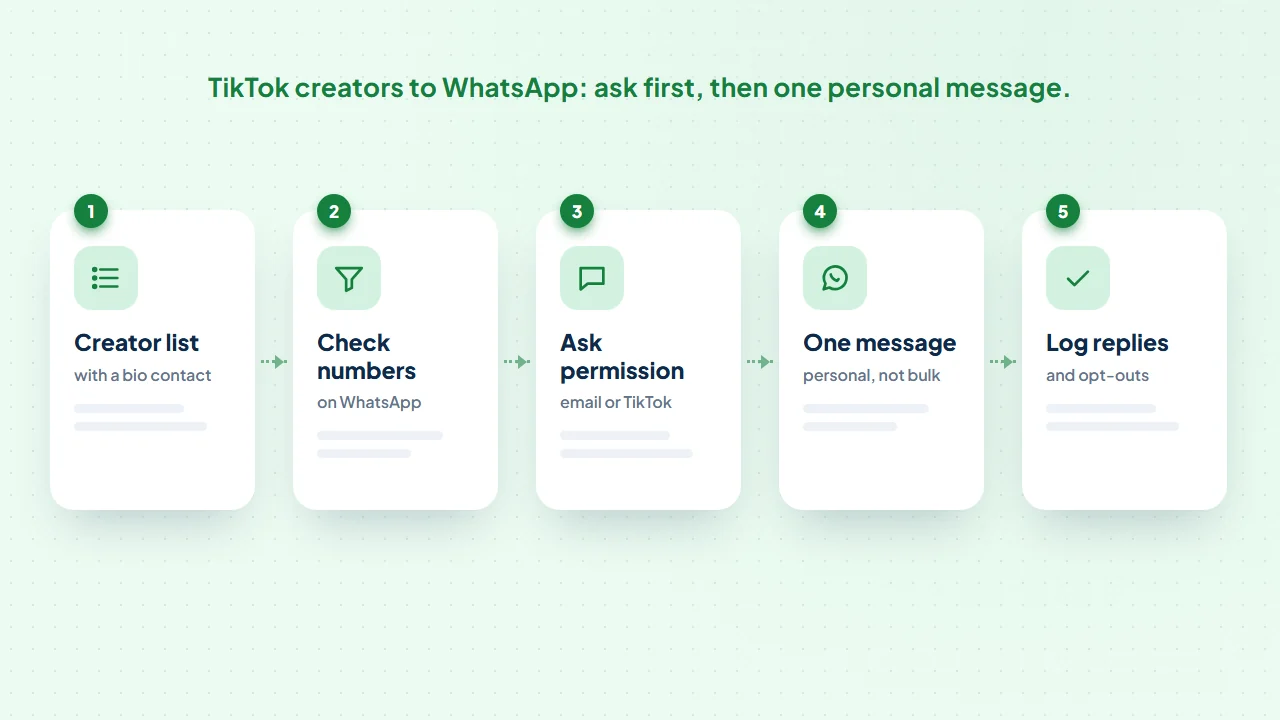
Export the creators who publish a business contact, check which numbers are on WhatsApp, and ask permission through the channel they published (email or a TikTok reply) before the first WhatsApp message. Send one personal message, keep a do-not-send list, and stop on any no.
- WhatsApp's Business Messaging Policy says you may only contact people who gave you their number and opted in to later messages. A number in a TikTok bio is a starting point, not proof of either.
- Ask first. Use the channel the creator published, an email or a reply under their video, to ask if WhatsApp is fine. Send the WhatsApp message to those who say yes.
- LeadTrapper reads the email, phone or wa.me link written in a creator's bio. It does not know whether the person agreed to be messaged, and it cannot send from TikTok.
- Check every number on WhatsApp before you send, keep a do-not-send list, and treat any STOP, block or 'not interested' as final.
- Messages that ask a question and offer something specific get answered. A pitch to a stranger gets blocked, and blocks and reports can limit how much your account can send.
Creators who publish a business contact want to be approached about business. That does not mean every one of them agrees to be messaged on WhatsApp by a stranger, and WhatsApp’s own rules are stricter than most people expect. This guide takes you from a list of TikTok profiles to a first WhatsApp message you can defend. We make LeadTrapper, which we use in some steps, and we say so where it appears.
What WhatsApp Says Before You Start
WhatsApp’s Business Messaging Policy lets you contact someone only if they gave you their number or username and opted in to receive later messages from you. The WhatsApp Business Messaging Policy (read on 23 November 2026) lists these two conditions together. It also says you must respect every request, on or off WhatsApp, to block, stop or opt out, and that people can block or report a business, after which its systems may limit how many messages the business can send.
Two more points from the same policy matter here:
- Separate opt-in is a recommended practice. WhatsApp suggests asking for permission by message category, so a yes to “collaboration” is not a yes to “weekly offers”.
- The API has its own gate. For the WhatsApp Business Platform, the policy says that outside the 24-hour customer service window you may only send approved message templates. Our guide on why the API will not let you cold-message leads explains it.
Here is what that means for a TikTok list. A number written in a bio was published for the public. Whether that counts as “gave you their number and opted in” is a judgement you take on yourself, and the conservative reading is that it does not. The method below follows the conservative reading: ask first. Local marketing and privacy law may add rules, and they differ by country. This is not legal advice.
TikTok has rules too. TikTok’s Terms of Service forbid using automated scripts to collect information from TikTok. LeadTrapper cannot give you that permission, so the risk of collecting creator profiles with any tool is yours.
What the Creator List Can and Cannot Give You
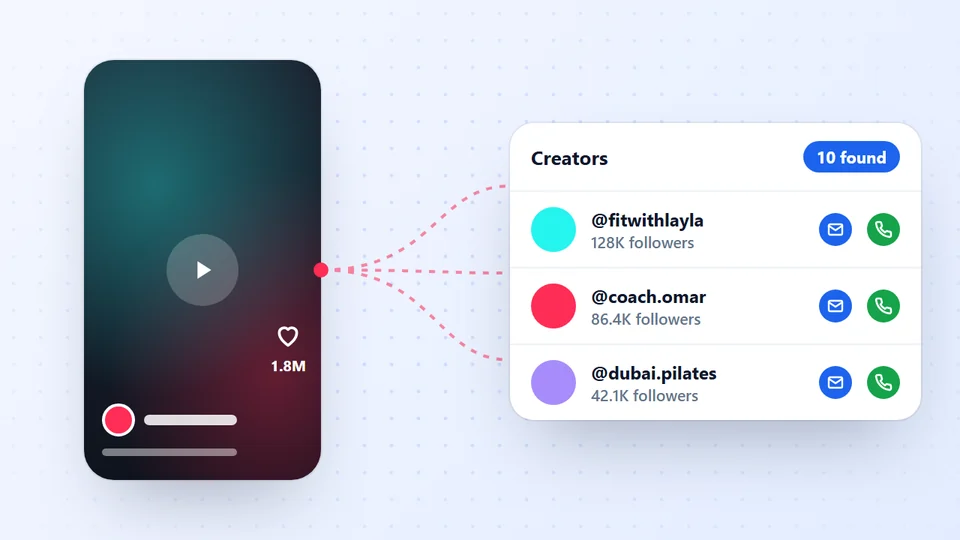
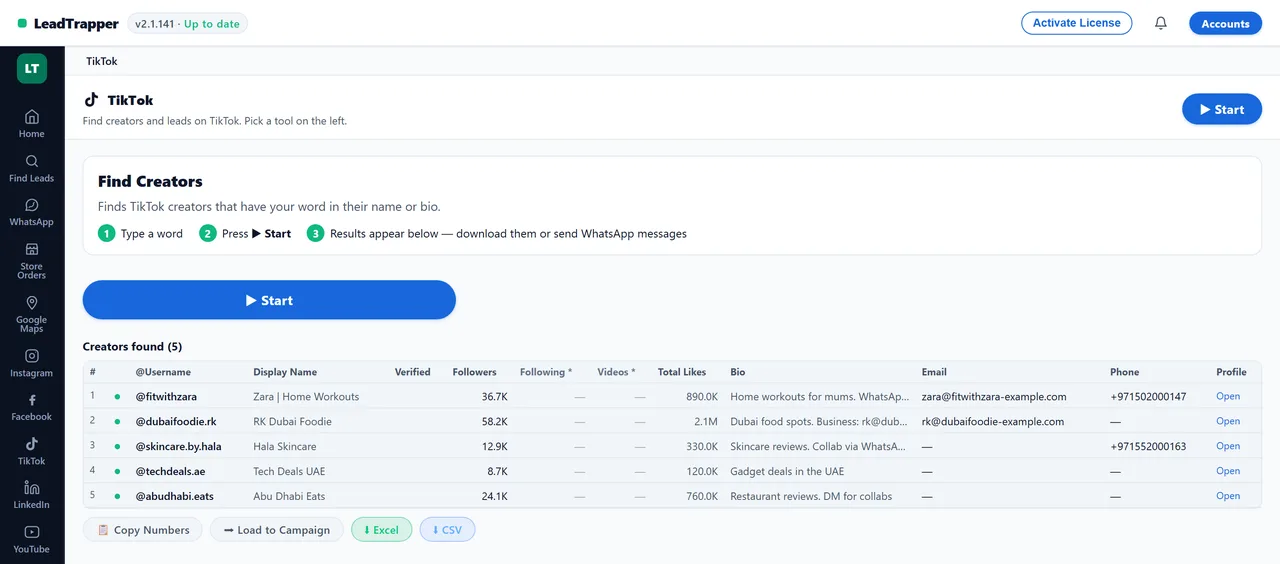
A LeadTrapper creator list gives you whatever the creator wrote in public, and nothing about consent. In the TikTok scraper, the Find Creators tab searches by a keyword in the username or display name. For each account it reads the bio and pulls out an email address, a wa.me chat link or a phone number written there. The export has username, display name, followers, bio, link in bio, email and phone.
What the list cannot tell you:
- Whether the number is theirs or a manager’s. Many bios list an agent.
- Whether the number is on WhatsApp. Numbers in bios are often old or belong to a landline.
- Whether they want to hear from you. A published contact is not a consent record.
- Anything behind the link in bio. The export keeps the link itself. Opening it by hand, or running the site through the Email Finder if it is a real website, may give you a business email. A link-in-bio page of social buttons may give you nothing.
Our guide to finding a TikTok creator’s business email covers where creators publish contacts and how often, so you can plan on a realistic share of the list having one.
Five Steps from List to First Message
The safe order is: collect, check, ask, send one personal message, record the answer. Each step below is short.
1. Export only creators who published a contact. In Find Creators, type the keyword, run the search and export the results as CSV. In the sheet, keep rows with an email or phone and delete private or off-topic accounts. Keep the username and profile URL so you can show where each contact came from.
2. Check which numbers are on WhatsApp. Open LeadTrapper’s WhatsApp Number Filter, upload the CSV or paste the numbers (with country code), and press Start. Drop the numbers that are not on WhatsApp. This also stops you sending to a stranger who inherited an old number.
3. Ask for permission by the channel they published. If the creator published an email, send a two-line email asking whether WhatsApp is fine. If you only have a number, reply under one of their recent videos with a short, genuine comment and ask where they prefer to be contacted. Do not DM links to people who did not ask.
4. Send the WhatsApp message to the ones who said yes. Load the approved numbers into the WhatsApp bulk sender. Upload the file (number in the first column, name in the second) or paste numbers one per line, and use {{name}} in the message. For a short list of consenting creators, write each message variation by hand. Do not turn this into a blast.
5. Record every answer. A “no”, a STOP or a block goes on the do-not-send list straight away, so no later campaign includes that number. Our guide to the WhatsApp opt-out message shows how to word the opt-out line and handle STOP replies.
Which Contact Means What
How you approach a creator should follow what they actually published. This table shows each case, as read from the bio:
| What the bio shows | What it most likely means | Safer first step |
|---|---|---|
| Email with “business” or “collab” | Open to brand enquiries by email | Email first; ask about WhatsApp in the reply |
wa.me link |
They offer a chat link for enquiries | Message about the stated purpose only; ask before pitching |
| Phone number with “WhatsApp” | A contact for enquiries, often a manager | Check the number is on WhatsApp, then use the first-message template below |
| Phone number, no label | Unclear; may be a landline or a personal line | Do not message; reply on TikTok and ask how to reach them |
| Link in bio only | A link page or a shop | Open it by hand; use the contact shown there |
| Nothing | Not offering a contact | Comment or DM on TikTok, or leave them |
A Worked Example: Fifty Creators
A skincare supplier in Manchester wants five UK creators to review a new SPF range. Here is a realistic run, with figures that illustrate the method and are not a measured result:
- Find Creators with “skincare uk” returns 50 accounts. After removing brands, private accounts and off-topic profiles, 30 remain.
- Of the 30, say 9 publish an email and 6 publish a number or a
wa.melink; some overlap, so 12 have at least one contact. - The 6 numbers go through the Number Filter and 4 are on WhatsApp.
- The supplier emails all 9 email contacts and replies under videos of the 3 who list only a number, asking where they prefer to be contacted. Four creators answer, and two of them say WhatsApp.
- Two WhatsApp messages go out, written by hand. One reply comes back and one creator declines, who goes on the do-not-send list.
The result is a handful of real conversations, which is what creator outreach looks like. A blast to all 50 numbers would have reached the wrong people and given WhatsApp reasons to limit the account.
Build your creator list free for 14 days
The First Message and the Reply Plan
A good first message says who you are, why this creator, one question, and how to decline, in under 50 words. For example:
Hi {{name}}, this is Sam from Glowline in Manchester. I saw your SPF routine video and wondered if you’d review our new lightweight SPF 50. May I send details here, or would you rather use email? Just say no and I won’t message again.
Notes on the message:
- No attachments, links or prices in the first message. Those come after a yes.
- Do not pretend you know them. One real detail from their content beats three generic lines.
- Write a few versions. If you use more than one message, vary the wording by hand. The bulk sender lets you add more versions of the message and choose options in curly brackets, so messages are not identical.
- Pace it by how replies go. WhatsApp does not publish a safe volume. If people ignore you or block you, stop and rethink the list, not the speed.
The reply plan is simple. A yes gets the details and a polite thank you. A “no” gets “Understood, thanks” and goes on the do-not-send list. Silence gets one follow-up on the channel you asked on, then nothing. Our guide to WhatsApp B2B outreach covers the checks and pacing for lists of businesses.
What LeadTrapper Cannot Do Here
LeadTrapper finds public contacts on creator profiles and sends WhatsApp messages from your own number, and it stops there. Specifically, it cannot:
- Message creators on TikTok. There is no TikTok messaging tool in the app.
- Tell you whether a creator agreed to be contacted on WhatsApp.
- Read a creator’s TikTok direct messages or their followers’ numbers.
- Find a number the creator did not publish.
- Remove the risk of a WhatsApp restriction. People can block and report any business, and WhatsApp does not publish what triggers a limit.
For the other ways of finding creators and commenters first, see our guides to how to scrape TikTok and TikTok lead generation, which also compares the paid route.
Where LeadTrapper Finds Leads
LeadTrapper collects leads from each of these sources in one Windows app, then checks the numbers and sends the WhatsApp messages from the same place.
- Google Maps Scraper: Business leads from any city.
- Facebook Scraper: Advertisers, pages and group members.
- Instagram Scraper: Leads from profiles and hashtags.
- TikTok Scraper: Creators, hashtags and commenters.
- LinkedIn Scraper: Profiles by role and city.
- Email Finder: Emails from business websites.
Before you send: warm up new or quiet numbers first with the WhatsApp warmer (LeadTrapper's Account Warmer), which runs in the same app.
Frequently Asked Questions
WhatsApp's Business Messaging Policy says you may contact people only if they gave you their number and opted in to further messages. A number in a bio is published for the public, so it does not clearly meet that. Ask first by email or a TikTok reply, and message on WhatsApp those who agree. Local law may add rules. This is not legal advice.
Only the ones creators write in their bio. LeadTrapper's Find Creators reads an email address, a phone number or a wa.me link from the bio text and exports it with the username, followers and link in bio. Many creators publish none, so expect a minority of the list to have a number.
It is a stronger sign than a loose number, because the creator chose to share a chat link for enquiries. It is still not an opt-in to marketing. Keep the first message about their stated purpose, such as a collaboration enquiry, and ask whether they want to hear more.
Not for a few one-to-one conversations in the ordinary or Business app, but the API has its own opt-in gate. Under the Business Platform terms, outside the 24-hour customer service window you may only send approved message templates. Our guide to the API and cold outreach explains the gate.
Few. WhatsApp does not publish a safe number, and its systems may limit how much a business can send when people block or report it. Start with a handful of personal messages to people who said yes, and watch the replies and blocks before you add more.
Who you are, why you are writing to this creator in one specific line, one clear question, and how to say no. Do not attach files, prices or links in the first message. The example in this guide is under 50 words.
About LeadTrapper
LeadTrapper is a Windows app for finding business leads and contacting them on WhatsApp. It collects business contacts from Google Maps, Instagram, Facebook, TikTok, LinkedIn and business websites, checks which numbers are on WhatsApp with its Number Filter, and sends personalised campaigns with automatic delays from one or more WhatsApp accounts. It also has a chatbot, a shared inbox for every account, and Store Orders for online shops. It installs from the Microsoft Store, and the full app is free for 14 days, then $50 a year. Free web tools, browser extensions and a Wix app are listed on the Free Tools page.
Build the Creator List, Then Ask Before You Message
The TikTok scraper, WhatsApp Number Filter and WhatsApp bulk sender all come with LeadTrapper. $50/year, all features included.