In this article 7 sections
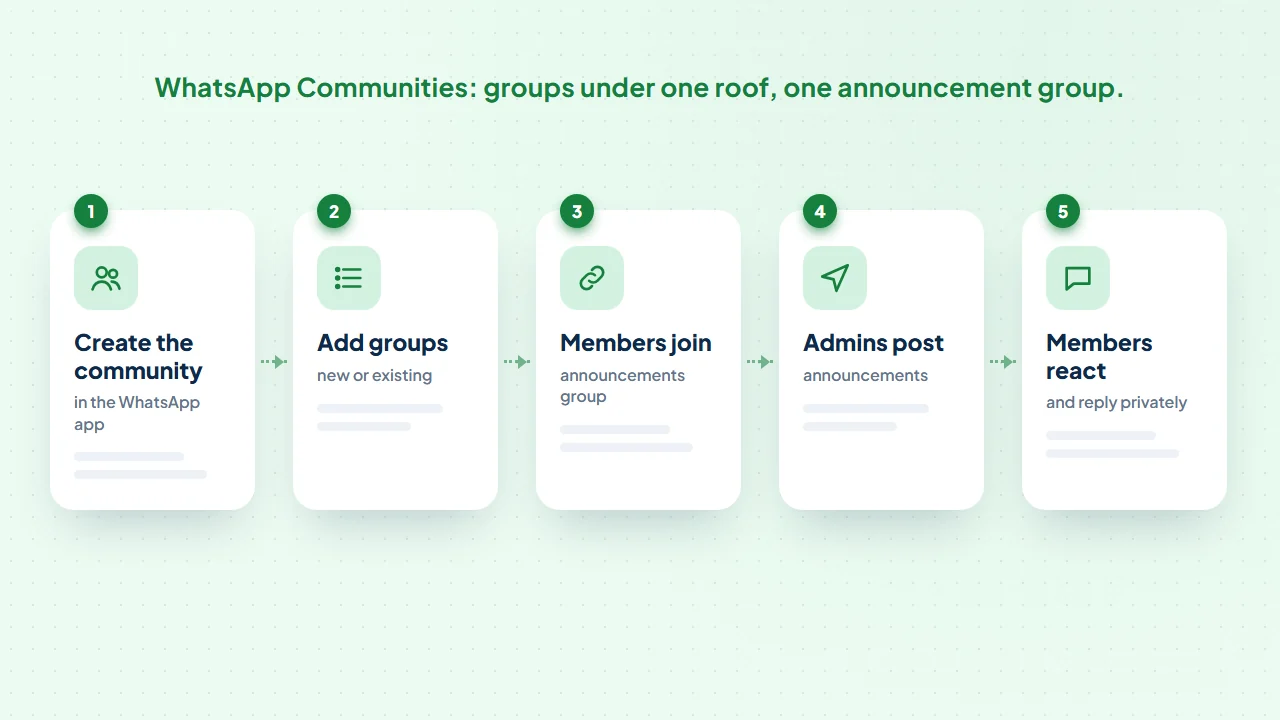
A WhatsApp Community holds up to 2,000 members in total, with up to 100 groups according to WhatsApp's help page. Only admins can post in the announcement group; members can reply and react. Example: a gym with 3 branch groups can announce one timetable change to everyone at once.
- WhatsApp's help page says a community can have up to 2,000 members in total, counted across its groups and the announcement group.
- WhatsApp's pages disagree on groups per community: the help center says up to 100, an older learning page says 50 plus the announcement group. Check the number in your own app.
- Only community admins can send announcements. Members can reply and react, but admins can't turn replies off.
- Announcement reactions and poll votes work only while the announcement group has up to 1,024 members.
- You can't create a community in the WhatsApp Business app. WhatsApp also bans bulk, auto-messaging and auto-dialing in communities.
A WhatsApp Community links several groups under one roof and gives admins an announcement group that reaches everyone in it. It suits schools, gyms, clubs and shops with branches. But it has hard limits on members, groups and who can speak, and WhatsApp’s own pages do not agree on all the numbers. This guide gives the limits with their sources and dates, explains the announcement group, and says where a community stops being the right tool.
The Limits WhatsApp Publishes
A community holds up to 2,000 members in total, and WhatsApp’s pages give different numbers for how many groups it can contain. The WhatsApp Help Center page on creating a community says “You can create a WhatsApp community with up to 100 groups”. WhatsApp’s Communities safety guide says each community can contain a maximum of 50 groups plus the announcement group. We found no page that explains the difference, so plan for 50 and see what your app allows.
Checked on 23 Nov 2026:
| Limit | Number | Source |
|---|---|---|
| Members in a community | 2,000, counted across all groups and the announcement group | Help Center: creating a community; about community announcements |
| Groups in a community | 100 (help center) or 50 plus announcements (safety guide) | The two pages above |
| Members in one group | 1,024 (1,025 including the creator) | Help Center: who can add groups |
| Members in the general chat | 1,024 | Help Center: about general chat |
| Announcement reactions and poll votes | Work up to 1,024 members in the announcement group | Help Center: reply and react to announcements |
| Community name | 100 characters | Help Center: creating a community |
| Forwarding | 5 chats at a time (already-forwarded messages: 5 chats, 1 group) | Communities safety guide |
| Deleting messages as an admin | Up to 2.5 days after they were sent | Communities safety guide |
Two of these deserve a closer look. The 2,000-member total is the real ceiling: if your groups together already have 2,000 people, no one new can be added until someone leaves. And once the announcement group has more than 1,024 members, WhatsApp’s page says “no one in the group can react to announcements or vote in polls anymore”, with a notice in the chat. Announcements still send; the reaction and poll features stop.
Who Can Post, Reply and React
Only community admins can send announcements. WhatsApp’s help page on community announcements says so directly, and the page for admins adds that only admins can start polls. Everyone in the community is added to the announcement group automatically, and no one can leave it without leaving the community.
What members can do:
- Reply to an announcement. Replies can’t be turned off, admins get a notification when someone replies, and admins can delete or report a reply by pressing and holding it.
- React to an announcement and vote in polls, within the 1,024-member limit above. Members can’t react to other members’ replies.
- Report an announcement, and mute notifications.
A related space is the general chat: an optional group that new community members can choose to join, separate from the announcement group. It works like any group, holds up to 1,024 members, and members can leave it without leaving the community. Admins can turn on “Approve new members” to review each request.
Who can add groups is also set by admins. WhatsApp’s page says both members and admins can create new groups by default, and admins can change this under Community Settings, “Who can add new groups”, to “Only community admins” so members can only suggest groups.
Community, Group, Broadcast or Channel?
A community is for several related groups under one set of admins, and the other formats do different jobs. Use this table to pick:
| Format | Who sees whom | Size limit | Good for |
|---|---|---|---|
| Group | Members see each other | 1,024 | One team, class or branch |
| Community | Several groups plus an announcement group | 2,000 members | A school, club or chain with many groups |
| Broadcast list | One-to-one messages; recipients don’t see each other | 256 contacts, who must have saved your number | Offers to customers who know you |
| Channel | One-way updates to followers | WhatsApp doesn’t give a cap in the pages we read | Public news, no customer data |
Blogs that compare these formats mostly agree that communities and groups expose members to each other, so avoid putting customer details there, and that a broadcast list is the right format for a private offer to people who saved your number. Our guide to the WhatsApp broadcast list limit covers the 256-contact cap and how to reach more people.
Can a Business Run a Community?
A business can run a community, but not create one in the WhatsApp Business app. WhatsApp’s help page says: “You can’t currently create a community on the WhatsApp Business app.” You can still own a community there if ownership was transferred to you from the regular app, or if you created it in the regular app and then registered that number as a business. WhatsApp may change this, so check the page before you plan around it.
Business rules also apply. WhatsApp’s Communities safety guide lists what a community must not do, including to “involve bulk, auto-messaging, or auto-dialing”, and says WhatsApp may disable or ban a community for violations. The same guide says never to @mention a member in the announcement group, because it exposes that person’s phone number to the whole community.
Worked Example: A Gym With Three Branches
A gym chain has three branches and 640 members in total (example numbers). It creates one community with these parts:
- Announcements: only the three managers and the owner are admins. They post timetable changes, holiday closures and a monthly challenge.
- Three branch groups: one per branch, 180 to 250 members each, for class questions.
- A general chat: for anyone who wants to talk about training, capped at 1,024.
The maths: 640 members is far below the 2,000 ceiling and below 1,024, so reactions and poll votes keep working on every announcement. The rules the owner sets: only admins can add new groups, a pinned message in each group says “no selling, no spam”, and managers never @mention members in announcements.
What the gym can’t do: it can’t send a personal reminder like “your class is at 6 pm, Sam” through the community, because everything in a group is visible to the group. For personal reminders, it uses a tool that sends one-to-one messages.
Admin Rules and Safety
WhatsApp’s safety guide for communities gives admins this advice (checked 23 Nov 2026):
- Make sure all admins understand their responsibilities and enforce the rules consistently.
- Never post invite links on public web pages; send them privately.
- Turn on the join request setting so admins can review new people.
- Remove members who shouldn’t be there from the group participants list.
- Delete problem messages quickly: long-press the message.
- Honour it if someone removes themselves after you add them.
Third-party guides add that you should keep at least one more trusted admin so the community isn’t deactivated if the owner leaves, and decide whether a group is hidden or visible before adding it, since they say it can’t be changed later (Lilach Bullock’s community guide, a marketing blog, which also reports that WhatsApp may block adding groups for a few hours after spam reports). Treat those as one author’s reports, not WhatsApp’s rules.
What Third-Party Tools Can't Do Here
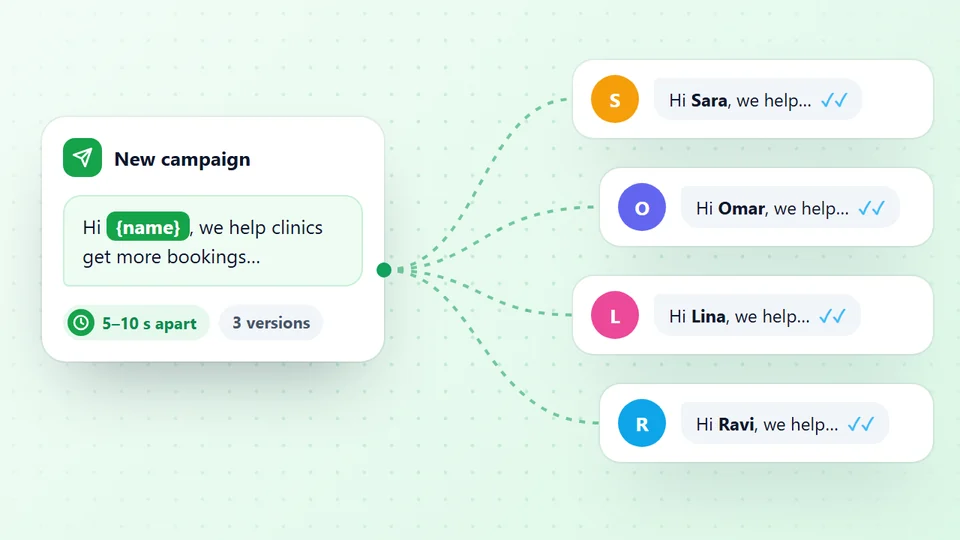
LeadTrapper does not work with communities. The group list in its group tools skips community parent groups and the sub-groups linked to one, and the group picker says “not communities or channels”, so you can’t warm up or extract members from a community with it. It cannot post to an announcement group either. What it does is send one-to-one messages from a Windows PC through your own number: LeadTrapper’s WhatsApp bulk sender is for customers who want to hear from you personally, where a community would show everyone to everyone. It is an unofficial tool, and WhatsApp’s terms don’t allow unwanted bulk messages.
If you only need the people in a normal WhatsApp group in a spreadsheet, see how to export WhatsApp group contacts and the WhatsApp group member extractor guide, and read WhatsApp’s rules first.
Send personal messages free for 14 days
Whatever you pick, a community only helps if people want to be in it. Ask first, keep announcements short and useful, and review the member count against the 2,000 ceiling every month.
Frequently Asked Questions
WhatsApp's help page says up to 2,000 members in total. That count includes the members of the community's groups and its announcement group. When it is full, nobody new can be added until someone leaves.
WhatsApp's help page on creating a community says up to 100 groups. An older WhatsApp learning page says up to 50 groups plus the announcement group. Because the pages disagree, treat 50 as the safe plan and check what your app lets you add.
Only community admins can send announcements and start polls. Everyone in the community is added to the announcement group automatically, and members can reply to and react to what admins post.
No. WhatsApp's page for admins says replies can't be turned off. Admins get a notification when a member replies and can delete or report a reply by pressing and holding it.
No. WhatsApp's help page says you can't currently create a community on the WhatsApp Business app. You can own one there only if ownership was transferred to you, or if you created it in the regular app and then registered that number as a business.
They do different jobs. A community puts people into groups where members can see each other, and WhatsApp bans bulk and auto-messaging in them. A broadcast list sends one-to-one messages to up to 256 contacts who saved your number. Choose by who should see whom.
About LeadTrapper
LeadTrapper is a Windows app for finding business leads and contacting them on WhatsApp. It collects business contacts from Google Maps, Instagram, Facebook, TikTok, LinkedIn and business websites, checks which numbers are on WhatsApp with its Number Filter, and sends personalised campaigns with automatic delays from one or more WhatsApp accounts. It also has a chatbot, a shared inbox for every account, and Store Orders for online shops. It installs from the Microsoft Store, and the full app is free for 14 days, then $50 a year. Free web tools, browser extensions and a Wix app are listed on the Free Tools page.
Reach Customers One to One, Not in a Group
LeadTrapper sends personal WhatsApp messages from your PC to a list of customers, through your own number. $50/year after a 14-day free trial.