In this article 10 sections
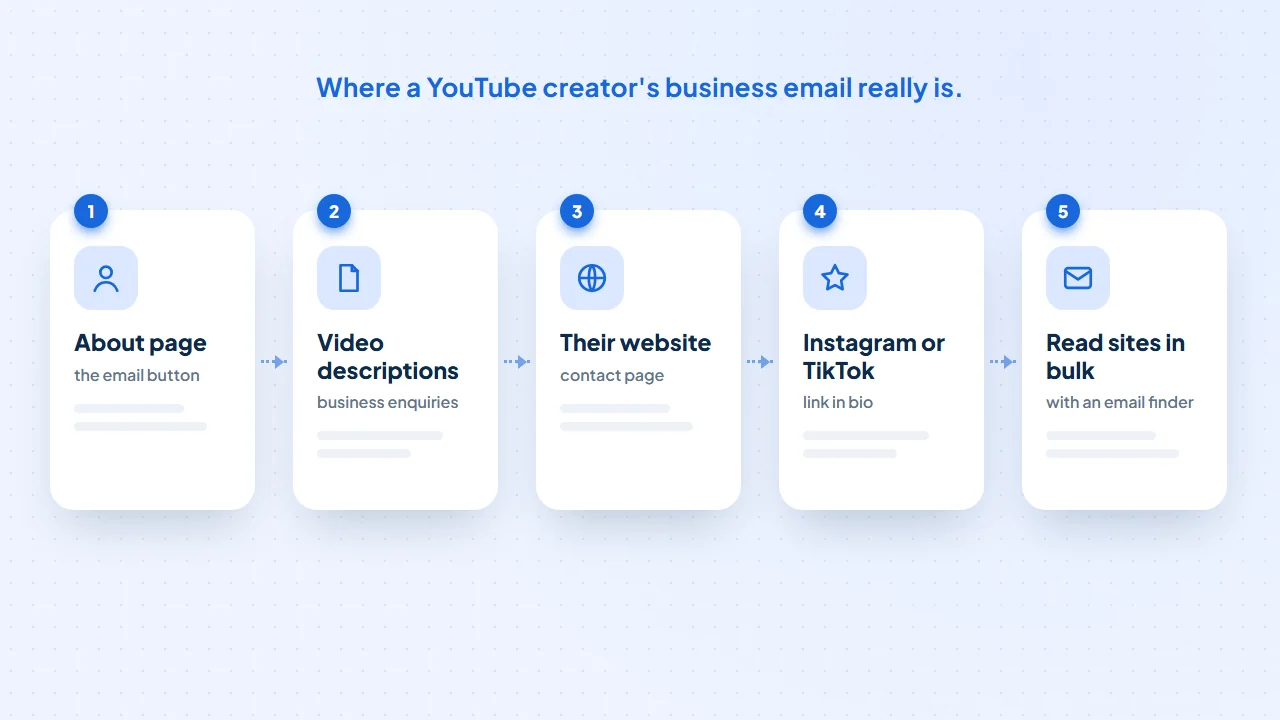
Open the channel's About page and press View email address; creators who want sponsors put a business email there. If it's missing, check the video descriptions, the website and the Instagram or TikTok bio the channel links. LeadTrapper's YouTube export has no email field, but its Email Finder reads a linked website.
- YouTube's own route is the channel's About page: View email address shows the business email only when the owner has added one.
- No tool can read an email a creator has not published. Check the About page, video descriptions, the linked website, then the Instagram or TikTok bio.
- LeadTrapper's Find Videos and Videos of a Channel exports hold title, channel, channel link, views, duration, date and link. They do not contain emails.
- Once you have a creator's website, LeadTrapper's Email Finder reads its contact pages and labels each email. It never guesses an address from a name.
- A business email on a channel is an invitation to business enquiries. Keep your message short, specific and honest, and follow the email rules of the creator's country.
People who ask for a YouTuber’s email usually want a sponsorship, a collaboration or a product review. A channel has an email only if its owner published one, so the useful skill is knowing the five places to look. This guide gives the order to check them, says what LeadTrapper’s YouTube tools do and do not export, and shows how to read a whole list of creators’ websites at once. We make LeadTrapper, and we say so where it appears.
The Official Route: the About Page
YouTube’s own way to contact a creator is the channel’s About section. According to YouTube’s Business Inquiry Emails help page, you go to the channel, open About, select View email address and use that address; it appears only if the channel owner has provided one. The same page tells owners to add their contact details to their channel if they want to be reached.
Two practical notes come from guides that are not YouTube’s. IQFluence’s guide says the button sits behind a CAPTCHA and that repeated lookups can trigger rate limits, and several scraper vendors say they do not click it. So this step is a human one, and it is worth doing first for the few channels you care about most. The address you see is often a manager’s or an agency’s, which is fine: it is the inbox they want sponsorship mail to reach.
Where Else a Channel Publishes an Email
If the About page has no button, the email, if there is one, is usually in the video descriptions, on the creator’s website or in a social bio. The table puts the places in the order that finds the most for the least effort. The ideas in it match Snov.io’s seven methods and IQFluence’s six, which are theirs and not ours.
| Where to look | What you may find | Tip |
|---|---|---|
| About page, View email address | Business inquiry email | Official; a manager’s address is normal |
| Recent video descriptions | “Business: name@…” or a link to a media kit | Check the last 3 to 5 videos; older ones can be out of date |
| Pinned comment | Sponsorship contact | Some creators pin it |
| Links in the channel description | Website, link page (Linktree and similar), Instagram, TikTok | The website is where bulk reading starts |
| Creator’s website | Contact, Work With Me, Partnerships page | Many show a form and no email |
| Instagram or TikTok bio | A “Contact” button or an email in the bio | Business profiles often have one; see our guide to finding a TikTok creator’s business email |
| Google search | Press pages, podcasts, interviews | Search the creator’s name in quotes with “contact” or “business”; verify the date |
Which Way of Finding Channel Emails Fits You?
It depends on how many channels you have and whether you want to log in. Separate two jobs: finding and qualifying channels (niche, subscriber and view thresholds, recent uploads), and collecting the contact each one publishes. Prices and features of other tools are theirs, from their own pages (checked November 2026).
| Approach | How it works | Best for | Login or account needed? | Account risk | Price model |
|---|---|---|---|---|---|
| By hand | Open the channel’s About page, press View email address, complete the CAPTCHA | 10 to 50 channels you care about | A YouTube session in your browser | Low; it is YouTube’s own route | Free |
| Desktop app (LeadTrapper) | Lists videos and channels by keyword or channel; the Email Finder reads each creator’s own website | Building a shortlist, then reading linked sites in bulk | No YouTube login in the YouTube tools | None for your YouTube account; the tools have no email field | $50 a year, all features |
| Creator databases (Modash, ChannelCrawler and similar) | Search creator data collected in advance | Brands that want filters and a ready list | An account with the vendor | Not your YouTube account | Subscription |
| YouTube Data API plus link enrichment | Code reads channel and video data, then fetches linked pages | Developers | An API key | Policy limits apply (see below) | Free quota, then your time |
| Cloud actors (Apify) | Read public descriptions and linked sites | Volume | Not your account | Check each actor | Per result |
What LeadTrapper's YouTube Export Holds
LeadTrapper’s YouTube section lists videos and channels but it has no email field, so it cannot find an email by itself. That is worth saying plainly, because some tools suggest otherwise.
The Find Videos tool takes a keyword and returns matching videos. The Videos of a Channel tool takes a channel address (an @handle or a /channel/UC... link) and lists its videos. Both let you set 1 to 500 results and export CSV or Excel. The columns are title, channel, channel link, views, duration, date, video link and description.
In Find Videos the description is the first 200 characters of whatever YouTube’s results include; in Videos of a Channel the description column is empty. So a sponsorship email at the bottom of a description will usually not be in the export. The channel’s subscriber count is read by the tool but is not shown or exported.
What the export is good for is building the shortlist. Search “home workout” in Find Videos, export, and you have the channels that rank for that topic, with their links. Then the About page, the website and the social bio do the contact work. For the comment side, see our guide to the YouTube comment scraper.
Read the Creators' Websites in Bulk
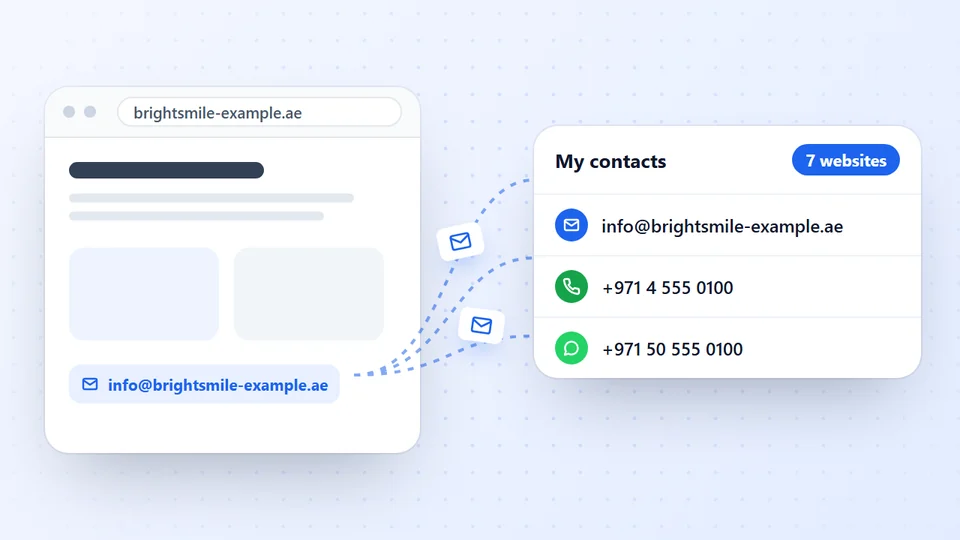
Once you have collected the websites creators list, LeadTrapper’s Email Finder reads them all in one run. Open it, choose My websites, paste the addresses one per line (or load an Excel, CSV or text file) and press Find contacts. There is no limit on the number of websites.
For each site it reads the pages where contacts usually sit, collects the emails, phone and WhatsApp numbers, addresses and social links the site publishes, and labels each email as a general inbox, a department, a team member or a branch. It spots addresses written as “name [at] site [dot] com”. It never guesses an address from a name, so if a creator publishes only a contact form, you get the form and no email. The Check emails button asks a public DNS service whether each email’s domain can receive mail, sending only domain names, so you can drop addresses that would bounce.
Some sites show a security check and cannot be read automatically; the tool marks them as blocked and you open those yourself. YouTube channel pages are not the target here: paste the creator’s own website.
Read your creators' websites free for 14 days
A Worked Example
The numbers below are invented to show the steps, not a test result. You sell a standing-desk brand and want 30 mid-size YouTubers in the home-office niche.
You run Find Videos for “home office setup” with 100 results and export it. Sorting by the channel column and removing duplicates leaves 41 channels. You open the About page of each in turn and press View email address: 14 show a business email. For the other 27 you open the channel description and collect the websites linked there: 19 have one.
You paste those 19 into the Email Finder’s My websites box. It reads them in a few minutes; 11 publish an email, 5 show only a contact form and 3 are blocked. You open those 3 by hand and find none. The total is 25 usable emails and 5 forms from 41 channels. The 8 channels with no website you try through their Instagram or TikTok bio.
Keep a Source Column for Every Email
Whatever tool you use, record where each email came from, so you can re-check it and answer an opt-out. A simple sheet has these columns:
| Column | What goes in it |
|---|---|
| channel_name | The creator’s channel name |
| channel_url | The channel link (dedupe on it) |
| business_email | The address the creator published |
| source_url | The page it came from: About page, a video description, the website |
| date_checked | The day you looked |
| outreach_status | New, sent, replied, no reply |
| opted_out | Yes if they asked you to stop |
LeadTrapper’s YouTube export gives you channel and channel link; the Email Finder shows which page of a site each email came from; the other columns are yours to fill. Check the last 3 to 5 video descriptions as well as the About page, since sponsorship emails often sit in recent descriptions.
What Do YouTube's Developer Policies Say About Scraping?
If you build your own tool on YouTube’s API, its Developer Policies say you must not scrape YouTube applications or obtain scraped YouTube data, and public search engines may scrape only in line with YouTube’s robots.txt or its written permission. Using the API to harvest emails is not what it is for. The safe habit is the one this guide follows: use the address a creator publishes for business enquiries, keep the source, and honour opt-outs.
Email Rules Before You Send
A business email on a channel invites business enquiries, but the law still applies to what you send. The FTC’s CAN-SPAM guide says the US law makes no exception for business-to-business email, and as of 23 November 2026 lists penalties of up to $53,088 per email that breaks the rules. You need an honest subject line, a real postal address and a working opt-out.
The same guide says to honor an opt-out request within 10 business days. In the UK, the ICO’s guidance on electronic mail marketing says companies are corporate subscribers who need no prior consent, while sole traders are treated as individuals, and most YouTubers are sole traders. When unsure, ask for permission in a short first message sent to the published business address, and honour opt-outs.
Our guide on whether email scraping is legal covers the wider picture. To find the creators in the first place, read how to find YouTubers in your niche.
Before You Pay for a YouTube Email Tool: Test This
- Pick 50 channels in one niche.
- Run them through two tools, including a 14-day free trial of LeadTrapper’s Email Finder on the creators’ websites.
- Count usable emails, not channels. Skip no-reply addresses and forms.
- Ask each tool where each email came from, and whether it respects access restrictions such as the CAPTCHA.
- Divide the price by the usable emails to get the cost per usable contact.
- Check opt-outs. Can the tool delete or suppress an address when asked?
Where LeadTrapper Finds Leads
LeadTrapper collects leads from each of these sources in one Windows app, then checks the numbers and sends the WhatsApp messages from the same place.
- Google Maps Scraper: Business leads from any city.
- Facebook Scraper: Advertisers, pages and group members.
- Instagram Scraper: Leads from profiles and hashtags.
- TikTok Scraper: Creators, hashtags and commenters.
- LinkedIn Scraper: Profiles by role and city.
- Email Finder: Emails from business websites.
Frequently Asked Questions
It sits behind a CAPTCHA, according to IQFluence's guide, and repeated lookups can trigger rate limits. YouTube does not publish a daily number for it, so we give none. Plan to check your most important channels by hand.
At least channel_name, channel_url, business_email, source_url, date_checked, outreach_status and opted_out. The source and date let you re-check an address, and the opted_out column keeps you from writing to someone who asked you to stop.
Open the channel, go to its About section, and press View email address if it shows. If not, read recent video descriptions for sponsorship emails, open the website and social links in the channel description, and check the Instagram or TikTok bio. If nothing is published, use a contact form or message them on a platform they use.
YouTube only shows the button when the channel owner has added a business email in their channel settings. Many creators don't, or prefer a contact form, a manager or a link page. There is nothing to extract in that case.
Several cloud scrapers advertise one, and they normally read what channels publish publicly, such as descriptions and linked sites. YouTube puts its own email behind a View email address button, which some vendors say they do not click. Bulk reading works best on the creators' own websites.
Not from YouTube itself. Its YouTube tools list videos and commenters and have no email field. Paste a creator's own website into the Email Finder and it collects the emails, phone and WhatsApp numbers and social links that the site publishes.
A business email published for enquiries is meant for them. Laws still apply to what you send. In the US, CAN-SPAM covers commercial email with no business-to-business exception. In the UK, a company address needs no prior consent but sole traders count as individuals. This is not legal advice.
Say who you are and what you offer in two sentences, name one video of theirs you actually watched, state a clear next step such as a rate or a sample product, and say how to opt out. Avoid attachments in the first email.
About LeadTrapper
LeadTrapper is a Windows app for finding business leads and contacting them on WhatsApp. It collects business contacts from Google Maps, Instagram, Facebook, TikTok, LinkedIn and business websites, checks which numbers are on WhatsApp with its Number Filter, and sends personalised campaigns with automatic delays from one or more WhatsApp accounts. It also has a chatbot, a shared inbox for every account, and Store Orders for online shops. It installs from the Microsoft Store, and the full app is free for 14 days, then $50 a year. Free web tools, browser extensions and a Wix app are listed on the Free Tools page.
Read a List of Creators' Websites in One Run
The Email Finder, YouTube and TikTok tools, Instagram scraper and WhatsApp sender all come with LeadTrapper. $50/year, all features included.