In this article 7 sections
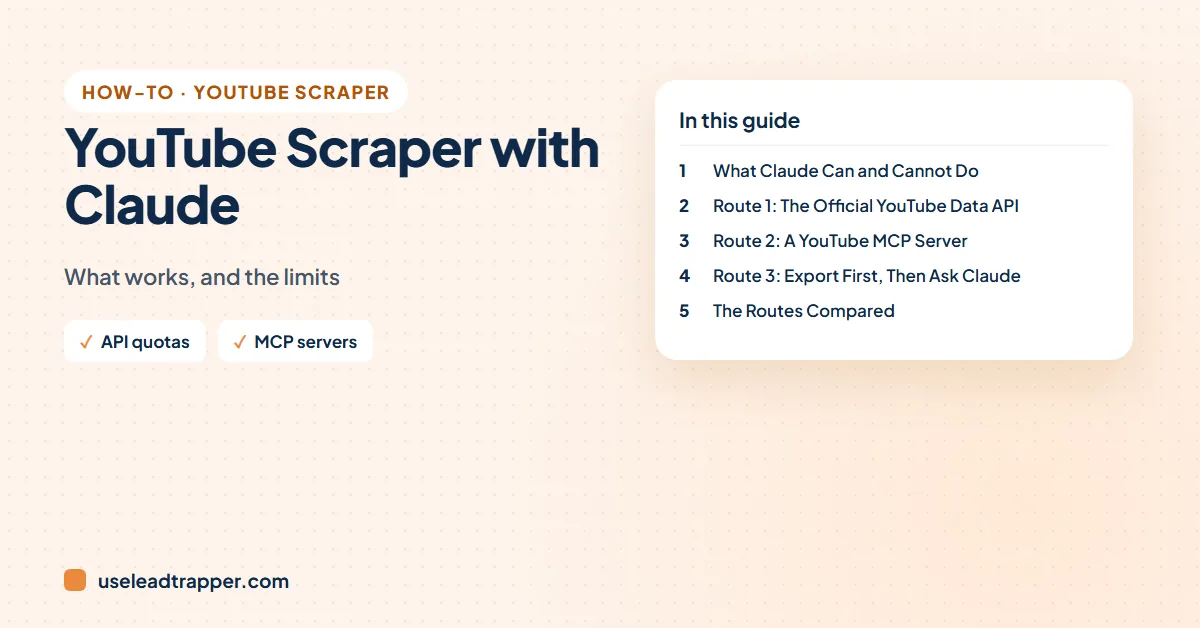
Claude can't scrape YouTube on its own. You connect it to YouTube data through the official Data API (10,000 quota units a day), a community MCP server that wraps that API, or you export comments and videos to a CSV and give Claude the file to analyse.
- Claude has no YouTube scraper built in. It analyses text you give it, or data a connected tool fetches for it.
- The official source is the YouTube Data API: free, key required, 10,000 units a day by default, 1 unit for a comment-list call. Check your own Quotas page because costs and limits change.
- Community MCP servers wrap that API for Claude. They are not from Google or Anthropic, so read their code and quota behaviour before you connect one.
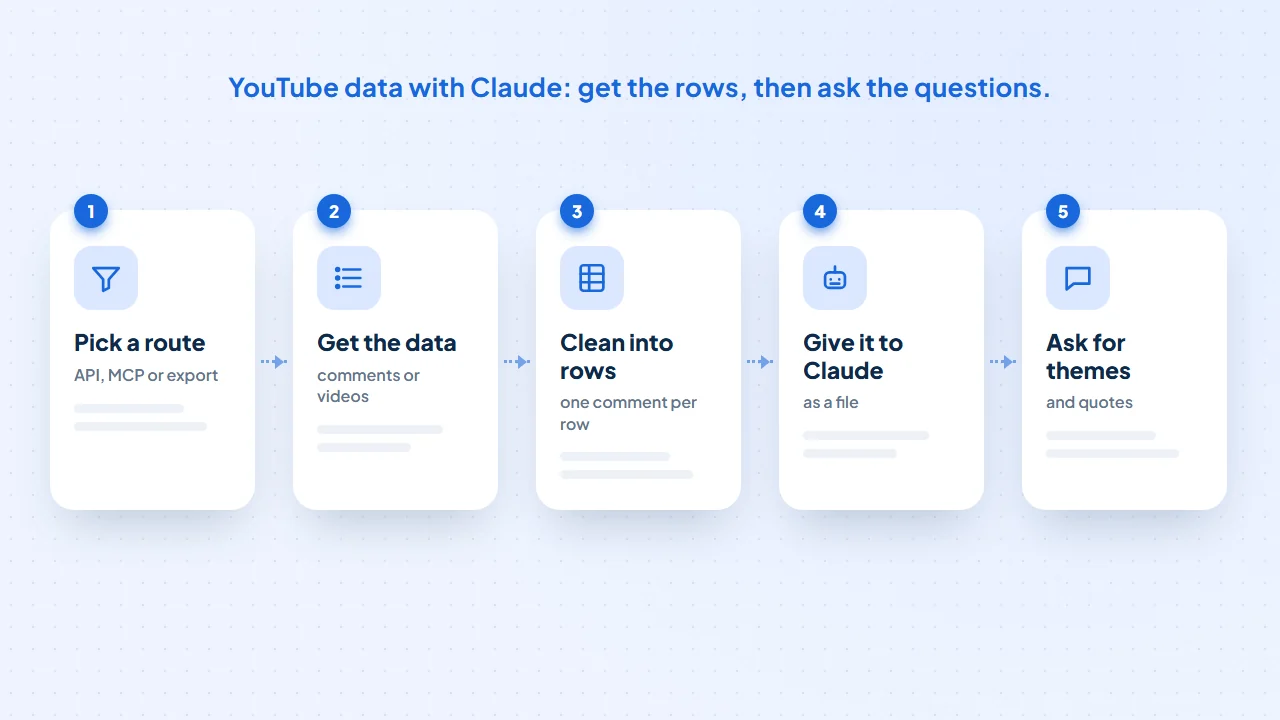
- The simplest route needs no connector: export comments or videos to CSV with a tool, then give the file to Claude to summarise, group questions and find themes.
- YouTube's terms ban automated access except through its permitted routes. API use follows Google's policies; scraping the page does not.
People search for a YouTube scraper for Claude because they want an assistant that can read what viewers say, summarise a channel or pull ideas from hundreds of comments. That is possible, but not in one click. This guide separates the three real routes, with their costs and limits, and says plainly where LeadTrapper fits and where it does not. We make LeadTrapper and say so where it appears.
What Claude Can and Cannot Do
Claude is good at reading and organising text, and weak at fetching it from sites by itself. On its own it works with what you paste or upload and with the tools you connect. For YouTube that means it can group 500 comments into themes in a minute, but something else has to get the comments first.
LeadTrapper exports YouTube comments and video lists to a file you can upload to Claude. Download LeadTrapper free for 14 days to export your first list.
Anthropic’s help page on custom connectors using remote MCP explains the connection method: you add a server address under Connectors, and Claude calls that server’s tools. Claude connects from Anthropic’s cloud, so the server must be reachable on the internet, and the page warns that custom connectors are not verified by Anthropic, so connect only to servers you trust.
Route 1: The Official YouTube Data API
The official way to get YouTube data is the YouTube Data API, and it is the route with the fewest terms-of-service surprises. You create a Google Cloud project, switch on the API and make a key. Claude Code or another coding assistant can then write the script that calls it; you run the script and give Claude the output.
Google’s quota cost table, read on 23 November 2026, shows 10,000 units a day by default for most endpoints, 1 unit for commentThreads.list, videos.list and channels.list, and separate default limits for search.list and video upload. Quota resets at midnight Pacific Time. Its getting started guide says default allocations can change and describes a form to request more. Costs change, so read your own Quotas page in the Cloud console before you plan a big job.
An API key gives you public data: video details, comments, channel statistics. It does not give you anyone’s email. Comments come as nested threads that a script must flatten into columns.
Route 2: A YouTube MCP Server
An MCP server wraps the same API (or a scraper) in tools that Claude can call from the chat, so you can say “get the top comments on this video”. Several community servers exist. They are not made by Google or Anthropic, so treat them like any code you install.
The README of the open-source kirbah/mcp-youtube server is a good example of what to check. It lists nine tools, among them video details, search, transcripts, channel statistics and comments. It needs a Data API key for most tools, and it says transcripts work without one.
It warns about quota: it lists a video search at 100 units, which is a number from its README; Google’s current table, read on 23 November 2026, shows 1 unit per search call with its own default limit, so check which applies to your project. It also warns that an AI stuck in a loop can burn through a daily quota, and offers an optional cache.
Other servers run through paid scraping services such as Apify, which need an account and an API token. Those do not use the YouTube API, so YouTube’s terms on automated access apply to them. Whichever you pick, set Claude to ask before each call, and watch your usage.
Route 3: Export First, Then Ask Claude
The simplest route needs no connector: export the data to a spreadsheet, then upload the file to Claude. You get a fixed snapshot, which is what most research needs, and you control how many rows go in.
LeadTrapper’s YouTube section is one way to get that file. People Who Commented takes a video link and exports author, author link, comment text, likes, a reply flag and date, for 1 to 500 comments a run. Find Videos and Videos of a Channel export title, channel, channel link, views, duration, date and video link. It runs on your Windows PC, needs no login and saves CSV or Excel. It does not fetch transcripts, subscriber counts or emails, and it is not an MCP server, so Claude cannot call it directly. Our guide to the YouTube comment scraper shows the steps.
Then upload the CSV to Claude with a clear question: “Group these comments into questions, complaints and requests; count each group; give the three clearest quotes for each.” For several thousand rows, ask in batches. For websites, LeadTrapper also offers a free Contact Finder connector at the address on its Claude connectors page: it reads one business website at a time and returns the emails and phone numbers published there, which pairs with a channel’s website link. It does not read YouTube.
Export YouTube data for Claude free for 14 days
The Routes Compared
The right route depends on whether you need a one-off snapshot or something repeatable. The table summarises them; the facts about third-party servers are theirs, from their own pages.
| Route | Setup | Cost | Best for | Main limit |
|---|---|---|---|---|
| Data API plus a script | Cloud project, key, code (Claude Code can write it) | Free within quota | Repeat jobs, many videos | 10,000 units a day by default; flatten nested data |
| Community MCP server | Install, add as custom connector, key | Free to low | Asking Claude live questions | Unofficial code; quota can drain if Claude loops |
| Cloud scraper service | Account, token | Pay per results | Big or scheduled pulls | Third party; terms and prices change |
| Export to CSV, upload | Install a tool | $50 a year for LeadTrapper after a free trial | One-off research, no code | Snapshot only; 500 comments per LeadTrapper run |
| Paste a sample into the chat | None | Free | 20 to 50 comments | Manual, small |
A Worked Example
The numbers are invented to show the steps. You run a small online course on baking sourdough and want to know what beginners struggle with.
You open LeadTrapper’s People Who Commented, paste a popular beginner sourdough video and set 500. After about two minutes you export a CSV, then repeat for two more videos: 1,500 rows. You upload the three files to Claude and ask it to group the comments by problem, count them and quote the clearest example for each.
It returns six groups: starter not rising (312), crust too hard (188), dense crumb (171), timing and schedule (140), flour questions (96) and other (593). You turn the top three into a free email lesson and a course module. You check a handful of rows by hand to make sure the grouping is fair, because the counts come from Claude’s reading and not a database.
Rules and Risks
Using the API within Google’s policies is the safest route; reading pages with a scraper is a risk you carry. YouTube’s Terms of Service, under “Permissions and Restrictions”, bar accessing the service “using any automated means (such as robots, botnets or scrapers)” except for public search engines that follow robots.txt and with YouTube’s prior written permission. That includes tools like ours. Keep runs small, and do not use comments for bulk messaging.
Comments contain names and links to personal channels, which are personal data in many countries. Summarise themes; do not republish usernames. For more on the rules around collected contact data, read our guide on whether email scraping is legal. If you want the same idea for maps data, see our guide to a Google Maps scraper with Claude.
Where LeadTrapper Finds Leads
LeadTrapper collects leads from each of these sources in one Windows app, then checks the numbers and sends the WhatsApp messages from the same place.
- Google Maps Scraper: Business leads from any city.
- Facebook Scraper: Advertisers, pages and group members.
- Instagram Scraper: Leads from profiles and hashtags.
- TikTok Scraper: Creators, hashtags and commenters.
- LinkedIn Scraper: Profiles by role and city.
- Email Finder: Emails from business websites.
Frequently Asked Questions
Not by itself. Claude works on text you paste or upload, and on tools it is connected to. To get live YouTube data it needs a connector (an MCP server), code that calls the YouTube Data API, or a file you export first. Claude can then analyse, group and summarise what comes back.
Several community ones exist, for example a Data API server with tools for video details, search, transcripts and comments. They are not made by Google or Anthropic. Add them as a custom connector, and check what each tool costs in API quota before you let Claude call it freely.
Export the comments to a CSV, upload the file or paste a sample, and ask Claude to group them by question, complaint and request, count each group and quote the clearest examples. Keep the file under what the chat can hold; for thousands of rows, ask in batches.
Some MCP servers fetch a video's captions as text, and one popular server says its transcript tool needs no API key. Captions exist only when the video has them, and quality varies. Check the server's own documentation, because these tools change.
The API is free within quota. Google's page read on 23 November 2026 shows 10,000 units a day by default across most endpoints, 1 unit for a comment-list call, and a separate default limit for search calls. More quota is available through an extension request form.
YouTube's terms forbid accessing the service with automated means such as scrapers, except with written permission or via permitted routes, and the API has its own terms. Using the API within its policies is the safest route. Scraping pages is a risk you carry yourself. This is not legal advice.
About LeadTrapper
LeadTrapper is a Windows app for finding business leads and contacting them on WhatsApp. It collects business contacts from Google Maps, Instagram, Facebook, TikTok, LinkedIn and business websites, checks which numbers are on WhatsApp with its Number Filter, and sends personalised campaigns with automatic delays from one or more WhatsApp accounts. It also has a chatbot, a shared inbox for every account, and Store Orders for online shops. It installs from the Microsoft Store, and the full app is free for 14 days, then $50 a year. Free web tools, browser extensions and a Wix app are listed on the Free Tools page.
Export YouTube Comments and Videos, Then Ask Claude
The YouTube, TikTok, Instagram and Google Maps tools, Email Finder and WhatsApp sender all come with LeadTrapper. $50/year, all features included.