In this article 7 sections
WhatsApp has no copy button. Export the old group's numbers (LeadTrapper's Get Group Members copies them), then add them to the new group: WhatsApp lets you add only saved contacts by hand, while Bulk Add Group Members adds a list one by one and sends an invite link to anyone whose privacy blocks it.
- WhatsApp has no feature that copies a group's members into another group. It is always two steps: get the member numbers, then add them to the new group.
- In LeadTrapper, Get Group Members lists the group and Copy Numbers copies the phone numbers. Members whose number WhatsApp hides are skipped, because there is nothing to add.
- Bulk Add Group Members checks each number on WhatsApp, adds people one at a time at least 30 seconds apart, and takes a 60-minute break after every 8 to 10 adds.
- People whose privacy setting stops you adding them get a message with the new group's invite link instead, and that works only if your number can get the link.
- The people in the old group agreed to that group, not the new one. Add only members who expect it, or share an invite link and let them choose.
WhatsApp has no button that copies one group’s members into another. It always takes two steps: get the phone numbers of the people in the old group, then add those numbers to the new group. This guide shows both steps with LeadTrapper for Windows, what each person’s privacy settings do to the result, and where the limits are.
What WhatsApp Lets You Do Without a Tool
On its own, WhatsApp lets a group admin add people, but only from the contacts saved on their phone, and only one chat at a time. WhatsApp’s help page on adding and removing group members describes this, and a second page explains how to see who is in a group. Neither offers a copy or merge feature.
That leaves three routes, from simplest to most work:
- Share the new group’s invite link inside the old group. Everyone who wants to move taps it. This is the one WhatsApp built for the job and the only one that needs no one’s number.
- Add people by hand from your saved contacts. Fine for 10 people; it gets tedious for 100 and fails for anyone you have not saved.
- Get the numbers and add them from a list, which is what the rest of this page covers.
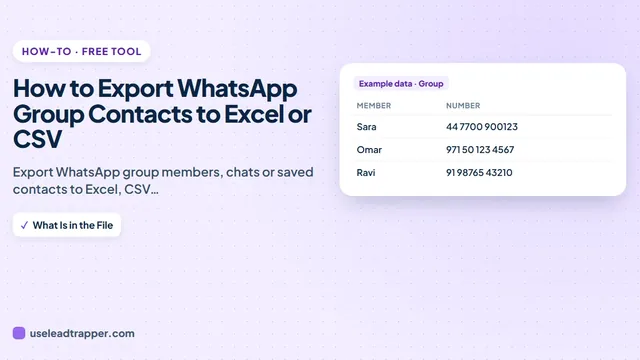
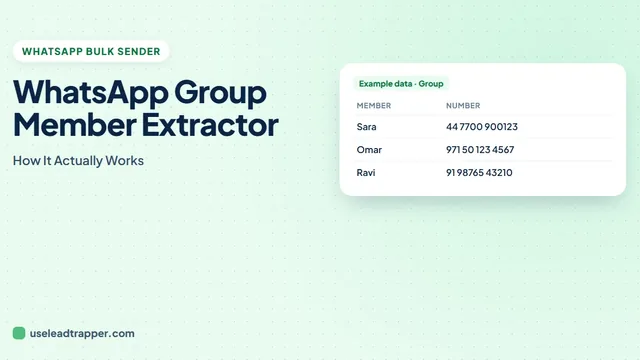
For the member list alone, how to export WhatsApp group contacts shows a free extension, and the guide on the WhatsApp group member extractor shows how LeadTrapper reads the list and why some numbers cannot be read.
Step 1: Get the Member Numbers
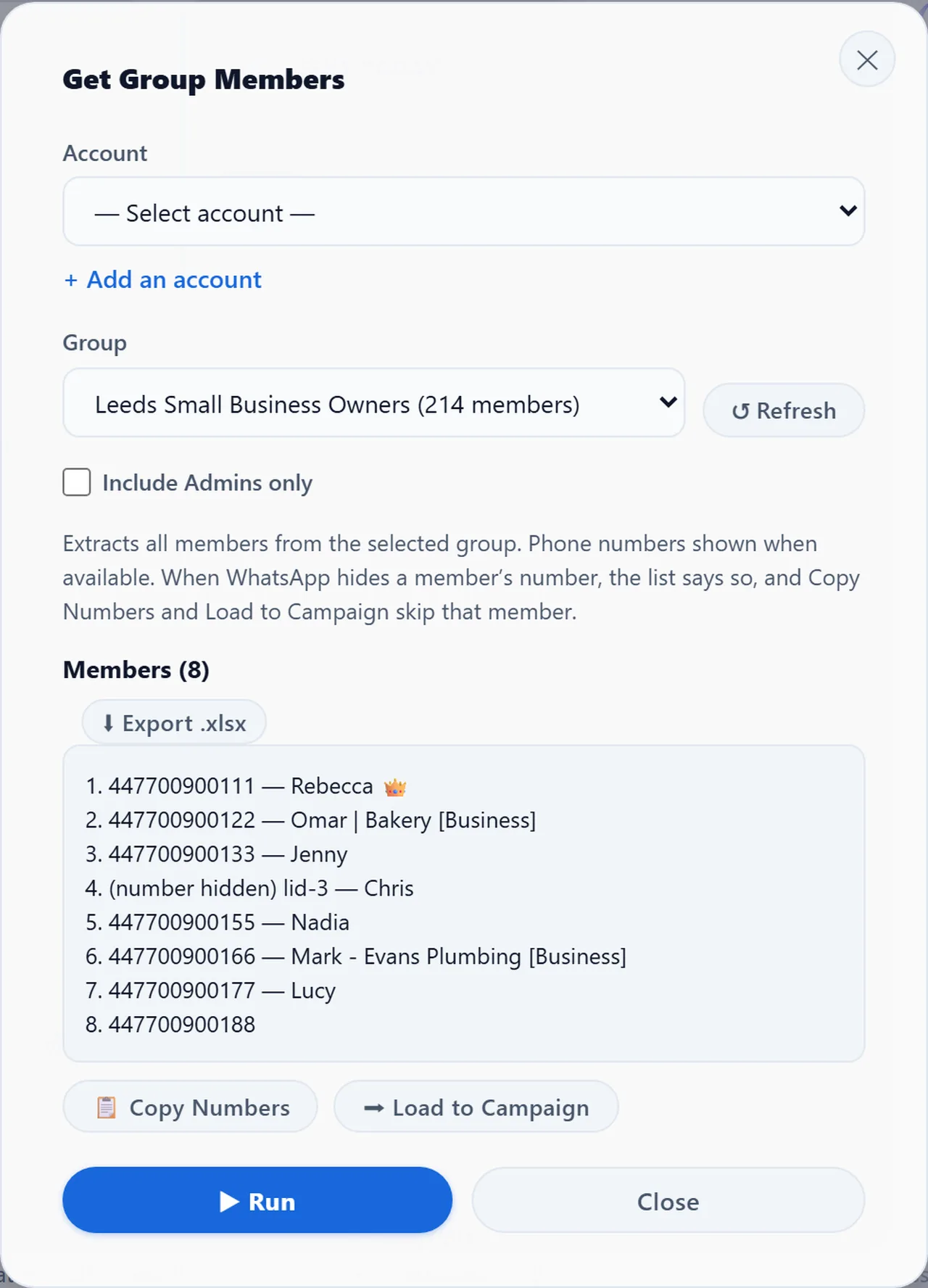
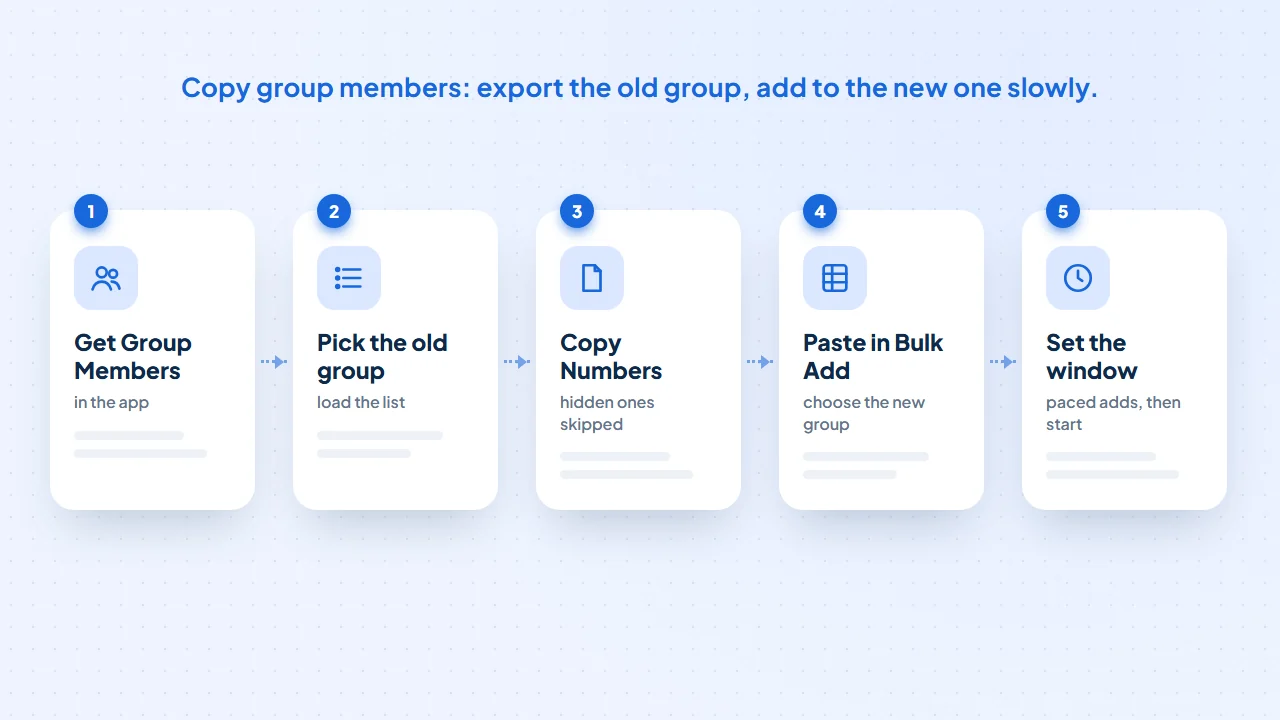
LeadTrapper’s Get Group Members tool lists everyone in a group your number belongs to, and Copy Numbers puts their phone numbers on your clipboard, one per line. In the app, open Get Group Members, pick your account, pick the old group, and run it. There is also an option to include admins only.
Two honest limits come from WhatsApp, not from us. First, WhatsApp now hides some members’ phone numbers from other people, so the app’s note on the screen says that when WhatsApp hides a number, the list says so, and Copy Numbers skips that person. Second, you can only read a group your number is in.
If you copy 120 members and the app says “7 skipped: WhatsApp hides their phone number”, those seven cannot be added from a list. They need the invite link, covered below.
Step 2: Add Them to the New Group
LeadTrapper’s Bulk Add Group Members takes a pasted list or a CSV or Excel file and adds the numbers to a group one by one. The wizard has four steps: Contacts, Target Group, Schedule and Fallback DM. For a copied member list, paste the numbers in step 1. You can choose the country the numbers belong to, which matters only for numbers written without a country code, and copied numbers already have one.
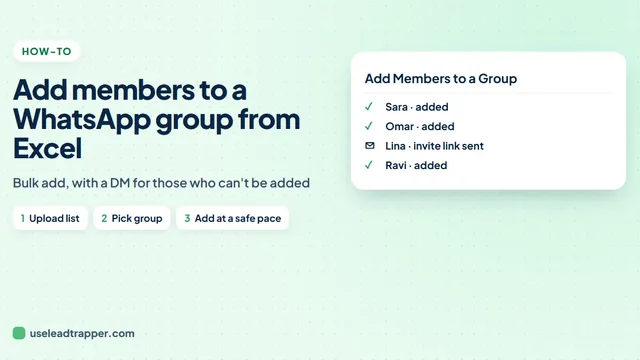
Pick the number (or several numbers, which take turns) and the new group in step 2. The app shows only groups that every selected number is in, and marks which ones the number may add people to. In step 3 you choose a start and end time. In step 4 you write the message people get if they cannot be added directly. If you want more detail on the wizard itself, the guide to adding members to a WhatsApp group from Excel goes through each screen.
Before the first add, the app checks every number on WhatsApp, 50 at a time, so people with no WhatsApp account never use up an add. LeadTrapper’s WhatsApp number filter does the same check as a separate step if you want a clean list first.
Add the members to your new group, free for 14 days
No card needed. Free for 14 days, then $50 a year. Windows 10 and 11.
How the Adds Are Paced
The app never adds people in a burst: it waits at least 30 seconds between adds and stops for 60 minutes after every 8 to 10 adds. Within the start and end time you set, the gaps are spread out and each one varies by up to 30 percent (at most 5 minutes) so they are not identical. With no time window the base gap is about 90 seconds.
Other protections run in the background:
- Several numbers take turns. If you select more than one number, they share the adds in turn, and so do several target groups.
- New numbers go slower. A number the app marks as warming up gets an extra pause after each add and is limited to 10 adds a job.
- Stress slows it down. If one number keeps hitting privacy blocks or disconnects, the app lengthens the pause by 1.8 times.
- It stops by itself after 5 failed adds in a row, or when WhatsApp says it is limiting adds from your number.
- It survives a restart. A job interrupted by closing the app can be restored from its checkpoint.
The end time must be in the future, or the app refuses to start rather than adding at top speed. None of this makes adding strangers safe. WhatsApp publishes no safe daily number, so the pacing only makes the job look less like a burst.
What Happens to Each Person
Every number ends with one result, based on what WhatsApp answers to the add. The table shows each one and what to do.
| Result | What it means | What to do |
|---|---|---|
| Added | WhatsApp added the person | Nothing |
| Invite link sent | Their privacy setting blocked the add, so they got your message with the group’s invite link | Wait for them to tap it |
| Already in group | They are already a member | Nothing |
| Left recently | They left the group lately, and WhatsApp does not allow adding them back yet | Leave them; they are not messaged |
| Not on WhatsApp | The number has no account | Remove it from your list |
| Could not add or message | The add and the invite message both failed | Share the link some other way |
| Failed | Another error, or your number is not allowed to add | Check the number is an admin of the group |
| On do-not-send list | You marked the number as never to contact | Nothing |
The invite link only works if your number can get it. WhatsApp gives it to admins, so when the number is not an admin the app logs that no link is available and falls back to the personal invite WhatsApp offers. Before sending a message to someone who blocked adds, think about whether they will welcome it. The default message is “Hi! Join our group: {link}”, and you can write your own with variations.
WhatsApp’s own explanation of who can add you is in its announcement of the groups privacy setting and the privacy settings help page. Users choose between Everyone, My Contacts and My Contacts Except, and WhatsApp says an admin who cannot add someone is offered a private invite instead.
Worked Example: Moving 120 Members
A gym wants to move its “Downtown Members” group into a new “Downtown Members 2027” group because the old one has no admin left. The new group is created and the gym’s number is made admin.
- Copy. Get Group Members lists 120 people. The app reports “9 skipped: WhatsApp hides their phone number”, so Copy Numbers gives 111 numbers.
- Paste. The 111 numbers go into Bulk Add Group Members, step 1.
- Check. The app checks them on WhatsApp and finds 105 with an account. Six are dropped before any add.
- Schedule. The gym picks Monday 09:00 to Wednesday 09:00, 48 hours. The 105 adds need 11 breaks of 60 minutes (a break after every 9 adds), so 37 hours are left for 104 gaps: about 21 minutes each, varying by up to 5 minutes either way.
- Result. Say 80 are added, 15 get the invite message because of privacy settings, 6 are already members and 4 left recently. The 9 people with hidden numbers get the invite link posted in the old group.
The same job without a time window would use a base gap of about 90 seconds and still take about 14 hours with the breaks. The schedule step shows the estimate before you start.
Privacy, Consent and Limits
Add only people who would expect to be moved. They agreed to the old group, not the new one, and people who are added to a group they did not ask for tend to leave, block or report. WhatsApp’s Terms of Service bar bulk messaging and auto-messaging, and LeadTrapper, like every tool that drives WhatsApp Web, is an unofficial tool and not approved by WhatsApp. Use a number you can afford to lose, and see why WhatsApp bans numbers before running a large job.
The other limits:
- Your number must be allowed to add people to the new group, normally as an admin.
- Group size is capped. WhatsApp raised it to 1,024 in October 2022, reported by 9to5Google, but WhatsApp’s own pages have shown a lower figure. Plan for about 1,000. When WhatsApp answers “group full”, the app stops adding to that group.
- A copied list is numbers only. Names do not come across, so the new group starts with people showing as numbers until they set a profile name or you save them.
- Windows only. LeadTrapper runs on a Windows PC, not on a phone.
Bulk Add Group Members is part of LeadTrapper for Windows, with the WhatsApp bulk sender for messaging the same list one to one. It costs $50 a year after a 14-day free trial. For a small group of 20 people you know, the invite link is simpler and safer than any tool.
Before you send: warm up new or quiet numbers first with the WhatsApp warmer (LeadTrapper's Account Warmer), which runs in the same app.
Frequently Asked Questions
Not with one button. WhatsApp lets an admin add people from their saved contacts, but it has no copy or merge feature. You get the member numbers from the old group, then add those numbers to the new group, by hand for a few people or with a tool such as LeadTrapper's Bulk Add Group Members for many.
Yes, in two steps. Export or copy the phone numbers of the old group's members, then add them to the new group. In LeadTrapper, Get Group Members copies the numbers, and Bulk Add Group Members adds them. Members whose numbers WhatsApp hides cannot be exported.
WhatsApp lets each person choose who can add them to groups, and the privacy setting can limit it to their contacts or a contact list with exceptions. If they chose that, an add fails. WhatsApp then offers the admin a private invite, and LeadTrapper sends the group's invite link in a message instead.
Normally yes. The number that adds people must be allowed to add members to that group, which is usually an admin. LeadTrapper's group list shows only groups your selected numbers belong to, and it tells you which ones the number can add to.
WhatsApp raised the limit to 1,024 members in October 2022, and its own pages have shown a lower figure of about 1,000. Plan for the lower number. When WhatsApp says the group is full, LeadTrapper stops adding to that group.
Only when they would expect it, for example you are moving a customer group to a new group because the old one was full or lost its admin. People added to a group they did not ask for leave, block or report you, and reports can get your number restricted.
About LeadTrapper
LeadTrapper is a Windows app for finding business leads and contacting them on WhatsApp. It collects business contacts from Google Maps, Instagram, Facebook, TikTok, LinkedIn and business websites, checks which numbers are on WhatsApp with its Number Filter, and sends personalised campaigns with automatic delays from one or more WhatsApp accounts. It also has a chatbot, a shared inbox for every account, and Store Orders for online shops. It installs from the Microsoft Store, and the full app is free for 14 days, then $50 a year. Free web tools, browser extensions and a Wix app are listed on the Free Tools page.
Move a Group Without Adding People by Hand
LeadTrapper for Windows copies a group's numbers and adds them to a new group, spaced out over hours, with an invite link for everyone else. $50/year, 14-day free trial.