In this article 7 sections
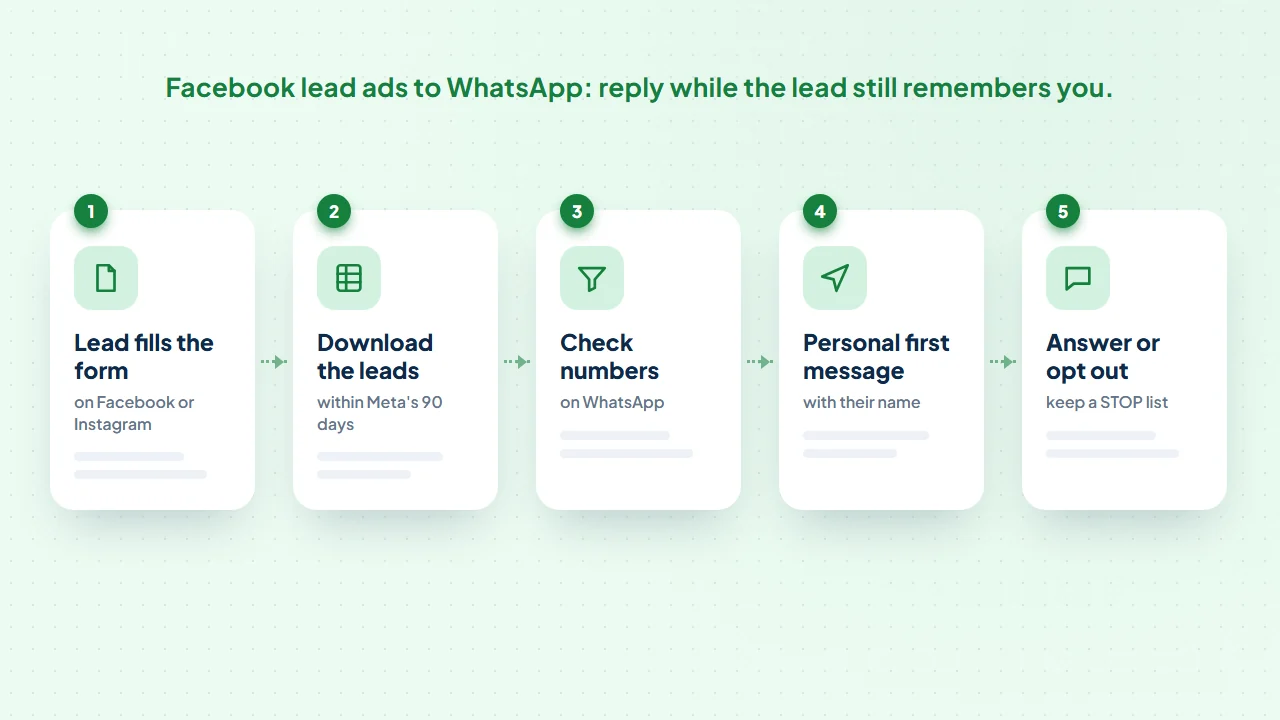
Download or sync the leads from Meta, check each phone number is on WhatsApp, and send a short personal message within minutes, but only to people who agreed to hear from you on WhatsApp. Example: 46 whitening leads, a 'you asked us about teeth whitening' opener, a 20 to 40 second gap between sends.
- A phone number typed into a lead form is not automatically permission to message that person on WhatsApp. WhatsApp's business policy says you may contact people only with their opt-in, and the opt-in must name your business.
- Meta keeps lead data for 90 days after submission, so download or sync leads regularly; older ones can't be retrieved.
- There are three routes: a Click-to-WhatsApp ad where the lead messages you first, the official WhatsApp Business Platform with approved templates, or your own number from a desktop sender, which WhatsApp's guidelines don't endorse.
- Speed matters more than polish. Vendors who sell lead tools recommend a first message within 5 minutes; that figure is their rule of thumb, not Meta research.
- LeadTrapper has no live link to Facebook Lead Ads. You export the leads from Meta as a file, clean the numbers, and send from your PC.
Someone fills in your Facebook lead form at lunchtime. By evening they have forgotten which ad it was. The businesses that win these leads are the ones that message within minutes, on the app the lead already uses all day. This guide shows how to get leads from a Facebook or Instagram lead form into WhatsApp quickly, and where the rules draw the line.
What the Official Rules Say First
WhatsApp lets a business message a person only if that person has opted in to hear from the business. A lead form is a good starting point, but only if it says what will happen next.
- WhatsApp’s business policy (WhatsApp Business Messaging Policy, last updated 23 September 2026) says you may contact people on WhatsApp only if you have received opt-in permission from the recipient. Outside the 24-hour customer service window, you may only send approved Message Templates. You must respect requests to opt out, on or off WhatsApp.
- Meta’s opt-in guidance (Get opt-in for WhatsApp, checked 23 November 2026) says the business must clearly state that the person is opting in to receive communication from it, and name the business. Permission can be general and not specifically for WhatsApp, as long as all local laws are met. SMS, a website, a phone menu and a paper sign-up are listed as accepted methods.
- WhatsApp’s general guidelines (WhatsApp Messaging Guidelines, last updated 23 September 2026) forbid using unofficial clients, bulk messaging, auto-messaging or automation to harm WhatsApp or its users, and list repeated unwanted contact as spam. Breaking them can lead to warnings and temporary or permanent suspension.
In plain terms: put one line on the form such as “We’ll message you on WhatsApp about your enquiry. Reply STOP any time to opt out.” Keep the date each lead submitted. If your form doesn’t say this, treat a lead as someone who asked about your service but didn’t agree to a WhatsApp conversation, and consider a phone call or email first.
Get the Leads Out of Meta Before They Expire
Meta keeps lead data for 90 days, so the first job is getting leads out of Facebook. Meta’s Download or Retrieve Your Leads Data help page says lead information is available for 90 days, and its page on expired leads says leads can’t be downloaded after that period. Both were checked on 23 November 2026.
There are three ways to get them out:
- Download a file. In the Leads Center in Meta Business Suite, or in Ads Manager, download the leads for each form as CSV or Excel. Users report that exports are per form, so repeat for each one.
- Sync them. Zapier, Make, a CRM or a lead tool can pick up each new lead as it arrives through a webhook. Meta’s Marketing API guide for lead ads says real-time retrieval needs an app that has passed App Review with the leads_retrieval permission, which is why most small businesses use a ready-made tool.
- Read them on your phone. Fine for five leads a week. Not for fifty.
If you can’t see leads in Ads Manager, the cause is often missing Page access. The Marketing API guide says reading lead data needs Page admin access or flexible permissions.
Three Ways to Follow Up on WhatsApp
You can follow up through a Click-to-WhatsApp ad, the official WhatsApp Business Platform, or your own number from a desktop sender. They differ in cost, speed and risk.
| Route | How it works | Strength | Limit |
|---|---|---|---|
| Click-to-WhatsApp ad | The ad opens a WhatsApp chat, so the lead messages you first | The lead started the chat, so you can reply freely inside the 24-hour window | Not a lead form: you lose the form’s qualifying questions |
| WhatsApp Business Platform (API) | A tool sends an approved template when a lead arrives | Official, instant, automatic | Needs a provider and approved templates; Meta charges per message |
| Your own number, desktop sender | You load the exported file and send personal messages from your PC | Cheap, flexible, uses your normal number | Unofficial; WhatsApp’s guidelines forbid bulk or automated messaging that harms users |
Vendors describe the first two in their own guides. LeadsBridge’s guide to Facebook leads on WhatsApp lists Click-to-WhatsApp ads and the API, and notes that the API needs a number not already used in the app. SleekFlow’s lead ads guide adds that first contact outside the 24-hour window must be an approved template, classified honestly as marketing or utility. Both are tool vendors, so treat their prices and speed claims as sales material. For the official route in more depth, see our guide to whether you need the WhatsApp Business API.
A Worked Example: 46 Leads for a Dental Clinic
A dental clinic runs a lead ad for teeth whitening. The form asks for first name, phone number and “Which treatment are you interested in?”. The last line of the form says the clinic will message on WhatsApp, and that STOP ends the messages.
Over one weekend the ad collects 46 leads. On Monday at 9:00 the clinic does this:
- Download the leads from the Leads Center as a CSV: 46 rows, with name, phone and treatment.
- Clean the numbers. People type 0501234567, +971 50 123 4567 or 971501234567. Convert them all to one format with country code first and no leading 0 (see WhatsApp number format with examples). Remove duplicates: 3 people submitted twice, leaving 43.
- Check the numbers on WhatsApp. 5 of the 43 are not on WhatsApp, so 38 remain. The other 5 get a phone call.
- Send 38 messages with each person’s first name and treatment, 20 to 40 seconds apart. Sending takes roughly 20 minutes.
- Answer the replies from the phone, and add anyone who writes STOP to the do-not-send list.
These figures are an illustration, not a benchmark. Your share of numbers not on WhatsApp will depend on the country and on how people fill in forms.
What to Write in the First Message
The first message should remind the lead why you are writing, use their name, and ask one easy question. It should read like a person wrote it, because on WhatsApp a person is expected to.
Hi Maya, this is Anna from Bright Smile Dental. You asked us about teeth whitening on Facebook this weekend. Are you free to come in for a 20-minute check this week? Reply STOP if you’d rather not hear from us.
Why this works:
- It names the business and the reason. The lead knows who you are and why they hear from you.
- It asks one question. A yes/no question is easy to answer from the lock screen.
- It carries an opt-out line. WhatsApp’s policy says you must respect opt-out requests, and a visible line reduces the number of people who report you instead.
Skip long price lists, links to many pages and identical wording for everyone. Our guides to bulk WhatsApp messages with each person’s name and the WhatsApp opt-out message show wording and how to handle STOP replies.
Problems and Fixes by Situation
Most follow-up problems come from the lead data or the consent, not from WhatsApp itself. Find your situation in the table.
| Situation | What it usually means | What to do |
|---|---|---|
| Lead says “who are you?” | The ad and form didn’t make clear who they were giving their number to | Open with your business name and the ad topic; name the business in the form |
| Number is not on WhatsApp | Typed wrongly, landline, or no WhatsApp account | Check numbers first and call or email those leads instead |
| Number has no country code | The lead typed a local number | Add the code for the country in your ad targeting; see the number format guide |
| Leads older than 90 days are missing | Meta no longer makes them available | Export or sync every 2 to 3 weeks |
| Cannot see leads in Ads Manager | Missing Page-level access | Ask a Business admin for Page access, per Meta’s lead ads guide |
| Lead replies STOP | They withdrew permission | Add to the do-not-send list, don’t message again, delete if they ask |
| Lead never replies | Cold lead, or the number isn’t theirs | One polite follow-up after a few days, then stop |
| Account restricted after a send | Reports or blocks from recipients | Stop and read what a restricted WhatsApp account means |
What LeadTrapper Can and Can't Do Here
LeadTrapper doesn’t connect to Facebook Lead Ads. It starts after you export the leads, and it sends from your own WhatsApp number, not through the official API. We make LeadTrapper, so here is what it does for this job:
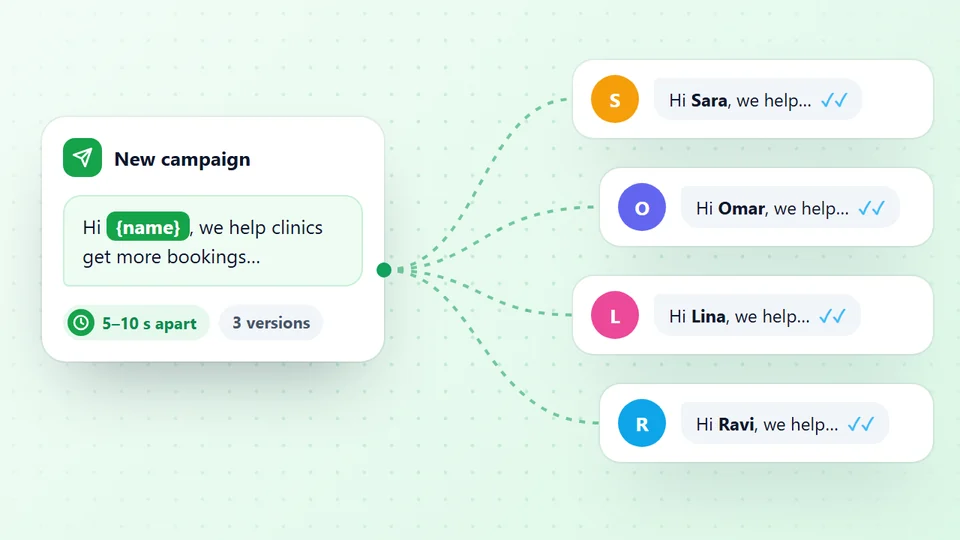
- Loads your file. The WhatsApp bulk sender takes an Excel or CSV list (.xlsx, .xls, .csv), and every column becomes a code: a column called Treatment gives you the code , and inserts each person’s name.
- Varies the wording. Choices in curly brackets, such as {Hello|Hi|Hey}, are picked at random per contact so messages don’t all look identical.
- Checks numbers first. Its Number Filter checks each phone number on WhatsApp through your connected account, so you don’t message numbers that don’t exist.
- Paces the sending. The default wait between messages is 20 to 40 seconds, which you can change.
- Keeps a do-not-send list. Numbers on it never get your messages, which is where people who asked you to stop belong.
- Can send later. A Send Later option schedules a campaign.
It does not sync new leads automatically, use approved templates or read Facebook. It also can’t make unsolicited messages acceptable. WhatsApp’s guidelines say bulk and automated messaging that harms users is not allowed, and the risk of using any unofficial tool is yours. If you need a message the moment a lead arrives, an official provider is the better fit; if you work in daily batches from an exported file, a desktop sender is simpler and cheaper.
Send your first campaign free for 14 days
Before you send: warm up new or quiet numbers first with the WhatsApp warmer (LeadTrapper's Account Warmer), which runs in the same app.
Frequently Asked Questions
Yes, if the person gave you their number and agreed to be contacted by your business. WhatsApp's Business Messaging Policy (updated 23 September 2026) says you may contact people only with opt-in permission. Say in the form that you will message them on WhatsApp, and keep a record of it.
Not by itself. Meta's developer documentation says opt-in must clearly state that the person is opting in to receive messages and must name your business. It can be general and not specific to WhatsApp, as long as local laws are met, so the safest form wording names both your business and WhatsApp.
Meta's Business Help Center says lead information is available for download for 90 days after the lead submits the form. After that it can't be downloaded, so export or sync leads at least every few weeks.
As fast as you can. Lead-tool vendors such as LeadsBridge and SleekFlow advise a first contact within 5 minutes. That figure comes from their own advice, not from Meta, but the direction is clear: interest from an ad fades quickly.
No. LeadTrapper doesn't read your Meta lead forms. You download the leads from Meta's Leads Center or Ads Manager as a CSV or Excel file, load that file into the WhatsApp bulk sender, and send from your own WhatsApp number.
Not strictly. The API is Meta's official route and uses approved message templates for first contact. Many small businesses message from a normal WhatsApp or WhatsApp Business number instead. That works technically, but WhatsApp's guidelines prohibit bulk and automated messaging that harms users, so keep volumes small and relevant.
About LeadTrapper
LeadTrapper is a Windows app for finding business leads and contacting them on WhatsApp. It collects business contacts from Google Maps, Instagram, Facebook, TikTok, LinkedIn and business websites, checks which numbers are on WhatsApp with its Number Filter, and sends personalised campaigns with automatic delays from one or more WhatsApp accounts. It also has a chatbot, a shared inbox for every account, and Store Orders for online shops. It installs from the Microsoft Store, and the full app is free for 14 days, then $50 a year. Free web tools, browser extensions and a Wix app are listed on the Free Tools page.
Message Your Leads From Your PC
LeadTrapper loads an Excel or CSV list, checks the numbers are on WhatsApp and sends personalised messages at a safe pace. $50/year after a 14-day free trial.