In this article 5 sections
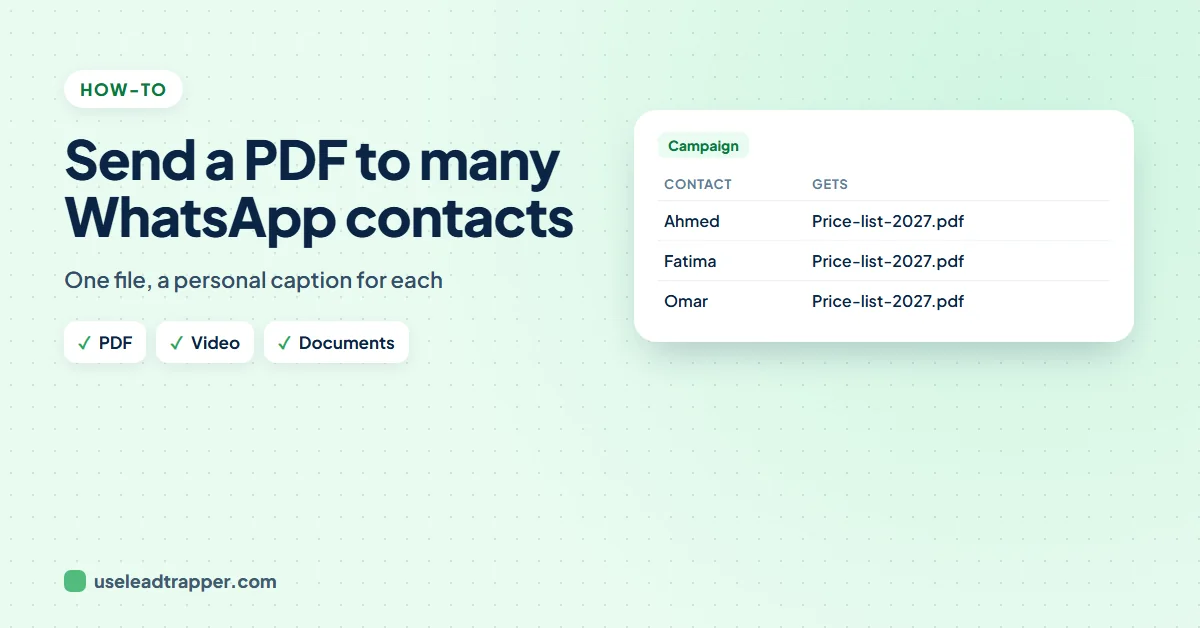
To send a PDF on WhatsApp to many contacts, attach the file to a bulk message: each contact gets the file with your message as its caption, personalised with their name. In LeadTrapper's Send Bulk Messages, add the file under Add a photo, video or file; it takes PDFs, Word, Excel, PowerPoint, videos, images and zip files.
- WhatsApp's own app lets you forward a file to a few chats at a time, or send it to a broadcast list of contacts who saved your number.
- A bulk sender attaches the file to every message, with your text as the caption and each contact's name in it.
- LeadTrapper's Send Bulk Messages takes one file per campaign: PDF, Word, Excel, PowerPoint, text, zip or rar documents, videos and images.
- Name the file clearly (Price-list-2027.pdf), keep it small, and send a test to your own number first.
- Send files to people who asked for them or expect them; unwanted attachments get reported faster than text.
A price list, a menu, a brochure, a course timetable, a short product video: some messages work better as a file. Sending it to a few people is easy in WhatsApp. Sending it to three hundred, each with their own name in the message, needs a bulk sender. This guide covers both.
What You Can Send
| File | Good for |
|---|---|
| Price lists, menus, brochures, catalogues, timetables | |
| Word, Excel, PowerPoint | Forms, order sheets, presentations |
| Video | A short product demo or a tour |
| Image | An offer flyer; see sending a bulk message with an image |
| Zip or rar | Several files in one, for customers who expect them |
In the WhatsApp App
For a handful of people, forward the file from a chat to several chats at once, or send it to a broadcast list. A broadcast only reaches contacts who saved your number, and lists have a limit on members; see the broadcast list limit guide. Neither puts each person’s name in the message.
To a Whole List
In LeadTrapper’s Send Bulk Messages:
- Choose your WhatsApp number and add your contacts: upload an Excel file or paste numbers. Every number is checked on WhatsApp before sending.
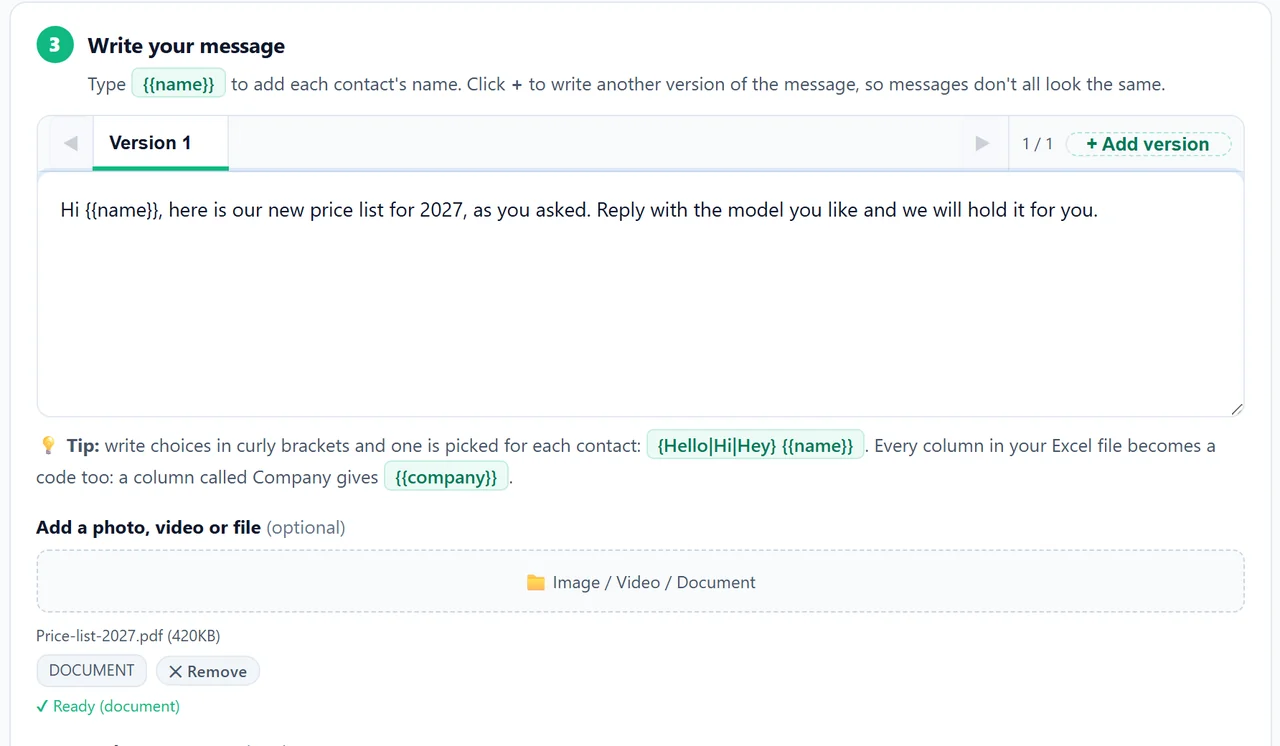
- Write the message. It becomes the file’s caption. Add
{{name}}and any column from your file, such as{{company}}. - Add the file under Add a photo, video or file. The app shows the file name and size, marks it DOCUMENT, VIDEO or IMAGE, and says Ready when it is uploaded.
- Choose a safe speed, set pause hours, and press Start Sending or Send Later.
Each contact gets the file with your message as its caption, from your own number.
Send your file to your list free for 14 days
Files That Arrive Well
- Name the file for the customer. “Price-list-2027.pdf” is what they see; “final_v3_new.pdf” is not.
- Keep it small. A PDF of a few hundred kilobytes opens instantly on mobile data; compress large scans and keep videos short.
- Say what it is in the caption. “Here is our new price list, as you asked” tells people the file is expected and safe.
- Test first. Send the campaign to your own second number before the list.
- One file per campaign. For different files to different groups, run one campaign per group.
Who to Send Files To
Attachments from unknown numbers are what people report fastest. Send files to customers who asked for them or are expecting them, such as people who requested a price list or booked a class. For the pace that keeps a number safe, see the guide to sending bulk WhatsApp messages without a ban, and to see who answered, track the replies to your campaign.
The WhatsApp bulk sender is part of LeadTrapper for Windows, which costs $50 a year with a 14-day free trial. LeadTrapper is not affiliated with or endorsed by WhatsApp.
Before you send: warm up new or quiet numbers first with the WhatsApp warmer (LeadTrapper's Account Warmer), which runs in the same app.
Frequently Asked Questions
In the WhatsApp app, forward the PDF to up to a few chats at a time, or send it to a broadcast list whose members saved your number. For a longer list, use a bulk sender: in LeadTrapper's Send Bulk Messages, add your contacts, write the message, add the PDF under Add a photo, video or file, and press Start Sending. Each contact gets the PDF with your message as its caption.
Yes, the same way. LeadTrapper's attachment box accepts videos as well as images and documents; each contact gets the video with your message as its caption. Keep videos short so they download quickly on mobile data.
In LeadTrapper: images, videos, and documents including PDF, Word (.doc, .docx), Excel (.xls, .xlsx), PowerPoint (.ppt, .pptx), text files, and zip or rar archives. The app marks the file as IMAGE, VIDEO or DOCUMENT when you add it.
Not in one campaign: one file goes to everyone, with a personal caption. For different files, such as a personal quote, run separate campaigns for each group.
Yes. Write {{name}} or any column from your Excel file, such as {{company}}, in the message, and each contact's caption is filled in for them.
About LeadTrapper
LeadTrapper is a Windows app for finding business leads and contacting them on WhatsApp. It collects business contacts from Google Maps, Instagram, Facebook, TikTok, LinkedIn and business websites, checks which numbers are on WhatsApp with its Number Filter, and sends personalised campaigns with automatic delays from one or more WhatsApp accounts. It also has a chatbot, a shared inbox for every account, and Store Orders for online shops. It installs from the Microsoft Store, and the full app is free for 14 days, then $50 a year. Free web tools, browser extensions and a Wix app are listed on the Free Tools page.
Send Your Price List to Everyone Who Asked
LeadTrapper for Windows sends a PDF, video or image to your whole WhatsApp list from your own number, each with a personal caption and safe pacing. $50/year, 14-day free trial.